 Current location:
Home
> News > Product News > Interactive Flat Panel
 Release date: 2026-10-10
 Clicks:0
From teaching software, writing experience, wireless screen projection to video conferencing and batch deployment, analyze how Qtenboard can help schools, enterprises and system integrators choose interactive whiteboards suitable for their projects with 20 years of manufacturing experience and scenario-based configuration capabilities.
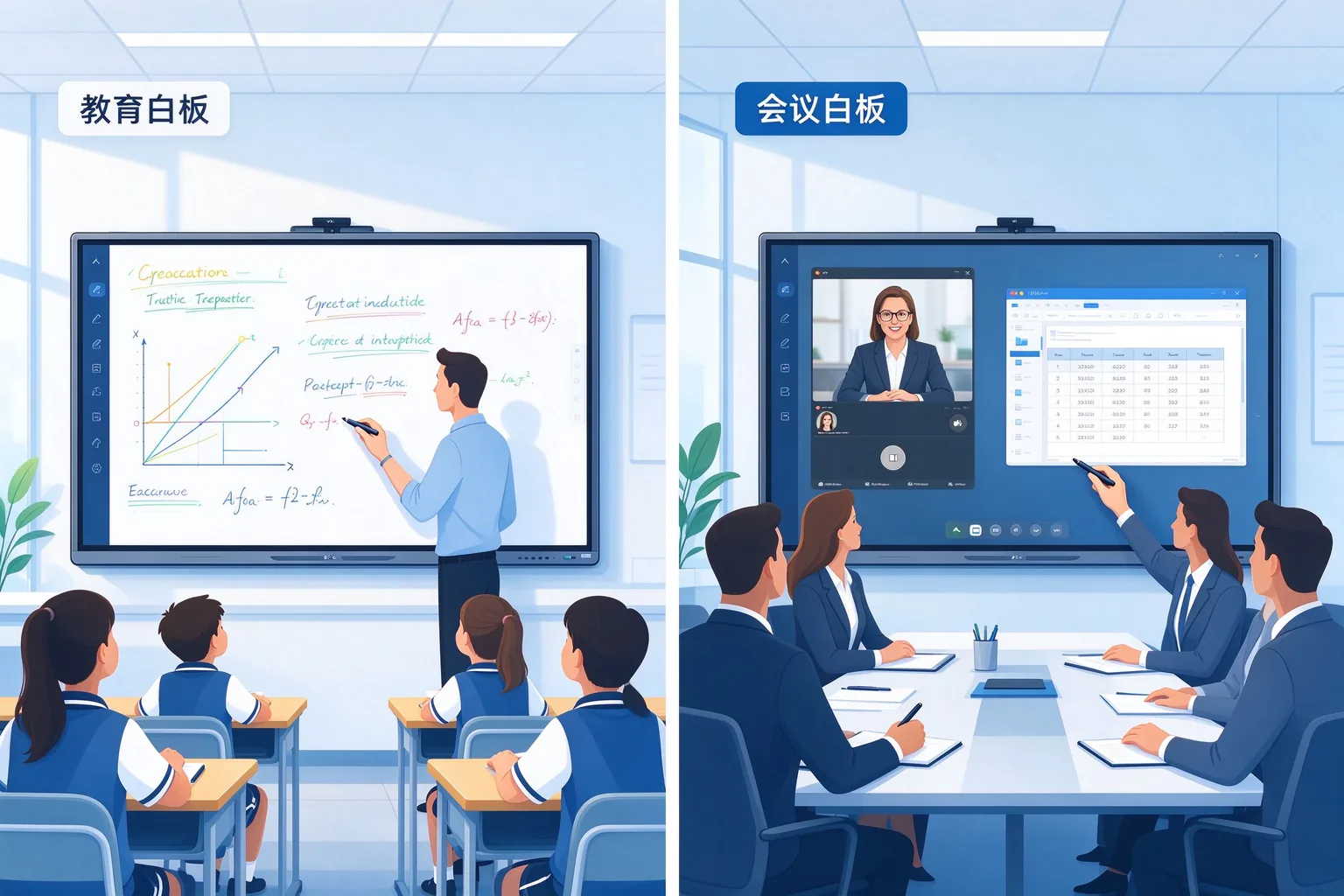
Do not purchase two scenarios with the same parameter table. The school purchased a large screen with convenient screen projection, but the teacher found that the courseware annotation, blackboard writing arrangement and classroom activities were not convenient. The enterprise purchased a whiteboard with rich teaching functions, but found that the visitor's screen casting, conference account withdrawal and audio and video connection did not conform to the workflow. The educational whiteboard needs to serve the teaching process of "lesson preparation-teaching-interaction-review", and the conference whiteboard needs to serve the conference process of "connection-demonstration-discussion-remote collaboration-achievement handover. The selection should start from the real task, not just look at the size, resolution and touch points.
Qtenboard (Shenzhen Qunmao)Founded in 2005, it has been deeply engaged in interactive display manufacturing for 20 years. It has 330,000 ㎡ intelligent manufacturing industrial parks, 16 factories, 8 fully automatic production lines and a daily production capacity of 200 units in Shenzhen and Guangzhou, serving 120 countries and regions in the world. The Qtenboard interactive whiteboard covers 55-110 inch full-size segments, is equipped with Q AI system-level framework and MediaTek Genio 520 platform, supports Android Windows OPS dual systems, and provides a complete solution from hardware to software for education, conferences and OEM/ODM projects.
This discussion focuses primarily on interactive flat panel displays (IFPDs). Traditional projection-based interactive whiteboards shall not be conflated with touch panels. Nano blackboards, digital podiums and document cameras, as supporting products for education scenarios, will be addressed separately.
It centers on courseware display, digital whiteboarding, teaching utilities, student content sharing and in-class interaction. The Qtenboard education solution comes in 65/75-inch sizes with 20–50 touch points, Q-AI handwriting recognition and shape recognition. It is tailored for K12 and small-to-medium classrooms.
Content presentations, file annotations, brainstorming, wireless sharing, and hybrid meetings. The Qtenboard meeting plan supports 75/86 inches, Q AI 166 language real-time translation, 5 seconds to generate structured meeting minutes, and up to 9 devices to screen at the same time.
It is suggested to discuss three procurement categories: general hardware basic whiteboard software; Educational hardware platform teaching software and classroom matching; Conference hardware platform screen and audio and video matching. Avoid writing "Education and Conference must use completely different panels, motherboards or touch technologies". The Qtenboard supports Android Windows OPS dual systems, switching time <3 seconds, and can flexibly adapt to two types of scenarios.
The following table serves as a comparative framework for the article, rather than a fixed feature conclusion for all models.
| Comparison dimension | Education Scene Focus | Meeting Scene Highlights | Qtenboard support |
|---|---|---|---|
| Usage process | Continuous teaching, repeated blackboard writing, classroom interaction | Fast connection, multi-person presentation, discussion handover | Dual system flexible switching |
| Software tool | Subject tools, courseware annotations, classroom activities | File annotations, whiteboard discussions, content sharing | Q AI handwriting recognition, pattern recognition |
| Writing experience | Small print, formulas, graphics, multiplayer writing | Quick annotation, flow chart, scheme modification | 20-50 touch, 1.5mm accuracy, 7ms response |
| Courseware and Documents | Teaching Courseware and Curriculum Resources | PPT, PDF, forms and office applications | Windows OPS支持 |
| Wireless screen mirroring | Teacher presentation, student content sharing | Quick connection between employees and visitors | Up to 9 devices screen at the same time |
| Audio and video | Depending on the needs of teaching, recording and broadcasting or mixed teaching | Configuration depending on remote conference requirements | Camera/microphone module optional |
| Account Number and Data | Teacher account, course materials, student information | Enterprise accounts, meeting files, guest sessions | DMS Permission Management |
| Batch Management | Multi-classroom, teacher application and version maintenance | Multi-conference room, meeting application and equipment maintenance | DMS unified management, predictive diagnostics |
| Service Training | teacher teaching application training | Staff operation and IT operation and maintenance training | OEM/ODM training support |
This section focuses on:
1. Multi-touch does not mean that many people have a good writing experience. Test whether writing, wiping and dragging interfere with each other.
2. "Support file format" does not mean that the original file layout, animation and annotation are completely retained.
3. "Installable conference software" does not mean obtaining the certification of the platform's complete machine or conference room scheme.
4. "Built-in camera and microphone" does not mean meeting the audio and video needs of all rooms.
5. Software, device management, and add-on services should distinguish between included, optional, and subscribed items. Qtenboard DMS supports remote on/off, batch updates, application distribution, and AI predictive diagnostics.
It is suggested to test teachers' existing PPT, PDF, video and teaching software, local, mobile storage and courseware access in the school platform, account login and personal data call, and functions that need to be used under no network conditions. Qtenboard support Android 14/16 and EDLA certification (if required by the project), compatible with Google Classroom, Microsoft Teams and mainstream LMS.
It is recommended to test continuous writing, formulas, graphics and small print annotations, palm or tool erasure, multi-person writing and content movement, student work display and screen projection rights, and courseware/video/whiteboard switching. Qtenboard touch accuracy 1.5mm, single point response time 7ms, support 20-50 point touch, multi-person writing without conflict.
It is suggested to check the saving format of blackboard writing, whether comments can be edited again, file export and re-opening, teacher data exit and cleaning, and student information access rights. Q AI supports handwriting to text, OCR, graphic recognition, automatic saving of classroom content, and one-click generation of classroom summary.
Writing reminder: do not directly equate ordinary chalk blackboard writing with digital blackboard writing that can be automatically saved, and do not directly describe "nano blackboard" as completely dust-free.
It is recommended to verify the connection process between employee computers and visitor computers, the availability of wired/wireless/screen-throwing devices, whether software installation or administrator rights are required, whether it is available under the restrictions of the enterprise network, and the applicable system and connection conditions for touch return. Qtenboard wireless screen projection supports up to 9 devices connected at the same time, compatible with Windows, macOS, iOS and Android.
It is suggested to test PPT, PDF and form annotations, many people take turns to cast screens and compare contents, whiteboard discussion and save meeting results, the existing meeting platform calls cameras/microphones and speakers, and remote participants watch the effect of shared content. Q AI meeting intelligence runs locally on the device, 166 languages are translated in real time, structured meeting minutes are generated in 5 seconds, and action items and responsible persons are automatically extracted.
It is recommended to verify the file export location, meeting account exit, cache and local data cleaning, whether the next meeting needs to be reconfigured, fault feedback and remote support process. Qtenboard DMS supports remote startup and shutdown, application distribution, and permission control to ensure secure isolation of conference sessions.
Don't promise that a conference whiteboard can replace a professional audio system, conference host, or all peripherals. Qtenboard Windows OPS is based on the Genio 520 platform and offers optional i5/i7 configurations.
| Situation | Key assessment | Qtenboard adaptation |
|---|---|---|
| Education whiteboard for corporate training room | Whether the teaching tools are useful, and whether the enterprise software and conference connection meet the requirements | Dual system support Windows office software |
| Meeting Whiteboard for University Seminar Room | Whether the process of discussion and screen projection is appropriate, and whether blackboard writing and courseware tools are sufficient. | Q AI handwriting recognition, pattern recognition |
| Universal Whiteboard for Primary and Secondary School Classroom | Whether teaching software, blackboard writing reuse and teacher training need to be supplemented | Educational apps can be pre-installed with EDLA support |
Avoid directly regarding "being able to screen and write" as a complete scene replacement.
The Q AI is deeply integrated at the hardware, software, and algorithm layers, and the core transcription runs locally on the device and can be used without networking. Real-time translation in 166+ languages, structured meeting minutes generated in 5 seconds, reducing preparation time by more than 75%. Equipped with MediaTek Genio 520 platform, 10 TOPS device end AI, no fan mute design.
Based on the MediaTek Genio 520 (MT8371) chip, the 8th generation NPU provides 10 TOPS dedicated AI acceleration. 6nm process, fanless design, 10-year standard supply life cycle. Suitable for classrooms, conference rooms and other high acoustic environment requirements of the scene.
Qtenboard DMS supports global multi-device unified monitoring, batch update, and permission management. The AI-driven predictive diagnostics module monitors hardware parameters such as panel temperature, internal voltage, and color values, providing early warnings to prevent unexpected equipment downtime. Supports remote on/off, application distribution, firmware upgrade, and multi-campus management.
| Acceptance Items | Educational Project Testing Tasks | Meeting Project Test Task |
|---|---|---|
| Display Readability | Back row reading formula, small print and courseware | Read tables, drawings, and presentation documents |
| writing interaction | Continuous blackboard writing, multi-person writing and wiping | Annotations, Flowcharts, and Schema Discussions |
| Software Compatibility | Teachers' Existing Courseware and Application | Enterprise existing office and conference software |
| Screen projection connection | Teachers, students equipment sharing | Employee, guest device connection |
| Save Export | Preservation of blackboard writing and curriculum reuse | Preservation and handover of conference results |
| Audio and video | Distance Teaching or Recording Test | Two-way conference and remote hearing test |
| Operations and Maintenance Management | Classroom Application and Update Process | Meeting room equipment and update process |
The size proposal should be based on the room layout, the farthest viewing position, the content font size and the measured readability, and the fixed size should not be directly specified according to the number of people.
It is recommended to make a unified comparison between the whole machine and OPS, teaching or conference software license, screen/audio and video and installation accessories, installation and commissioning, teacher or staff training, equipment management and update services, quality assurance/spare parts and maintenance support.
Project issues:Reuse of blackboard writing and poor courseware switching.
Display content:Qtenboard education configuration (65/75 inch, EDLA, Q AI handwriting recognition) with teacher trial.
Recommended Record Metrics:Switching time-consuming, save success rate, training feedback.
Project issues:It is difficult to cast screen debugging and remote radio.
Display content:Qtenboard conference configuration (75/86 inch, dual system, Q AI 166 language, 9 device screen) and connection test.
Recommended Record Metrics:Connection time consumption, number of failures, remote feedback.
Project issues:Education is confused with conference positioning.
Display content:Category configurations, software, and quotes.
Recommended Record Metrics:Delivery consistency, after-sales work orders, customer feedback.
When there is no real data for the case, only "situation example" or "pilot scheme" is written ". Do not make up the percentage of teaching performance improvement, meeting efficiency improvement or cost reduction.
What is the biggest difference between an educational whiteboard and a conference whiteboard?
The educational whiteboard needs to serve the teaching process of "lesson preparation-teaching-interaction-review", with emphasis on courseware tools, classroom activities and board writing reuse. The conference whiteboard needs to serve the conference process of "connection-demonstration-discussion-remote collaboration-achievement handover", with emphasis on screen projection, video conference and document handover. The Qtenboard supports Android Windows OPS dual systems and can flexibly adapt to two types of scenarios.
Can educational whiteboards be used in corporate boardrooms?
Cross-scenario usage can be evaluated, but enterprise software compatibility, conference platform calls, visitor screen display processes, and post-conference handover need to be verified. Qtenboard dual systems support Windows office software and mainstream conference platforms, the final adaptation needs to be confirmed by prototype testing.
Is the meeting whiteboard suitable for primary and secondary school classes?
There is a need to assess the adequacy of teaching tools, the ease of reuse of blackboard writing, and the need for additional teacher training. Qtenboard conference models can be pre-installed with Q AI handwriting recognition and educational applications, but if EDLA certification and Google Classroom support are required, the specific model should be confirmed before purchasing.
Do both types of products need to Windows OPS?
Not necessarily. If it is only used for whiteboard, screen projection and basic applications, the Android may be sufficient. If you need to run Office, CAD, professional teaching software or enterprise systems, you should evaluate Windows OPS or dual systems. The Qtenboard OPS module is based on the Genio 520 platform and is available with i5 or i7 configurations.
The more touch points, the better the writing experience?
Not necessarily. A higher number of touch points doesn’t necessarily mean lower latency, better edge accuracy, or a better multi-user experience. It should be tested whether writing, wiping and dragging interfere with each other, as well as edge accuracy and response speed. The Qtenboard supports 20-50 point touch, touch accuracy 1.5mm, single point response 7ms.
Does the support meeting software represent platform certification?
No. The installation of conference software is not equivalent to obtaining the certification of the platform's complete machine or conference room scheme. The certification status and compatibility test results of equipment and target platform shall be confirmed before procurement.
Is there an additional charge for whiteboard software and device management?
Varies depending on the supplier and features. Basic whiteboards and screens may typically be included on the device, but Q AI services, DMS, CMS, and advanced collaboration features may require separate licenses or subscriptions. When making purchases, suppliers should be required to provide itemized quotations.
Does the distributor need to plan separately for education and conference payments?
It is recommended to plan separately. The BOM, software, accessories, and quotation strategies for education and conference funds can be different. The Qtenboard supports the model and BOM definition of education and conference models respectively, and supports OEM/ODM customization.
What OEM/ODM customization can Qtenboard provide?
Qtenboard supports brand Logo, splash screen, UI, language, pre-installed application, OCR language pack, hardware configuration, structural parts, bracket, camera, microphone, packaging and CKD/SKD local assembly. Independent OEM production lines ensure that customization does not affect standard delivery.
What scenarios and configuration data need to be prepared before inquiry?
It is recommended to provide project type and target market, room layout/viewing location and number of users, quantity and deployment plan, existing courseware/software or conference platform, operating system and OPS requirements, screen and audio and video requirements, management/security and certification requirements, OEM/ODM customization scope, delivery/installation and after-sales requirements.
The difference in procurement between educational and conference whiteboards comes from teaching and collaboration tasks, not just product names. Schools should verify blackboard writing, courseware, classroom interaction and curriculum reuse; Enterprises should verify the connection, demonstration, remote audio and video handover after the meeting. Dealers and system integrators need to translate these requirements into testable, quotable, and acceptable configurations.
QtenboardBacked by 20 years of manufacturing experience, 330,000 ㎡ industrial park, 8 full-automatic production lines, Q AI system-level framework (166 language, local operation, 5-second minutes), Genio 520 platform (10 TOPS equipment end AI, fanless mute design) and DMS equipment management system, it is oriented to global education, conferences and OEM/ODM projects, provide 55-110 inch interactive whiteboard, 4K display, 20-50 touch, 1.5mm precision, Android Windows OPS dual system, OEM/ODM/JDM/CKD/SKD customization and batch delivery services. Serving 120 countries and regions, with after-sales response within ≤4 hours.
Qtenboard can assist customers to complete interactive whiteboard solutions from scenario definition, configuration selection, prototype testing to batch delivery according to the needs of education projects, conference projects and distributor dual product lines.
If you are planning an educational whiteboard or conference whiteboard procurement project
Qtenboard provide 55-110 inch interactive whiteboard, Q AI system level framework, Genio 520 platform, Android Windows OPS dual system, DMS device management, CMS content management and OEM/ODM/JDM/CKD/SKD customization services.
Get a Qtenboard education/conference program selection guide, or book a factory tour and prototype testing.
 Partner Links:

 en
 中文

 Previous:
 Return to list

