Service Hotline:

+8615920011166

en en

Indoor digital signage

Current location: Home > Product > Indoor digital signage
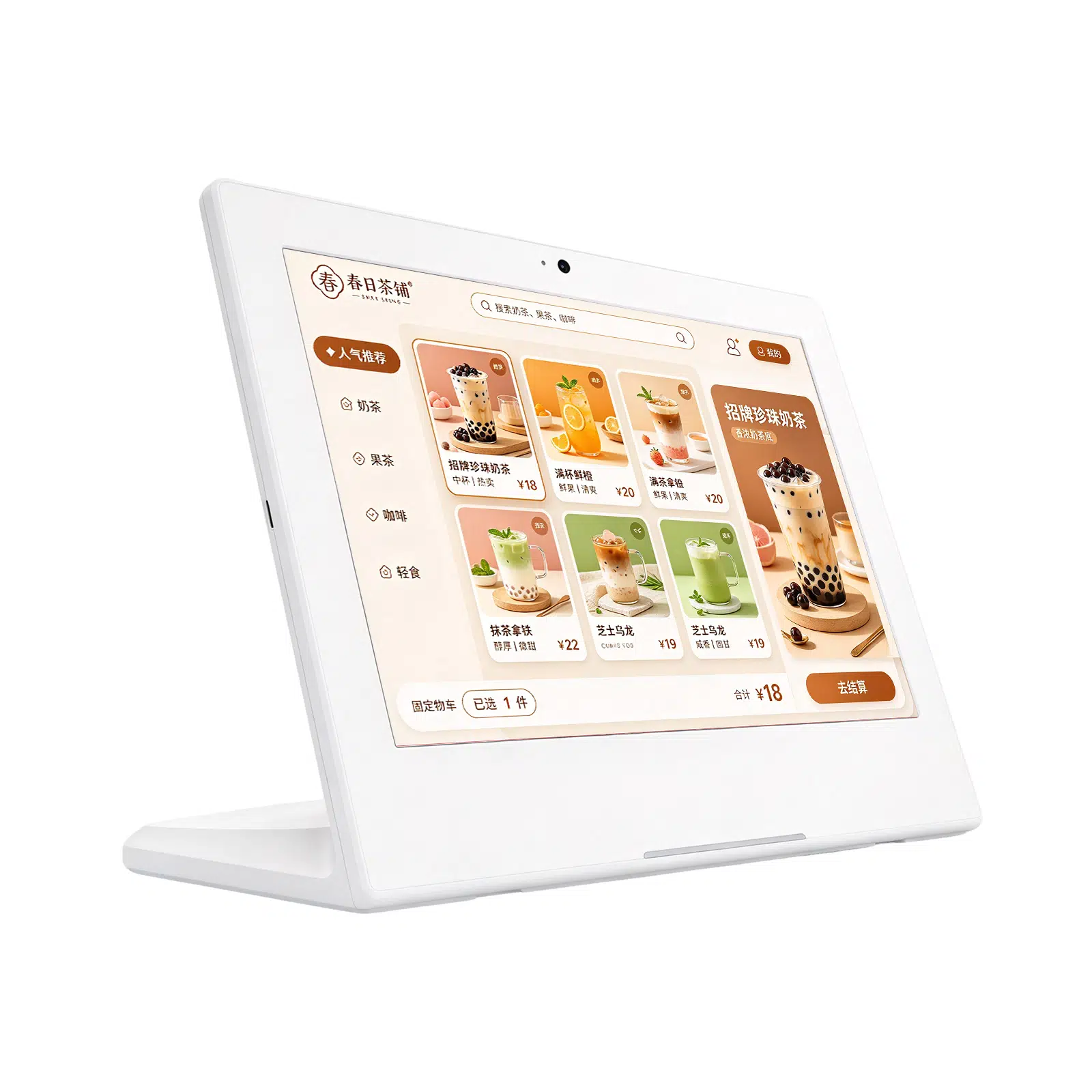
Tabletop Digital Menu Board for Milk Tea Shops, Coffee Shops & Restaurants | Qtenboard
Product Overview:

Qtenboard desktop digital menu board for milk tea shops, coffee shops, restaurants and bakeries. Cross-screen white narrow border design, support Android, Windows, touch, Wi-Fi, cloud CMS and OEM customization, for menu, price, promotion and purchase content display

Model:

Release time:2026-10-17

Nature:Manufacturer

Visits:0

Service Hotline

+8615920011166

Consult now
Product Introduction
Q Qtenboard
Desktop digital menu board series
Applicable toMilk tea shop, coffee shopDesktop digital menu board with restaurant

The compact desktop digital signage screen specially designed for cash register, single-order area and product promotion area accurately presents menus, prices, new products, seasonal activities and additional purchase recommendations at the moment when customers make purchase decisions.
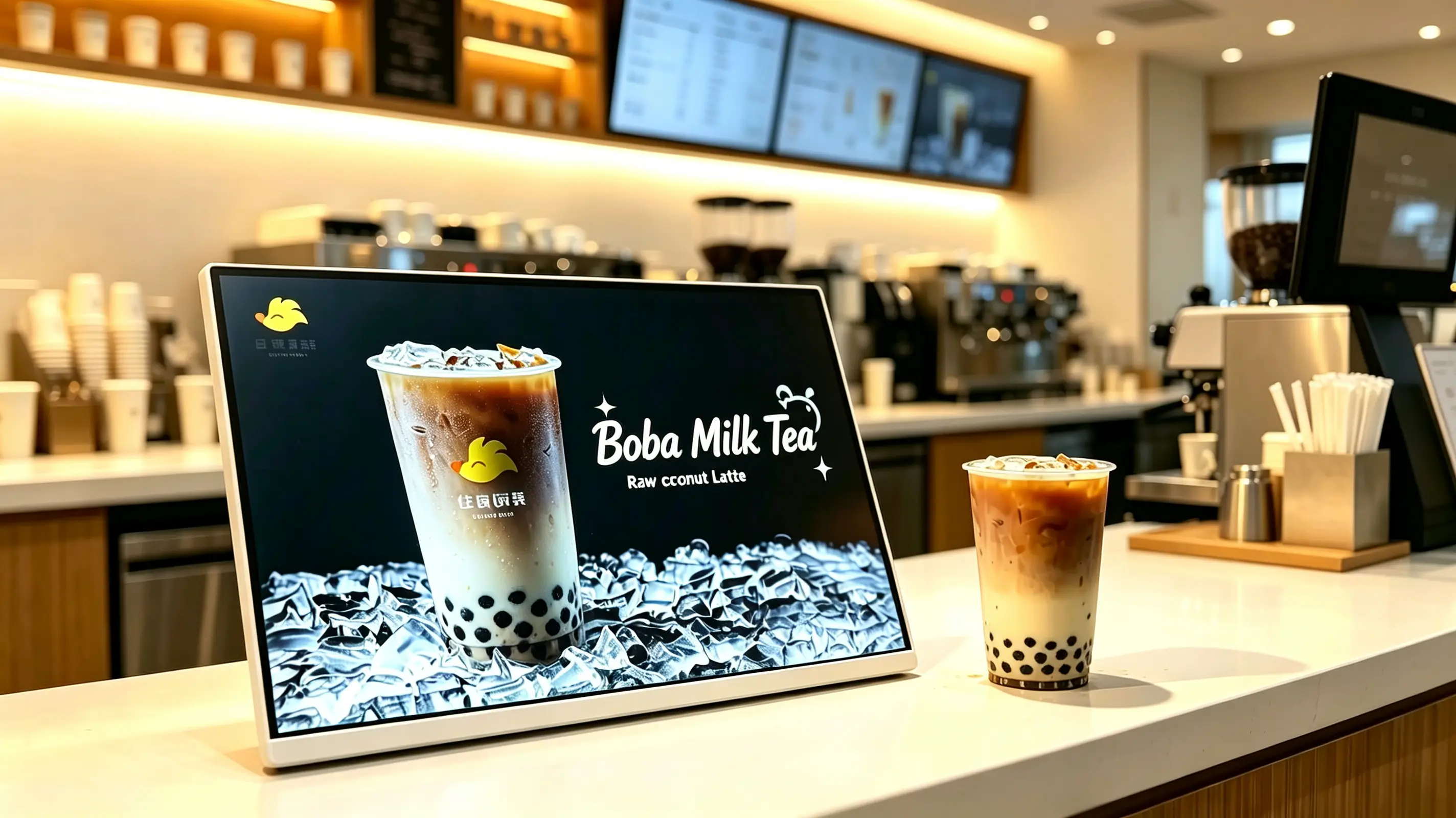
Compact desktop design landscape display layout Digital Menu and Promotional Playback Suitable for milk tea shops, coffee shops and restaurants Android/Windows/pure display optional USB, Wi-Fi, LAN and CMS options Optional touch screen and POS integration OEM brand customization and chain deployment
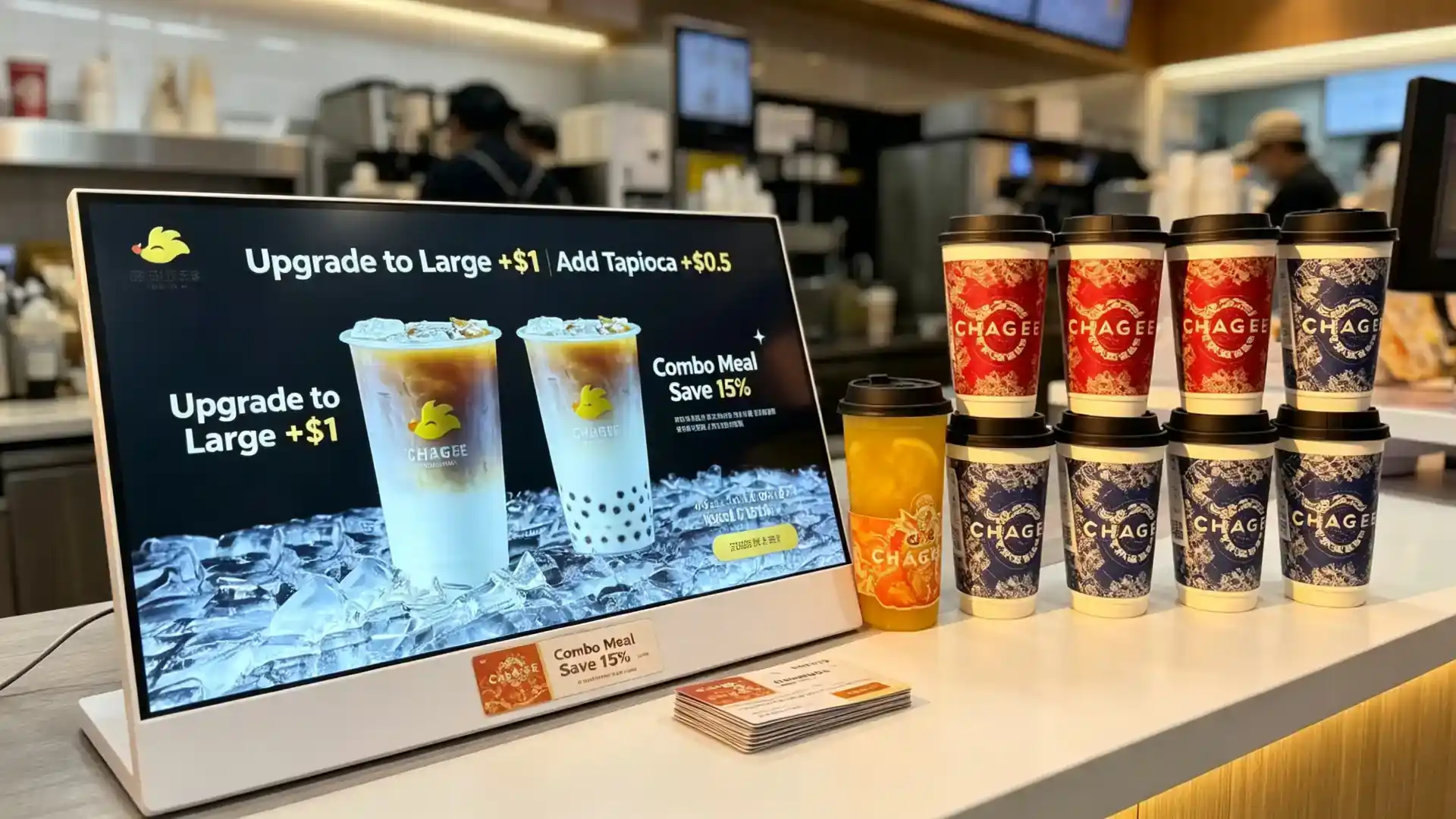
Landscape countertop digital menu board on a milk tea shop counter displaying a raw coconut latte promotion with white frame and flat tabletop base
The figure shows the horizontal screen, white border and single-item beverage promotion effect. The final configuration is confirmed by item.
2005Shenzhen was established.
330,000㎡Area of manufacturing base
1,000+Three Base Staff
110+Service countries and regions
Why does it sell well at the cashier?

Turn the order cashier into a digital sales opportunity.

Customers often make the final purchase decision at the checkout counter. The desktop digital menu board helps milk tea shops, coffee shops and restaurants display signature drinks, limited-time offers, additive recommendations and membership activities at the moment customers are ready to order.

Unlike paper posters, the screen content can be updated quickly, switching new products, prices, time-based promotions and seasonal activities at any time.

  • Display promotional information at the critical moment of customer order and payment.
  • Promotion of new, limited, high margin drinks and dosing combinations
  • Reduce printing and replacement costs of paper table cards
  • Breakfast, lunch, afternoon tea, dinner content automatically switch by time
  • Chain store menu, price and visual image to maintain unity
  • Remote release of content from headquarters to reduce manual operation of stores
  • Can be used as POS sub-screen, brand communication screen or small digital menu board
Picture configuration description:The figure shows a white border horizontal screen menu and beverage promotion format, which is suitable for single-item activities, new product listing and table top purchase. For complete menu display or interactive order, different sizes, directions or touch configurations may be required.
Select the right version

Desktop Digital Menu Board Quick Selection Guide

USB stand-alone version is selected for single-store promotion; Android CMS version is selected for chain content management; POS or third-party software integration is required to select Windows configuration; The existing player is a pure display version. The final configuration depends on counter space, content type, network and software requirements.

VersionApplicable scenariosRecommended configurationConfirm before placing an order
USB stand-alone horizontal screen versionSingle store, milk tea shop, coffee shop, single product activityHorizontal screen, 10.1 "-21.5", USB loop playback, non-touchScreen size, frequency of content updates, counter space
Android CMS Chain EditionMilk tea, coffee, fast food chainAndroid, Wi-Fi/LAN, cloud CMS, multi-store grouping, time-by-time switchingNumber of stores, permissions, playback reports, network
Windows POS Integrated EditionItems that require POS, affiliate, or third-party menu softwareWindows industrial control host, HDMI/USB, POS interface, custom softwarePOS brand, interface documentation, software compatibility
pure display versionCustomers with existing players, POS hosts, or AV systemsHDMI input, external player, non-touchResolution, wire length, player compatibility
Touch Interactive EditionMenu browsing, member registration, self-service inquiryPCAP Touch, Android/Windows, CMS or APPSoftware, operating gloves, glass, maintenance methods
Drinks Promotional EditionExplosions of the main push, new products on the market, plus purchase promotionHorizontal screen highlights indoor screen, USB/Android, white or custom borderContent template, brand color, bracket angle
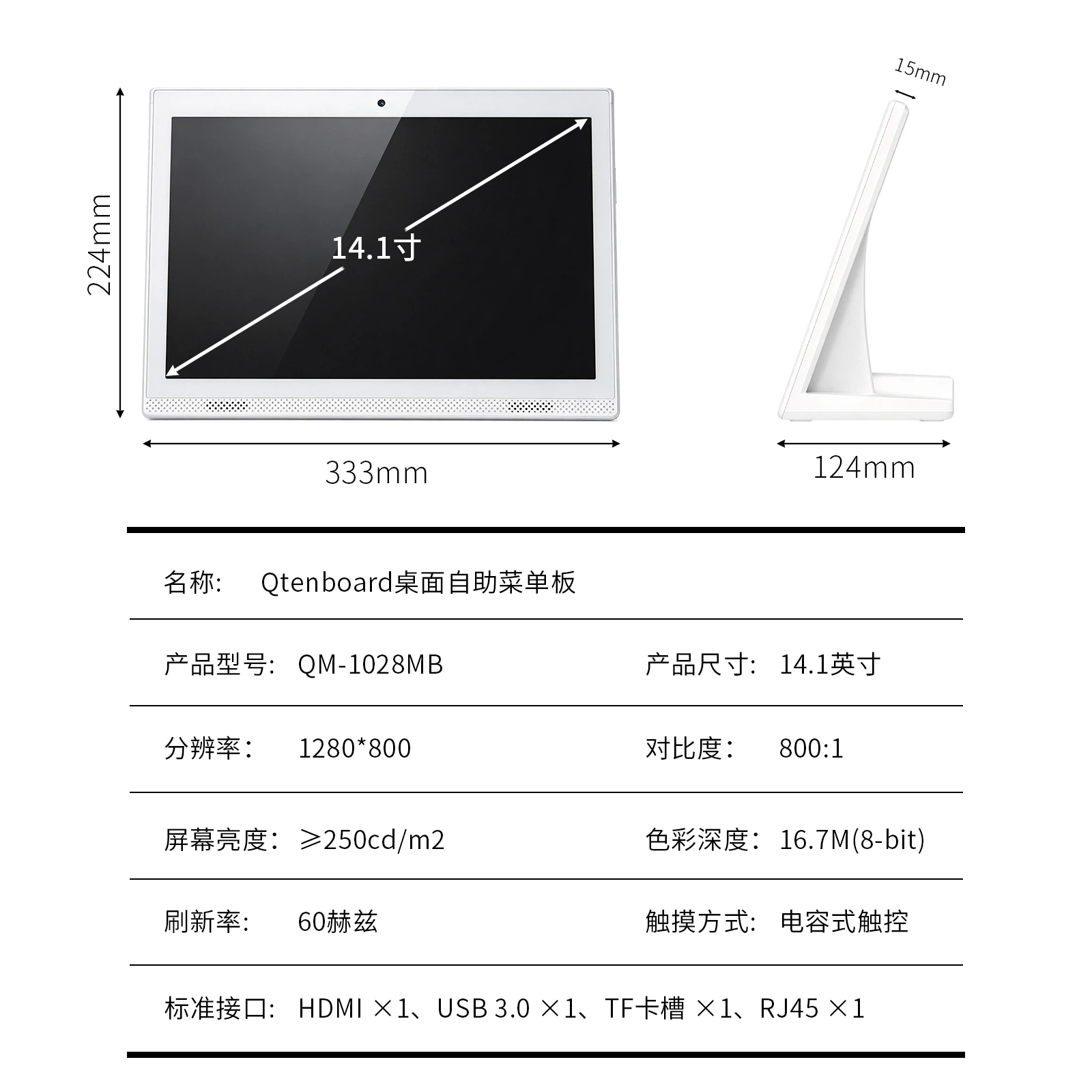
Technical dimension drawing of landscape countertop digital menu board showing screen size, stand width, height and viewing angle
Horizontal screen desktop plate size schematic (white flat base).
Landscape, portrait and split-screen content layout comparison for countertop digital menu board
The same menu can support horizontal screen, vertical screen and split screen layout.
Design for service counters

Compact desktop body, easy to deal with busy counter

Save counter space

  • Compact body, suitable for cash register and single order area
  • Specially designed for POS machines and payment equipment placed next to the design
  • Suitable for narrow counter and high passenger service area
  • Can be placed next to beverage display cabinets, dining tables or product shelves
  • Temporary activities, seasonal promotions can be shifted at any time

The compact table top body is designed for limited counter space. Place the meal card beside the POS machine, near the order position or the main product to clearly convey the promotional information without affecting the daily service.

landscape display layout

This product adopts horizontal screen design, which is suitable for single product beverage advertisement, double product comparison, package recommendation, horizontal video, wide menu, and menu promotion two-dimensional code split screen content.

DirectionSuitable for contentTypical placement
Landscape modeWide beverage map, double product comparison, package recommendation, horizontal videoCashier, coffee bar, product display cabinet
Portrait modeSingle item poster, member QR code, new product recommendation, vertical price listNarrow counter, store entrance, queuing area
Split Screen LayoutOne-screen display menu promotion price two-dimensional codeChain restaurants, milk tea shops, fast food restaurants

White metal frame and commercial grade structure

  • White or custom color metal bezel
  • Commercial display panel optional
  • Close-up viewing with clear picture and smooth playback
  • Wide viewing angle optional
  • Anti-glare surface treatment optional
  • Durable body for retail and catering environments
  • Optional protective glass for high-frequency contact position
  • Stable desktop base or custom stand optional

Optional touch screen configuration

For items that require customer interaction, the touch screen can be configured for menu browsing, product selection, member registration or customer service applications. Touch function according to the actual software and operation process selection.
  • Product Browse
  • Digital Menu Navigation
  • Feeding selection
  • Member Registration
  • Two-dimensional code display and interaction
  • Member Points Information
  • Customer Evaluation
  • Queue or pick-up information
  • Point-to-point system interface
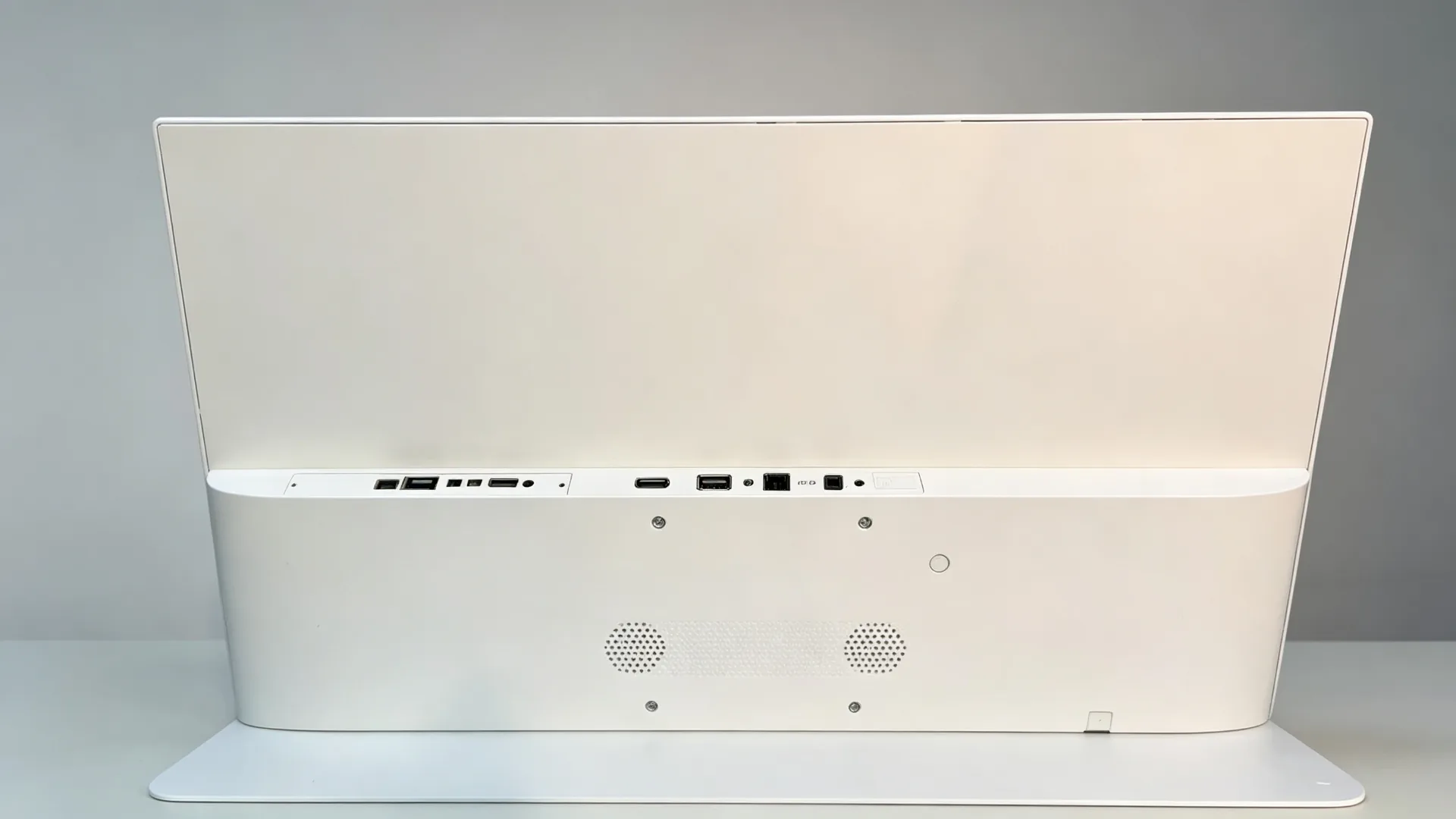
Rear interface and cable management of countertop digital menu board showing HDMI, USB, LAN and DC power ports
Back interface layout: HDMI, USB, LAN, DC power port.
Content that can be sold

Display menus, promotions and add-on content at the point of purchase

Digital menu display

Drinks menuCoffee MenuMilk Tea MenuDessert Menubakery productsDaily SpecialSeasonal ProductsPackagePriceIngredient ListAllergen warningCalorie Nutritional InformationMultilingual Content

Single product and new product promotion

New product launchSignature drinkSeasonal limitedCo-branded productRecommended high gross margin drinksBest-selling rankingLimited-time discount

Plus purchase and joint sale

  • Add ingredients
  • Large cup
  • Add snacks
  • Add a concentrated portion
  • Try oat milk
  • Buy two cups more discount
  • Drinks with dessert
  • Join Membership
  • Scan the code to claim your coupon.
  • Member Code Points

Use the screen to recommend high-margin dosing, cup-up options and package combinations. When customers are still hesitating, the relevant offers have already appeared.
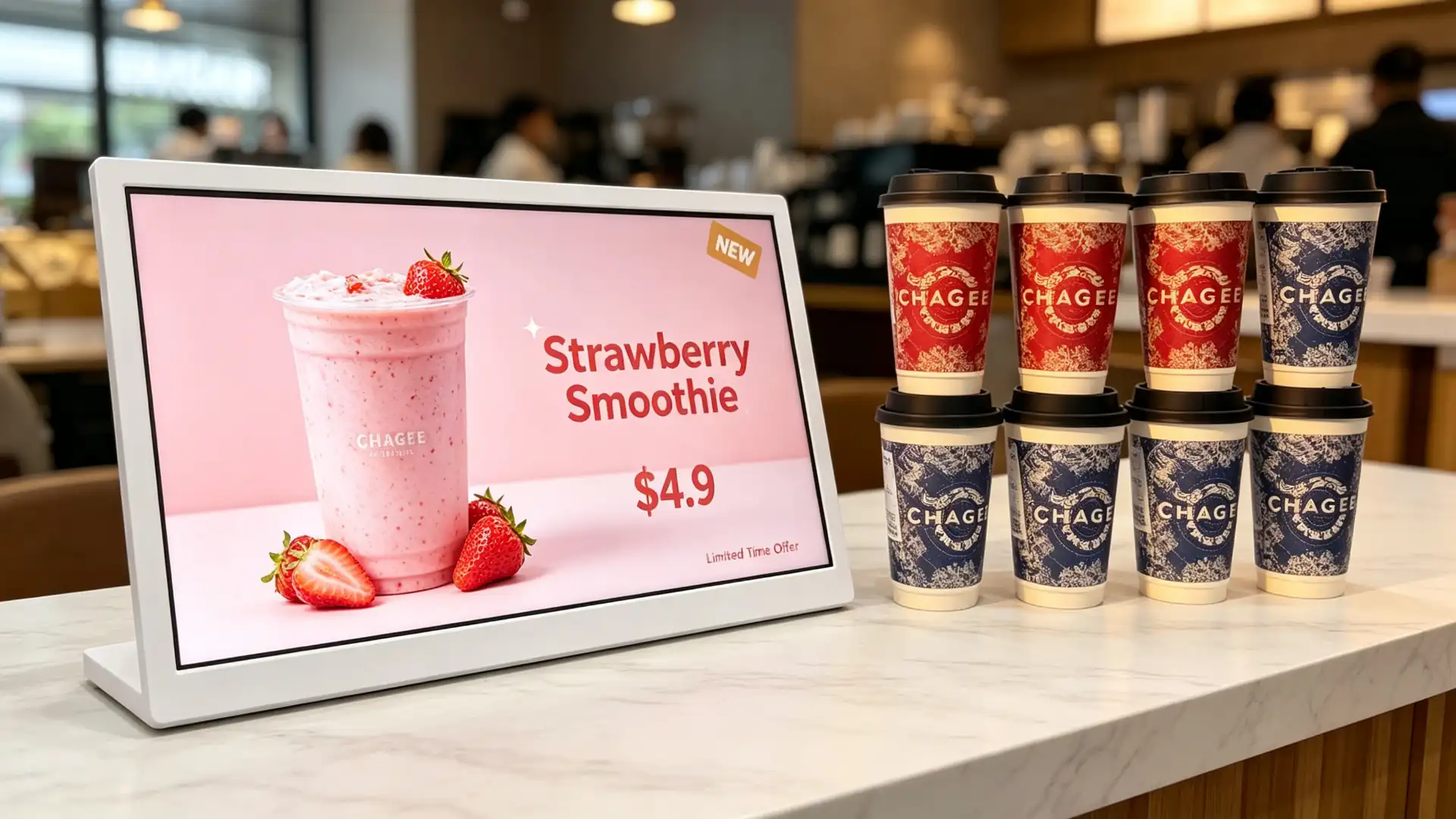
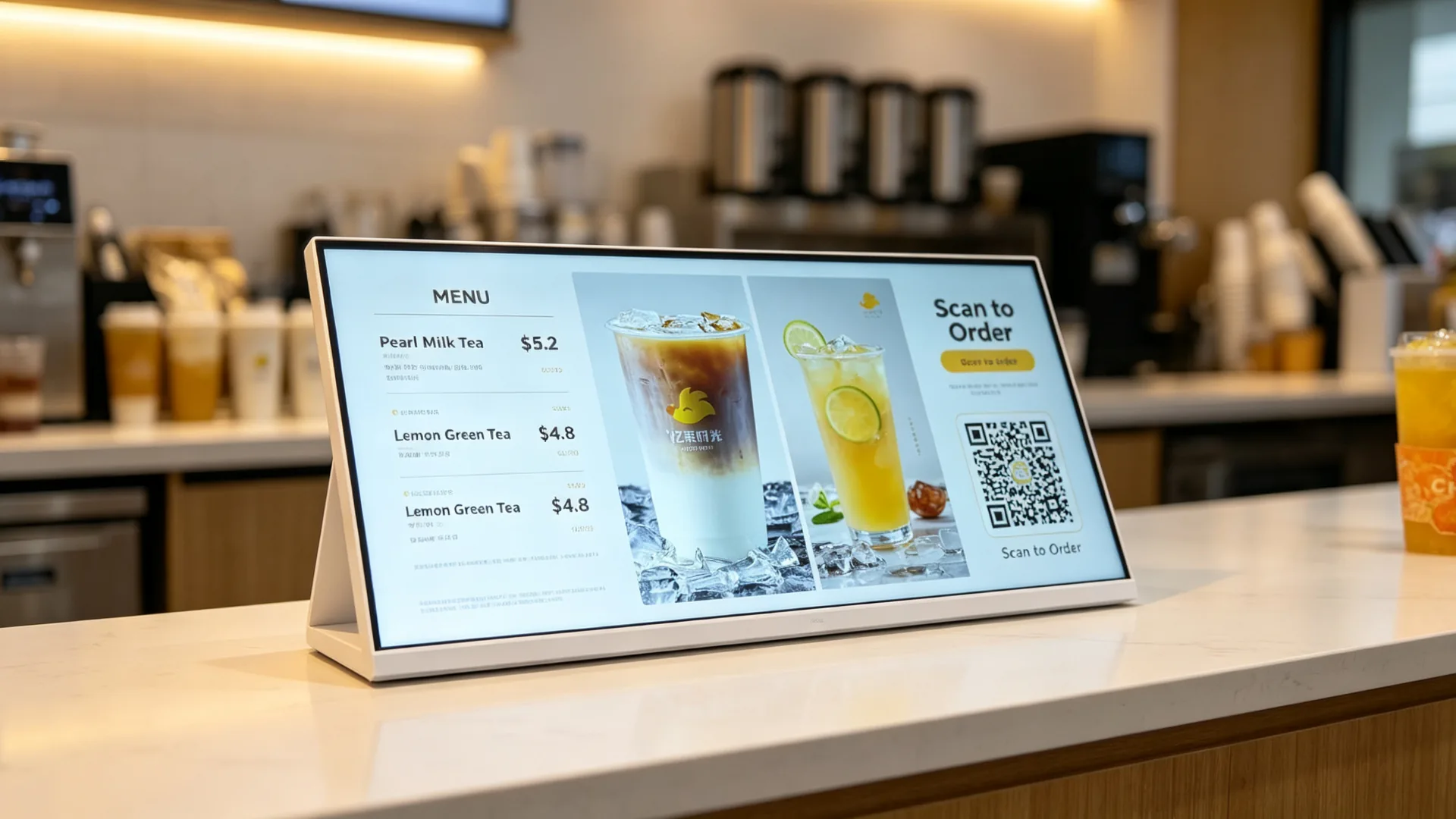
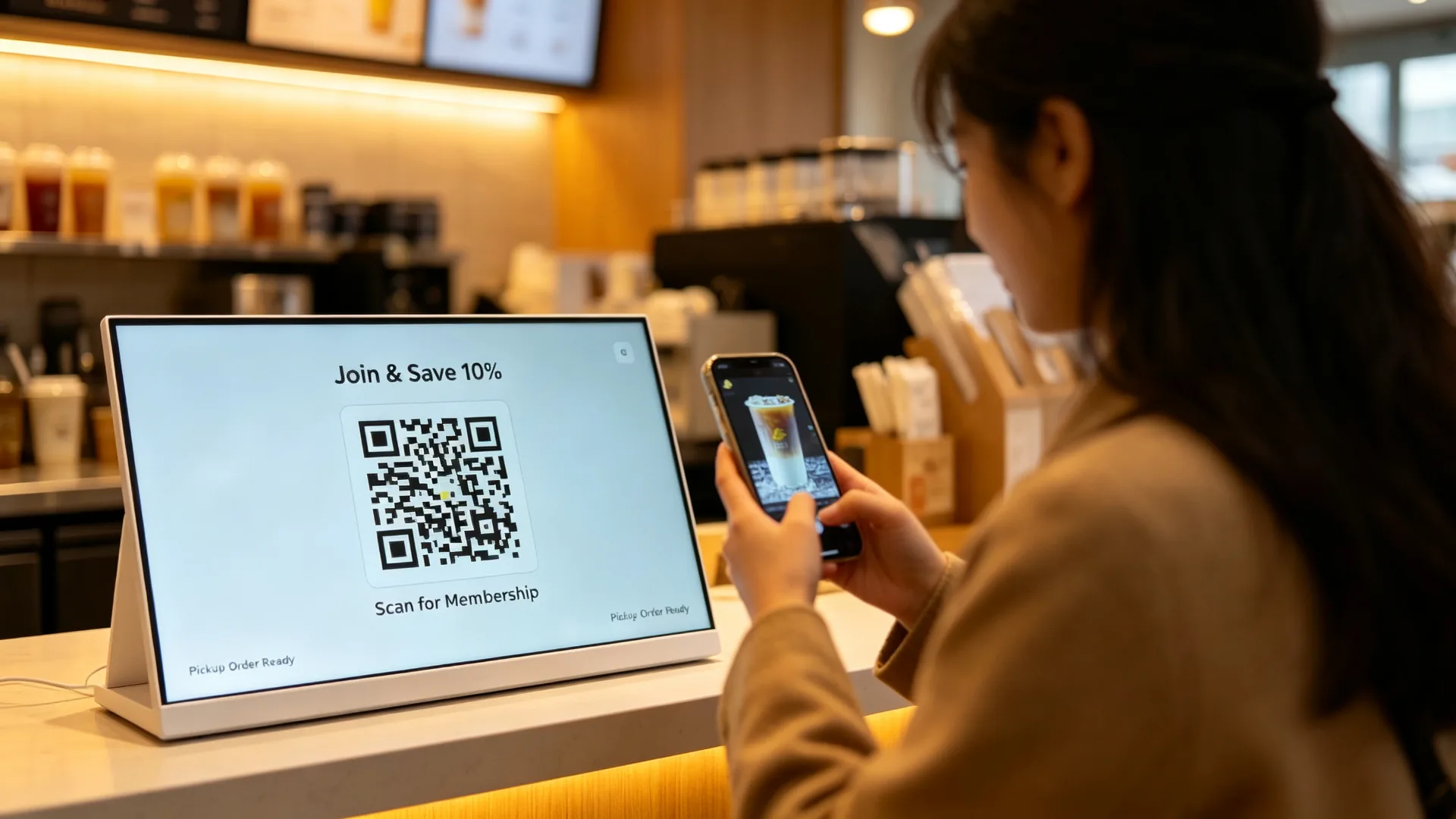
Membership, QR Code and Order Promotion

  • Member QR Code
  • Member Registration
  • Mobile phone order two-dimensional code
  • Takeaway Platform QR Code
  • Coupon Write-off
  • WeChat applet entrance
  • App Download QR Code
  • Customer evaluation two-dimensional code
  • Social media activities
Description of two-dimensional code:The screen is used onlyDisplayTwo-dimensional code, should be called two-dimensional code promotion screen; Only with scanning code module and supporting software configuration, can be called two-dimensional code scanner or two-dimensional code terminal.
Single-product beverage promotion template on landscape countertop digital menu board for milk tea shop
Horizontal screen single product beverage promotion template.
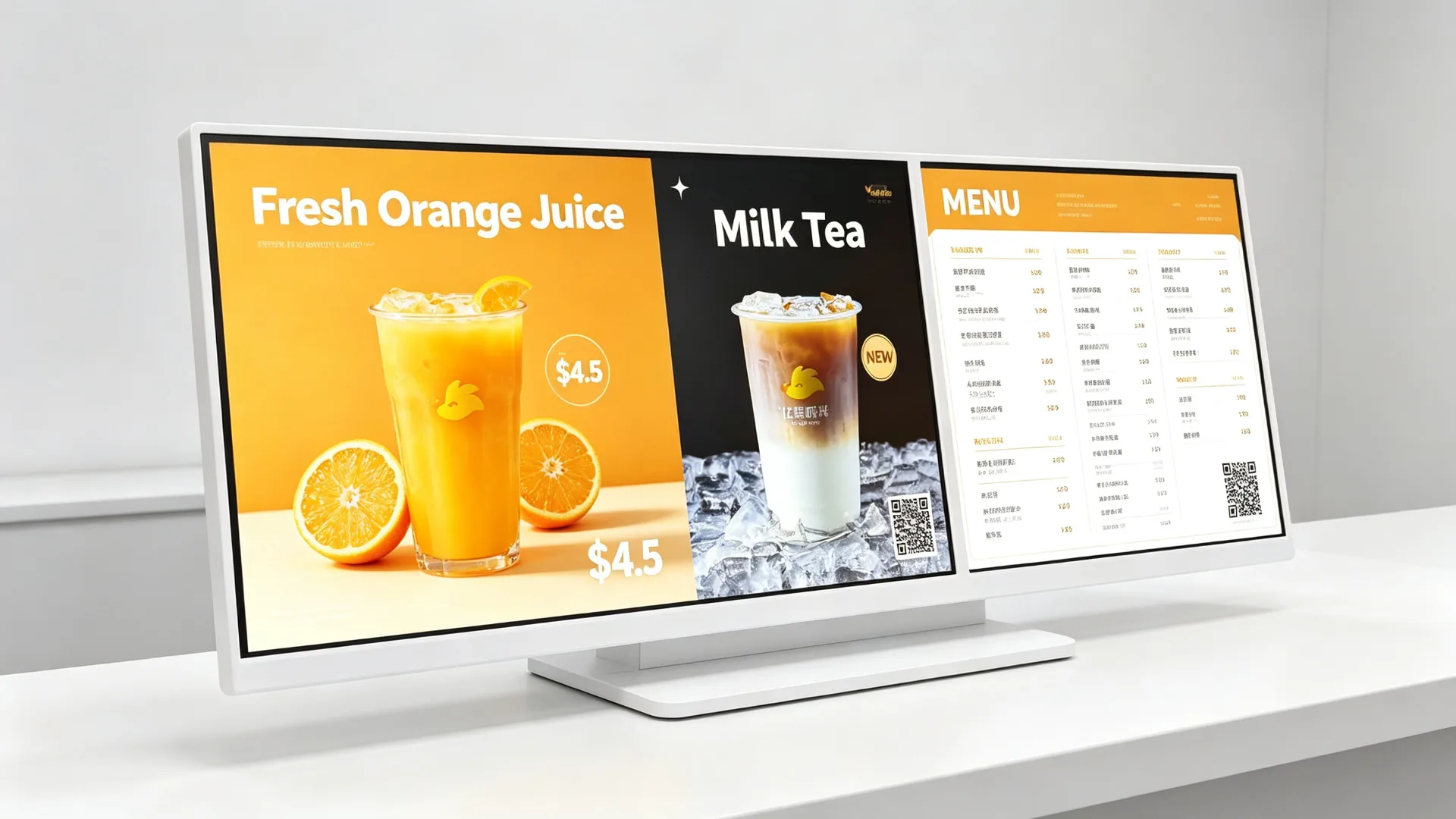
Split-screen layout showing menu, price, promotion and QR code on countertop digital menu board
Split screen menu, price, promotion and two-dimensional code layout.
Upselling and cross-selling content template for countertop digital menu board showing add-on and size upgrade options
Add material, cup and package recommended template.
Membership QR code and mobile order pickup promotion displayed on countertop digital menu board
Two-dimensional code and meal pick-up tips for countertop members.
One unified control

Choose the right content management approach for your store network

USB single player

  • U disk update content
  • Picture and video playback
  • Loop playback
  • Timed playback
  • Plug and play
  • No Network Required
  • Simple content change on site

Suitable:Independent coffee shops, single-store milk tea shops, baking counters, pop-up shops, temporary promotion desks and small restaurants.

Android Digital Signage CMS

  • Android operating system
  • Wi-Fi or LAN connection
  • Cloud CMS Management
  • Upload content remotely
  • Multi-store group management
  • Playlist scheduling
  • Time-division menu switching
  • Regional differentiation promotion
  • Remote screen monitoring
  • Optional Remote Restart and Upgrade

Windows configuration

  • Optional Windows host
  • Compatible with third-party menu software
  • POS Related Content Integration
  • Web application playback
  • Custom Interface Development
  • Retail catering management software docking
  • Data Kanban or queuing information display
Windows configuration can be provided according to project requirements. Please confirm hardware specifications, system authorization and software compatibility before production.

Display-only configuration

  • HDMI input
  • Select USB touch connection when touching
  • Compatible with external media player
  • Suitable for AV Integrators
  • Flexible system replacement and maintenance
Where to use

Desktop Digital Menu Board Application Scenarios

Milk Tea Shop and Beverage Shop

Placement:Cashier, single-order area, cup area, display cabinet, waiting area.

  • Fruit Tea & Milk Tea Menu
  • New product launch
  • Feeding options
  • Sweetness Ice Volume Guide
  • Seasonal Activities
  • Second drink half price
  • Member QR Code
  • Pickup Reminder

Value: Highlight new products and additions before ordering or at checkout to help increase the unit price.

Coffee Shop and Cafe

Placement:Coffee bar, cashier, dessert cabinet, take-out dining area.

  • Coffee Menu
  • Italian Drink
  • Plant milk options
  • Dessert Matching
  • Breakfast Special
  • Coffee Bean Story
  • Membership Benefits
  • Mobile phone ordering information

Fast food restaurant

Placement:Dining table, payment area, meal pick-up area and package recommendation area.

  • Package
  • Snack
  • Beverage
  • Dessert Plus Purchase
  • Limited-time offer
  • Queue information
  • Meal pick-up guidelines
  • Electronic Coupon

Baking & Dessert Shop

Placement:Cake cabinet, bread display area, checkout and reservation area.

  • freshly baked products
  • Daily Special
  • Birthday cake
  • Seasonal Gift Box
  • Booking information
  • Recommended pairings
  • Member Events

Hotel Coffee Bar and Service Desk

Placement:Hotel coffee bar, breakfast area, lounge area, small dining table.

  • Breakfast Menu
  • Afternoon tea
  • Bar Menu
  • Event promotion
  • Room service QR code
  • Member Information
  • Local recommendation

retail counter promotion

Suitable industries:Beauty makeup, convenience stores, pharmacies, gift shops, mobile phone accessories stores, supermarket cash register, boutique food stores.
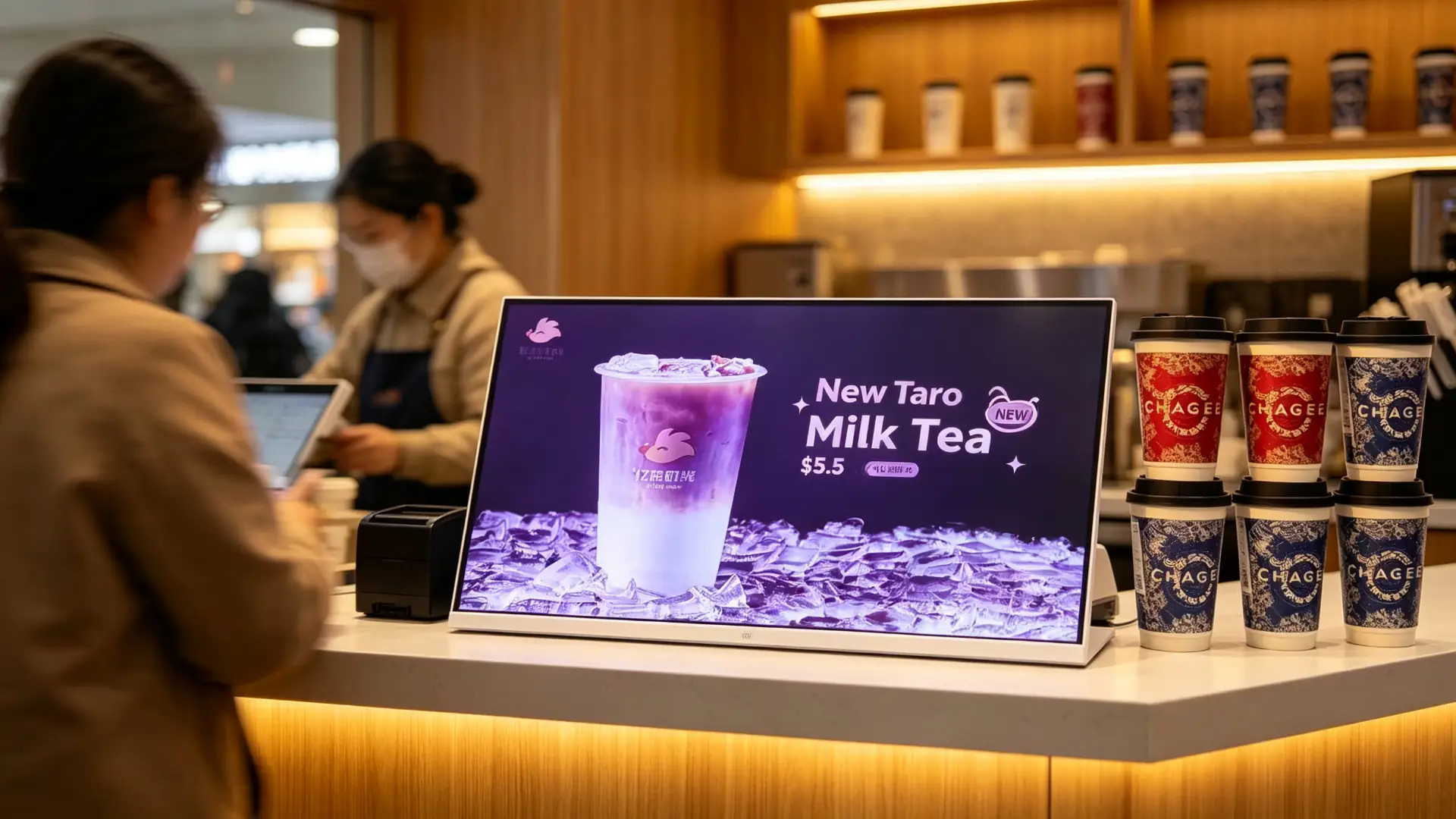
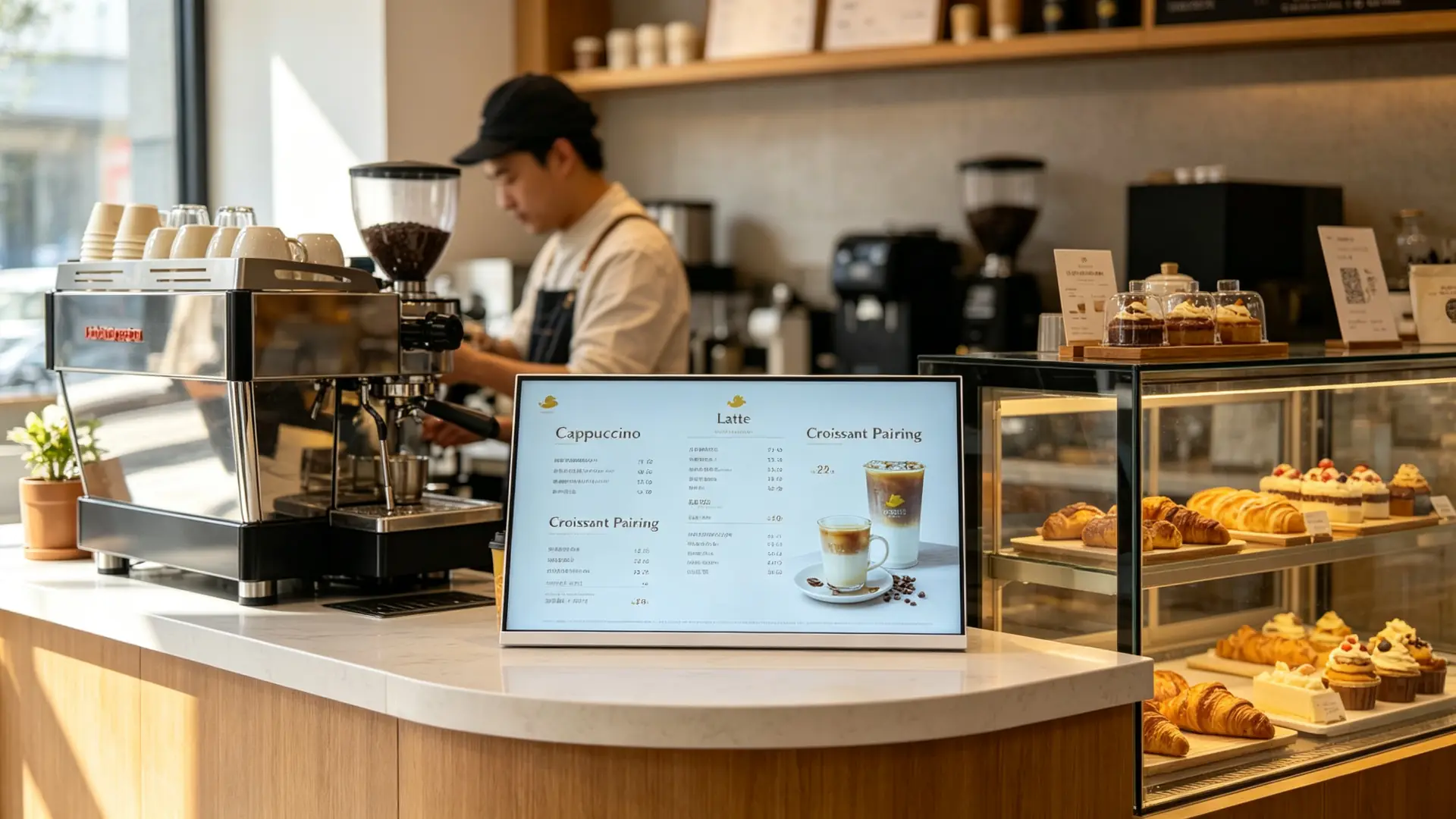
  • Point of purchase product main push
  • Package and associated recommendations
  • Members and App Download QR Code
  • Seasonal Retail Activities
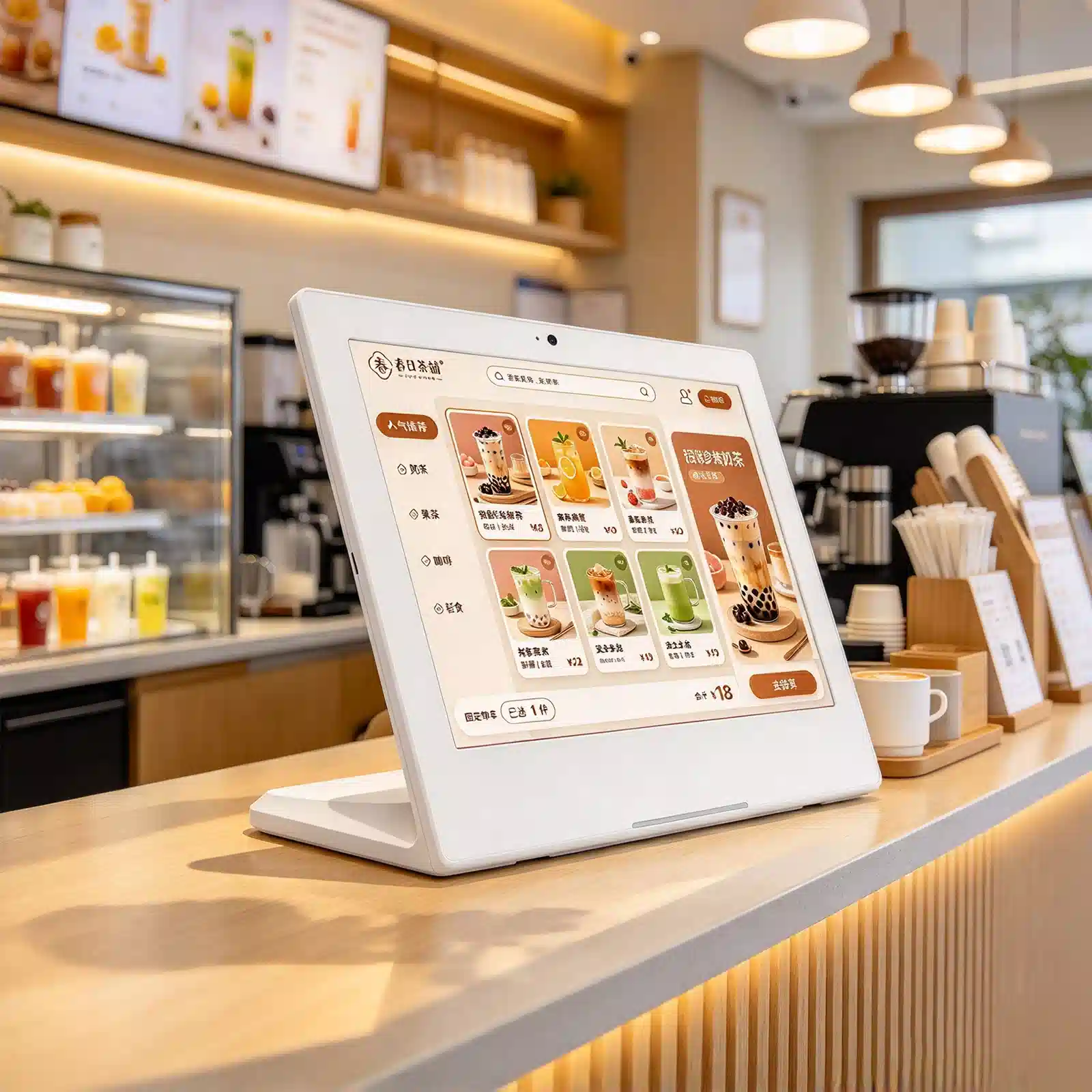
Landscape countertop digital menu board at a milk tea shop cashier counter showing new drink promotion
Milk tea shop cashier new product promotion.
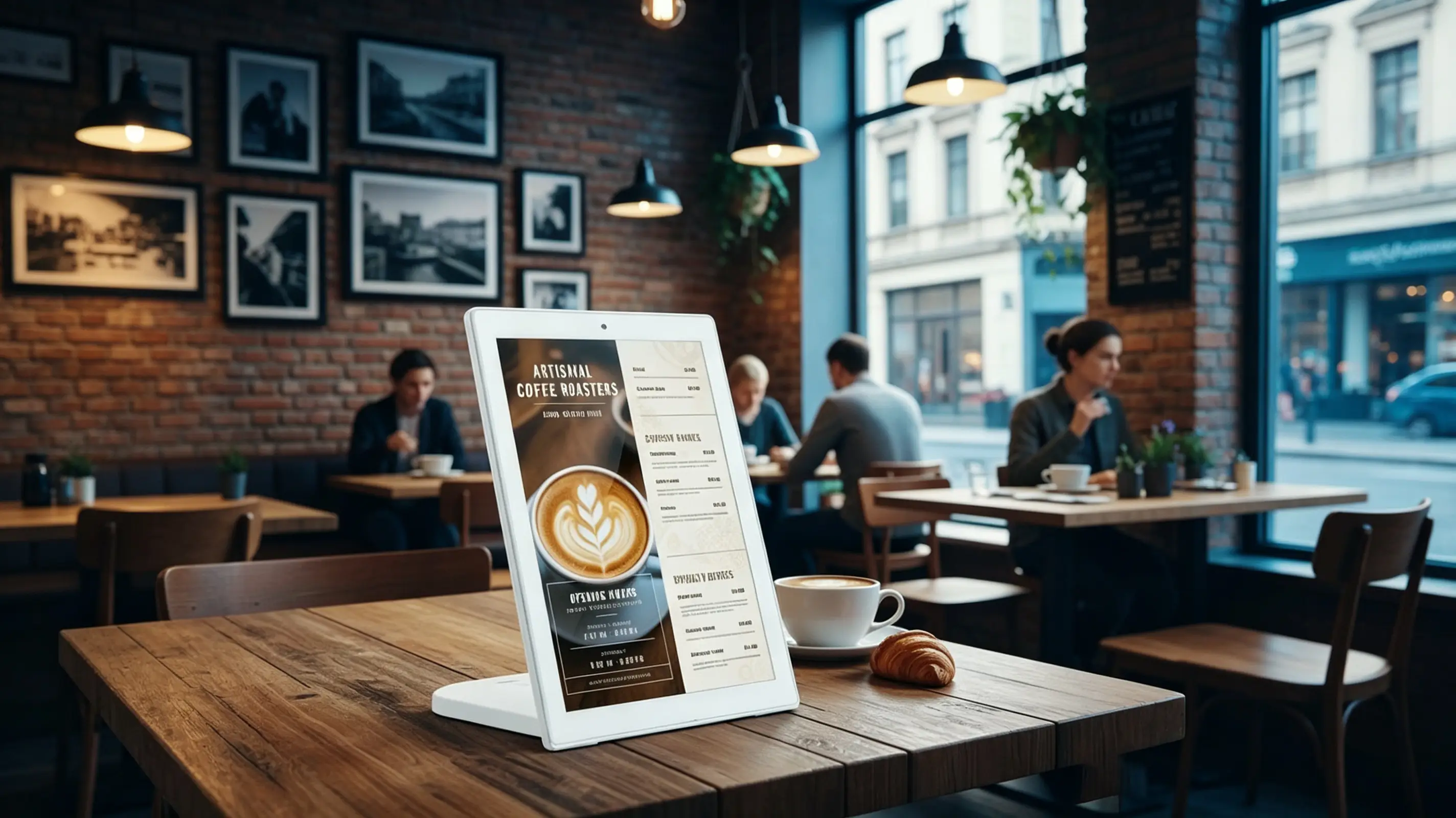
Countertop digital menu board on a cafe bar counter displaying coffee menu and pastry pairing
Coffee shop bar coffee menu with dessert.
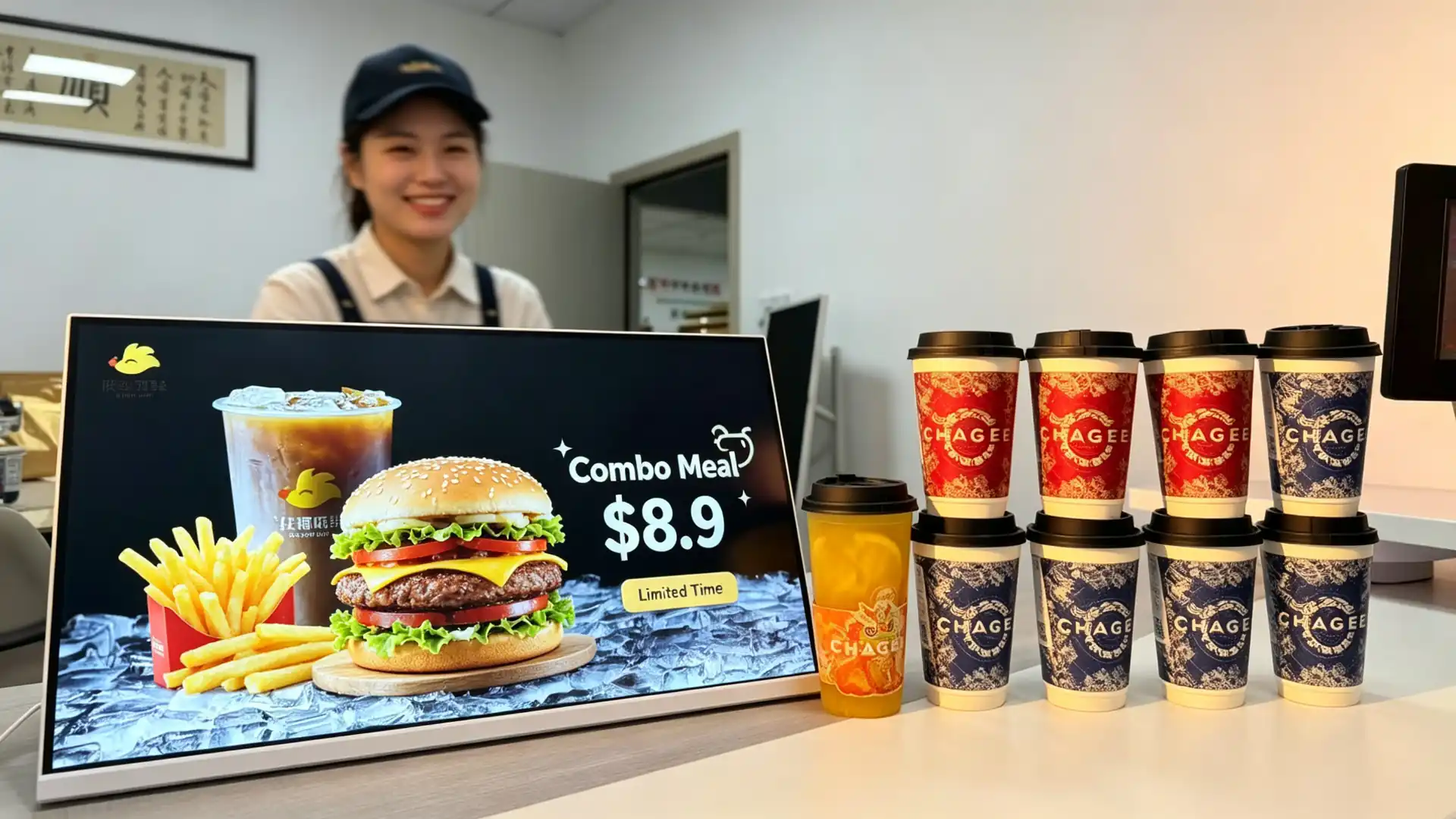
Countertop digital display at a quick-service restaurant ordering counter showing combo meal promotion
Fast food restaurant ordering table set meal promotion.
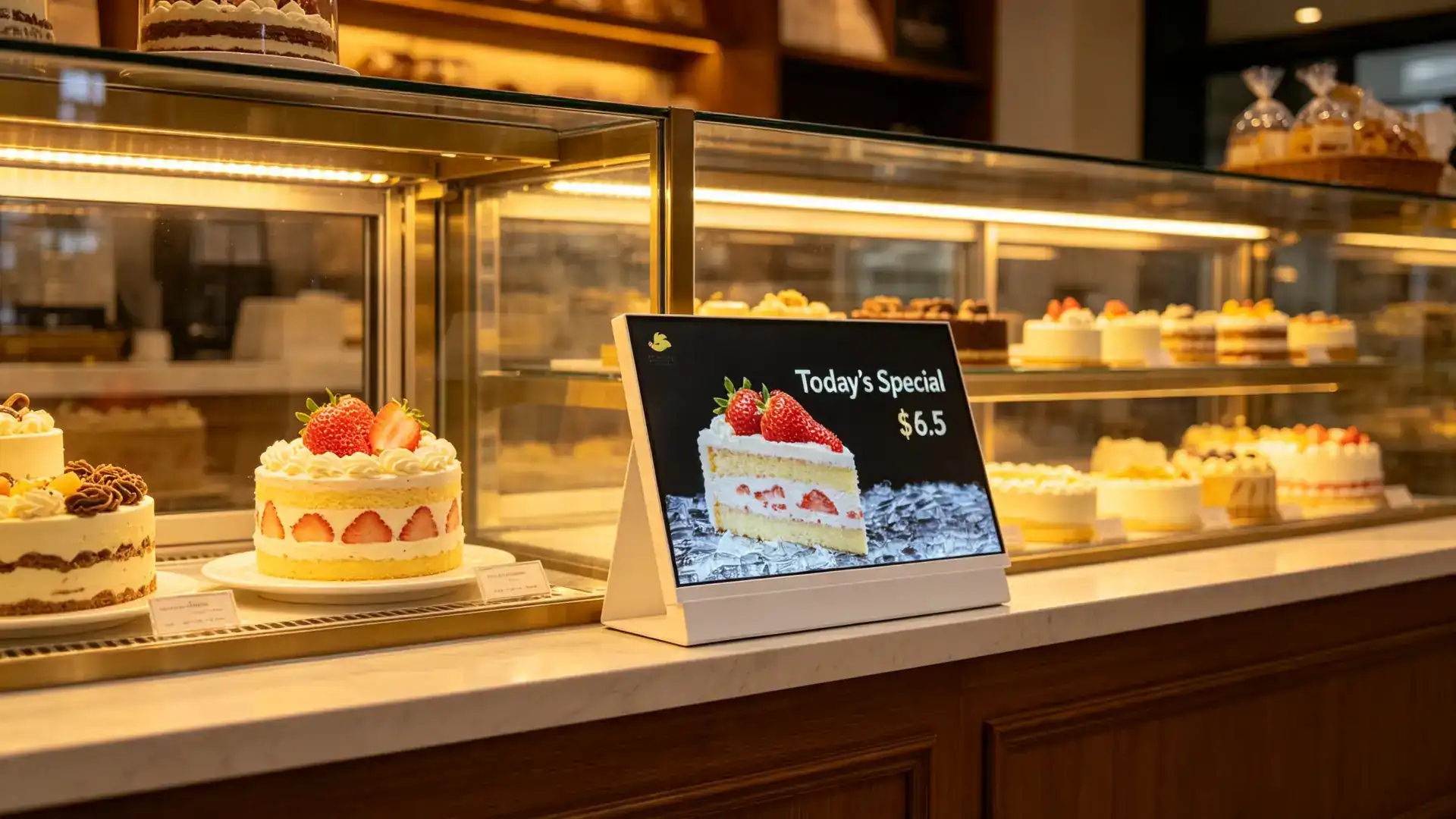
Countertop digital menu board beside a bakery display case showing daily specials and cake promotions
Baking shop display cabinet daily specials with cake promotions.
Docking your system

Flexible hardware and connectivity options

Common Interfaces

HDMIUSBWi-FiLANBluetooth4G (optional)Audio outputRS232RJ45DC power inputTF Card Slot

Optional Peripherals and Features

Touch screenBuilt-in speakerCameraTwo-dimensional code displayQR code scanNFC/RFID card readerCustomer Display IntegrationPOS System InterfacePrinter ConnectionUSB charging portLED Status LightCustom sensing module

POS/Membership/Takeaway Integration

  • POS brand and interface documents are required for compatibility evaluation
  • Member system API docking
  • Takeaway Platform QR Code Display
  • Mobile phone order entry
  • Coupon and Member Data Flow
  • 3rd party menu software compatible
  • Payment terminal integration assessed separately

Peripheral configuration is selected by final application: pure promotional playback only requires video playback; touch-point orders or member terminals may require additional software, network and payment-related hardware.
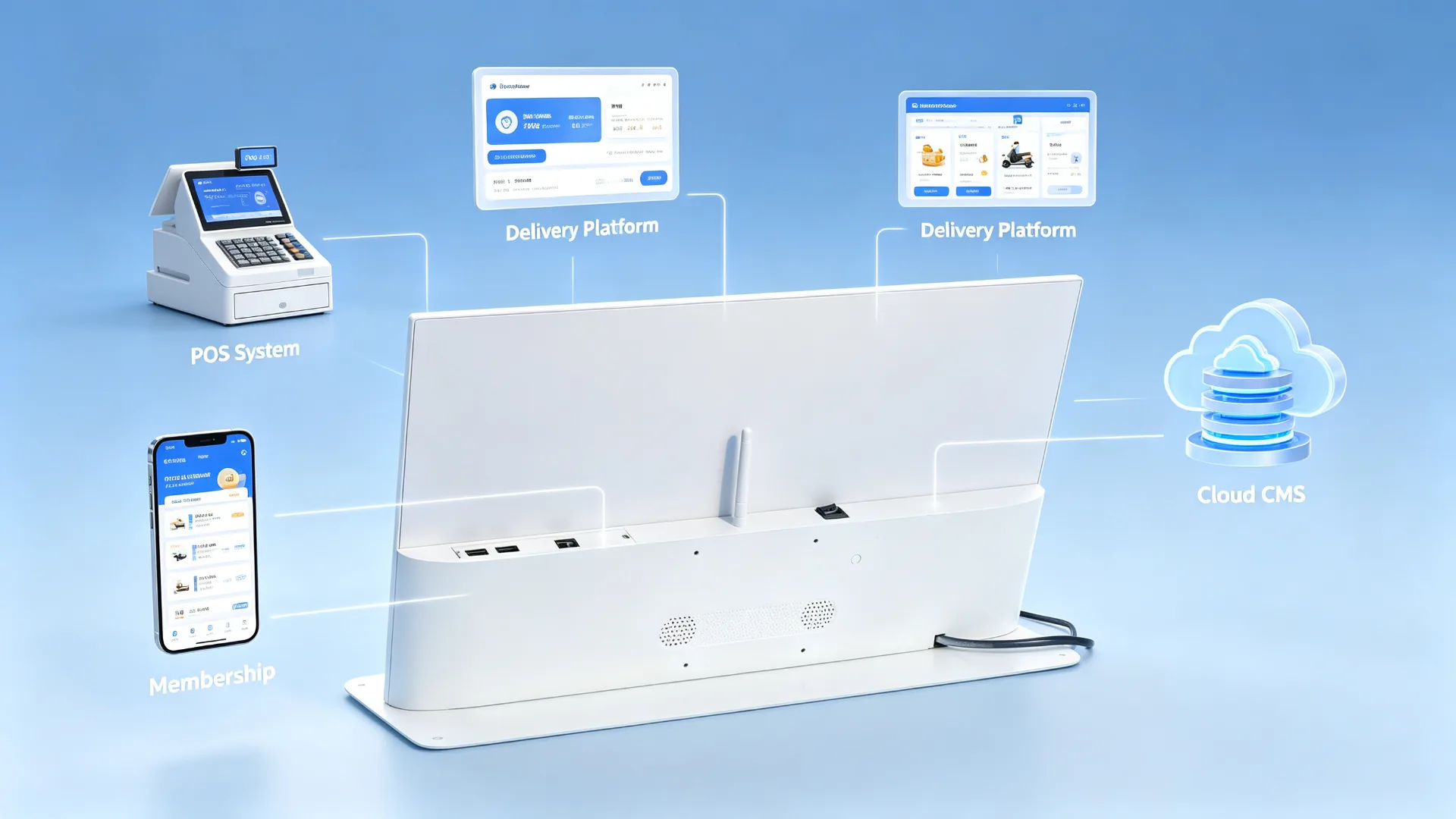
POS, membership and delivery platform integration diagram for countertop digital menu board
Integration topology example: POS system, membership, takeaway platform and cloud CMS.
Customize your project

Desktop Digital Menu Board Configuration Options

Basic Parameter Reference

ProjectTypical parameters (confirmed by actual model)
Screen size10.1 "-21.5" or Customize
ResolutionHD / Full HD / 4K
BrightnessIndoor Standard/Highlight
PerspectiveTypical 178 °
TouchNon-touch/optional PCAP
SystemAndroid/Windows/pure display
InterfaceHDMI、USB、LAN、Wi-Fi、DC、可选 4G
Power inputAC 100-240V,DC adapter
Power consumptionDepending on screen size and brightness
Operating temperatureIndoor use, confirmed by project
Storage temperatureConfirmation by Project
FuselageMetal/Plastic/Customized
BracketFixed/Adjustable/Custom Hanger
VESAOptional, confirm by item
WeightDepending on size and configuration
Packagingfoam, carton or export packing
One network, one voice

Multi-store unified menu and promotional content

Unified content management at headquarters

  • New visual synchronization of the whole network store release
  • Price and menu format standardization
  • Switch products by region
  • Adjust language, price or promotion by city
  • Time-limited activities on-line during holidays
  • Sold out or stop product quick replacement
  • Different stores assign different playlists
  • Manage content permissions for direct and franchise stores

Time-division switching menu

Time periodRecommended content
BreakfastCoffee, breakfast packages, bakery products
LunchPackage, staple food, drinks plus purchase
Afternoon teaDessert, fruit tea, coffee pairing
EveningNight restrictions, takeout, self-promotion and member activities
HolidaysSeasonal new products, gift boxes, co-names and coupons

Centralize content management at headquarters, eliminating the need for each store to manually replace paper posters. Brand image is more unified, time-limited activities in the restaurant chain network online faster.
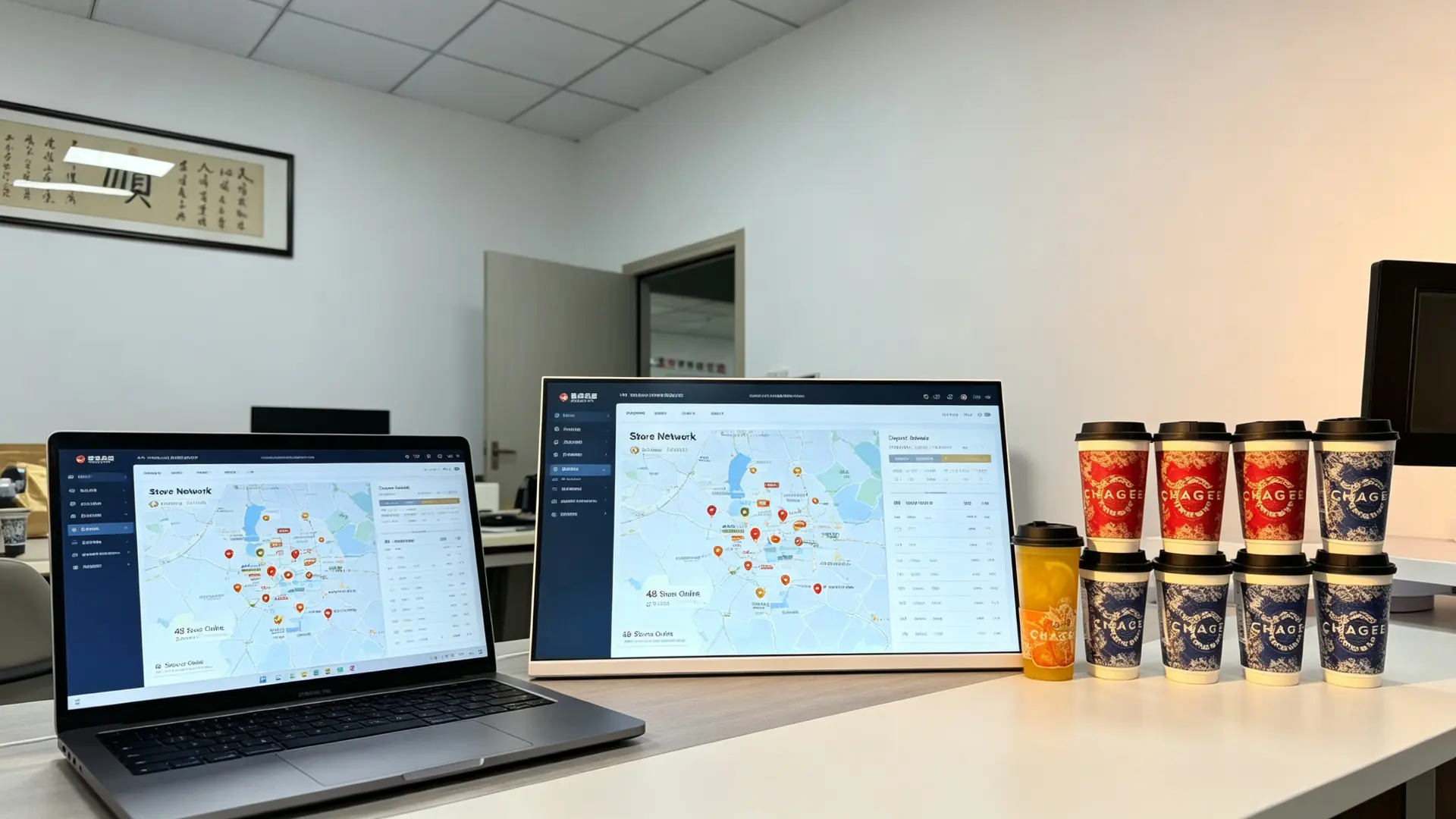
Multi-store countertop digital menu board management dashboard showing unified branding and daypart promotions
Multi-store management background: unified brand image and time-based promotion.
Your brand, our factory

Customized desktop menu for catering and retail projects

Appearance and structure

  • Custom screen size
  • Horizontal screen or vertical screen fuselage
  • Border color
  • Metal or plastic body
  • Custom Desktop Base
  • Adjustable viewing angle
  • Logo printing
  • Brand color matching
  • Front glass design
  • Outlet direction
  • Custom mounting bracket
  • POS counter integration design

Hardware Customization

  • Android Motherboard
  • Windows Mini Host
  • Memory and storage configuration
  • Touch screen
  • Wi-Fi 与 LAN
  • 4G Module
  • Speaker
  • Camera
  • NFC/RFID
  • QR code scan
  • Guest display module
  • Custom I/O Interface

Software and Brand

  • Custom Boot Animation
  • Custom Android Desktop
  • UI Design
  • Catering Menu Software
  • Cloud CMS deployment
  • Multi-language interface
  • POS Integration Coordination
  • Member System Interface
  • API integration
  • Kiosk mode
  • Custom packaging and instructions

Typical B2B Partner

Restaurant chainmilk tea chainCoffee Brandbaking chainFast Food OperatorsPOS system vendorsCatering Technology IntegratorDigital Signage DistributorsRetail showcase supplierFranchise Management CompanyCatering Equipment Distributors
OEM/ODM Item:Since 2005, the Qtenboard has undertaken OEM/ODM/CKD/SKD display projects, from nesting supply to complete machine assembly and brand finished products. Provide counter size, menu content, CMS needs and brand requirements, our team will recommend the appropriate configuration.
Why choose this program?

Why use a desktop digital menu board instead of a tablet or poster

Contrast objectLimitationsProduct Advantages
Paper posterSlow update, continuous printing cost, unable to play videoRemote update, dynamic video, time-by-time switching
Consumer grade tabletNon-commercial, limited thermal and life, weak managementCommercial panel, CMS, batch management, custom bracket
Wall-mounted menu boardComplex installation, occupying the wall surface, far away from the point unitDesktop placement, close touch, flexible shift
POS secondary screenSingle function, usually only shows the amountCan broadcast menus, advertisements, members and QR code content
Big advertising screenHigh cost and large spaceCompact and low cost, suitable for counter single product promotion

The desktop digital menu board is specially designed for short-range decision-making at the order counter: commercial display hardware flexible content management optional POS/member integration, integrated in the compact desktop body.

Test one by one before shipment

Commercial-grade quality inspection for counter deployment

Our recommended testing items

  • Appearance inspection of LCD panel
  • Picture, color and brightness check
  • If you select Touch, do the touch test.
  • Android or Windows boot test
  • USB, Wi-Fi, LAN connection test
  • Video, picture, audio playback test
  • If CMS is selected, do the CMS connection test.
  • HDMI and external player compatibility test
  • Base Stability Test
  • Fuselage and Logo Inspection
  • Power adapter and wire inspection
  • Long time aging test
  • Packing and anti-drop inspection
  • Retail or item packaging
  • Foam protection
  • Carton or customized export packing
  • Spare Parts List Arrangement
  • Customized label with barcode sticker

Project Delivery Process

  1. Confirm screen size, orientation and placement
  2. Confirm playback platform and CMS requirements
  3. Select touch, network and peripheral options
  4. Confirm OEM brand and structural design
  5. Confirm prototype or pilot configuration
  6. Complete assembly and quality inspection
  7. Perform pre-shipment inspection
  8. Prepare packing, documentation and accessories list
  9. Arrange bulk shipments and provide technical support
Trusted Manufacturer

Trust in restaurant chains, beverage brands and retail projects

Qtenboard (Shenzhen Qunmao Display Technology) was established in Shenzhen in 2005. It was born in the early days of the display supply chain. Before most commercial display brands appeared, it supplied CKD/SKD kits to assembly plants and local brands. Starting from the module means that the quality can be controlled from the source. OEM/ODM projects can be customized according to local voltage, certification and assembly requirements.

2005Shenzhen was established.
330,000㎡Area of manufacturing base
1,000+Three Base Staff
110+Service countries and regions

Typical Project Scheme

tea Milk Tea Chain · 60 Store Counter

Milk Tea Chain Brand: Android CMS Chain Deployment

Cross-screen menu Wi-Fi CMS, time-split playlist and brand-level content permissions.

Results:Menu, price and new products in the whole network centralized update.

coffee Coffee Brand · Bar

Coffee chain brand: bar plus purchase promotion screen

The white horizontal screen plate is placed beside the dessert cabinet, and the main product is to be matched with the meal.

Results:Matching with the cup information is presented instantly at the decision point.

meal Fast Food Group · Ordering Terminal

Fast food brand: menu screen beside POS

The pure display and Windows configuration are placed next to the ordering terminal to make package and feeding recommendations.

Results:Counter promotions do not interfere with the POS process.

Baking Baking Chain · Display Cabinet

Baking chain brand: counter product display

Split screen content: daily special price, cake promotion and reservation QR code.

Results:Seasonal product promotion without reprinting posters.

Certification reserved for channel providers

CE FCC RoHS ISO
9001
ISO
14001
CB

We support B2B desktop digital menu board items from configuration, proofing confirmation to production, testing, packaging and after-sales. Provide counter size, menu content, CMS needs and brand requirements, team will recommend appropriate configuration.

Cooperation mode

Certification, Transaction Terms and After-Sales Support

Certification and Compliance

  • CE / FCC / RoHS optional
  • Power adapter safety certification
  • Touch screen and glass safety certification (if applicable)
  • Food and Beverage Environment Cleaning and Splash Protection Assessment
  • POS or payment integration certification is evaluated separately

Transaction Terms

  • MOQ: Support sample list and bulk order
  • Delivery: depending on configuration, quantity and customization
  • Payment method: T/T, letter of credit or project agreement
  • Packing: retail packing or export packing
  • Transportation: by sea, by air or by express
  • Warranty: Standard Warranty and Extended Warranty Optional
  • Spare Parts: List of Proposed Spare Parts for Chain Project

After-sales support

  • Remote technical support
  • Installation and debugging guidance
  • CMS Configuration Support
  • POS/Member Integration Coordination
  • Spare parts supply
  • Batch and Return Doc Support
  • Chain Store Maintenance Planning Support
Frequently Asked Questions

Frequently Asked Questions

What is a desktop digital menu board?

The desktop digital menu board is a compact commercial display placed at the cash register, single-order area or product display area to display menus, prices, promotional information, signature drinks, product images and additional purchase recommendations.

Is this product suitable for milk tea shops and coffee shops?

Fit. It is designed for beverage shops, coffee shops, bakeries, restaurants and fast food counters. These areas are where customers decide to order and pay at close range.

Can the screen display the full menu?

Sure. You can display full menus, partial categories, prices, promotional items, or split-screen layouts. The recommended screen size depends on the amount of menu information, viewing distance and counter space.

Can I update content remotely?

Android or Internet-connected configuration can remotely manage content through CMS using Wi-Fi, LAN or optional cellular network; single-machine scenarios also support USB disk playback.

Can the screen automatically switch content by time period?

Sure. Through the CMS or timing function, you can automatically switch between breakfast, lunch, afternoon tea, dinner and night promotion content.

Can this equipment be used as a self-service ordering machine?

The touch version can support menu browsing and self-service functions, but complete self-service ordering also requires matching ordering software, payment integration and process design. Non-touch advertising screens should not be called self-ordering machines.

Can the POS system be docked?

POS related integration depends on the operating system, software platform and interface requirements. Please provide your POS brand, system architecture and required data flow, we do compatibility evaluation.

Can I add two-dimensional code, NFC or code scanning module?

Two-dimensional code can be displayed directly as content on any screen. Two-dimensional code scanning, NFC and barcode scanning require special hardware and supporting software, which can be customized according to the project.

screen waterproof?

This product is used for indoor countertops. If placed near the beverage production area, please confirm the required splash level, front glass protection, cleaning method and body material before placing an order.

Can the border and logo be customized?

Sure. Customized content can include body color, logo, stand, boot screen, user interface, packaging and instructions.

What information does the quotation need to provide?

In order to give an accurate quotation as soon as possible, it is suggested to provide: screen size and horizontal and vertical screen direction, purchase quantity, playback method (USB stand-alone, Android CMS or Windows), whether touch is required, peripheral requirements (code scanning, NFC, camera, etc.), brand customization requirements (border color, Logo, startup screen), destination country and voltage standard, as well as expected delivery date and packaging method.

online message

ONLINE MESSAGE

Message Box

  • Product Title:

  • Your unit:

  • Your name:

  • Contact number:

  • Frequently used mailboxes:

  • Province:

  • Detailed address:

  • Additional note:

  • Verification code: