 Current location:
Home
> News > Product News > Interactive Flat Panel
 Release date: 2026-09-28
 Clicks:0
From patient information display, image annotation to nursing tasks, MDT consultation and distance teaching, analyze how Qtenboard can help hospitals improve the efficiency of clinical communication and team collaboration.
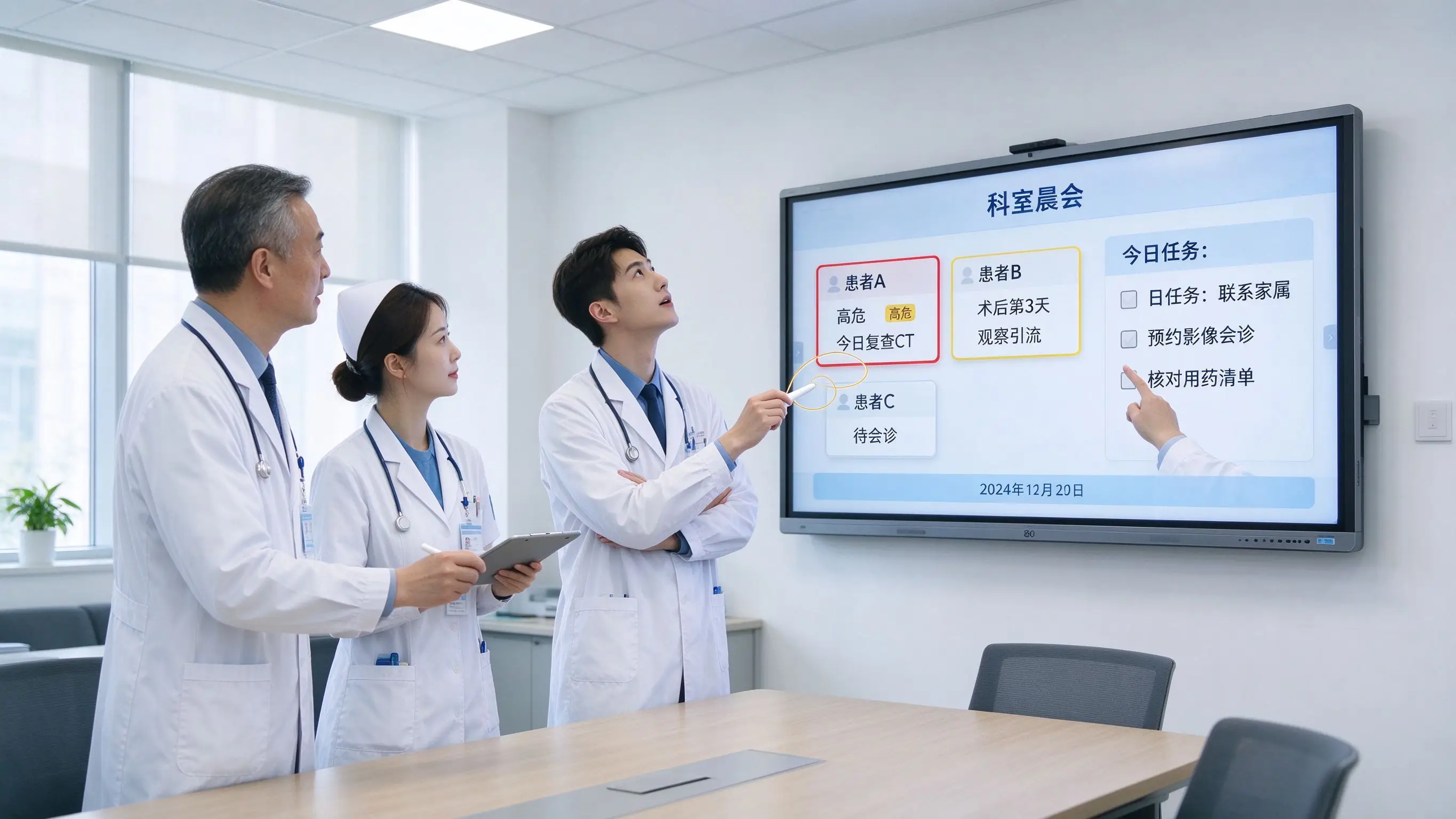
The hospital morning meeting is not a simple information report, but a quick team collaboration. In the traditional mode, the doctor checks the electronic medical record, the nurse shows the nursing record, the imaging department opens the CT or X-ray film, the pharmacist supplements the medication risk, and the department head confirms the key patient and the plan of the day. The traditional method requires switching between multiple computers, paper, projection and whiteboard. The information seen by team members is not completely consistent, and tasks need to be reorganized after the meeting.
The medical value of an interactive whiteboard is not that the hospital has a larger display, but that the clinical team has a quick, clear and traceable discussion around the same piece of information. When the doctor can directly mark the key points on the image, the nurse complements the nursing risk and time node, the pharmacist marks the medication precautions, and the team confirms the day's plan, the responsible person and the review node, the morning meeting can move from "item-by-item reporting" to "joint decision-making".
Qtenboard (Shenzhen Qunmao)Founded in 2005, we have been dedicated to interactive display manufacturing for 20 years. We operate a 330,000㎡ smart manufacturing industrial park in Shenzhen and Guangzhou, featuring eight fully automated production lines with a daily output capacity of 200 units. Our solutions serve 120 countries and regions worldwide, and we have provided services to over 15,000 corporate clients to date. The Qtenboard interactive whiteboard covers 55-110 inch full-size segments and is equipped with Q AI system-level framework and MediaTek Genio 520 platform, providing a complete solution from hardware to software for hospital departments' morning meetings, case discussions, MDT consultations and telemedicine collaboration.
Electronic medical records, PACS imaging system, inspection system, nursing records, surgical scheduling, bed information, drugs and treatment plans, paper shift records-the team needs to switch systems frequently, and the meeting rhythm is easily interrupted. In a typical morning meeting scene, the department director needs to open 4-6 system windows at the same time, the head nurse holds a paper shift record, the imaging doctor checks CT on another computer, and the information versions seen by team members are not completely consistent.
The patient's condition and image cannot be displayed at the same time, the text data is separated from the trend data, the key abnormality is easily covered by a large amount of information, and it is difficult for remote personnel to see the image or annotation.
Teachers or doctors write on the physical whiteboard by hand, take photos or re-enter after the meeting, the decision basis cannot be completely retained, and students and non-participants cannot review.
Who is responsible for reexamination? Who is responsible for consultation? Who is responsible for contacting family members? Who is responsible for adjusting the nursing plan? What items need to be completed on the same day? If there is no visual task list, information omission is easy to occur. Studies have shown that displaying de-identified and abstractly processed clinical events on a digital whiteboard can support ward coordination and reduce the risk of privacy exposure in public settings.
The screen may be seen by corridors, waiting areas or visitors, wireless screen projection devices may be found by nearby devices, meeting documents may be saved in uncontrolled devices, and sharing the screen may not exit in time. The digital whiteboard of the medical scene should focus on the management of screen line of sight, session permission, data storage, screen projection range and access log.
The department bed profile, list of key patients, surgical and examination arrangements, high-risk nursing tasks, infection control reminders, equipment and resources, unfinished matters of the previous day, and teaching topics of the day can be prepared in the whiteboard in advance. Qtenboard DMS supports batch distribution of morning meeting templates and patient information to conference rooms of multiple departments to ensure that all departments use a unified morning meeting framework.
By color marking high-risk items, grouping patient tasks, viewing disease trends, displaying key images, marking patients requiring consultation, recording team opinions, and directly modifying the task status of the day. The Qtenboard supports 20-50 touch, and multiple team members can mark and operate on the large screen at the same time.
Task content, responsible department, responsible person, deadline, priority, review node, problems to be upgraded and matters to be reported to the superior. The Qtenboard supports one-click saving of whiteboard pages, and the morning meeting records are automatically synchronized to the cloud. Team members can obtain them through two-dimensional codes or links.
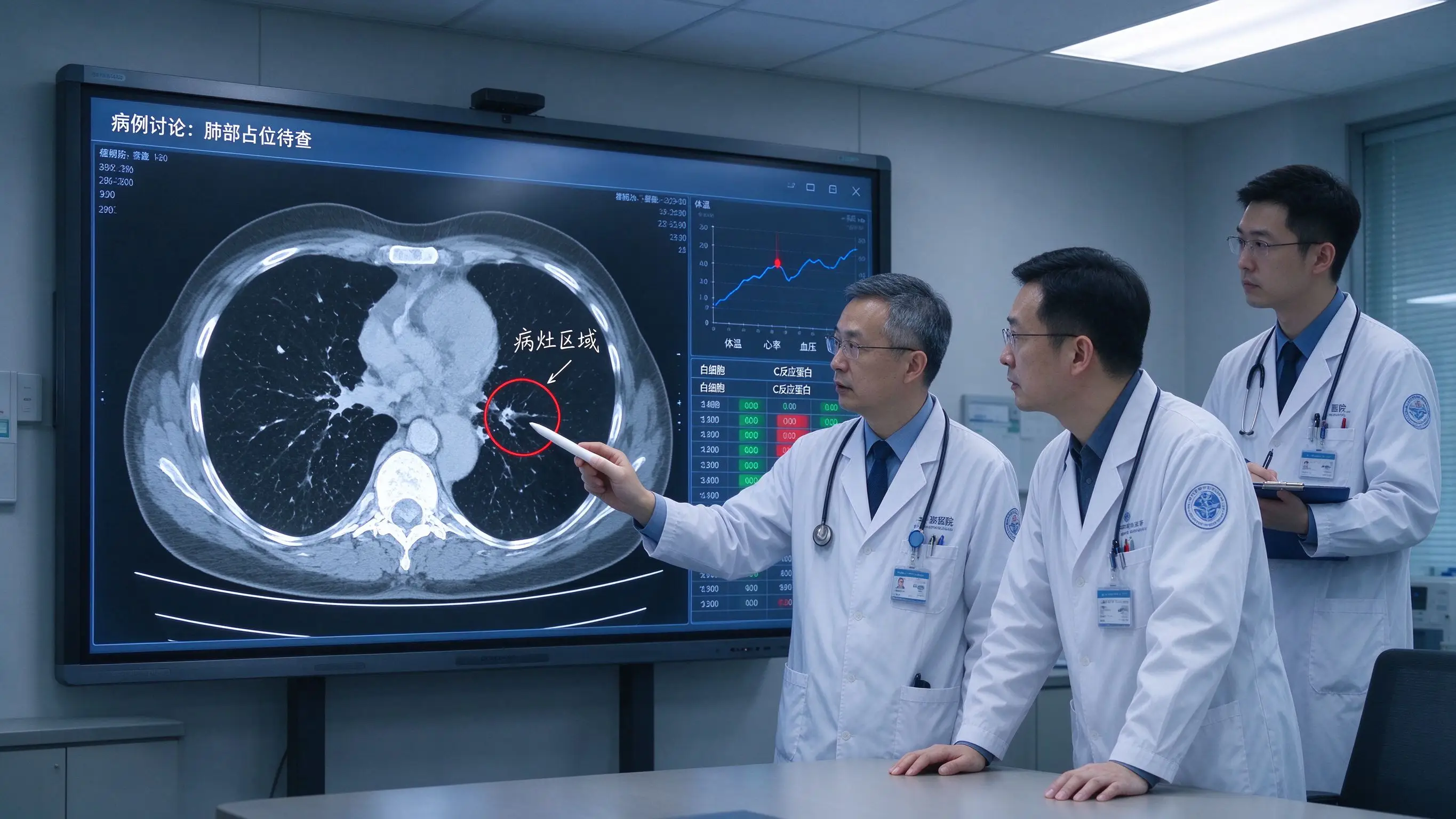
Display de-identified patient information, complaints and medical history, major symptoms, vital signs, laboratory tests, imaging data, previous treatments, current medications, and risk factors. Qtenboard 4K UHD resolution and AG anti-glare glass ensure that the details of the image data and monitoring data are clearly visible.
Magnify X-ray, CT, MRI and ultrasound images, mark lesions and abnormal areas, add arrows, text and structural labels, compare images before and after treatment, compare 3D anatomical models, and save teaching comments. Qtenboard support touch annotation and multi-point operation, teachers or doctors can directly write and mark on the image.
Show trends in vital signs, mark abnormal time points, compare treatment measures and changes in the condition, discuss the causes of deterioration, and confirm the next observation indicators. The Q AI supports graphic recognition, and hand-drawn disease trend charts can be quickly converted to standard charts.
The doctor analyzed the diagnosis and treatment direction, the nurse reported the nursing observation, the pharmacist marked the medication risk, the imaging department explained the image performance, the rehabilitation team supplemented the function evaluation, and the management staff confirmed the resource and schedule. The Qtenboard supports multi-window displays where images, test data and care records can be presented simultaneously on the same screen.
Main problems, possible risks, information to be confirmed, next examination, consultation arrangement, treatment plan discussion, teaching focus, follow-up time. Q AI meeting intelligence can automatically record discussion points and generate structured case discussion minutes in 5 seconds.
Interactive whiteboards can assist in information presentation and team discussion, but are not a substitute for formal electronic medical records, PACS, order systems, or clinical decision-making processes. All system interfaces must be audited by hospital IT, privacy and compliance.
Suitable for tumor cases, complex surgical cases, multi-organ diseases, severe cases, rare disease discussion, perioperative management, rehabilitation and nursing joint assessment. Qtenboard 98-inch large screen to ensure that all Junior College doctors can see the image and annotation at the same time, 20-50 touch support multiple doctors to operate on the large screen at the same time.
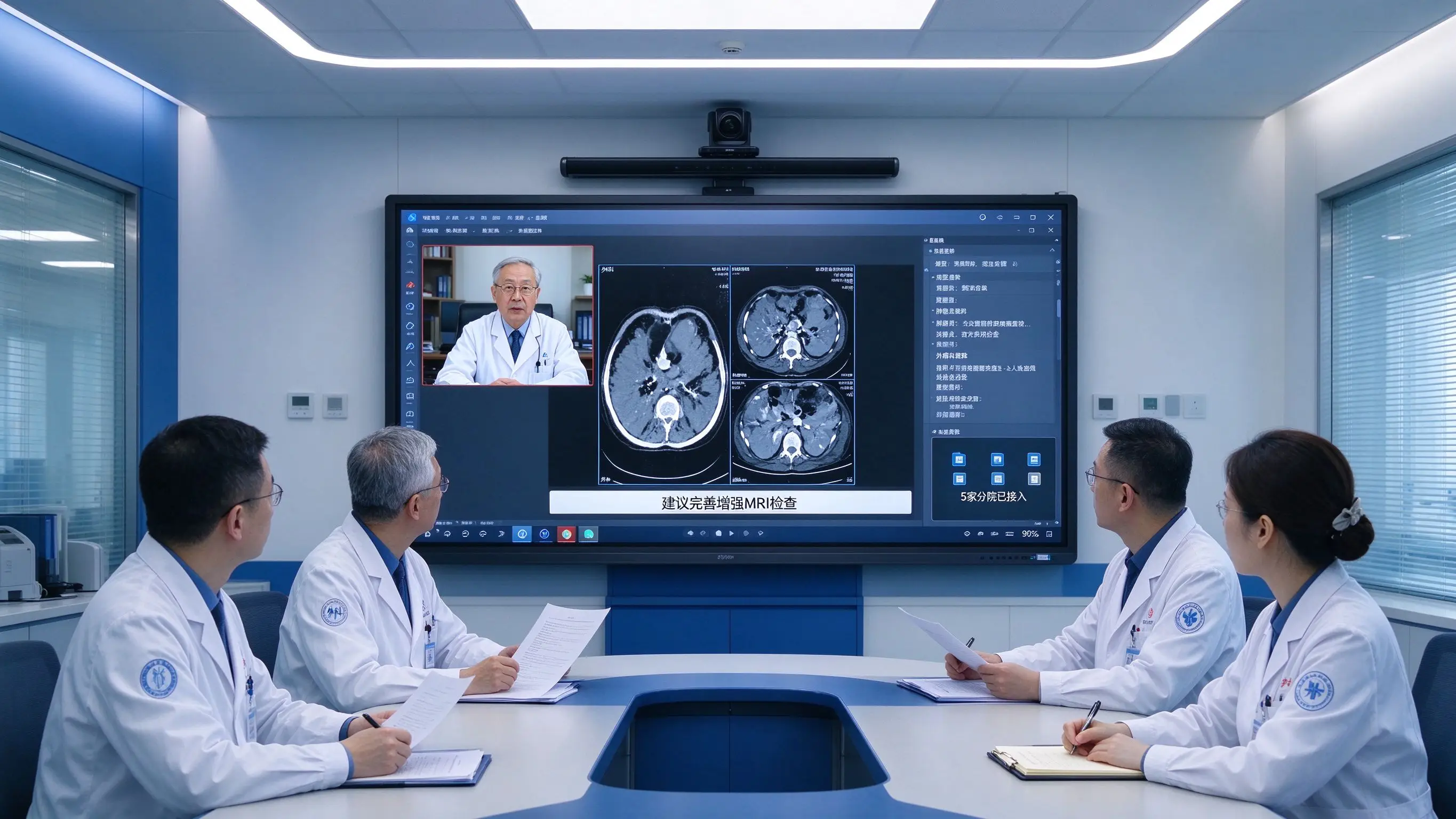
Remote experts view de-identified images, the on-site team marks problems on the whiteboard, experts annotate and explain remotely, and the contents of the meeting are saved and consultation records are formed. The Qtenboard supports up to 9 devices at the same time. Q AI supports real-time subtitles and translation in 166 languages, which is suitable for regional medical collaboration and hierarchical diagnosis and treatment support.
Image clarity and grayscale performance, camera shooting angle, whether remote members can see annotations, whether the meeting recording is authorized, whether the file is safely transmitted, whether the session automatically ends and clears the cache. Qtenboard supports automatic session cleanup and permission control.
Trends in vital signs, ranking of key patients, ventilator and monitoring data, emergency procedures, nursing risks, team division of labor, key tasks of the day. Qtenboard 65/75 inches fits ICU morning meeting space.
Preoperative imaging, surgical approach, anatomical structure, surgical scheduling, postoperative re-disc, patient risk discussion. Qtenboard 86 inches is suitable for preoperative surgical discussion.
CT, MRI and pathological images, tumor location and changes, multidisciplinary treatment plan, radiotherapy/chemotherapy and surgery coordination, image comparison before and after treatment. Qtenboard 86/98 inch suitable for tumor MDT discussion.
Image reading teaching, typical case discussion, image report training, image quality control, remote expert collaboration. Qtenboard 86/98 inches suitable for radiology reading teaching.
Shift, high-risk patient care, pressure ulcer and fall prevention, infection control, quality of care indicators, new nurse training. Qtenboard 65/75 inches fit into nursing shift space.
Functional assessment, rehabilitation planning, multidisciplinary treatment, patient progress, family education, tele-rehabilitation guidance. Qtenboard 65/75 inches suitable for rehab team meetings.
Q AI is not a cloud-based plugin; it is a native intelligent architecture deeply integrated into the hardware, software, and algorithm layers. Core transcription runs locally on the device and can be used without networking-essential for medical scenarios dealing with patient information. Q AI supports real-time translation and live subtitles in 166 languages, generates structured meeting minutes in 5 seconds, and automatically extracts action items. All recording and transcriptions can be processed without uploading to the cloud, reducing the risk of data leakage from the architecture level.
The Qtenboard Genio 520 interactive tablet platform is based on the MediaTek Genio 520 (MT8371) chip, and the 8th generation MediaTek NPU is directly provided on the interactive tabletDedicated AI acceleration for 10 TOPS. Built on TSMC’s 6nm FinFET process, the Genio 520 delivers high performance with low thermal output, enabling Qtenboard’s…Fanless interactive tablet designMake it possible-essential for demanding acoustic environments such as hospital meeting rooms and ICU shift areas. MediaTek’s official commitment to the Genio 520 is10 year standard supply life cycle(EOL 2035), eliminating the risk of obsolescence that consumer-grade SoCs usually phase out in 2-3 years.
| Scene | Recommended size | Qtenboard configuration |
|---|---|---|
| Department morning meeting | 75/86 inches | 4K, mission presentation, case data, video conferencing |
| Case discussion | 86/98 inches | 4K/5K, image viewing, annotation and multi-window |
| Medical Training | 75/86 inches | 4K, OPS, course platform and recording |
| MDT Conference | 98/105/110 inches | 4K, remote consultation, camera and high-quality audio |
| Multi-hospital district collaboration | Full size | Unified system, DMS, remote upgrade, and privilege control |
Dimensions should be confirmed in conjunction with conference room space, number of participants, image details and viewing distance. Qtenboard services are available in 120 countries and regions, with after-sales response times of ≤4 hours.
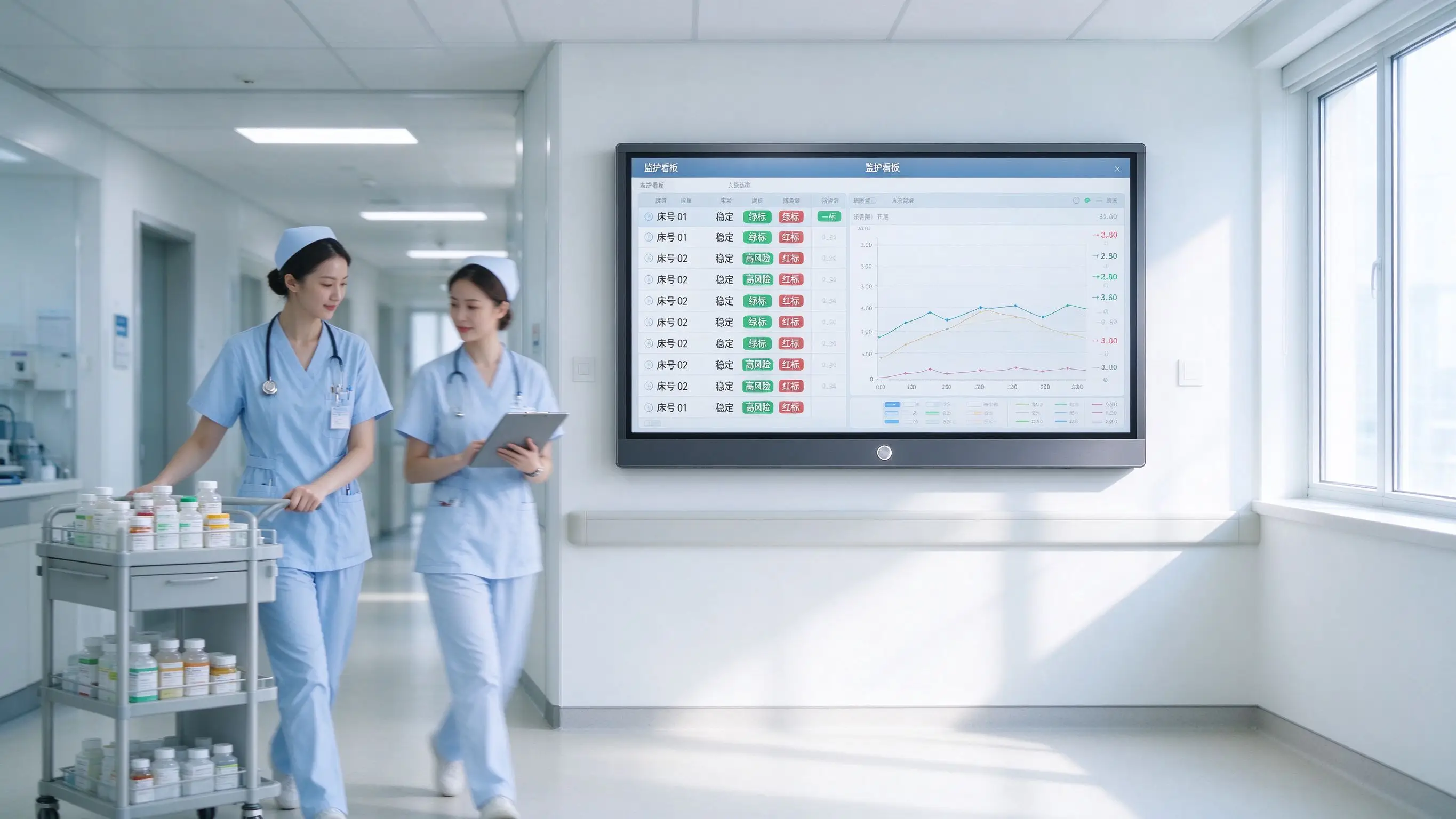
The ICU of a 3A hospital originally relied on paper and oral reports in the morning meeting. The information of key patients was scattered, the tasks of the day were easily missed, and remote experts could not participate.
After the Qtenboard 86-inch interactive whiteboard is deployed, the whiteboard will display de-identification of key patients and risk tasks, doctors, nurses and pharmacists will jointly mark them, images and monitoring trends will be displayed in a centralized manner, the person responsible for the day and the review node will be identified, and the morning meeting records will be saved after the meeting. Q AI automatically generates morning meeting minutes, and DMS uniformly manages 3 department conference rooms. The average length of morning meetings was shortened by about 25%, and the number of missed tasks was significantly reduced.
The oncology department of a hospital has a weekly MDT case discussion, doctors, nurses, pharmacists and imaging department focus on different, the information in the meeting is difficult to unify, decision-making and teaching content is not easy to retain.
After using Qtenboard 98-inch interactive whiteboard, the team introduced de-identified cases and images, and each major marked the lesion area on the same whiteboard to jointly formulate treatment priorities and save decision paths and teaching conclusions. Q AI automatically organize discussion points and generate MDT meeting minutes with one click. The efficiency of multidisciplinary communication is significantly improved, and a reusable teaching case library is formed.
A provincial hospital needs to provide remote consultation support to 5 grass-roots hospitals. The grass-roots hospitals lack Junior College experts, experts can not consult on the spot for a long time, and the diagnosis and treatment standards of different hospitals are inconsistent.
After the deployment of Qtenboard 86-inch interactive whiteboard, the primary hospital uploads the authorized case data, and the experts of the superior hospital access it remotely. Both parties jointly mark the images on the interactive whiteboard to form consultation records and training materials, which will be used for the continuing education of primary doctors. Q AI supports real-time subtitles in 166 + languages, the standardization of remote consultation has been significantly improved, and the travel cost of experts has been reduced by about 70%.
| Indicator category | Traditional method | Qtenboard Programme |
|---|---|---|
| Average morning meeting duration | 45 minutes | Shortening by about 25% |
| Number of tasks missed | Dependent on manual records | Visualize the task list and significantly reduce omissions |
| Case discussion record | Manual finishing, about 60 minutes | Q AI 5 seconds to generate structured summary |
| Remote Expert Engagement | Expert on business trip, covering 1 hospital area | Remote coverage of 5 + hospital areas reduces travel by 70% |
| Device Management | Station-by-station maintenance | DMS unified monitoring, predictive diagnostics |
| Data security | Rely on manual specifications | Local Processing Permission Control Session Isolation |
The data is based on Qtenboard typical healthcare collaboration deployment scenarios, with actual results varying depending on the size of the project and how it is used.
Medical morning meetings require imaging, task, case and permission management. Procurement should be designed around the medical process. Qtenboard supports medical scene customization and DMS permission management.
Priority should be given to de-identified and summarised information and screen locations should avoid corridors and public areas. Access to patient details should be through the authorization system.
Medical imaging teaching and case discussion require testing of grayscale, detail, contrast, and anti-glare performance. Qtenboard AG anti-glare glass reduces reflections while maintaining clarity of detail.
Images or documents from the previous meeting may be seen by the next user. Automatic purge, automatic exit, and authority control shall be set. Qtenboard DMS supports session management and automatic cleanup.
Remote experts cannot hear or see clearly, which will reduce the value of the consultation. Camera, microphone and sound shall be configured simultaneously. Qtenboard supports external microphone arrays and camera modules.
Ordinary interactive whiteboards do not automatically replace EHR, PACS, and physician order systems. All system interfaces must undergo review by the hospital’s IT, privacy, and compliance departments. The Qtenboard is positioned as a teaching and collaboration tool, complementary to the clinical system.
Can interactive whiteboards be used for hospital morning meetings?
It can be used for case information display, key tasks, image annotation, nursing risk and team discussion in the morning meeting, but patient information must be de-identified, authority control and security display according to the hospital privacy system. Q AI core transcription runs locally, reducing data privacy risks.
Can the interactive whiteboard connect to PACS or EHR?
Whether or not to connect depends on the hospital system interface, network structure, permissions, and security requirements. It is recommended to use de-identified data for technical verification to avoid direct access to clinical core systems without approval. Qtenboard Windows OPS supports professional medical imaging viewing software, and its local operation does not affect the hospital’s network security architecture.
What size will the department choose for the morning meeting?
65 or 75 inches can be considered for small department meetings; 86 or 98 inches can be considered for medium and large conference rooms that need to display images, cases and tasks at the same time. Finally, it should be confirmed with the viewing distance, number of people, image details and meeting layout. Qtenboard cover 55-110 inch full size section.
Android and Windows OPS how to choose?
Basic whiteboard, screen projection and video conference can evaluate Android. If you need Windows imaging software, Office, hospital training platform or domain management, you should evaluate Windows OPS or dual systems. Qtenboard Android Windows OPS dual system switching time <3 seconds.
Can remote MDT consultation be supported?
Collaborate remotely through interactive whiteboards, cameras, microphones, video conferencing platforms, and imaging software. The Qtenboard supports up to 9 devices at the same time, and the Q AI supports real-time subtitles in 166 languages. Specific connection methods and data permissions need to be reviewed by the hospital IT department.
Can Qtenboard provide hospital project customization?
Logo, UI, language, system, OPS, camera, microphone, bracket, DMS, pre-installed application and multi-hospital unified deployment scheme can be evaluated according to the project. A dedicated OEM production line ensures that customization does not affect the delivery schedule of standard products; the lead time for custom orders is extended by only 3–5 days. The CKD/SKD local assembly model helps partners reduce tariff costs. Medical data interface and compliance requirements require technical specification confirmation from the project party.
If you are planning a hospital department morning meeting digitization, case discussion or MDT remote consultation project
The Qtenboard provides 55-110 inch full-size interactive whiteboard, Q AI system-level framework (166 language, local operation, 5-second minutes), Genio 520 platform (10 TOPS device-side AI, fanless mute design), DMS device management and OEM/ODM/CKD/SKD customization services.
Get a selection guide for Qtenboard healthcare collaboration solutions, or book a factory tour and prototype testing.
 Partner Links:

 en
 中文

 Previous:
 Return to list

