 Current location:
Home
> News > Product News > Interactive Flat Panel
 Release date: 2026-10-08
 Clicks:0
From whiteboard content saving, wireless screen projection, AI assistant to DMS remote management, analyze how interactive whiteboard software determines the long-term use value of equipment and project landing effect.
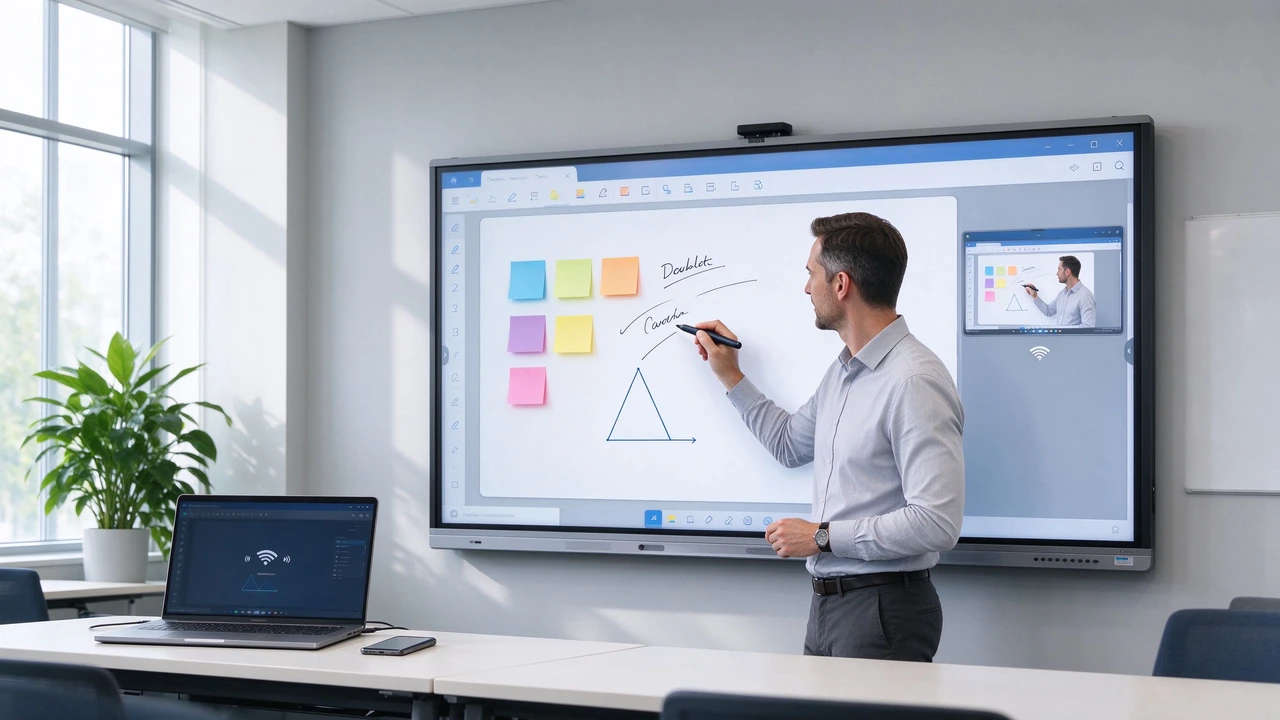
The same hardware, software is different, the use value may be completely different. The school purchased a 4K multi-touch whiteboard, but teachers could not easily save courseware annotations. The corporate meeting room has a large screen installed, but the whiteboard content cannot be sent to remote members. The device supports wireless screen projection, but the connection between different systems is unstable. AI features look rich and actually require a separate subscription or can't handle the customer language. After the number of equipment increases, IT personnel can only upgrade and repair one by one. OEM customers want to change the brand and language, but find that the software can not be customized.
Hardware determines "whether it can be displayed and touched", while software determines "whether it can be coordinated, managed, reused and deployed on a large scale". Qtenboard public information defines interactive whiteboard as a platform that integrates large-screen touch, built-in computing, whiteboard software, content sharing and collaboration tools, and provides Android/Windows dual systems, wireless screen projection, DMS and AI assistance functions.
Qtenboard (Shenzhen Qunmao)Founded in 2005, we have been dedicated to interactive display manufacturing for 20 years. We operate a 330,000㎡ smart manufacturing industrial park in Shenzhen and Guangzhou, comprising 16 factory buildings and 8 fully automated production lines, with a daily output capacity of 200 units, serving customers in 120 countries and regions worldwide. The Qtenboard interactive whiteboard covers 55-110 inch full-size segments, is equipped with Q AI system-level framework, DMS device management and CMS content management platform, supports Android Windows OPS dual systems, and provides a complete solution from hardware to software for education, enterprises, retail and public projects.
Multi-page whiteboard, unlimited canvas, undo and restore, page thumbnail, content movement/copy and grouping, handwriting to text, graphic recognition, picture and document insertion, PDF/Word/PPT or picture export, two-dimensional code sharing, cloud synchronization, local saving, automatic clearing at the end of the meeting.
Save teachers' blackboard writing, generate after-school review materials, share them with absent students, form a curriculum resource library, upload classroom content to LMS, and support teachers to reuse teaching templates.
Save meeting whiteboard, export project plan, record customer comments, form task and decision basis, connect knowledge base and project management platform, and reduce post-meeting rearrangement.
Qtenboard software capabilities:Qtenboard smart whiteboard supports multi-point writing, palm suppression, wireless screen projection, file annotation, whiteboard content export and collaborative content saving; Q AI supports handwriting recognition and graphic recognition, and can be quickly converted to standard graphics or digital content. The specific export format, cloud function and platform compatibility shall be confirmed by model.
Windows computers, macOS computers, iPhone and iPad, Android phones and tablets, Chromebook, guest devices, corporate meeting consoles, external cameras and microphones.
Wireless screen projection protocol, multi-device simultaneous screen projection, split screen display, remote screen projection, screen projection permission, PIN code or two-dimensional code connection, guest mode, audio synchronization, touch reverse control, wired HDMI and USB-C standby.
According to Qtenboard public information, its interactive whiteboard supports wireless screen projection across Windows, macOS, iOS and Android, and supports simultaneous sharing of up to 9 devices. The specific number and agreement shall be subject to the model and software version.
Whether the teacher's computer can quickly display the screen, whether the student equipment can submit content, whether the connection is stable when using multiple classes, whether account login is required, whether the guest equipment will interfere with the classroom, and whether the screen can be displayed after network isolation.
Whether BYOD is supported, whether it conforms to enterprise Wi-Fi and guest network policies, whether it can prevent unauthorized devices from being screened, whether it supports high-quality video and audio, whether it is compatible with Teams/Zoom and Google Meet, and whether it can realize one-line connection through USB-C.
Suitable for digital whiteboards, browsers, video playback, wireless screen projection, basic teaching applications, Google education applications (such as EDLA model support), lightweight conference software, content display and interactive applications. Qtenboard support Android 14/16 systems.
Suitable for Microsoft Office, Teams and Zoom, CAD/BIM and design software, professional teaching software, enterprise CRM/ERP and BI tools, medical imaging teaching software, GIS and manufacturing software. The Qtenboard Windows OPS is based on the Genio 520 platform and can be configured in i5/i7.
For schools using Google Workspace for Education, it is necessary to confirm whether EDLA is truly available, whether Google Play is available, whether Google Classroom/Meet and Drive can operate normally, whether specific models are covered, and whether Android and security updates continue.
Qtenboard dual system programme:Qtenboard public information lists Android/Windows dual system configuration, optional Windows OPS, 20-50 touch, 1.5mm accuracy, wireless screen projection, conference and education application support; Finally, it should be confirmed according to the customer software list and project prototype test.
Don't just ask the supplier "whether Windows is supported", but provide the customer software list: software name, version, minimum configuration, whether GPU is required, whether domain login is required, whether VPN is required, whether professional peripherals are required, and whether local database is required.
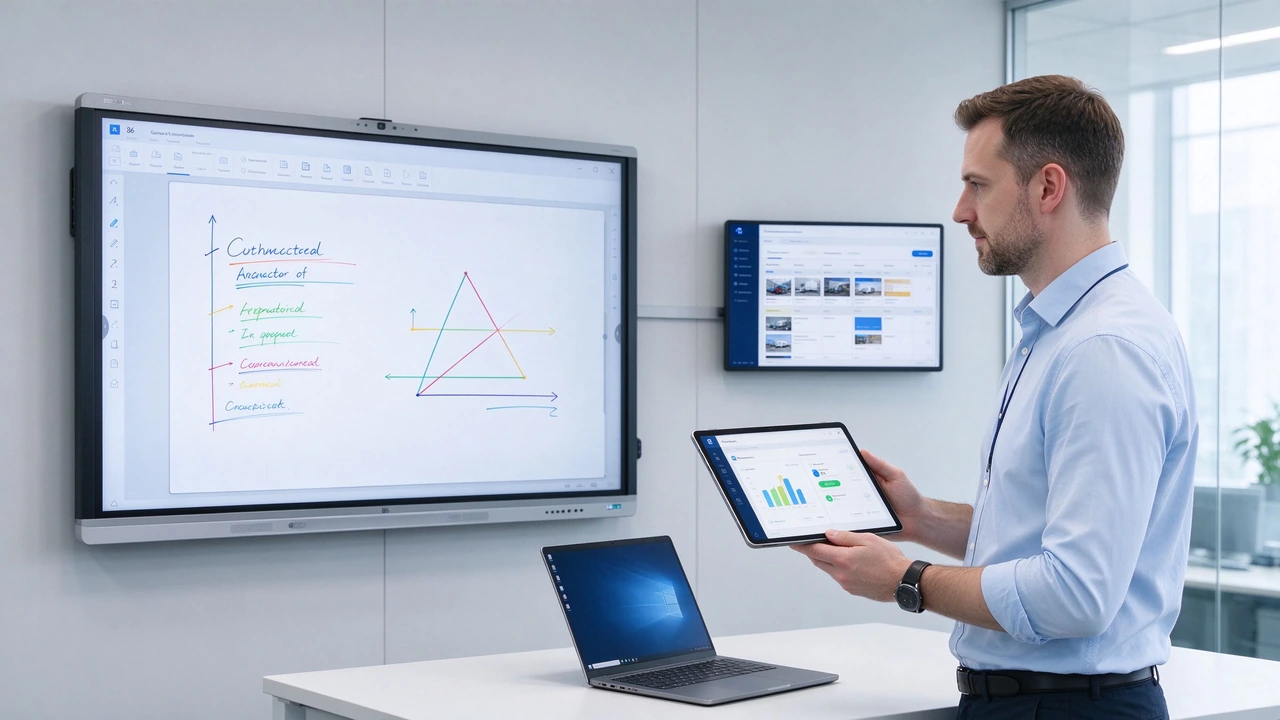
Handwriting to text, OCR, graphics recognition, formula recognition, speech to text, real-time subtitles, automatic meeting summarization, decision and task extraction, multi-language translation, contextual question and answer, intelligent assistant.
Teachers write on the blackboard to text, abstract of classroom content, recognition of formulas and figures, multilingual teaching, generation of review materials after class, classroom questions and practice assistance.
Meeting real-time transcription, focus extraction and decision-making, generation of action items, identification of responsible persons and deadlines, multi-language meeting support, meeting content search.
Qtenboard Q AI方向:According to Qtenboard public information, Q AI includes voice-to-text (166 language), intelligent meeting minutes (5 seconds to generate structured minutes), contextual question and answer, and intelligent assistant, and emphasizes that it is a AI framework built into the interactive whiteboard, rather than an external plug-in added separately. Core transcription runs locally on the device and is available without networking.
Use real teacher handwriting, use real meeting recordings, test names/numbers/dates and professional terms, test Chinese/English and multilingual mixed content, check whether the summary omits context, check the task responsible person and deadline, and test the functions under different network conditions.
AI output can only be used as a secondary result. Meeting decisions, teaching materials, contracts, medical data and government documents must be manually reviewed.
DMS (Equipment Management System):Mainly responsible for equipment online status, remote power on and off, firmware and system updates, application installation, equipment grouping, fault monitoring, storage and network status, remote control, equipment health management. Qtenboard DMS also supports AI-driven predictive diagnostics, checking hardware health parameters such as panel temperature, internal voltage, and color values.
CMS (Content Management System):Mainly responsible for pictures/videos and documents, playlists, content scheduling, screen grouping, store or campus release, emergency content push, content version management, multi-scene content update.
Unified upgrade of multiple classrooms, batch push of teaching applications, management of Android and OPS devices, remote viewing of online status of devices, control of classroom applications and permissions, statistics of device usage, and reduction of maintenance costs for IT personnel one by one.
Multi-conference room group management, remote control on/off, unified update of whiteboard software, management of AI/screen and conference applications, viewing of camera/audio and network status, recording of faults and maintenance.
The headquarters uniformly manages the contents of stores or venues, regularly updates advertisements/exhibitions and guides, publishes different languages by region, monitors the online status of the screen, remotely pushes emergency information, and supports management from single screen to thousands of screens. Qtenboard public CMS materials emphasize that the system can manage digital signage, kiosk, video wall, LCD panel and interactive whiteboard through browser, and support media resource management, playlist, timing release, grouping, remote control, online/offline monitoring and batch upgrade.
Whiteboard and annotations, handwriting recognition, OCR and graphics recognition, 20-50 touch, wireless screen projection, Google education ecosystem (such as EDLA model support), classroom data preservation, multi-classroom DMS, teacher training and remote support.
Digital whiteboard, file annotation, Teams/Zoom and Google Meet, Q AI transcription and meeting minutes, Windows OPS, remote device management, enterprise rights and security, multi-conference room unified configuration.
Digital signage CMS, interactive product catalog, collection and exhibition content, multi-store or multi-venue launch, play plan, visitor interaction data, remote content management.
Qtenboard public information shows that its OEM/ODM support is not limited to Logo and packaging, but also covers software, appearance, structure, hardware and complete customization solutions. Customizable content includes Logo and splash screen, UI and menu, local language, OCR language pack, pre-installed application, AI function portal, device management interface, CMS platform, API and third-party system integration, CKD/SKD localized deployment. A dedicated OEM production line ensures that customization does not affect the delivery schedule of standard products; the lead time for custom orders is extended by only 3–5 days.
| Test category | Test content | Key points of acceptance |
|---|---|---|
| Whiteboard Content | Create page, multi-page, unlimited canvas, undo, copy, move | Save/Export/Share complete |
| Wireless screen mirroring | Windows、macOS、iOS、Android、多设备 | Audio and video synchronization, network disconnection recovery, permission control |
| System compatibility | Android applications, Windows OPS software, cameras, microphones, USB devices | Touch consistency, drive stability |
| Q AI function | Real handwriting, real meeting recording, multi-language, professional terminology | Summary accuracy, task extraction, data location |
| DMS/CMS | Device binding, remote on/off, application push, firmware upgrade, content scheduling | Device grouping, offline recovery, permission log, batch management |
Hardware Requirements:75 and 86 inches, 4K,20-50 touch, Android Windows OPS.
Software issues:Teachers need to save blackboard writing, schools need to push applications uniformly, IT teams need to view devices remotely, and Google Workspace and LMS need to be compatible.
Recommended software solutions:Whiteboard and file export, wireless screen projection, DMS device management, EDLA (if required by the project), school account and permission policy. After deployment, the online rate of equipment remained above 95% and the number of IT work orders was reduced by about 40%.
Hardware Requirements:65, 75 and 86 inches, camera, microphone and OPS, multi-room deployment.
Software issues:Multi-regional teams use different devices, require Teams and Zoom, meeting content must be saved and reviewed, and IT departments need to update uniformly.
Recommended software solutions:Cross-platform screen projection (up to 9 devices), digital whiteboard, Q AI transcription and summary (166 + language, 5 seconds to generate meeting minutes), DMS remote management, enterprise permissions and data policies. Meeting minutes finishing time reduced by about 75%.
Hardware Requirements:55-86 inch interactive screen, digital signage and kiosk, multi-location deployment.
Software issues:The headquarters should update the content uniformly. Different regions have different languages and contents. They need to check the online status and release promotion or exhibition information according to time.
Recommended software solutions:Qtenboard CMS, libraries and playlists, regional groupings, scheduled releases, remote control and bulk upgrades, content and device statistics. Content update times are reduced from days to minutes.
Android versions, Google services, app compatibility, and security updates may vary. EDLA, GMS and practical applications need to be confirmed.
Different protocols, networks and systems can affect stability. Testing with real equipment is required.
Some AI features may require a cloud service or subscription. Authorizations, credits, data and escalation policies need to be confirmed.
Software may be charged independently. Need to confirm the number of devices, subscription time and function scope.
Single normal does not mean that multi-device batch management is successful. Small concurrent and remote upgrade tests should be conducted.
Whiteboard content, recordings, summaries, and user accounts may all generate data. You must confirm the storage location, access rights, and deletion policy. Q AI core transcription runs locally, reducing data privacy risks at the architectural level.
Do software need to be quoted separately when purchasing an interactive whiteboard?
Vendor and functionality. Basic whiteboards, screens, and systems may typically be included on the device, but AI services, DMS, CMS, cloud storage, and advanced collaboration features may require separate licenses or subscriptions. When purchasing, the supplier shall be required to split the quotation.
What devices can a Qtenboard DMS manage?
Qtenboard disclosure uses DMS for device monitoring, remote control, firmware updates, application installation, power management, and device health status. The AI-driven predictive diagnostics module checks hardware health parameters such as panel temperature, internal voltage and color values for early warning to avoid unplanned equipment downtime. Specific supported device types, quantities, platforms, and permission functions need to be confirmed by project.
Qtenboard what is the difference between CMS and DMS?
The DMS primarily manages the device itself, such as presence, systems, applications, and upgrades; the CMS primarily manages display content, such as media, playlists, scheduling, and remote publishing. Retail, public cultural and multi-location projects typically require a CMS, while schools and enterprise multi-device deployments focus on a DMS. Qtenboard offer both platforms.
Can AI meeting summaries completely replace manual summaries?
Cannot. AI summaries are suitable for generating drafts, extracting highlights and action items, but names, numbers, dates, task leaders and decision-making content still need manual review. Q AI supports the generation of structured meeting minutes in 5 seconds, but still recommends that the meeting leader confirm key information.
Can OEM/ODM customers customize Qtenboard software?
Qtenboard disclosure supports customization of software, UI, languages, pre-installed applications, hardware, and architecture. Specific customizability, interface, source code, platform authorization and maintenance responsibilities need to be specified in the project contract. A dedicated OEM production line ensures that customization does not affect the delivery schedule of standard products.
How do I get Qtenboard software configurations and quotes?
It is recommended to submit product size, purchase quantity, usage scenarios, Android/Windows requirements, AI functions, CMS/DMS, software platform, target country and delivery date. Qtenboard can provide standard, OEM/ODM or multi-device deployment solutions depending on the project.
Whiteboard software determines whether content can be saved, exported, and reused. The screen-casting software determines whether different devices can be accessed smoothly. Android, Windows OPS and application ecosystem determine system compatibility. Q AI determine whether meetings and classes can be organized more efficiently. DMS/CMS determines whether schools, businesses, retail and public institutions can be managed at scale.
When purchasing interactive whiteboards, hardware parameters are easy to compare, but software capabilities are often ignored. Screen size, brightness and touch determine the first impression, but software preservation, screen compatibility, AI functions, DMS management and content platform determine whether the device can be used in schools, enterprises and public institutions for a long time.
QtenboardBacked by 20 years of manufacturing experience, 330,000 ㎡ industrial park, 8 full-automatic production lines, Q AI system-level framework (166 language, local operation, 5-second minutes), Genio 520 platform (10 TOPS device end AI, fanless mute design), DMS device management system and CMS content management platform, it is oriented to global education, enterprises, retail and public projects, provides a complete collaborative path from interactive whiteboard hardware, whiteboard software, Q AI, DMS, CMS to OEM/ODM software customization and volume deployment. Serving 120 countries and regions, with after-sales response within ≤4 hours.
Qtenboard can provide a combination of solutions from standard interactive whiteboards to dual systems, AI, DMS, CMS and software customization based on educational, corporate, retail, medical, public culture and OEM/ODM project needs. When making inquiries, customers should also require hardware specifications, software functions, authorization methods, data policies, update cycles and after-sales service lists to avoid buying products with "hardware delivery completed and software limited use.
If you are planning an interactive whiteboard purchase or software platform deployment project
Qtenboard provide 55-110 inch interactive whiteboard, Q AI system level framework, Genio 520 platform, Android Windows OPS dual system, DMS device management, CMS content management and OEM/ODM software customization services.
Get a Qtenboard software selection guide, or book a factory tour and prototype testing.
 Partner Links:

 en
 中文

 Previous:
 Return to list

