Service Hotline:

+8615920011166

en en

Advertising Machine Digital Signage Solution

Catering digital signage project solution five types of hardware integration and delivery Qunmao

Published: 2026-10-16 Clicks:0
Catering Digital Signage · Project Solution

Five types of hardware, one customer line: project-level integration scheme from door drainage to back kitchen meal

For project vendors, catering brands and system integrators, it provides complete sets of hardware combinations covering vertical advertising machines, electronic menu boards, self-service ordering machines, desktop ordering machines and kitchen screens, as well as CMS / POS / KDS system boundary division and project delivery support.

Vertical advertising machine Electronic Menu Panel 32-55 ″ Self-service kiosk Desktop ordering machine 10-27 ″ Kitchen Screen/KDS OEM / ODM
01

Six common types of project pain points for project vendors and brand vendors

🔗

Hardware categories are scattered and suppliers are not unified.

Vertical advertising machines, menu boards, self-service ordering machines, desktop ordering machines, and kitchen screens come from different manufacturers, and the interface, installation standards, delivery date and after-sales are difficult to align.

🔌

POS/ordering system/KDS docking uncertain

The customer asked for synchronous prices, sold out, and orders to the back kitchen, but the interface capability, joint responsibility and abnormal downgrade scheme were not clear, and the project risk was high.

⚠️

CMS, POS, KDS boundary confusion

Mixing content management and trading systems with back kitchen production leads to over-commitment and acceptance disputes.

🌡️

Mixed indoor/outdoor/kitchen environment

Outdoor need to highlight, IP protection and wide temperature heat dissipation. Ordinary commercial screen can not be directly replaced.

📐

Lack of standardization for multi-store replication

Brand manufacturers lack hardware model specifications, menu templates, installation standards and acceptance lists, and each store must be discussed again.

🌍

Uncontrollable certification, delivery and after-sales

Overseas projects involve CE / FCC / RoHS/UKCA, voltage plug, payment compliance, spare parts cycle and remote support, affecting the delivery rhythm.
02

System Architecture: Three-tier Separation of Duties

CMS Tube Display · POS Tube Transaction · KDS Tube Kitchen
Customer contact layer
Vertical advertising machine Electronic menu board Self-service kiosk Desktop ordering machine Kitchen screen
Content Management
Cloud CMS Content publishing/scheduling Group Management Template Offline playback
Trading and Production Layer
Ordering system/POS Commodity/Price/Inventory Payment/Order KDS order Routes Meal management
integration layer Optional
API / SDK Webhook Middleware
CMS decides what the customer "sees", the ordering system decides what the customer "buys", and KDS decides what the kitchen "does and when to eat". The responsibilities of the three are clear, and the project acceptance is based on it. Price synchronization, sold-out synchronization, and order status push are optional integration, and POS interface capabilities and joint debugging responsibilities need to be confirmed.
03

Configure hardware mix by project type

Quote not by single item, by scene combination

Fast Food/Fried Chicken Burger/Rice Noodles

Fast order during peak period
Recommended combination
  • Door vertical advertising machine -New products, limited-time packages, in-store discounts
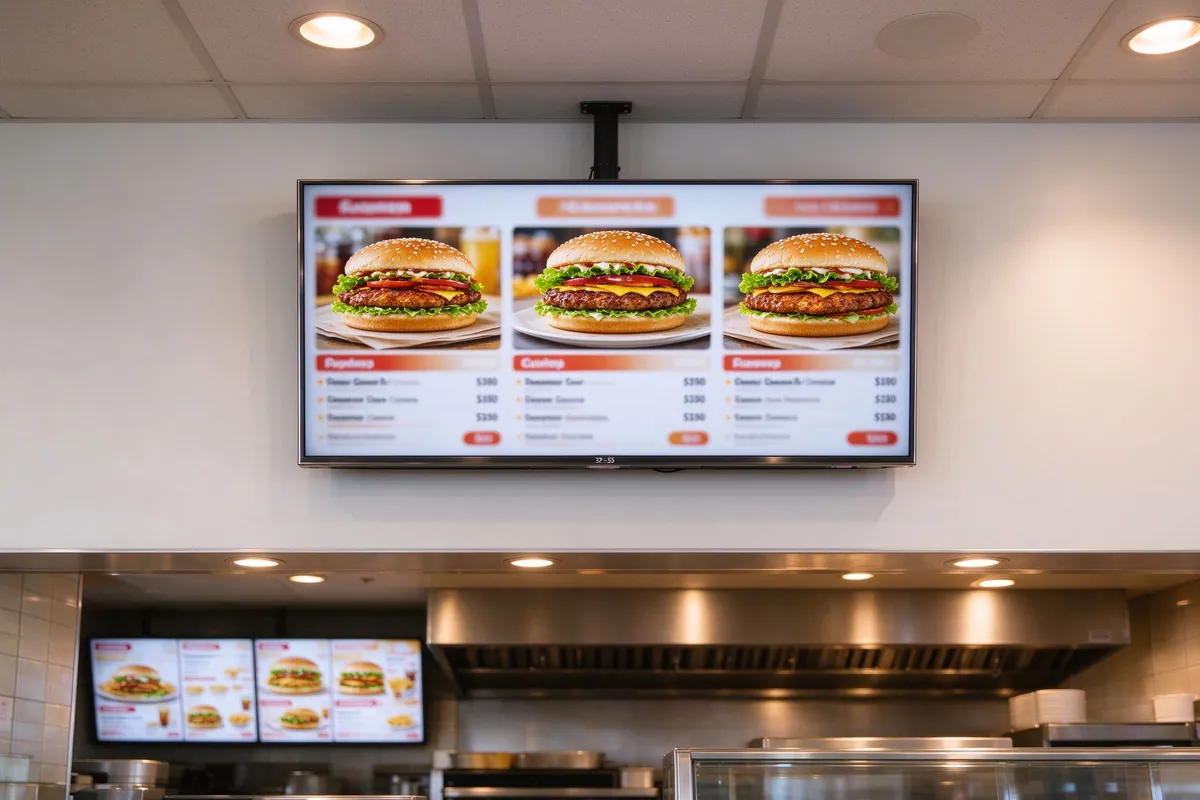
  • Electronic menu board -Main Menu, Package, Price, Sold Out Tips
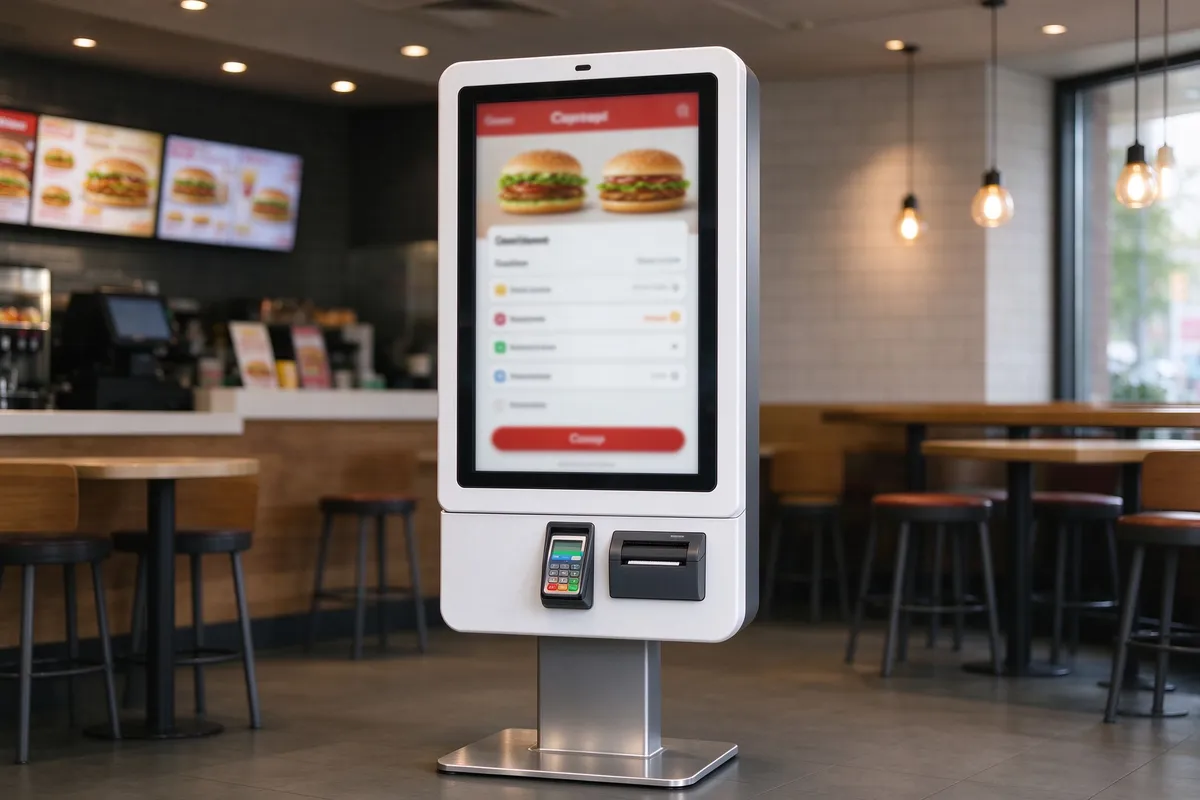
  • Self-service kiosk -Front desk diversion, code scanning, payment and receipt printing
  • Kitchen screen -According to the frying area, beverage area and packing area, the list is divided.
Project Objectives
  • Shorten the time from order to meal.
  • Reduce manual entry errors
  • Increase the proportion of package sales
Integration focus:The ordering machine is docked with the POS/ordering system, orders are pushed to KDS in real time, and orders are divided according to the stalls.

Coffee/Tea/Baking

New product exposure and additional purchase
Recommended combination
  • Window inside/door vertical advertising machine -Seasonal new products, second cup discount, member activities
  • Electronic menu board -Drink specifications, sugar degree, ice degree, price, limited products
  • Self-service kiosk -Visualization of complex customization options to reduce front desk communication
  • Desktop ordering machine Optional -Hall food plus purchase, call service
Project Objectives
  • Increase new product exposure and additional purchase rate
  • Standardized complex customized order process
  • Support multi-language menu adaptation
Integration focus:Multi-language menu, sub-time menu switching, member and payment interface docking.

Hall Food Restaurant/Hot Pot/Barbecue/Buffet

Orders and dishes at the table
Recommended combination
  • Door vertical advertising machine -Brand image, information, activity notification
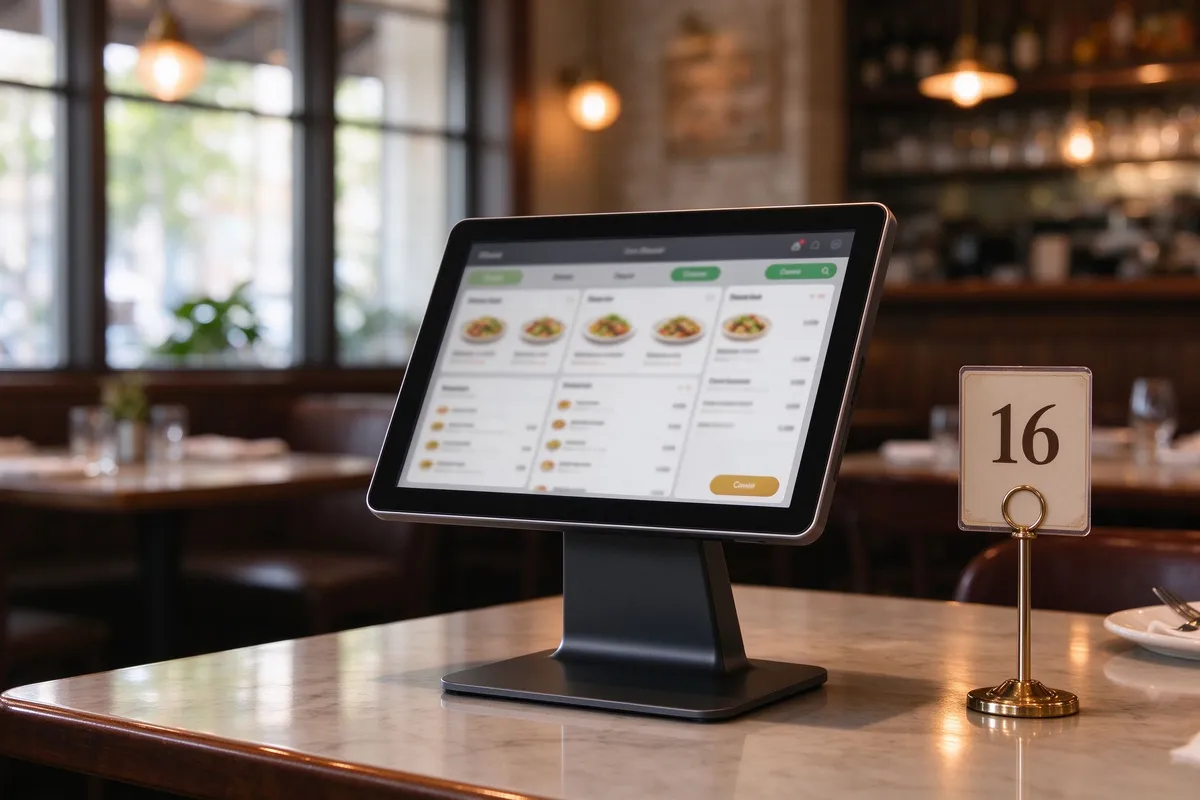
  • Desktop ordering machine 10-27 ″ -A la carte, extra dishes, call service at the table
  • Kitchen screen -According to the hot dishes, cold dishes, drinks, staple food and other stalls
  • Electronic menu board Optional -Lobby menu, private room recommendations, wine list
Project Objectives
  • Increase the average table consumption and the frequency of adding dishes.
  • Reduce the burden of waiter ordering
  • Speed up the turntable efficiency
Integration focus:The desktop machine is connected with POS, KDS and call service system, and the oil pollution prevention and cleaning maintenance scheme are provided.

Food court/chain multi-store/overseas project

Multi-store standardized replication
Recommended combination
  • Full set of hardware -Vertical advertising machine menu board self-service ordering machine desktop ordering machine kitchen screen
  • CMS Grouping Management -Manage content by brand, region, store
  • Multi-store menu -Ordering system supports price and inventory differentiation
  • Remote monitoring -Headquarters control equipment status and content playback If equipped with
Project Objectives
  • Unify brand, price and content standards
  • Retain the store localization promotion space
  • Overseas Certification and Compliance Delivery
Integration focus:Multi-store replication standards, certification compliance, overseas payment and multi-language adaptation.
04

Five types of hardware project selection guide

Project selection dimension · integration boundary · delivery attention
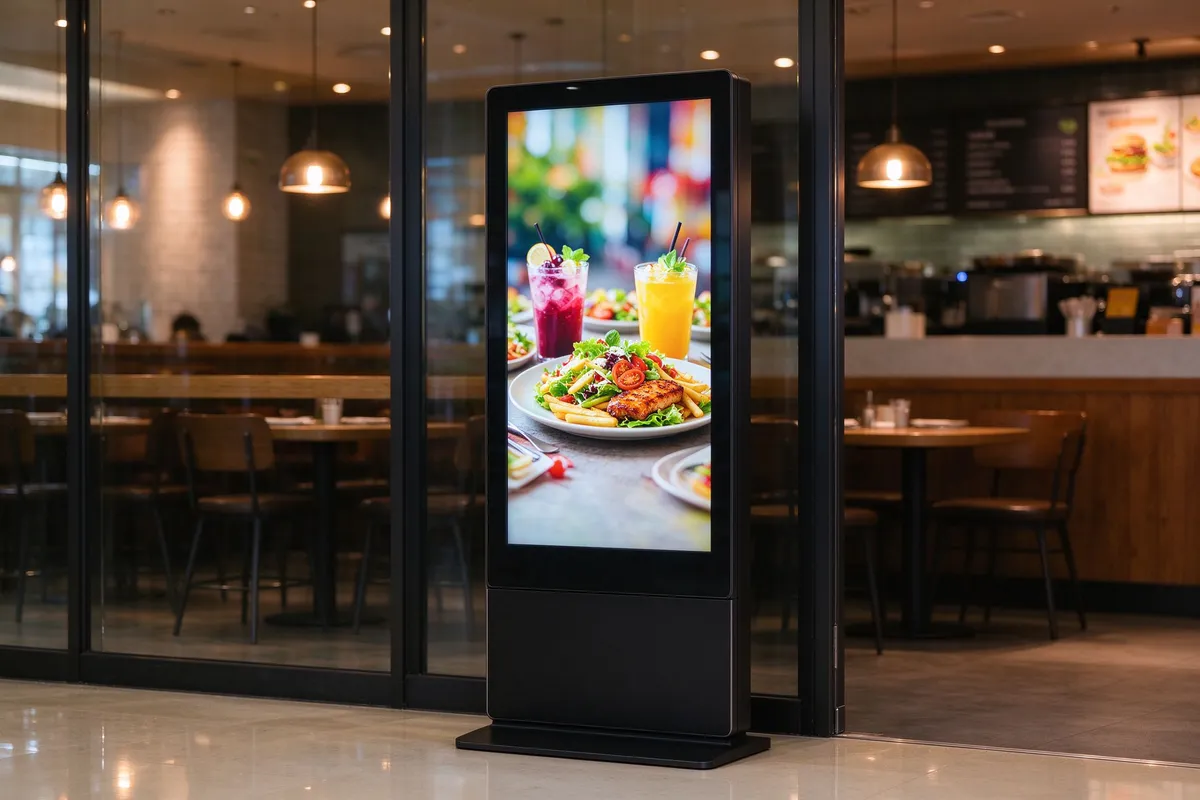
indoor-floor-standing-digital-signage

Vertical advertising machine

Project Role: Door Drainage, Brand Display and Promotion in Allele Area
  • Separate selection for indoor/outdoor highlight models
  • Outdoor: brightness, automatic dimming, IP protection, wide temperature, protective glass, heat dissipation
  • Indoor: brightness, horizontal and vertical screen, single-sided/double-sided, time switch machine
  • Content: remote publishing, scheduling, grouping, offline playback
Outdoor must confirm the IP level, working temperature, heat dissipation mode and structural safety, indoor screen can not be used for outdoor.
indoor-digital-menu-board-32-55-inch

Electronic Menu Panel 32-55 ″

Project Role: Menu Display, Package Recommendation, Sold Out Tips
  • 32-43 ″: Small stores, single-screen menus
  • 50-55 ″: Main menu wall, multi-category display
  • Horizontal screen is suitable for classification menu; Vertical screen is suitable for drink list and promotion screen.
  • Key parameters: brightness, 7 × 24 operation, window readability, anti-burn screen
The window menu board needs to consider daytime reflection and brightness; Synchronization with POS price is optional integration.
self-service-ordering-kiosk

Self-service kiosk

Project Role: Front Desk Diversion, Self-service Ordering, Payment Printing
  • Size, touch mode, anti-vandal structure
  • Payment: credit card, NFC, code scanning, cash, receipt printing By project
  • Code scanning window, camera, printer, paper roll, barrier-free height
  • Software: Kiosk menu update, POS docking, payment compliance
Payment compliance, print module, software authorization and POS docking responsibilities must be clarified.
desktop-ordering-tablet-10-27-inch

Desktop ordering machine 10-27 ″

Project Role: Hall Food, Add Food, Call Service
  • 10 ": simple dishes, call service
  • 15.6-21.5 ": a la carte, complex menu
  • 27 ": large desktop multi-category display, need to evaluate desktop space
  • Protection: anti-oil, anti-splash, detergent resistance
  • Power supply: battery life, charging management, table binding, anti-theft
It is necessary to respond positively to "why not scan the code with mobile phone"-no mobile phone customers, elderly and children, complex customization, additional purchase recommendation and call service.
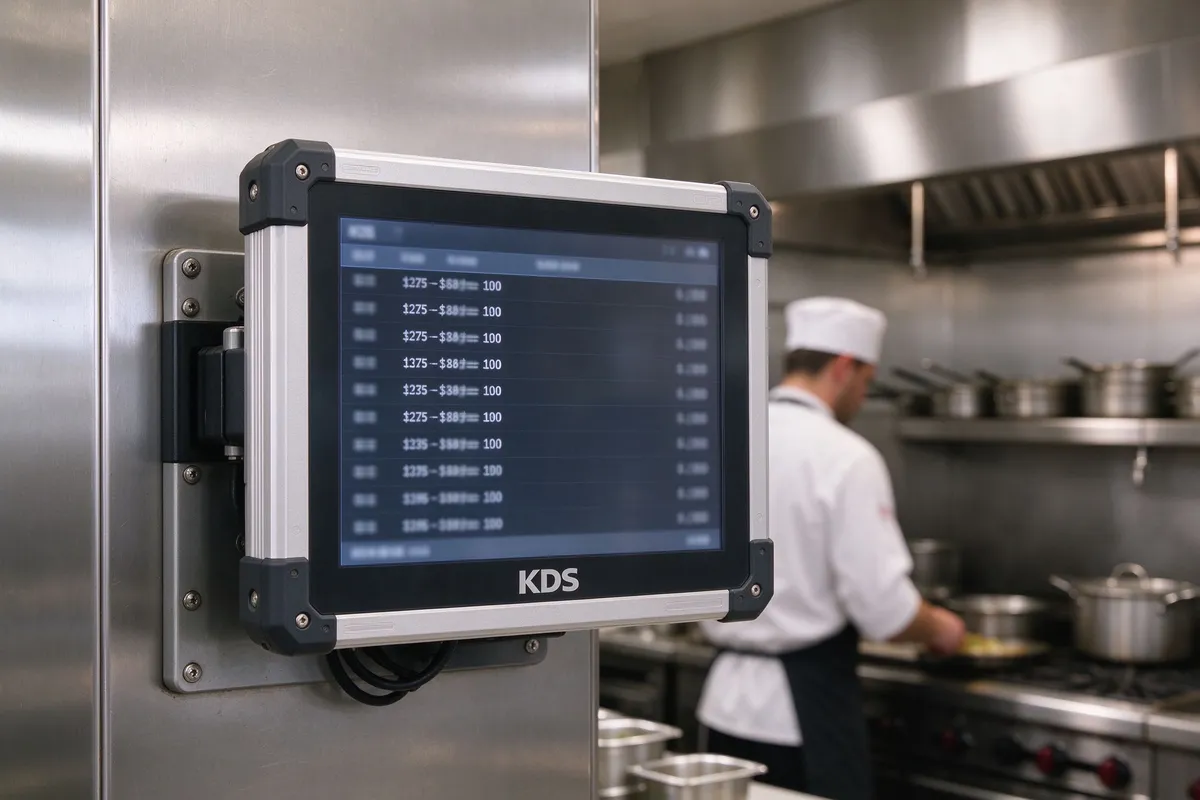
kitchen-display-system-kds-screen

Galley Screen/KDS Display Terminal

Project role: order receiving, stall distribution, meal delivery management
  • High temperature resistance, oil smoke resistance, moisture resistance, wide temperature operation
  • Waterproof and dustproof grade, no fan design, 7 × 24 continuous operation
  • Wet Hands/Gloved Touch, Buzzer, VESA Mounting
  • What KDS software is compatible with? Is KDS software available?
The key to KDS is not "having a kitchen screen", but order routing, production status and abnormal degradation. When the network is disconnected or the POS is down, confirm whether to downgrade to the printer.

05

System Integration and Responsibility Matrix

Clear who is responsible for what, acceptance has the basis
System Responsible for content The project supplier needs to confirm
CMS Content publishing, scheduling, grouping, templates, offline playback Screen grouping, account permissions, and offline policies
POS/ordering system commodity, price, inventory, payment, order API/Webhook/Middleware, Joint debugging responsibility
KDS Order receiving, stall routing, production status and meal delivery management Compatibility, abnormal degradation, printer backup
Pay/Print Payment method, receipt, invoice Local compliance, module compatibility
Price synchronization Optional The POS price is pushed to the menu board to avoid inconsistency between the screen and the cash register. Whether POS interface is open and CMS supports synchronization
Sold Out Sync Optional POS/ordering system provides inventory status and automatically updates menus Whether sold-out data is available in real time
Order Status Screen Optional Customers check the meal pick-up progress Whether ordering system/KDS push status
Takeaway Access Optional Take-out orders enter the kitchen for unified production. Docking ability of ordering system/POS and take-out platform

06

Project Deployment and Delivery Process

From demand diagnosis to multi-store replication
01

Demand diagnosis and site investigation

  • Clear format: fast food, tea, hall food, food court or chain
  • Sorting out customer movement lines and peak hour bottlenecks
  • Confirm existing POS, ordering system, takeaway and membership system
  • Confirm the power supply, network, wall, load-bearing, installation height, viewing distance, waterproof and oil-proof requirements
02

Scheme design and bidding parameters

  • Determine number of screens, size, mounting location and viewing distance
  • Determine the configuration of indoor/outdoor advertising machine, menu board, ordering machine, desktop machine, KDS
  • Output point bitmap, configuration list, interface list and bidding parameter suggestion
  • Clarify the function boundary and integration scope of CMS, ordering system and KDS
03

Device configuration and pre-integration

  • Device pre-installation, system configuration, CMS account and screen grouping
  • Pre-adjustment of ordering machine and POS/ordering system
  • KDS stall routing, order status and abnormal process testing
  • Prepare installation guide, acceptance sheet, training materials
04

On-site installation and joint debugging

  • Equipment installation, power supply and network configuration
  • CMS Content Template Configuration and Publishing
  • Payment, printing and code scanning test of ordering machine
  • KDS order receiving, order dividing, meal delivery and order urging test
  • Staff training: content update, order processing, kitchen operation
05

Pilot stores and replication standards

  • Select 1-2 representative stores to pilot
  • Track queue duration, order errors, meal duration, content update efficiency
  • Optimize menu layout, device location, and order routing
  • Form standardized deployment package and copy to other stores

07

OEM / ODM and overseas project delivery

🏷️

Brand customization ability

Logo, boot screen, UI theme, packaging customization; Appearance, size, bracket, interface and system pre-installation customization; Provide indoor, semi-outdoor and outdoor highlighting schemes according to the store environment.

📋

Brand dealer multi-store standardization

Unified hardware model and configuration list, unified CMS menu template and content specification, unified installation specifications, acceptance standards and training materials, headquarters control brand and price, stores retain localized promotion space.

📜

Compliance and Localization

Certification: CE, FCC, RoHS, UKCA, etc. (according to actual conditions); Voltage and plug US / EU / UK / AU specifications; Multi-language system interface and content management; Local compliance adaptation of payment methods and printing modules.

📦

Project Delivery Support

MOQ, sample cycle, mass production delivery cycle; packaging, transportation, installation guidance and remote debugging; warranty scope, spare parts policy, remote after-sales and firmware update; collaboration with local integrators and POS service providers.


08

Frequently Asked Questions

Can you provide a complete hardware portfolio?
Can provide vertical advertising machine, electronic menu board 32-55 ", self-service ordering machine, desktop ordering machine 10-27", kitchen screen/KDS display terminal, and according to the project format combination configuration, unified interface and delivery standards.
Can we connect to our existing POS/ordering system?
According to POS interface capability evaluation, API, SDK, Webhook or middleware docking can be supported (filled in according to actual capability). It is recommended that the interface validation and the allocation of responsibilities for COMQ be completed during the programme design phase.
What are CMS, order system and KDS responsible?
CMS manages the content display of vertical advertising machines and menu boards. Ordering system/POS manages commodities, payments and orders; KDS manages the status of kitchen orders, stalls and meals. The responsibilities of the three are separated, and the integration ability needs to be confirmed according to the project.
Can the menu board automatically display sold out items?
Available as an optional integration, the ordering system/POS provides inventory or sold-out status and synchronizes to the CMS or menu board via API/middleware. Non-default capability, interface conditions need to be confirmed.
vertical advertising machine can be placed outdoors?
Indoor and outdoor highlight. Outdoor models need to confirm the brightness (usually high-brightness panels), IP rating, operating temperature range, protective glass and heat dissipation design. Do not use the indoor screen directly outdoors.
What is the difference between a kitchen screen and an ordinary display screen?
Kitchen screen needs to deal with oil fume, water vapor, high temperature and continuous operation, usually in the protection level, wide temperature design, no fan heat dissipation, cleaning method and long-term stability have higher requirements, and need to confirm KDS software compatibility.
Does it support multiple languages?
CMS can manage multilingual content; whether the ordering machine interface supports multiple languages depends on the ordering system configuration (fill in as-is). Overseas projects usually require CMS and ordering system to support multiple languages.
What is the MOQ? Can I customize the logo?
(Fill in the actual MOQ, Logo customization range, boot screen, packaging and system pre-installation capabilities.) Support OEM / ODM project cooperation.
How to arrange the warranty and after-sales?

Get configuration checklist and bid parameter recommendations for your project

For project vendors, brand vendors and system integrators, it provides complete sets of five types of hardware, system integration boundary division and project delivery support. Make an appointment to communicate and obtain scheme information.

Project Consulting Hotline:+86 13714317162

Previous:Hotel lobby and front desk digital signage scheme configuration multi-style advertising machine

Return to list

Next article:Government Hall Digital Signage Solution Vertical/Water Brand/Wall Hanging Advertising Machine Self-service Terminal One-stop Supply Qunmao