
 en
 中文

 Current location:
 Release date: 2026-10-13
 Clicks:
How the AI is reshapingInteractive Flat PanelFrom Handwriting Recognition to Automatic Summarization
From natural writing, graphic recognition, and real-time speech-to-text, to meeting minutes, task extraction, and multilingual collaboration, explore how the Qtenboard Q AI system-level framework is transforming educational and enterprise meeting processes
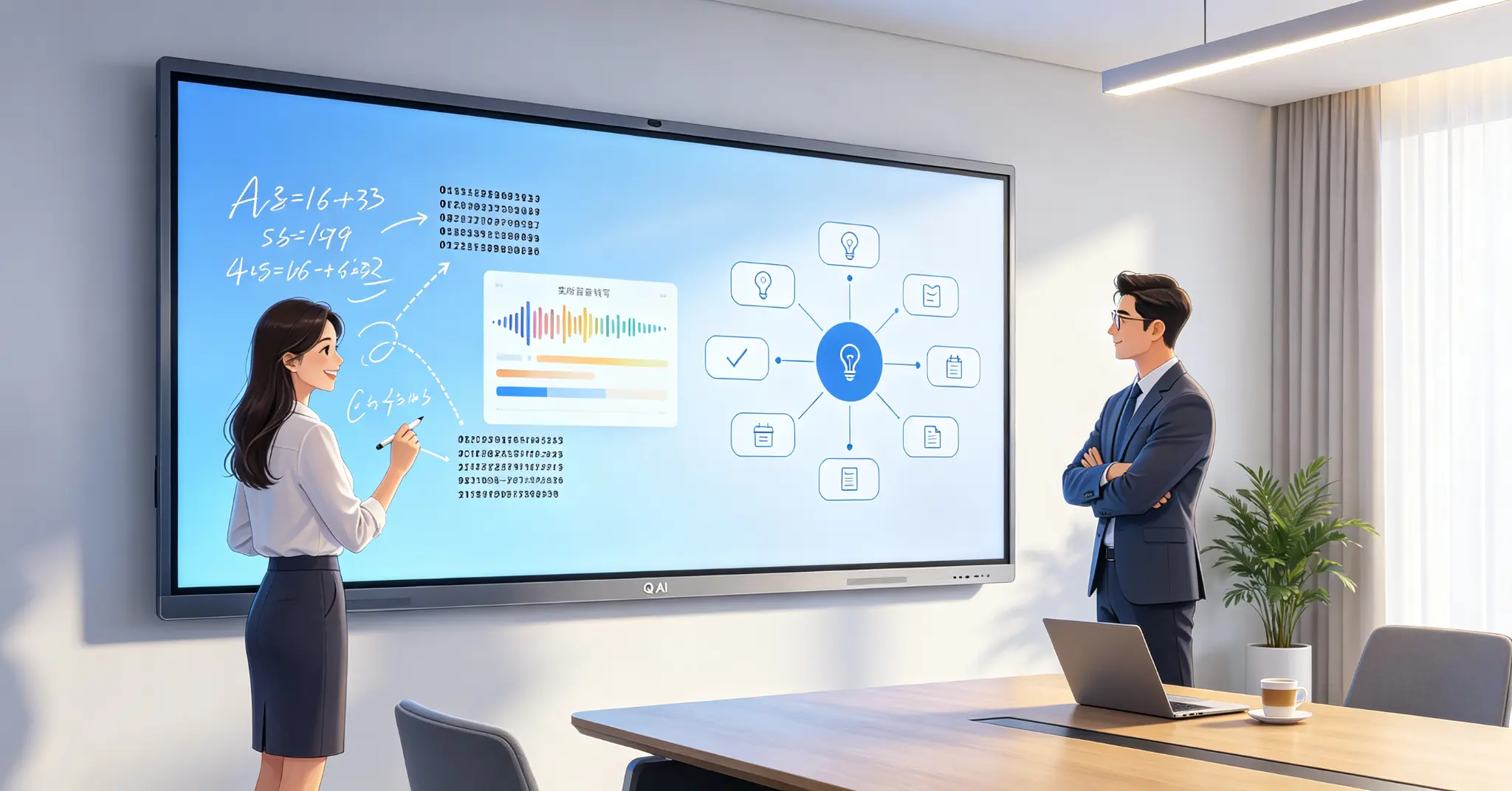
A whiteboard full of content, how to continue working after the meeting? In the traditional scene, the members of the meeting write down their views on the whiteboard, one person is responsible for taking pictures or manually sorting out, and the decisions, tasks and responsible persons need to be re-entered after the meeting. Some of the content may be missed, some of the handwriting is illegible, and teams in different languages have to complete additional translation. In the teaching scene, teachers need to write formulas, keywords, processes and diagrams on the screen, students need to organize blackboard writing after class, and teachers need to re-make lecture notes and review materials-traditional whiteboard content is usually difficult to structure, save and reuse.
The value of AI is not just for the whiteboard to "see" handwritten content, but for the system to recognize, understand, organize, and continue to use this content. Handwriting can be converted into digital text, sketches can be converted into regular graphics, meeting speech can generate text records, and discussions on whiteboards can be further developed into summaries, decisions, and to-do tasks.
Qtenboard (Shenzhen Qunmao)Founded in 2005, Qtenboard has 20 years of expertise in interactive display manufacturing. We operate 330,000 m² of intelligent manufacturing campuses across Shenzhen and Guangzhou, with 16 modern factories, 8 fully automated production lines, and a daily capacity of 200+ units. Our products reach 120+ countries and regions worldwide, and we have served over 15,000 enterprise customers. Qtenboard launchedQ AI System-Level AI Framework, is not a simple software plug-in or cloud tool, but a native intelligent architecture deeply integrated into the hardware, software and algorithm layers.
1. Q AI: system-level AI framework, not surface functions
Why is system-level AI more important than "AI functionality?
Most "AI interactive whiteboards" on the market add AI as a surface feature-a plug-in, a cloud tool, or a simple chatbot. These features tend to perform poorly when the network is unstable, the scene is complex, or accuracy is really important.
Qtenboard took a fundamentally different approach. Q AI is a proprietary system-level AI framework that is deeply integrated at the hardware, software, and algorithmic levels of AI interactive whiteboards. AI are not add-ons, but are built into the native architecture of the device. This means that AI interactive whiteboards can work reliably in real office and educational scenarios-both online and offline-as practical assistants rather than marketing concepts.
Q AI four design principles:Local computing first, optional cloud collaboration, AI interoperability, scene-oriented design.
Local-first AI architecture
Q AI's core transcription runs locally on the device, eliminating cloud latency and network dependency. Qtenboard integrate custom noise-canceling microphone arrays and local speech algorithms to ensure clear capture in multi-speaker, noisy environments.
Core competencies include:Real-time noise reduction, speaker differentiation, 40 languages and dialects support, industry term recognition, custom vocabulary library.
For global teams, real-time multilingual translation supports smoother cross-border communication. The core transcription function runs entirely locally on the device and can be used without networking.
Detailed explanation of the core functions of 2. Qtenboard AI
1. Speech-to-Text
The Qtenboard speech-to-text function converts spoken language into written text in real time, supports translation and transcription in multiple languages, is compatible with external microphones and system audio, and adapts to different usage scenarios.
In cross-language communication scenarios, the real-time translation function supports multilingual real-time translation. With high-precision speech recognition algorithms, speech transcription and translation can be quickly completed in different languages. Whether it is instant communication at multinational corporate meetings or bilingual explanations in international educational exchanges, language barriers can be broken.
Qtenboard voice-to-text and real-time translation support166 languages, including regional dialects such as Cantonese, Vietnamese and Malay, which are ignored by most tools. You speak, whiteboard transcribe, and translate into the language required by each participant-all inCompleted in 0.3 secondsIt is faster than the human brain to process speech.
2. AI会议智能(AI Meeting Intelligence)
Manually organizing meeting documents consumes a lot of time. Q AI meeting intelligence can automatically extract key points and decisions, generate structured meeting minutes with one click, identify action items and responsible persons, and suggest timelines. Meeting minutes can be exported or synchronized to Microsoft platforms such as Teams, Slack or Google Workspace.
This function can record the content of the meeting without feeling, automatically complete the voice to text, accurately distinguish different speaker information, after the meetingWithin 5 secondsYou can generate a structured meeting summary, refine key information such as core topics and to-do items, and organize the original 1-hour minutes.More than 75% reductionLet the team free from the tedious record work and focus on core decision-making and collaboration.
The meeting record translation and summary function automatically converts speech to text, distinguishes speakers, and generates a structured summary within 5 seconds after the meeting, extracting key topics and to-do items.
3. AI智能问答(Ask Anything / Q&A Assistant)
Users can ask questions about common sense questions. Support voice input and keyboard input for convenient query. Provide intelligent answers instantly to improve classroom or meeting efficiency.
Unlike a general-purpose AI assistant, the Q AI understands what's on the screen. It can interpret: courseware, lesson plans, diagrams and data, images and presentations. In class, students can voice questions and get step-by-step explanations. In a business presentation, users can query product data or scenarios in real time. Organizations can also build private knowledge bases using their own materials to make answers more relevant and accurate.
4. Smart Assistant (Smart Assistant)
Wake up with a three-finger long press or voice command. After activation, the user can issue basic commands to control the whiteboard system. Supports operations such as opening applications, controlling volume and other system functions.
5. Multi-language OCR and intelligent writing tools
Qtenboard supports multi-language OCR to recognize and edit text/graphics. Smart whiteboard tools include: discipline-specific toolkits (planet model, periodic table), mathematical formula library and function graph generator, virtual piano and interactive crossword creator.
In terms of accurate writing experience, it supports intelligent anti-misoperation technology, zero-delay writing and real-time handwriting rendering, pressure-sensitive writing brings natural line changes, shape-aware erasure and multi-level pen recognition.
6. Meeting Summary Mind Map
AI meeting summaries automatically capture key points and generate visual mind maps to help teams review and act faster.
3. Hardware Level AI:Genio 520 and 10 TOPS Edge Computing
Why does hardware determine the upper limit of the AI experience?
The Qtenboard Genio 520 interactive tablet platform is based on the MediaTek Genio 520 (MT8371) chip, redefining the capabilities of enterprise-class interactive whiteboards at the hardware level.
10 TOPS device-side AI, no cloud required: The 8th generation MediaTek NPU provides dedicated AI acceleration of 10 TOPS directly on the interactive tablet. Real-time face detection for classroom attendance, gesture control in conference rooms, and AI noise reduction in medical consultation rooms are all running on equipment-zero Internet dependence, zero cloud delay, and zero data privacy risk.
6nm process, no fan design: Based on TSMC's 6nm FinFET process, Genio 520 achieve high performance with low thermal output. This enables Qtenboard fanless interactive tablet designs-essential for uncompromised acoustically silent scenarios such as K-12 classrooms, hospital consultation areas, and executive meeting rooms.
10 year supply life cycle: MediaTek Official Commitment 10-Year Standard Supply Lifecycle for Genio 520 (Q2 Release 2025, EOL 2035). For education district procurement officers managing multi-year classroom technology contracts, hospital IT departments deploying medical display infrastructure, and enterprise AV managers overseeing large conference room deployments, this eliminates the risk of obsolescence that consumer-grade SoCs typically take 2-3 years to become obsolete.
Edge AI Applications: AI face recognition is used for classroom and office check-in (completed within 200ms, biometric data does not leave the device, in line with GDPR and FERPA), touchless gesture control is suitable for conference rooms and medical environments (especially valuable in operating rooms and sterile clinical environments),AI noise reduction, etc.
How is 4. AI changing corporate meetings?
After the meeting, the whiteboard automatically generates the next action
1. Before the meeting: AI help prepare for the meeting
Generate a draft agenda according to the topic of the meeting, create a discussion framework, establish a mind map or project canvas, generate brainstorming prompt questions, and prompt items to be followed up according to the content of the historical meeting.
2. In the meeting: real-time recording of voice and whiteboard content
Real-time voice-to-text, multilingual subtitles, keyword recognition, association of speech content with whiteboard area, real-time conversion of handwritten content to text, synchronous display of meeting content, marking of key content, cross-device sharing and remote collaboration.
3. Post-meeting: automatic generation of meeting outcomes
AI can output meeting summaries, key discussion topics, confirmed decisions, task lists, responsible persons, deadlines, questions to be confirmed, follow-up meeting suggestions, related whiteboard pages, or attachment links.
Qtenboard Q AI Conference Intelligence can highlight:
Automatic extraction of priorities, decisions and tasks
· Combine whiteboard handwriting with speech content
· Generate structured meeting minutes within 5 seconds after the meeting
· 导出PDF或Word,或同步到Microsoft Teams、Slack、Google Workspace
Meeting workflow example:The meeting starts → the camera/microphone collects voice → the participants write on the whiteboard → Q AI recognizes handwriting and voice → the system extracts keywords and decisions → automatically generates the meeting summary → the person in charge confirms the task → exports or synchronizes to the enterprise platform.
How can 5. AI reshape smart education?
From electronic blackboard writing to learning content that can be reviewed, generated and shared
1. Automatic digitization of teacher writing
Handwritten blackboard writing is converted into editable text, formulas and graphics are converted into digital content, blackboard writing pages are automatically saved, shared with students after class, and multilingual translation is supported.
2. AI-assisted lesson preparation
The curriculum framework is generated according to the theme, the knowledge points are organized into mind maps, classroom problems are generated, hierarchical exercises are generated, and review materials are generated according to the content of blackboard writing.
3. AI-assisted classroom interaction
Qtenboard educational interactive tablet is specially designed for educational institutions, with a built-in 4K AI ultra-wide-angle camera, driven by advanced vision and voice tracking algorithms, transforming traditional classrooms into active learning centers. Subject tools, OCR notes, and multi-user interaction enhance student engagement.
4. Accessibility Support
Handwritten content is converted into text for convenient retrieval, real-time voice conversion helps hearing-impaired students, multilingual translation supports international teaching, and classroom emphasis is automatically summarized.
6. Device Management and Deployment: DMS Remote Management System
Large-scale deployment of AI whiteboards, management capabilities are equally important
Qtenboard is equipped with powerful DMS (Device Management System) software, enabling centralized backend control of all devices and simplifying diverse operations and maintenance tasks.
DMS core features:Remote batch device control, support time switch machine; Full life cycle management: remote upgrade, monitoring, logging; Private deployment option enhances data security; Batch command delivery improves management efficiency.
AI-driven predictive diagnostics:The built-in AI module checks hardware health parameters such as panel temperature, internal voltage, and color values. If any indicator deviates from the normal range, the system will give early warning to avoid accidental shutdown of the equipment.
Mobile remote control:Easy remote operation via QR code scanning IP input; full control: content management, page switching, settings; wireless file transfer between mobile device and whiteboard; real-time screen mirroring for presentation.
7. AI function selection list
When purchasing AI interactive whiteboards, it is recommended to confirm these issues with the supplier
AI recognition ability
- What languages and writing systems are supported?(Qtenboard 166 languages supported)
- Does it support natural handwriting instead of fixed fonts?
- Can you recognize Chinese, English, numbers and professional terms?
- Are formulas, graphs, tables, and flowcharts supported?
- Are handwriting recognition results editable?
Conference capacity
- Does it support real-time voice-to-text?
- How many languages are supported?(Qtenboard 166)
- Is it possible to extract priorities, decisions and tasks for action?
- Can automatic summarization be exported to PDF, Word, or other formats?
- Do you support translation and Q & A for meeting content?
System and Compatibility
- Do you support Android and Windows OPS systems?
- Compatible with Teams, Zoom, Google Meet, or local meeting platforms?
- Are OneDrive, Google Drive, SharePoint, or private cloud supported?
- Is device management and remote control available? (DMS system Qtenboard available)
- Is API, SDK, or OEM/ODM customization supported?
Security and Compliance
- Where is the data processed and stored?(Q AI Core transcription runs locally)
- Can the AI function be turned off?
- Save recording and original whiteboard content?
- Are permissions management, auditing, and data deletion supported?
- Can I deploy locally or privately? (Private deployment is Qtenboard supported)
Delivery and after-sales
- Do AI features require an additional subscription fee?
- Are software updates covered by the warranty?(Qtenboard provide lifetime free OTA updates)
- Does the model upgrade change functionality and data handling?
- Is local language support and training available?
- Are real pilots, demonstrations and test reports available?
Future Trends of 8. AI Interactive Whiteboard
From identifying content, to understanding context, to proactive collaboration
1. Multimodal interaction
AI will simultaneously understand handwritten text, voice, graphics, pictures, videos, documents, screen content, and user touch operations.
2. End-side AI and privatization deployment
Faster local response, reduce sensitive data upload, suitable for government, medical, financial and large enterprises, reduce cloud service dependence, support basic functions in offline or weak network environment. The Qtenboard Genio 520 platform is representative of this trend: 10 TOPS device-side AI, no cloud.
3. Continuous evolution, lifelong OTA upgrade
Qtenboard view all devices as evolving capabilities. All devices support free lifetime OTA updates to continuously improve speech accuracy, language libraries, scene features, and algorithm performance. The major upgrade to Q AI in 2026 will enhance semantic understanding, customization, cross-device collaboration and training optimization-existing users can get it without replacing hardware.
4. Full stack self-research advantage
Qtenboard system-level AI benefits from full-stack self-development and factory manufacturing. Benefits include: AI optimized hardware design, dedicated AI processing chips, custom microphone and camera systems, cross-functional R & D teams, and scenario-specific algorithm development. Unlike brands that rely on third-party cloud AI, Qtenboard develops AI specifically for interactive whiteboard use.
Conclusion: AI to change the whiteboard from "information carrier" to "workflow entry"
Handwriting recognition makes blackboard writing and meeting content editable, shape and formula recognition makes complex expressions easier to structure, speech-to-text reduces manual recording, automatic summarization helps teams extract priorities, decisions and actions, and multilingual ability improves global team collaboration. Educational scenarios can turn classroom content into refresher resources, and corporate meetings can translate whiteboard results directly into tasks and documents. But the reliable deployment of AI must go hand in hand with data security, rights management, human auditing, and system integration.
AI are redefining the value of interactive whiteboards. Instead of just letting users write, annotate and project on the big screen, it begins to understand text, graphics, voice and meeting context, and turn these contents into editable, shareable and traceable work results.
For schools, enterprises and project purchasers, the real concern is not whether there is a "AI" button on the whiteboard, but whether the AI can be embedded with real workflow: whether it can reduce recording time, improve content reuse rate, reduce cross-language collaboration costs, and meet data security requirements.
QtenboardBacked by 20 years of manufacturing experience, 330,000 ㎡ industrial park, 8 full-automatic production lines, 48-hour high-temperature aging test and Zero-Bonding zero-bonding technology, it provides a complete AI interactive whiteboard scheme from Q AI system-level framework, 166 language voice to text, 5-second meeting summary, multilingual OCR to DMS equipment management and remote control for education, conference, training and OEM/ODM projects. It supports Android and Windows OPS dual systems, can be configured with 55-110 inch full-size segments, and serves 120 countries and regions around the world.
For batch projects, customers can verify the accuracy of AI recognition, voice transcription effect and meeting summary quality in the prototype stage, and further confirm the data security strategy, equipment management scheme, batch deployment process and after-sales support. Qtenboard provide free lifetime OTA updates to ensure continuous evolution of AI capabilities, and existing users can get the latest features without changing hardware.
 Previous:
 Return to list

 Partner Links:
