
 en
 中文

 Current location:
 Release date: 2026-10-13
 Clicks:
4K resolution, anti-glare and low blue light: a procurement-level interpretation of display technology
From picture clarity, ambient light adaptability to long-term viewing comfort, analyze how Qtenboard can display in 4K full size, AG anti-glare glass, Zero-Bonding zero fit and low blue light mode to help education, conference and training programs match real space requirements.
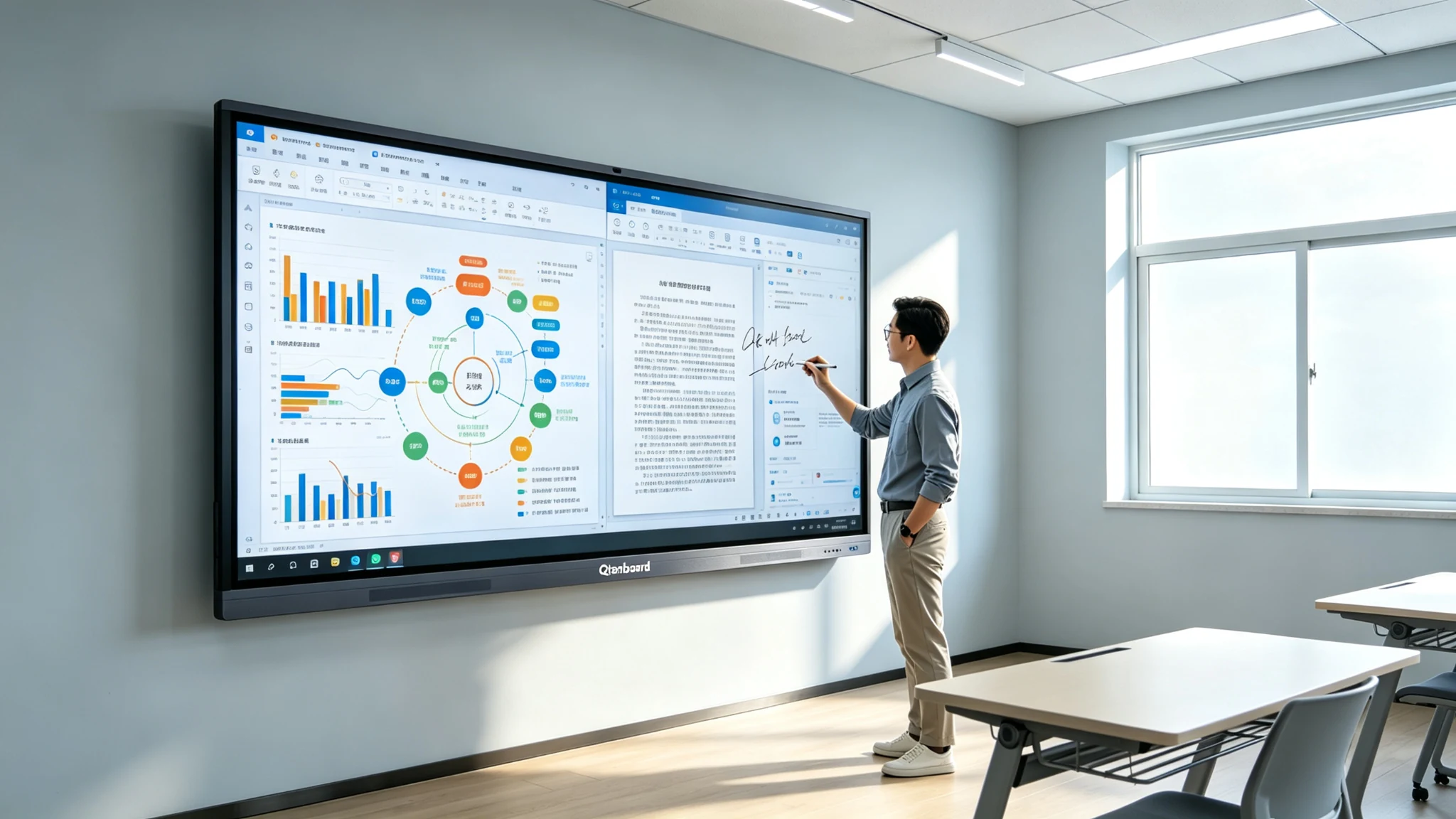
A "4K screen" may not be clearly and comfortably seen in all spaces. A high-resolution screen was installed in the classroom, but the window reflection made the students unable to see the content. In the conference room, the screen resolution is sufficient, but the glass reflection affects the teleconference and data display. The screen is very bright, but it does not mean that it is comfortable to watch for a long time. After the low blue light mode is turned on, the color temperature of the picture changes and customers worry about the color accuracy. Different suppliers all write "4K, anti-glare, but the actual effect.
For B2B customers, the purchase of display technology can not only look at the resolution number of 3840 × 2160, nor can "anti-glare", "low blue light" and "eye protection" be regarded as alternative marketing words. The final display experience is determined by resolution, brightness, contrast, glass surface, color, ambient light, viewing distance and long-term operation.
Qtenboard (Shenzhen Qunmao)Founded in 2005, we have been dedicated to interactive display manufacturing for 20 years. We operate a 330,000㎡ smart manufacturing industrial park in Shenzhen and Guangzhou, comprising 16 modern factory buildings and 8 fully automated production lines, with a daily output capacity of 200 units. Our solutions serve 120 countries and regions worldwide, and we have provided services to over 15,000 corporate clients to date.Qtenboard Interactive WhiteboardCovering the 55-110 inch full-size 4K product line, AG anti-glare glass and Zero-Bonding zero-bonding technology are adopted, equipped with low blue light mode and anti-flicker design, and customized brightness level and glass configuration scheme are provided for high glare classroom environments such as Africa and the Gulf region.
1. the real value of 4K resolution
4K is not a digital upgrade, but an upgrade of information density
What does 4K really mean?
4K UHD usually refers to 3840 × 2160 pixels. Compared with 1920 × 1080 Full HD,4K has a higher number of pixels. At the same size, 4K can render more detailed text, charts and images. At larger sizes and closer viewing distances, the advantages of 4K are more easily perceived.
Qtenboard 55-110 inch full-size segments support 4K UHD resolution, with 20-50 touch and 1.5mm touch accuracy, ensuring that the details of text, charts and images are clearly visible in teaching and conference scenes.
2. The three direct values of 4K to interactive whiteboards
Text is easier to keep clear:Suitable for displaying teaching courseware, contracts and documents, meeting minutes, product parameters, multi-language text, small font form.
Charts and data are easier to expand:Suitable for displaying financial data boards, project Gantt charts, engineering drawings, medical images, organizational structures, flowcharts, and mind maps.
Multi-window uses more margin:Show the video conference on one side and the presentation document on the other, while opening the browser, whiteboard and data pages to reduce frequent switching and zooming.
3. Under different sizes, how to reflect the value of 4K?
| Screen size | The main value of 4K | Qtenboard configuration |
|---|---|---|
| 55/65 inches | Closer text, document and meeting sharing | 4K UHD,20 Touch, Android 14/16 |
| 75 inches | Better readability of charts and courseware in classrooms and training rooms | 4K UHD,20-50 touch, optional OPS |
| 86 inches | Improve text and multi-window display capabilities in large spaces | 4K/5K, dual system, 20-50 touch |
| 98/105/110 inches | Large conferences, lecture halls and complex data presentations | 4K UHD, high brightness, independent OEM production line |
4K Limitations: Input content must also be up to standard
4K screens can't automatically turn low-resolution content into true 4K. Low-resolution videos, heavily compressed pictures, and old software interfaces can still be blurry. The computer, OPS, wire, video conference host and controller need to support the corresponding resolution. Complex software requires adequate GPU and system performance. Screen equipment and network quality will also affect the actual picture.
2. anti-glare technology-to solve the "visible" problem
The brighter the screen, does not mean less reflection
1. Why are interactive whiteboards susceptible to reflection?
Classroom windows and glass curtain walls will produce natural light reflection, conference room ceiling lights, downlights and spotlights will form bright spots on the glass surface, and high-brightness screens may still have specular reflection under strong ambient light. Reflections reduce the effective contrast between text and the background. The touch whiteboard is usually covered with a layer of protective glass, and the smoother the glass surface, the more obvious the reflection.
2. Anti-glare way of working
Anti-glare usually changes the direction of light reflection through surface texture, coating or special glass treatment, so that strong specular reflection is converted into more scattered reflection. The Purchaser shall distinguish AG(Anti-Glare) anti-glare, AR(Anti-Reflection) anti-reflection, anti-fingerprint coating, anti-glare tempered glass, haze, surface hardness, light transmittance. These technologies are not identical concepts and the supplier shall provide specific glass and surface preparation instructions.
3. Qtenboard AG anti-glare glass
The Qtenboard adopts AG anti-glare tempered glass, changes the direction of light reflection through surface texture treatment, reduces window and light reflection, improves side viewing readability, and improves the continuity of whiteboard annotation and courseware display. Qtenboard AG glass solution reduces reflections while maintaining good text and image clarity, suitable for bright classrooms, training rooms and glass meeting rooms.
Qtenboard public information lists AG anti-glare glass, tempered glass thickness and different brightness levels as the selection factors for educational project specifications, especially for high-glare classroom environments such as Africa and the Gulf region. The touch panel manufacturing and optical bonding are completed in a class 10,000 clean room to ensure the consistency and quality stability of the glass surface treatment.
4. Zero-Bonding zero fit technology
The Qtenboard adopts Zero-Bonding zero-bonding technology to bond the touch layer to the display panel with zero gap, and cooperates with 1mm tempered glass to reduce reflection and refraction caused by air layer and improve display definition and writing experience.
5. The potential cost of anti-glare
Anti-glare is not as strong as possible. Excessive surface texture may cause slight fogging of the picture, black does not look deep enough, color saturation decreases, text edges are not sharp enough, whiteboard handwriting appears slight scattering, and stylus writing resistance changes.
Procurement suggestion: Customers should test white characters on black background, small font size, color pictures, fine line engineering drawings, handwriting, side angle viewing, window edge and direct light position at the same time.
6. The relationship between anti-glare and installation environment
Even if the product has anti-glare glass, it should be matched: the screen should avoid the position facing the window, reasonably adjust the angle of the lamp, use the curtain or sunshade system, select the appropriate installation height, plan the viewing angle of the audience seat, and avoid the strong light from directly facing the screen.

3. low blue light and anti-flicker-solve the "long-term viewing" problem
Low blue light is not simply to reduce brightness, and anti-flicker is not the same function
1. What is low blue light?
Display backlights typically contain different wavebands of light. Low Blue mode reduces some of the high-energy short-wave blue output by adjusting the backlight spectrum, display driver, or software parameters. Low blue light usually changes the color temperature of the picture, making the picture warmer. Low-blue light implementations and test standards may vary from manufacturer to manufacturer.
Qtenboard public procurement data pointed out that the low blue light mode mainly reduces the proportion of high-energy blue light bands and can work separately from the overall brightness setting. Therefore, low blue light does not mean simply reducing the screen brightness.
2. What is anti-flashing?
The screen brightness may be adjusted by PWM or other driving methods. When the dimming frequency, duty cycle or driving design is not reasonable, some users may feel flicker or visual discomfort. Anti-flicker designs typically reduce perceptible flicker through DC dimming or certified drive schemes. Low blue light and anti-flicker are two different dimensions.
3. The difference between low blue light and anti-flicker
| Function | The main problem to be solved | Qtenboard configuration |
|---|---|---|
| low blue light | Reduces partial high-energy blue light output | Low blue light mode, standard/reading/eye protection mode optional |
| Anti-flicker | Reduce the risk of flicker due to brightness adjustment | Anti-flicker design, full brightness range stability |
| Anti-glare | Reduces external light reflection | AG Anti-Glare Glass, Class 10,000 Clean Room Fit |
| Automatic brightness | Adjust brightness according to environment | Support automatic brightness, user controllable |
The Value of Low Blue Light for Educational Programs
Teachers and students may watch large screens for long periods of time every day, and classroom content often contains a mixture of text, pictures, and video. Low Blu-ray mode can be used as a display option for long-term viewing and is suitable for classroom text and whiteboard modes that do not require high color accuracy. Standard, low Blu-ray or user-defined modes can be selected according to the course type.
5. The Value of Low Blue Light for Corporate Meetings
Reduce the risk of visual fatigue in long meetings, suitable for all-day meetings, training and control room scenarios, and support different users to adjust the display mode according to their needs. For design, branding and video production sessions, it should be noted that the low blue light mode may change the color temperature.
How do 4. 4K, anti-glare and low blue light work together?
Excellent display scheme is a balance of three abilities
1. 4K resolution definition
Improve pixel density, maintain text, charts and image detail, support larger size and multi-window display, suitable for complex courseware and enterprise data.
2. Anti-glare solves ambient light
Reduce light and window reflections, improve visibility at different seating angles, and reduce the risk of reflection in high-light environments.
3. Low blue light and anti flicker to solve the long time use comfort
Let the screen have a display mode more suitable for long-term use, suitable for teaching, training and all-weather meetings, with reasonable brightness and ambient light design.
4. The three cannot replace each other
- 4K cannot eliminate reflection
- Anti-glare does not improve input resolution
- Low blue light is no substitute for anti-flicker
- Anti-flicker is not a substitute for reasonable brightness
- High brightness can not automatically solve the glass reflection
- Low blue light mode is not a substitute for room lighting design
Procurement logic 5. brightness, contrast, and ambient light
The brightness is not the higher the better, but to match the space light
1. How does brightness affect readability?
When the brightness is insufficient, the picture in the bright classroom is easy to be gray. When the brightness is too high, close viewing may cause discomfort. Brightness should be evaluated in conjunction with room natural light, lighting, glass surfaces and viewing distance. Larger meeting rooms, glass-walled classrooms, and showrooms may require higher brightness levels.
The Qtenboard provides 350-500nit brightness optional configuration, which can provide higher brightness level panel configuration for high glare classroom environments such as Africa and the Gulf region. The specific brightness level shall be confirmed according to the model and project requirements.
2. Brightness parameters need to be asked clearly
The Purchaser shall confirm whether the typical brightness is the lowest brightness, whether the brightness is measured on a bare screen, what the brightness is after the glass is installed, whether the brightness changes in the low blue light mode, whether automatic brightness is supported, whether there are different display modes, how the brightness decays after long-term operation, and whether brightness uniformity data are provided.
3. Contrast and black performance
Static contrast affects black and white levels, dynamic contrast does not necessarily represent the actual viewing effect, high reflective glass will reduce the effective contrast, anti-glare surface may change the black and gray level feeling. The Purchaser shall use actual documents and videos for testing.
4. Color and low blue light mode
Color accuracy is more important for design, brand presentation and medical applications. Low blue light mode may make the picture warmer. The purchaser shall confirm the color difference between the standard mode and the eye protection mode. Items requiring color judgment shall retain the standard display mode or provide adjustable color temperature.
How to choose display configuration 6. different scenarios?
Classroom, conference room and exhibition hall, display parameter priority is different
1. K-12 Smart Classroom
Recommended Concerns:4K resolution, AG anti-glare glass, low blue light and anti-flicker, brightness suitable for long-term use, 178 visual angle (if supported by model), multi-touch and low delay, 9H or the same level of impact-resistant glass, teacher camera and sound reinforcement, remote device management.
Qtenboard education programmes:The 65/75 "is positioned as a suitable combination for K-12 and small and medium-sized classrooms, supporting 20-50 touch, wireless microphone, teacher camera and remote device management. A key middle school in a province purchased 50 sets of 75-inch Qtenboard 4K anti-glare whiteboards, which were delivered in 25 days, with a failure rate of 0 in one year.
Project acceptance:The readability of the rear text, whether the window edge is reflective, the visual comfort of the blackboard/whiteboard mode, the color of the video and picture, the color temperature change of the low blue light mode, the temperature rise and display stability after long-term use.
2. Corporate conference room
Recommended Concerns:4K multi-window display, anti-glare glass, high brightness or panel suitable for indoor glare, video conference camera and microphone, low blue light and anti-flicker, USB-C one-line connection, compatible Windows OPS or conference host, remote device management.
Project acceptance:PowerPoint and Excel small print, multi-person remote conference screen, shared screen and whiteboard parallel display, front and rear viewing differences, glass reflection position, low blue light mode on the impact of corporate charts and brand colors.
3. Training center
4K improves courseware and demonstration details, anti-glare adapts to long-term training, low blue light reduces long-term viewing pressure, 75/86/98 inches are selected according to space depth, and Android Windows OPS dual systems are supported, suitable for cameras, recording and broadcasting and sound reinforcement systems.
4. Showroom and commercial display
Brightness and color priority is high, 4K is suitable for product details and brand video, anti-glare needs to be evaluated together with showroom spotlights, low blue light is usually not the first priority but can be used as a long-term running option, focusing on playback stability, remote content management, brightness uniformity and long-term operation.
5. Medical, design and engineering applications
4K and color accuracy are more important. The consistency of contrast, gray scale and color temperature needs to be clear. Anti-glare should avoid excessive atomization of details. Low blue light mode cannot affect professional image judgment. Actual material tests need to be provided instead of general demonstration videos.
7. Qtenboard Display Technology and Project Configuration
From 4K panels to display modes, how can Qtenboard help customers match real-life scenarios?
1. 4K Interactive Whiteboard Product Platform
- 4K UHD display, 55-110 inch full-size product line
- Android 14/16 and Windows OPS Dual System
- 20-50 touch, 1.5mm touch accuracy, 7ms single point response
- Q AI handwriting recognition and OCR,166 languages
- Wireless screen projection, support up to 9 devices at the same time screen projection
- Camera, microphone, and conferencing capabilities
- Education and Enterprise Display Program
2. AG anti-glare glass and Zero-Bonding zero fit
- AG anti-glare tempered glass, reduce window and light reflection
- Tempered glass thickness optional, 9H or the same level of impact resistance
- Zero-Bonding zero-fit technology, 1mm tempered glass
- Class 10,000 clean room completes touch panel manufacturing and optical bonding
- Balance between anti-glare, light transmittance and touch sensitivity
- For Africa, the Gulf region and other high glare classroom environment customized configuration
3. Low blue light and display mode
- Low blue light mode, reduce part of the high energy blue light output
- Anti-flicker design, full brightness range stability
- Standard display mode for scenes requiring color accuracy
- Reading/eye protection mode, suitable for long text and whiteboard mode
- Different brightness and color temperature settings, user-customizable
- Project Configuration and Certification Documents
Key Writing Points: Don't just write "eye protection", but use a more secure expression-reduce some blue light output, reduce the risk of perceptible flicker, provide display options suitable for long-term viewing, and match reasonable brightness and classroom lighting design.
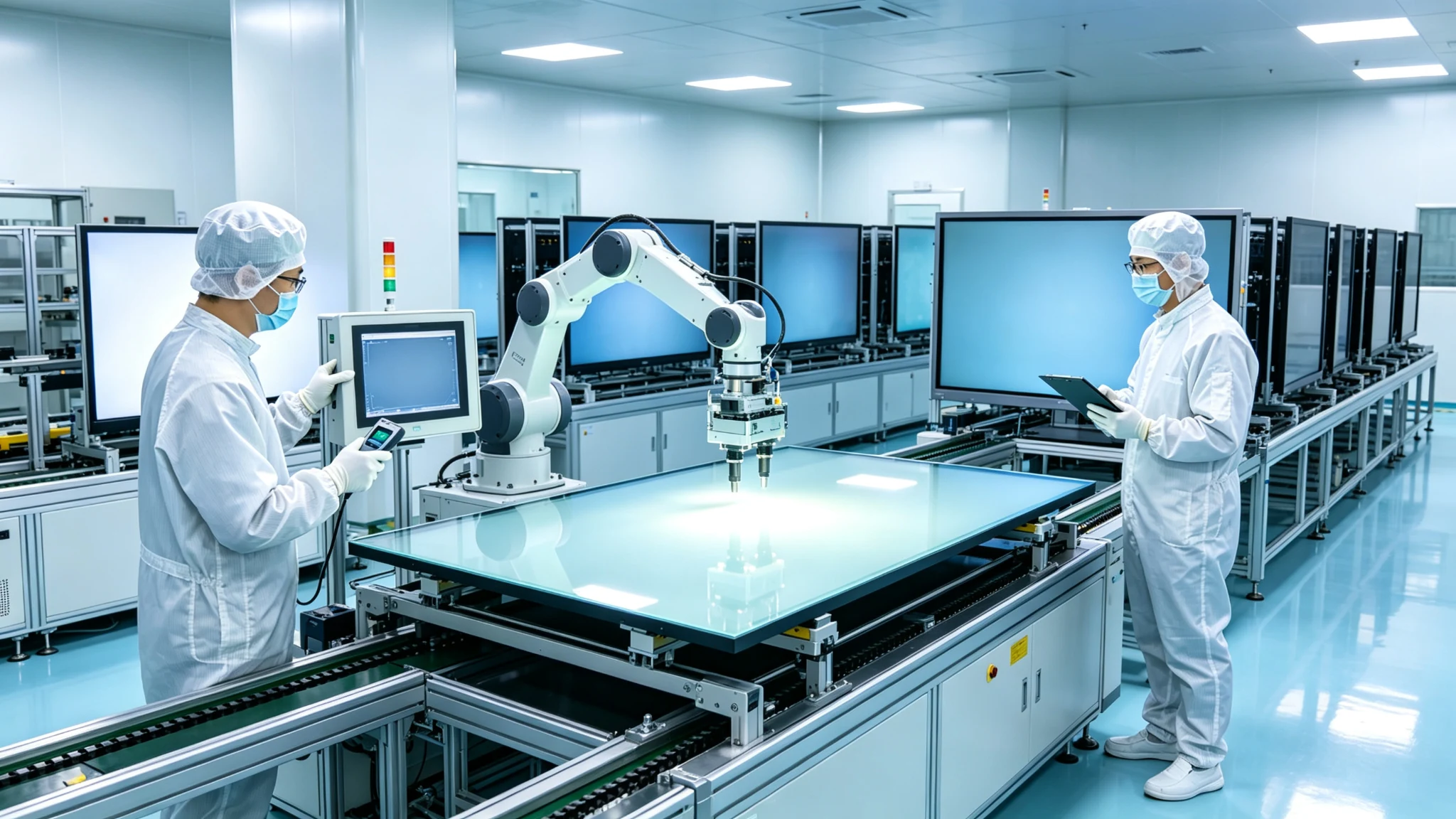
4. Factory quality control
- Panel incoming inspection, bad point and brightness uniformity inspection
- Color and White Balance Calibration
- Appearance inspection of anti-glare glass
- Touch and display conformance testing
- 48 hours high temperature aging test (72 hours for some items)
- The one-time pass rate of the whole machine is ≥ 97%, and the abnormal rate of aging is <1.5
- Multi-size, multi-batch display consistency management
- Factory test report and serial number traceability
5. OEM/ODM project customization
- Display size, brightness level, glass and anti-glare scheme
- Low Blu-ray modes, languages, and systems
- Education or conference software, logo/launch interface and packaging
- Certification documents, localization project requirements
- Independent OEM production line, customization does not affect the standard delivery time
- CKD/SKD Delivery Model
6. Manufacturing strength and quality assurance
- Established in 2005, 20 years of manufacturing experience
- 330,000 ㎡ industrial park, 16 factories and 8 full-automatic production lines
- SMT Patch Speed 120,000 Components/Hour
- Class 10,000 clean room completes touch panel manufacturing and optical bonding
- Zero-Bonding zero-fit technology, 1mm tempered glass
- 48 hours high temperature aging test (72 hours for some items)
- The one-time pass rate of the whole machine is ≥ 97%, and the abnormal rate of aging is <1.5
- International Certification: CE, FCC, RoHS, ISO9001, CCC
- Service 120 countries and regions, after-sales response ≤ 4 hours
How can 8. buyers verify 4K, anti-glare and low blue light?
A prototype acceptance list to avoid being misled by the parameter list
1. 4K resolution test
Prepare real content:4K test chart, small font PPT,Excel form, engineering drawing, multi-window interface, 4K video, customer-owned software.
Check:Whether the real output is 3840 × 2160,60Hz is stable (if supported), whether the font edge is clear, whether the thin line is broken, whether the picture is zoomed and distorted after multiple windows, and whether OPS/external computer and screen projection equipment are normal.
2. Anti-glare test
Field Test:Window position, light facing position, side view angle, bright background and dark background, white characters on black background, color pictures, whiteboard writing, long-term viewing.
Check:Whether there are obvious bright spots, whether there is atomization, whether the color is distorted, whether the stylus slides naturally, whether the glass surface is easy to leave fingerprints, and whether the reflections at different positions are consistent.
3. Low blue light and anti-flicker test
Supplier is required to provide:Description of low blue light mode, anti-flicker test or certification, test conditions and test organization, difference between standard mode and low blue light mode, performance of different brightness levels, whether user-defined mode is supported.
On-site inspection:Whether low blue light can be turned on independently, whether the picture is obviously yellow, whether the text edge is clear, whether it is comfortable to use for a long time, whether obvious flicker occurs under different brightness, and whether low blue light affects color judgment.
4. Project acceptance suggestions
- Field test with a prototype first
- Testing natural light at different times
- Shared evaluation by teachers, IT administrators and end users
- Use real lesson plans, meeting documents, and video conferencing footage
- Write the passed display parameters into the procurement contract and technical attachments
- Keep prototypes and reference screens for high-volume projects
9. common procurement errors
These propaganda words are not a substitute for actual testing.
Myth 1: 4K means that all content is clear
Input content, system scaling, font size, and viewing distance are equally important. Correct approach: test with real customer files.
Misunderstanding two: the higher the brightness, the better
Excessive brightness may increase discomfort for close-up viewing. Brightness should match room ambient light, glass, anti-glare and content.
Misunderstanding three: anti-glare glass will not affect the screen
Different AG textures and haze will affect the clarity, color and writing feel. Correct approach: screen, text and handwriting comprehensive test.
Misunderstanding four: low blue light is equal to eye protection guarantee
Low blue light is only part of the display technology. Viewing distance, ambient brightness, screen time and rest are equally important. Medical and absolute expressions should not be used.
Myth 5: There is no need for certification on-site testing
Certification test conditions may differ from customer site. Correct approach: check the scope of certification, model and test conditions, and do on-site verification.
Misunderstanding six: only look at the brightness of the naked screen
The brightness may change after the glass is installed. Low blue light, eye protection and anti-glare modes may also change the display. The supplier shall be required to explain the data of "bare screen" and "finished product. The Qtenboard can provide the brightness data of the finished product to ensure that the project acceptance is based on.
10. procurement decision matrix
When the budget is limited, which one should be invested first?
| Project requirements | Highest priority display factor | Qtenboard Programme |
|---|---|---|
| Ordinary classroom | Anti-glare, 4K, low blue light, anti-flicker | 75/86 inch 4K AG glass low blue light |
| Glass Wall Meeting Room | Anti-glare, brightness, 4K | 75/86 inch 4K AG glass high brightness |
| All day training center | Anti-glare, low blue light, anti-flicker | 86/98 inch 4K AG glass eye protection mode |
| High-end brand showroom | 4K, color, brightness, low reflection | 98/110 "4K High Brightness and Low Blu-ray Optional |
| Engineering Design Space | 4K, color accuracy, clarity | 86/98 inch 4K standard mode OPS |
| Large lecture hall | Brightness, 4K, viewing angle | 98/110 "4K High Brightness AG Glass |
| high intensity light area | Brightness, anti-glare, contrast | Customized high-brightness AG glass anti-flicker |
11. Common FAQ
Frequently asked questions about 4K, anti-glare, and low blue light
1. Interactive whiteboard must choose 4K?
For education and conferencing projects 65 inches and above that need to display text, graphics, video and multi-window content, 4K is usually more advantageous; however, it still needs to combine viewing distance, input content, system performance and budget judgment. Qtenboard 55-110 inch full-size segment supports 4K UHD.
2. Anti-glare and low blue light which is more important?
The two solve different problems. Anti-glare mainly solves external reflection and visibility, and low blue light mainly provides a display mode for long-term viewing. Bright classrooms should give priority to anti-glare, and long-term use of the space should consider both low blue light and anti-flicker.
3. Does the low blue light mode affect the color?
Some low blue light modes may warm the color temperature of the picture. For general teaching and conferences, it is usually acceptable; for design, brand and professional image applications, the color difference between standard mode and low blue light mode should be tested. Qtenboard offers standard, reading, and eye‑protection modes to choose from.
4. AG glass will make the picture blurred?
The surface treatment and haze of different glasses are different. Good anti-glare glass should reduce reflections while maintaining good text and image clarity, so it must pass the prototype test instead of just looking at the "AG" label. Qtenboard AG glass maintains clarity while reducing reflection.
5. Is 500 nit better than 350 nit?
Not necessarily. The brightness should match the room environment, glass, viewing distance and usage pattern. High light classrooms may require higher brightness, but high brightness in small meeting rooms may affect comfort. Qtenboard offer 350-500nit brightness optional.
6. How to confirm that the product really supports 4K?
Require suppliers to provide complete specifications and confirm resolution, refresh rate, interface and multi-window performance using 4K sources, real files and field tests.
7. Can Qtenboard customize brightness, glass and low blue light configurations?
The display panel, glass, anti-glare, system mode and certification configuration can be evaluated according to the product platform, project quantity, target country and technical requirements. The specific scheme needs to be determined in the prototype and specification confirmation stage. Independent OEM production line supports customization, customization does not affect the delivery of standard products.
Conclusion: purchasing display technology is ultimately a long-term use experience in purchasing
4K solves picture detail and information density, anti-glare solves ambient light and reflection problems, and low blue light and anti-flicker provide display options that are more suitable for long-term use. Brightness, contrast, glass, color and viewing distance determine the final effect. The purchaser must use real content, real environment and real users for acceptance.
For B2B customers, 4K, anti-glare and low blue light are not three promotional labels that can be checked independently, but a display system that needs to be evaluated in combination with space, content and usage duration. 4K makes details clearer, anti-glare makes the picture easier to see, and low blue light and anti-flicker provide more display adjustment space for long-term use.
QtenboardBacked by 20 years of manufacturing experience, 330,000 ㎡ industrial park, 8 full-automatic production lines, 10,000-class clean rooms, Zero-Bonding zero-bonding technology and AG anti-glare glass, 4K full-size display scheme is provided for education, conferences, training and OEM/ODM projects. 55-110 inch full-size segment, 350-500nit brightness optional, low blue light mode and anti-flicker design, 48-hour high temperature aging test, the one-time pass rate of the whole machine is ≥ 97%. Serving more than 15,000 enterprise customers in 120 + countries and regions around the world.
Qtenboard can help customers match the appropriate resolution, brightness, AG glass, eye protection mode, touch scheme and system configuration according to the site conditions of classrooms, conference rooms, training centers and commercial display projects, so that the display parameters can finally be transformed into a more stable, more comfortable and more suitable for long-term deployment of the project experience. All devices support lifetime free OTA updates to ensure that the display capability continues to evolve.
CTA:
· Get the Display Technology Selection Guide (PDF)
· Appointment Shenzhen/Guangzhou factory visit (or cloud visit)
· Contact sales team for project display configuration suggestions
 Previous:
 Return to list

 Partner Links:
