
 en
 中文

 Current location:
 Release date: 2026-10-13
 Clicks:
K12 Classroom Revolution:Interactive Flat PanelHow to keep millions of classrooms alive
From digital blackboard writing, multi-person touch and Q AI teaching assistance, to remote classroom, DMS equipment management and large-scale deployment, analyze how Qtenboard can serve global K12 education projects with 20 years of manufacturing experience and 330,000 ㎡ industrial park.
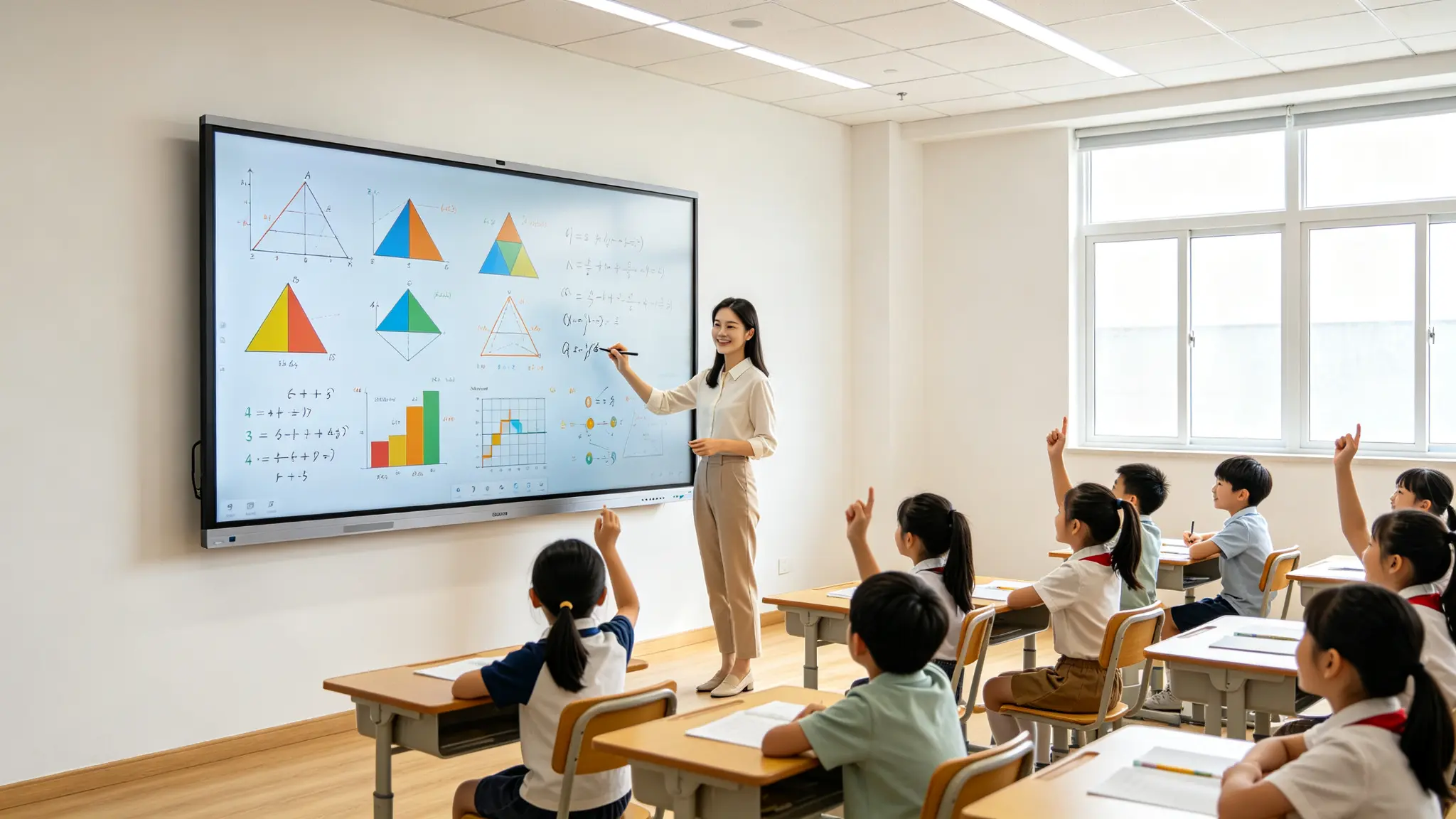
When the teacher writes down a question, the whole classroom can participate. In the traditional classroom, teachers write on the blackboard, students mainly sit in their seats to watch, teaching content depends on paper teaching materials and projections, classroom blackboard writing is difficult to save and share, remote students are difficult to participate in synchronization, teachers need to rearrange the materials after class. In the interactive classroom, teachers, students and remote participants use the screen together. Text, video, charts, web pages, formulas and animations can be presented in the same interface. Students can write, answer, annotate and classify on stage. AI can recognize handwriting, graphics and voice. Course content can be saved, exported, shared and reused. Teachers can connect classroom activities with LMS, cloud and school equipment.
Qtenboard (Shenzhen Qunmao)Founded in 2005, we have been dedicated to interactive display manufacturing for 20 years. We operate a 330,000㎡ smart manufacturing industrial park in Shenzhen and Guangzhou, comprising 16 modern factory buildings and 8 fully automated production lines, with a daily output capacity of 200 units. Our solutions serve 120 countries and regions worldwide, and we have provided services to over 15,000 corporate clients to date. Qtenboard interactive whiteboard covering 55-110 inch full-size segment, equippedQ AI System Level FrameworkandMediaTek Genio 520平台It provides a complete solution from hardware, software to equipment management for global K12 education projects.
The "millions of classrooms" mentioned in this article represent a large-scale digital upgrade goal with real commercial value. Public information estimates that the total number of K12 classrooms in the world exceeds 43 million, and the number of interactive whiteboards and interactive tablets deployed has reached millions. Therefore, there is still a huge demand for classroom upgrading, replacement and expansion in the world.
1. why do K12 classrooms need interactive whiteboards?
The core of digital education is not the increase of equipment, but the improvement of classroom efficiency.
1. Limitations of traditional teaching equipment
blackboard and chalk:The blackboard writing is difficult to save and copy, the writing space is limited, video, animation and online resources cannot be directly presented, dust, cleaning and visual effects have management problems, and distance teaching is difficult to synchronize.
projector and curtain:It needs the cooperation of projection, computer, audio and wire, is sensitive to the light environment, needs to wait for starting up and focusing, there is a maintenance cost for light bulbs and filters, teachers cannot write naturally on all contents directly, and there may be a distance between the screen and the teacher's operation.
Ordinary TV or display:Mainly playing equipment, lack of natural writing and multi-person collaboration ability, can not meet the complete teaching interaction, need to connect additional computers, whiteboard software and cameras.
2. What capabilities does the interactive whiteboard integrate?
Interactive whiteboard integrates display, touch control, digital whiteboard, handwriting and annotation, video playback, web page access, wireless screen projection, camera and microphone, remote classroom, AI recognition, teaching software, device management and cloud content into the same device. Qtenboard public educational materials position the interactive tablet as a teaching solution integrating 4K display, 20-50 touch, multimedia playback, screen sharing and video conferencing, and emphasize that it can connect the school IT system with LMS.
3. From "equipment upgrade" to "classroom process upgrade"
The change brought about by the interactive whiteboard is not only to replace the blackboard with a screen, but also to concentrate teachers' lesson preparation, enrich classroom content, have more ways for students to participate, save blackboard writing and teaching materials, share classroom content remotely, review after class is easier, and the campus can manage equipment and software in a unified way.
2. interactive whiteboard how to make the classroom "live" up?
Five kinds of classroom interaction, change the relationship between students and knowledge
1. See: from static courseware to multimedia teaching
Teachers can call PPT, pictures, videos, web pages, animations, 3D models, maps, experimental simulations, curriculum resources and online materials on the same screen. Transforms abstract concepts into visual content, allowing students to be exposed to text, images, sounds, and dynamic presentations at the same time, reducing device switching and classroom interruptions, and is suitable for courses such as science, geography, history, language, and art.
2. Write Down: From Board Writing to Digital Content
Teachers can directly annotate courseware, web pages, pictures and videos, handwritten content can be canceled, moved, copied and saved, blackboard writing can be converted into editable text, graphics, formulas and flow charts can be digitized, and can be exported to PDF, pictures or other formats after class.
The Qtenboard touch scheme supports 20-50 point touch, with a touch accuracy of 1.5mm, a single point response time of 7ms and a multi-point response time of 10-15ms. It is matched with Zero-Bonding zero bonding technology and 1mm tempered glass to ensure smooth and natural writing.
3. Do the problem: from "see the answer" to "participate in solving the problem"
Students can answer questions on stage, multiple students can write at the same time, teachers can randomly show different problem-solving processes, students can drag, classify, sort and match, and teachers can comment on and save the process immediately.
4. Saying it out: from passive lectures to real-time discussions
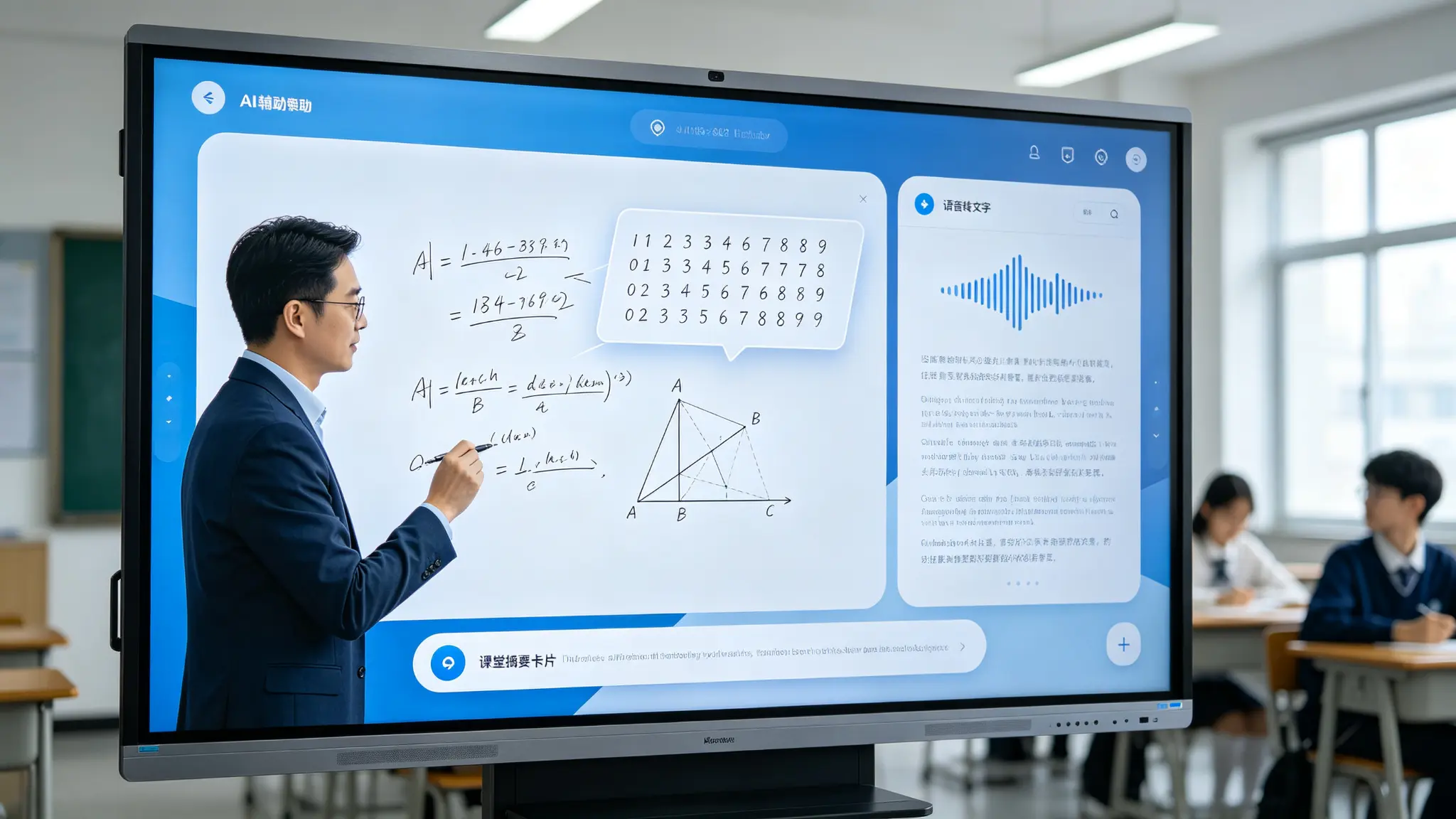
Students can participate through voice, mobile phones or other terminals. Teachers can collect opinions, questions and answers. AI can assist in voice-to-text, content arrangement and class summary. Multilingual classes can provide instant translation (such as system support).
Connect: From one classroom to multiple learning spaces
Connect remote teachers, connect other classes, support cross-campus courses, support mixed classes, support remote expert lectures, support recording and after-school review.
How does 3. Q AI further change the K12 classroom?
When the whiteboard can understand, understand and organize the classroom content
1. Q AI system level framework
Qtenboard's launch ofQ AINot a simple software plug-in or cloud tool, but a native intelligent architecture deeply integrated into the hardware, software and algorithm layers. AI are not add-ons, but are built into the native architecture of the device and can work reliably in real-world classroom scenarios-both online and offline.
Q AI four design principles:Local computing first, optional cloud collaboration, AI interoperability, scene-oriented design.
The core transcription of the Q AI runs locally on the device, eliminating cloud latency and network dependency. Qtenboard integrate custom noise-canceling microphone arrays and local speech algorithms to ensure clear capture in multi-speaker, noisy classroom environments. Core capabilities include real-time noise reduction, speaker differentiation, 40 language and dialect support, industry term recognition, and custom vocabulary.
2. AI handwriting recognition
Turn teachers' natural handwriting into editable text, identify students' answers and classroom keywords, identify Chinese, English and other languages, translate handwritten content into target language, and turn blackboard writing into after-school materials. Qtenboard Q AI Support166 languagesVoice-to-text and real-time translation, covering regional dialects such as Cantonese, Vietnamese, and Malay. Thai language packs and OCR handwriting recognition have been added to Thai customers. Software-level language localization does not require hardware modification.
3. Graph, formula and process identification
Automatic correction of geometric figures, digitization of mathematical formulas, automatic sorting of mind maps, structured experimental processes, and digitization of physical and engineering diagrams.
4. AI-assisted lesson preparation
Generate the classroom framework according to the curriculum theme, generate questions and interactive activities, create review outlines, form hierarchical exercises, reuse the old blackboard writing content to the new curriculum, and design different difficult content according to the level of students.
5. AI Classroom Summary
Automatically summarize the classroom focus, extract key concepts, generate after-school review materials, organize the course content according to blackboard writing and voice, and provide digital classroom records for absent students.
6. The boundaries of AI in the classroom
Professional reminders must be added: AI content needs to be reviewed by teachers, formulas, numbers, names and professional terms may be incorrectly identified, student data and voice need privacy protection, schools should set AI access rights, and AI-generated content cannot completely replace teachers' teaching design and professional judgment.
How to choose an interactive whiteboard 4. different K12 classes?
A set of product lines to serve different ages, numbers and spaces
1. Primary school classroom
Classroom features:There are many teaching activities, images, animations and interactive exercises are frequently used, students need to operate on stage, teachers need to quickly switch content, screen height and touch security are important.
Qtenboard configuration recommendations:65/75 inches according to classroom depth selection, 4K display, 20-50 touch, AG anti-glare and low blue light mode, teaching software and wireless screen projection, 9H impact glass, mobile bracket or safety wall mounting scheme.
2. Junior high school and Senior high school classroom
Classroom features:The content is more complex, with text, formulas, charts and videos coexisting, and more teaching software needs to be run, with equal emphasis on student interaction and teacher explanation.
Qtenboard configuration recommendations:75/86 inches, 4K resolution, Android Windows OPS dual system, formula/handwriting and graphics recognition, remote device management, recording and broadcasting and mixed teaching support.
STEM, Laboratory and Professional Classroom
Classroom features:The need to display engineering drawings, codes, experimental data and 3D models requires high software compatibility, image clarity and system performance. It may need to connect sensors, cameras, experimental equipment and external computers.
Qtenboard configuration recommendations:86/98 inch or main screen auxiliary screen scheme, Windows OPS or high-performance external computer, 4K display and high-performance graphics processing, fine touch or electromagnetic pen (if required by the project), multi-window and professional software compatibility, network isolation and device permission control.
4. Special Education Classes
Focus:Touch accessibility, large font and high contrast, multi-language and voice assistance, interactive methods suitable for different learning abilities, low latency and simple operation, teacher control over content and permissions.
5. Distance and Mixed Classroom
Camera viewfinder, microphone pickup, automatic tracking (if system support), whiteboard content synchronization, student device access, classroom recording, cloud data sharing, network and data security.
5. 55-110 inch product size to match classroom space
The bigger the screen, the better. The key is whether the last row can be seen clearly.
Public education selection materials usually regard 65 inches as a common standard classroom scheme, 75 inches for medium-sized classrooms and 86 inches for large classrooms and reporting spaces. The specific size should be confirmed in combination with room depth, number of students and content type. Qtenboard cover 55, 65, 75, 86, 98, 105, 110 inch full size segments.
| Size | Typical classroom | Recommended number of people | Qtenboard configuration |
|---|---|---|---|
| 55 inches | Small tutoring room, language classroom, group teaching | 5-10 people | 4K, 20 Touch, Android 14/16 |
| 65 inches | Small or standard classroom | 10-25 people | 4K, 20-50 touch, teaching software |
| 75 inches | Standard classroom, medium-sized training room | 20-35 people | 4K, 20-50 touch, optional OPS |
| 86 inches | Large classroom, laboratory, seminar room | 30–50 people | 4K/5K, dual system, 20-50 touch |
| 98/105/110 inches | Ladder classroom, lecture hall, large training space | More than 40 people | 4K, high brightness, independent OEM production line |
Selection principle:First measure the distance in the last row, then judge the number of students and the layout of seats. Whether the observation content is mainly large pictures, videos, or small characters, formulas and forms, evaluate the wall surface load-bearing, installation height and handling route, and give priority to selecting a larger first-class size in the critical space. For large report halls, the scheme of 98 inches or more, double screens, LCD splicing wall or LED can be considered.
6. K12 project procurement can not only buy a screen
A truly usable smart classroom requires a complete system solution
1. Hardware configuration
Interactive whiteboard, wall bracket or mobile bracket, OPS computer module, teacher camera, microphone and sound reinforcement system, wireless screen projection device, student terminal access device, recording and broadcasting system, network equipment, spare pen and remote control, spare parts.
2. Software configuration
Whiteboard software, teaching resource platform, LMS interface, video conference software, screen sharing software, Q AI handwriting recognition, OCR and translation, classroom recording, DMS device management platform, content security and rights management.
3. Infrastructure
Network bandwidth, Wi-Fi coverage, power and sockets, wall load-bearing, equipment installation location, classroom lighting, sound layout, heat dissipation and ventilation, equipment asset number.
4. Service and training
Teacher training, IT administrator training, installation and commissioning, remote support, software upgrade, equipment inspection, spare parts management, quality assurance and maintenance, content migration, classroom use assessment.
The open cost guide states that a school's five-year total cost of ownership should not only calculate hardware, but also include transportation, installation, infrastructure, software renewal, teacher training, technical support and spare parts.
7. scale deployment challenges and Qtenboard response capabilities
The real difficulty is not selling the first piece, but steadily delivering millions of classrooms.
1. Four challenges of large-scale procurement
Product consistency:The display, touch control and system configuration of different batches should be stable, the equipment specifications should not be changed frequently, and the school teachers need unified training and operation process. The Qtenboard ensures batch consistency through fixed BOM, standardized SOP and full-process MES traceability. The one-time pass rate of the whole machine is ≥ 97%, and the aging abnormality rate is <1.5.
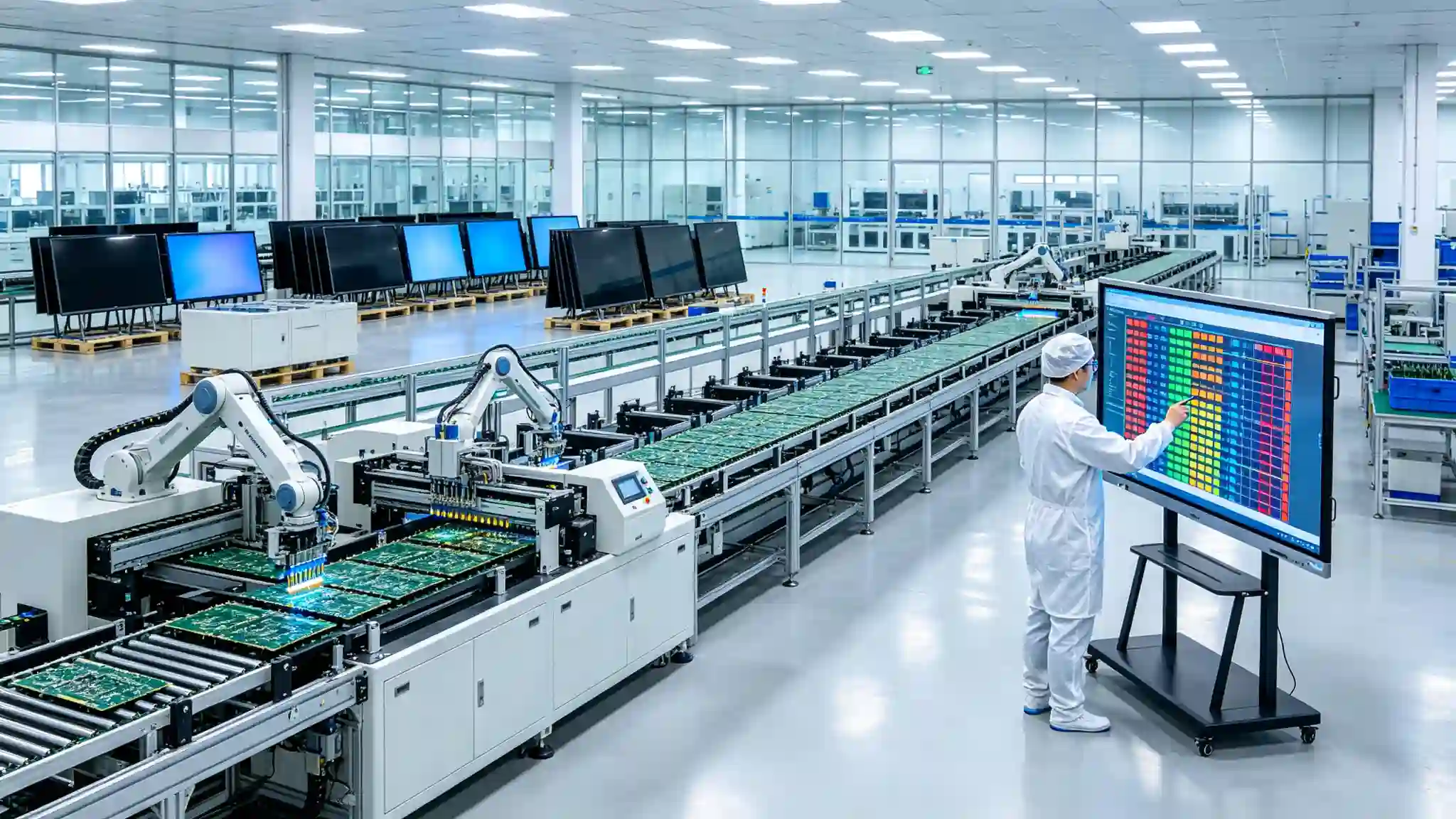
Supply Chain and Delivery:A stable supply of panels, touch modules, motherboards and structural components is required. Different countries have different certification, tariff and localization requirements. Education projects usually have centralized delivery and fixed school start periods. Large-scale projects need to be scheduled and planned in advance. The Qtenboard has 330,000 ㎡ industrial parks in Shenzhen and Guangzhou, 8 full-automatic production lines, 200 units per day, 120,000 components per hour SMT patch speed, and supports CKD/SKD localized assembly.
Software and Localization:Different teaching materials, languages and teaching systems need to support local languages, keyboards and software ecology, AI and cloud functions need to meet local privacy requirements, and different operating systems and application stores may be required in different regions. Qtenboard Q AI supports 166 languages and has customized Thai OCR language packs for Thai customers. DMS supports private deployment.
After sales and training:The number of equipment is large, the failure response should be standardized, the flow of teachers leads to the need for continuous training, dealers and local integrators must have basic maintenance capabilities, and remote equipment management can reduce the pressure of on-site maintenance. The Qtenboard DMS system supports remote batch equipment control, predictive diagnosis and mobile remote control. The service covers 120 countries and regions, and the after-sales response is less than or equal to 4 hours.
2. Phasing deployment approach
Phase 1: Pilot.Select different types of classrooms, test different sizes and systems, collect teacher and student feedback, and verify network, software, and AI functions.
The second stage: regional expansion.Unify product BOM, establish installation and acceptance specifications, train regional technical team, establish spare parts and maintenance center.
The third stage: scale deployment.Multi-base scheduling, regional warehousing, batch equipment management, unified software mirroring, remote monitoring and data analysis, continuous training and content update.
3. Acceptance indicators for scale projects
On-time delivery rate, installation completion rate, first-time boot success rate, touch and display one-time pass rate, teacher training completion rate, equipment online rate, remote fault resolution rate, average repair response time, software upgrade success rate, five-year TCO.
How does 8. Qtenboard serve global K12 education programs?
From an interactive whiteboard to a large-scale smart classroom deployment, what do Qtenboard offer?
1. Full size education product line
The Qtenboard covers 55, 65, 75, 86, 98, 105 and 110 inch full size segments and is suitable for small classrooms, standard classrooms, large training spaces and lecture halls. Configurable to room size, student population, and viewing distance, supporting volume purchasing and multi-size combinations for educational programs.
2. Teaching core function
- 4K UHD display, 55-110 inch full size
- 20-50 touch, 1.5mm accuracy, 7ms single point response
- Handwriting and annotation, OCR and graphic recognition
- Q AI intelligent writing, 166 language
- Wireless screen projection, support up to 9 devices at the same time screen projection
- Video playback, teaching software
- Remote classroom, multi-language configuration
- Camera, microphone and audio
3. Android and Windows OPS dual system
Android for quick start, whiteboard, screen projection and basic teaching, Windows OPS for Office, professional teaching software and the school's existing Windows system. The dual system can reduce the cost of software migration in schools, and the system configuration can be selected according to the IT requirements of the school and the region. Qtenboard dual-system switching time is less than 3 seconds, touch control, audio and network remain normal after switching.
4. DMS equipment management system
Qtenboard is equipped with powerful DMS (Device Management System) software, enabling centralized backend control of all devices. The core functions include: batch equipment configuration, remote on and off, software upgrade, application installation, equipment grouping, fault monitoring, rights management, remote technical support, multi-campus unified management.
AI-driven predictive diagnostics:The built-in AI module checks hardware health parameters such as panel temperature, internal voltage, and color values. If any indicator deviates from the normal range, the system will give early warning to avoid accidental shutdown of the equipment.
Mobile remote control:Easy remote operation through QR code scanning IP input, full control of content management, page switching, settings, wireless file transfer between mobile device and whiteboard, real-time screen mirroring for presentation.
5. Hardware level AI:Genio 520 and 10 TOPS edge computing
The Qtenboard Genio 520 interactive tablet platform is based on the MediaTek Genio 520 (MT8371) chip, redefining the capabilities of educational interactive whiteboards at the hardware level. The 8th generation MediaTek NPU is available directly on the interactive tabletDedicated AI acceleration for 10 TOPS-Real-time face detection and AI noise reduction for classroom attendance are all run on the device, with zero Internet dependence, zero cloud delay and zero data privacy risk.
Based on TSMC's 6nm FinFET process, Genio 520 achieves high performance with low thermal output, which makes Qtenboard fanless interactive flat panel design possible-essential for uncompromising acoustic silence such as K-12 classrooms. MediaTek’s official commitment to the Genio 520 is10 year standard supply life cycle, Eliminate the risk of obsolescence that consumer-grade SoCs usually eliminate in 2-3 years.
6. Manufacturing strength and quality assurance
- Established in 2005, 20 years of manufacturing experience
- 330,000 ㎡ industrial park, 16 factories and 8 full-automatic production lines
- SMT patch speed 120,000 components/hour, main board, sub-board independent production
- Class 10,000 clean room completes touch panel manufacturing and optical bonding
- Zero-Bonding zero-fit technology, 1mm tempered glass
- 48 hours high temperature aging test (72 hours for some items), comprehensive retest after aging
- The one-time pass rate of the whole machine is ≥ 97%, and the abnormal rate of aging is <1.5
- International Certification: CE, FCC, RoHS, ISO9001, CCC
- Service 120 countries and regions, after-sales response ≤ 4 hours
7. OEM/ODM and Localization Project
Qtenboard support education brand Logo and startup interface customization, local language and keyboard, OCR language pack, teaching software pre-installation, LMS and content platform adaptation, local certification and bidding parameter support, packaging and accessories customization, SKD/CKD local assembly support. Dedicated OEM production line: Customization does not affect the lead time for standard products; the lead time for customized orders is extended by only 3–5 days.
9. Education Project Procurement List
When schools purchase interactive whiteboards, it is recommended to confirm these 20 items.
Products and Display
- Is the recommended size based on actual viewing distance?
- Does it support 4K display?
- AG anti-glare glass?
- Does it support low blue light and anti-flicker?
- What is the hardness, reflectivity and light transmittance of glass?
- Does it support long-term use of educational programs?(Qtenboard 48-hour aging test)
Interaction and System
- How many points of real touch support?(Qtenboard 20-50 points)
- Do you support palm suppression and multiplayer writing?
- Is handwriting recognition, OCR, and graphic recognition supported?
- Do you support Android, Windows OPS, or dual systems?(Qtenboard supports dual systems)
- Is it compatible with the school's existing teaching software?
- Does it support wireless screen casting, video conferencing and LMS?
Management and Security
- Support multi-device remote management? (DMS Qtenboard available)
- Can applications and systems be updated in bulk?
- Do you support user permissions and network security policies?
- Can AI and cloud functions be turned off?(Q AI Core transcription runs locally)
- What about student data and class recordings?
Delivery and cost
- Does the quote include brackets, installation, training and software?
- What is the five-year TCO?
- How to arrange spare parts, maintenance, warranty and local response?(Qtenboard service 120 countries, after-sales response ≤ 4 hours)
10. common procurement errors
Smart classroom upgrade, the most easy to ignore is not the screen, but the implementation system
Myth 1: Only purchase equipment, not teacher training
Teachers will not use, equipment can not produce teaching value. Training courses, instruction manuals and ongoing support are required.
Myth 2: Only look at the screen price, not the five-year cost.
Installation, software, network, training, spare parts and maintenance all affect the total project cost. TCO should be used instead of single quote evaluation.
Myth 3: All classrooms use the same 33.33cm inches
Small classrooms, standard classrooms and lecture halls have different needs. 55-110 inch products should be selected by space and content.
Myth four: AI function, the better
Schools need to pay attention to whether teachers really use, AI output needs to be reviewed, and data security and privacy must be prioritized. Qtenboard the core transcription of the Q AI runs locally on the device, reducing data privacy risks at the architectural level.
Myth 5: Ignoring Networks and Infrastructure
Without a stable network, wireless screen projection, cloud platform and remote management will be affected. Network and power surveys need to be completed before the project begins.
Misunderstanding six: only one-time acceptance
Teaching equipment needs long-term operation. Regular inspection, software update, teacher training and equipment data analysis mechanism should be established. Qtenboard provide lifetime free OTA updates to ensure continuous evolution of AI capabilities.
Conclusion: To make millions of classrooms "live" depends on a complete ecology, not just a screen.
The interactive whiteboard allows the classroom to move from one-way presentation to multi-party interaction, connecting teachers, students, course content, AI tools, cloud platforms and distance learning. Large-scale K12 projects need to address size, display, touch, systems, software, networking, training, aftermarket and TCO simultaneously. Millions of classrooms represent not only equipment sales opportunities, but also long-term software, content, service and ecological cooperation needs.
The digital upgrade of the K12 classroom is not to replace the blackboard with a larger screen, but to reorganize the relationship between teachers, students and teaching content. When teachers can write naturally, students can participate in the operation, classroom content can be saved and shared in real time, AI can assist in identification and sorting, and schools can remotely manage hundreds or even tens of thousands of devices, interactive whiteboards can truly become classroom infrastructure.
QtenboardBacked by 20 years of manufacturing experience, 330,000 ㎡ industrial park, 8 full-automatic production lines, Q AI system-level framework, Genio 520 platform (10 TOPS device-side AI) and DMS device management system, it provides a complete solution from 55-110 inch hardware, 20-50 touch, 166 language AI to Android/Windows OPS dual system, OEM/ODM customization and CKD/SKD localization for global K12 education projects. Serving 120 countries and regions around the world, serving more than 15,000 enterprise customers. All devices support lifetime free OTA updates, ensuring the continuous evolution of AI capabilities.
For millions of K12 classrooms around the world that are still being upgraded, a truly valuable educational display provider provides not just an interactive screen, but size matching, system compatibility, software ecology, teacher training, equipment management, after-sales service and long-term delivery capabilities. Through the complete product line and OEM/ODM project support, Qtenboard hope to help education partners build every classroom into an intelligent learning space that is easier to participate, easier to connect, and easier to reuse knowledge.
CTA:
· Access the K12 Education Solution Selection Guide (PDF)
· Appointment Shenzhen/Guangzhou factory visit (or cloud visit)
· Contact sales team for project proposal
 Previous:
 Return to list

 Partner Links:
