
 en
 中文

 Current location:
 Release date: 2026-09-23
 Clicks:
Special Education and Interactive Whiteboards: Engaging Every Child
From visual aids and multi-sensory interaction to Q-AI speech recognition and adjustable height mounting, the analysis of how Qtenboard helps students of different abilities participate in learning with 20 years of manufacturing experience and barrier-free design.
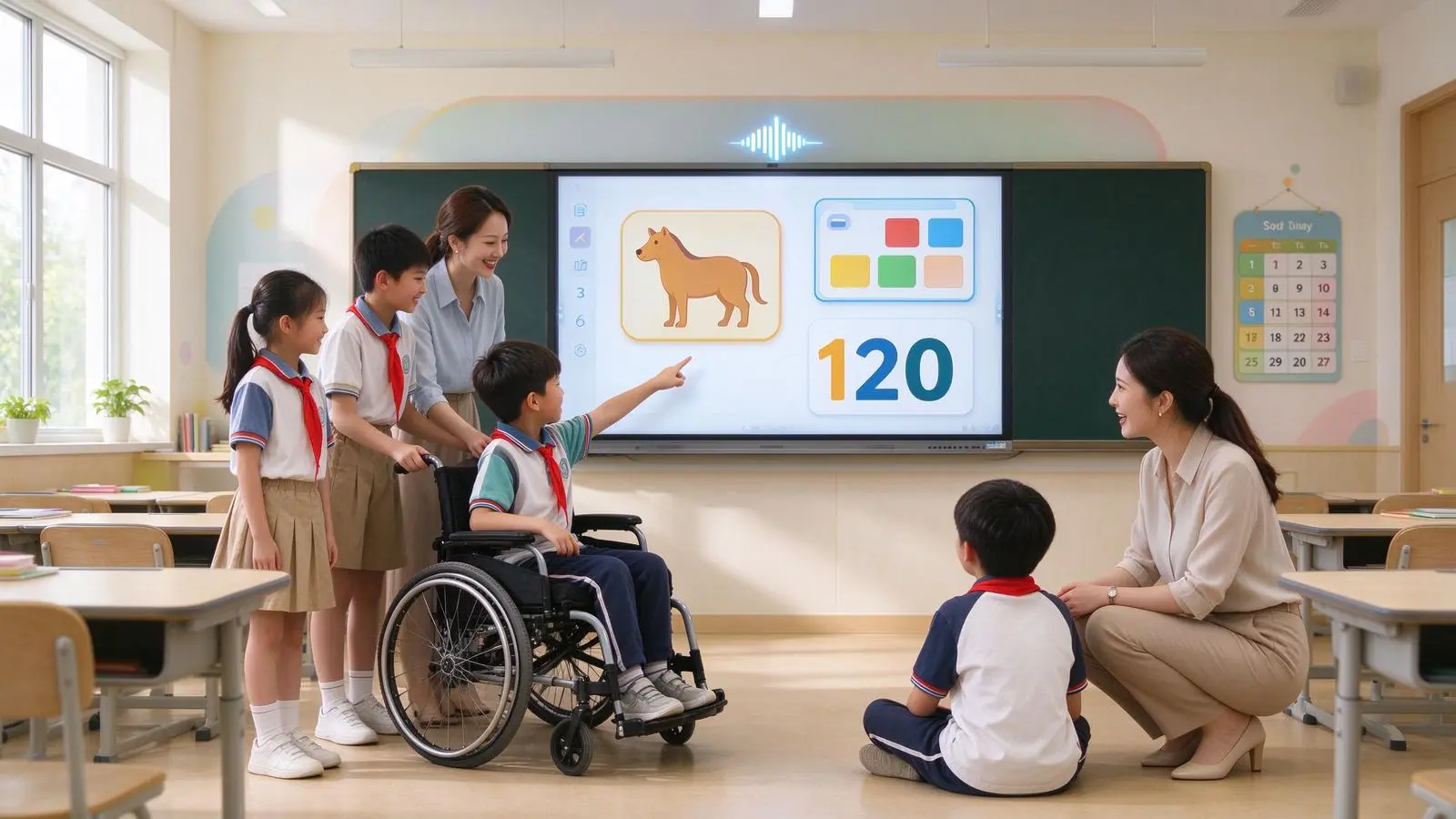
There should not be only one way to participate in the classroom. Some children express through writing, others through touch, sound, image or action. Some students have difficulty reading small font characters and need magnification, high contrast and clear typesetting. Some students are difficult to answer through language and can express through touch, picture, icon or alternative input. Some students need auditory assistance or real-time subtitles. Some students have weak fine motor control and are difficult to operate with ordinary mouse and keyboard. Some students are sensitive to strong light, noise, complex interface or sudden changes; some students need more time and a more predictable process.
The key to the special education classroom is not to let all students use the same tool, but to let each student find a suitable way to participate. Interactive whiteboards can bring visual, auditory, tactile, and action interactions into the same teaching space, providing teachers with more flexible content presentation methods, and providing students with more expression and response paths.
Qtenboard (Shenzhen Qunmao)Founded in 2005, we have been dedicated to interactive display manufacturing for 20 years. We operate a 330,000㎡ smart manufacturing industrial park in Shenzhen and Guangzhou, comprising 16 modern factory buildings and 8 fully automated production lines, with a daily output capacity of 200 units. Our solutions serve 120 countries and regions worldwide, and we have provided services to over 15,000 corporate clients to date. Qtenboard interactive whiteboard covering 55-110 inch full-size segment, equippedQ AI System Level FrameworkandMediaTek Genio 520平台, Through AG anti-glare glass, adjustable brightness, high-sensitivity touch, fanless silent design and barrier-free software configuration, it provides a complete solution from hardware to software for special education schools and integrated education projects.
What kind of technology is needed to 1. a special education classroom?
Understand student needs before selecting device features
1. Visual support needs
May include:Low vision, difficulty in visual recognition, sensitive contrast, need for larger fonts and images, need to reduce screen reflection, need to highlight key areas, need for clearer color distinction.
Qtenboard corresponding functions:4K UHD display supports screen magnification, AG anti-glare glass reduces reflection, adjustable brightness adapts to different light environments, low blue light mode reduces visual fatigue, color theme and color blindness friendly palette, clear and concise interface supports local focus and highlight.
2. Hearing support needs
May include:Hearing impairment, difficulty in recognizing classroom sounds, need subtitles and text prompts, sensitivity to complex background sounds, and need visual feedback.
Qtenboard corresponding functions:Q AI supports real-time subtitles and voice to text, 166 language recognition, video subtitles, text and image synchronization, external hearing aids or audio systems, volume grading and mute control, audio content to visual prompts.
3. Movement and fine motor needs
May include:Difficulty in fine hand motion control, inability to use a mouse accurately, need for larger touch targets, need for lighter touch pressure, need to use alternative input devices, and wheelchair users need suitable screen height and approach paths.
Qtenboard corresponding functions:High sensitivity touch (touch accuracy 1.5mm, single point response 7ms), support for stylus, large icons and large buttons, adjustable touch response time, support for switch control/adapter or other auxiliary equipment, support for liftable stand and mobile stand, suitable for sitting and standing installation height.
Language and Communication Needs
May include:Difficulties with language expression, non-verbal communication, delayed language development, multilingual learning, the need for supplementary and alternative communication systems (AAC).
Qtenboard corresponding functions:Icon/picture and symbol selection, Q AI support text to speech and speech to text, customizable communication board, large button interaction, multi-language interface (166 languages), picture/text and sound combination expression, can be connected with AAC application or device.
5. Cognitive and Sensory Needs
May include:The attention span is short, requires a clear sequence of operations, is sensitive to interface changes, requires reduced visual and sound stimuli, requires repeated practice and predictable processes, and needs to break complex tasks into small steps.
Qtenboard corresponding functions:Simplified interface, icon navigation, step-by-step teaching template, adjustable animation and sound, can close notification, fixed course structure, gradually display content, classroom recording and repeat playback, can save personalized learning path.
How do 2. interactive whiteboards support multi-sensory learning?
The same knowledge point can be understood by looking, listening, touching and doing.
1. Visual interaction
Show images, videos, animations, and maps, use color to distinguish information, zoom in on key content, break complex concepts into multiple pages, and build classroom expectations through a visual timeline.
2. Auditory interaction
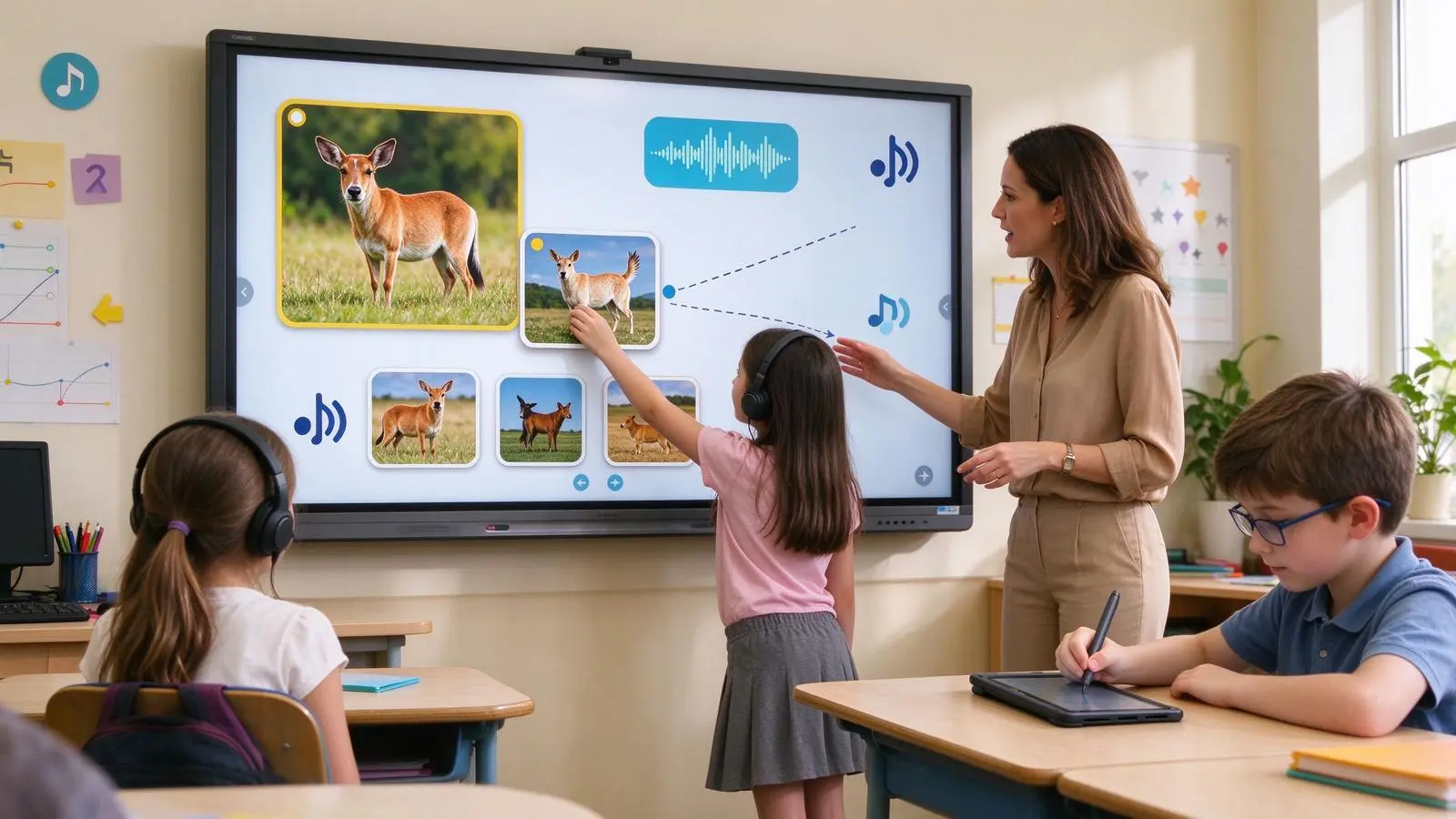
Play voice and sound, provide real-time subtitles, convert text to voice, let students record and playback their answers, and use sound feedback to enhance the results of task completion. Q AI support 166 language real-time translation, 0.3 seconds to complete.
3. Tactile and motion interaction
Drag pictures, pair and sort, connect lines, touch selection, write and draw, rotate 3D models, complete tasks step by step, participate in course activities through body movement. Qtenboard support 20-50 touch, multi-person writing at the same time without conflict.
4. Combined interaction
Example: Knowing animals.Look at the animal picture, listen to the animal sound, drag the name below the picture, circle the feature with your finger or stylus, select the answer by voice or icon, and save the class result as a learning record.
Example: Learn the daily process.The icons of getting up, dressing, eating and going to school are displayed on the screen. Students drag the icons in sequence. AI or software provide voice prompts. Teachers adjust the number of steps according to students' performance and repeat the exercises after class.
3. visual barrier-free display design
Let the content see clearly, but also make the visual environment more acceptable
1. Text size and typesetting
Procurement and content design should pay attention to: support font enlargement, use concise and clear fonts, avoid complex backgrounds, keep enough white space, control the amount of content on one page, split long paragraphs of text, and make key content have clear levels.
2. Contrast and color
Support high contrast mode, avoid only using color to distinguish information, provide graphic/text or texture assistance for students with color vision impairment, test color performance under different classroom light, and let teachers quickly switch display themes.
3. Anti-glare and brightness adjustment
Classroom windows and lights may cause screen reflections. The Qtenboard uses AG anti-glare glass to improve readability, and the brightness can be adjusted according to student needs and ambient light. Light-sensitive students need a softer display mode-high brightness does not mean that all students are more receptive. The Qtenboard provides optional configuration of 350-500nit brightness.
4. Zoom and focus
Zoom in on local areas, highlight key content, zoom in on pointers and cursors, display pictures or text step by step, reduce visual interference through masks, and support teachers to control the range of information seen by students.
5. Screen position and installation height
Wheelchair users can approach and operate. The screen should not be blocked by the platform or furniture. The installation height of the wall surface should be suitable for sitting and standing positions. Use lifting brackets or moving brackets to reserve safe passages to prevent the screen from facing windows or strong light sources. The Qtenboard supports wall mounting, mobile bracket and liftable bracket solutions.
4. Hearing, Language and Communication Aids
Can not answer in words, can also be expressed in a variety of ways
1. Real-time voice-to-text
The teacher's explanation will be converted into subtitles, and the students' speeches will be displayed on the screen to support the hearing-impaired students to understand the classroom content. It is suitable for distance teaching and double-qualified classes, and is convenient for after-school review. Q AI supports real-time subtitles in 166 languages.
2. Text to Speech
Read the course text aloud, read the operation tips aloud, read the input content of the students, help the students with reading difficulties to understand the instructions, and use them with pictures and highlighted content.
Assisted and Alternative Communication (AAC)
The interactive whiteboard can be combined with the following: picture symbols, keyword buttons, preset sentences, voice playback, emotional expression board, demand selection board, daily flow chart, classroom answer template. Qtenboard supports running AAC applications on Windows OPS and is compatible with touch, stylus input, and alternative input devices.
4. Multi-language support
Support students in familiar languages, translation of course content into local languages, participation of immigrant or minority language students in the classroom, for international schools/cross-regional education and multilingual programs. Q AI supports 166 languages and has customized Thai OCR language packs for Thai customers.
5. Audio environment control
Adjust the volume, individually control the video sound and prompt sound, quickly mute, connect to an external audio system, reduce background noise, avoid sudden high-volume audio, and provide a quiet mode for sensory-sensitive students. Qtenboard fanless design, zero noise during operation.
5. motion and touch barrier-free design
Let the students of different movement ability can complete the effective input
1. Touch sensitivity
Special education programs should test: whether light touch can be recognized, whether heavy pressing produces false touch, whether palm contact is misjudged, whether different stylus pens are compatible, whether fast or slow touch is stable, and whether there are blind spots on the edge of the screen. Qtenboard touch accuracy 1.5mm, single point response 7ms, multi-point response 10-15ms.
2. Touch Objects and Tools
Finger, stylus, thick handle pen, special teaching pen, rubber, glove, adapter or switch control device, external keyboard/mouse or other auxiliary input device.
3. Touch points and multi-person collaboration
Multi-touch is not only a parameter, but also depends on the real multi-person experience. Special education classes may require teachers and students to operate together, group activities require multiple students to participate at the same time, touch point loss/adhesion and false touch need to be tested, and support for multiple inputs helps different students complete tasks in parallel. Qtenboard supports 20- to 50-point touch.
4. Touch interface design
Large buttons, clear icons, short text, fixed position, clear feedback, low-level menus, complex functions can be turned off, allowing teachers to customize the page.
5. Alternative input device compatible
Purchaser shall confirm whether USB or Bluetooth assistive devices are supported, switch controllers can be connected, eye tracking devices are compatible, screen readers are supported, Windows accessibility is compatible, AAC/text-to-speech and special education applications can be run. Qtenboard supports Android Windows OPS dual systems, and Windows OPS supports a complete auxiliary function ecosystem.
Special Considerations 6. Autism and Sensory Sensitivity Classroom
Predictable, controllable, low stimulation, the key to a sensory-friendly classroom
Avoid simply categorizing all autistic students, and use the expression "some students may exist" below.
1. Visual stimulus control
Adjustable brightness, low blue light mode, AG anti-glare glass, reduce fast flicker animation, avoid complex background, use clear icons and fixed layout, support off dynamic effects. Qtenboard anti-flicker design, stable full brightness range.
2. Sound stimulation control
Adjustable volume, one-key mute, turn off the prompt sound, select soft feedback sound, use an external audio system for direction control, to avoid sudden high-volume video playback. Qtenboard fanless design, zero noise during operation.
3. Predictable classroom processes
Display visual timelines, use fixed page structure, use countdown and step prompts, remind before course switch, allow students to preview activities, and retain familiar interface and icons.
4. Simplification of operation
Use large icons to reduce pop-up windows, set the teacher's lock mode, display only the currently required functions, prevent students from touching the system settings by mistake, and configure different operation permissions for different students.
5. Safe and durable
Tempered protective glass, rounded border, stable wall or mobile bracket to prevent the bracket from tipping, internal fan low noise (Qtenboard fanless design), cable hidden and anti-tripping, easy to clean the surface of the device. The Qtenboard adopts 9H impact resistant tempered glass and Zero-Bonding zero bonding technology.
Solutions 7. different special education scenarios
Application focus varies from resource classrooms to rehabilitation centers
1. Resource Classroom
Applicable requirements:Individualized teaching, group activities and learning ability vary greatly, and teachers need to switch content quickly.
Qtenboard recommended configuration:65/75 inches, 20-50 touch, adjustable font and contrast, teaching template, Q AI text to speech, 166 language support, mobile stand, Android Windows OPS (if you need to run special education software).
2. Integrated education ordinary classroom
Applicable requirements:Special education students learn together with ordinary students, teachers need to provide different difficulties and different input methods, and students need group collaboration.
Qtenboard recommended configuration:75/86 inch, 4K/5K display, AG anti-glare, low blue light mode, 20-50 touch, student terminal collaboration, Q AI subtitles and audio assistance, classroom content saving and sharing, DMS device management platform.
3. Autism education classroom
Key needs:Sensory stimulation is controllable, the operation interface is simple, visual schedule, repeated exercises and content playback, reliable touch control and durable structure, volume and brightness adjustable, quiet operation.
Qtenboard recommended configuration:55/65/75 inches according to space selection, AG anti-glare, adjustable brightness, high sensitivity touch (1.5mm accuracy), large icon interface, customizable educational applications, fanless silent design, camera and microphone according to actual needs Configuration.
4. Classroom for Hearing Impaired Students
Q AI real-time subtitles, voice-to-text, video subtitles, visual cues, handwriting and text interaction, high-contrast display, remote classroom subtitle synchronization (166 language support).
5. Classroom for visually impaired or low vision students
Large font, partial magnification, high contrast, Q-AI voice reading, screen reader compatible, clear interface, AG anti-glare reduces reflection and visual noise, suitable for students to approach and operate the screen height.
6. Classroom for Students with Movement Disorders
Liftable stand, sitting operation height, light touch can be recognized (7ms response), support thick handle pen and auxiliary equipment, support switch control or eye movement equipment (if the system is compatible), safe passage and barrier-free space.
7. Language development or non-language students in the classroom
Icon communication boards, picture and symbol selection, Q-AI text-to-speech, preset sentences, touch expressions, student custom content, teacher recording and progress tracking.
How does 8. Qtenboard build a special education interaction program?
From hardware accessibility to software adaptation, how can Qtenboard support integrated education projects?
1. Q AI system level framework
Qtenboard's launch ofQ AINot a simple software plug-in or cloud tool, but a native intelligent architecture deeply integrated into the hardware, software and algorithm layers. AI are not add-ons, but are built into the native architecture of the device and can work reliably in real-world classroom scenarios-both online and offline.
Q AI four design principles:Local computing first, optional cloud collaboration, AI interoperability, scene-oriented design.
The core transcription of the Q AI runs locally on the device, eliminating cloud latency and network dependency. Qtenboard integrate custom noise-canceling microphone arrays and local speech algorithms to ensure clear capture in multi-speaker, noisy classroom environments. Core capabilities include real-time noise reduction, speaker differentiation, 40 language and dialect support, industry term recognition, and custom vocabulary.
Qtenboard Q AI支持166 languagesVoice-to-text and real-time translation, covering regional dialects such as Cantonese, Vietnamese, and Malay. Thai language packs and OCR handwriting recognition have been added to Thai customers. Software-level language localization does not require hardware modification.
2. Display and Touch Hardware
- 4K UHD display, 55-110 inch full-size product line
- 20-50 touch, 1.5mm accuracy, 7ms single point response
- Low latency writing, AG anti-glare glass
- Low blue light and anti-flicker mode
- 9H impact-resistant tempered glass, Zero-Bonding zero-fit technology
- Android 14/16 and Windows OPS Dual System
- 350-500nit brightness optional
3. Accessibility Display Configuration
Adjustable brightness, high contrast mode, font and image magnification, low blue light mode, AG anti-glare, multi-language interface (166 languages), screen reader and auxiliary software compatible (via Windows OPS), large icons and simplified menus.
4. Intelligent recognition and voice assistance
Handwriting to text, OCR, graphics recognition, speech to text, text to speech (if software support), real-time subtitles, multi-language translation, classroom content saving and export.
5. System Compatibility
The Android is used for whiteboard, screen projection and basic education applications, and the Windows OPS is used for special education software/Office/AAC and auxiliary tools. The dual system is suitable for the existing Windows software and equipment management environment of the school. Qtenboard dual system switching time <3 seconds, support connection with video conference/LMS and school platform.
6. Structure and Installation
Wall-mounted installation, mobile bracket, liftable bracket, suitable for sitting and standing posture, reserved wheelchair access space, cable storage and tripping prevention, equipment corners and structure safety, no fan silent operation.
7. DMS equipment management system
Qtenboard is equipped with powerful DMS (Device Management System) software, enabling centralized backend control of all devices. The core functions include: batch equipment configuration, remote on and off, software upgrade, application installation, equipment grouping, fault monitoring, rights management, remote technical support, multi-campus unified management.
AI-driven predictive diagnostics:The built-in AI module checks hardware health parameters such as panel temperature, internal voltage, and color values. If any indicator deviates from the normal range, the system will give early warning to avoid accidental shutdown of the equipment.
8. Hardware level AI:Genio 520 and 10 TOPS edge computing
The Qtenboard Genio 520 interactive tablet platform is based on the MediaTek Genio 520 (MT8371) chip, redefining the capabilities of educational interactive whiteboards at the hardware level. The 8th generation MediaTek NPU is available directly on the interactive tabletDedicated AI acceleration for 10 TOPS-AI noise reduction and face recognition check-in are all run on the device, with zero Internet dependence, zero cloud delay and zero data privacy risk.
Based on TSMC's 6nm FinFET process, the Genio 520 achieves high performance with low thermal output, which enables QtenboardFanless interactive tablet designMake It Possible-Essential for Sensory-Sensitive Students and Special Education Classrooms where acoustic silence cannot be compromised. MediaTek’s official commitment to the Genio 520 is10 year standard supply life cycle, Eliminate the risk of obsolescence that consumer-grade SoCs usually eliminate in 2-3 years.
9. OEM/ODM project customization
Brand Logo, startup interface, regional language, OCR language pack, pre-installation of special education software, AAC application adaptation, customized teaching template, visual timetable, teacher and student authority, local certification and project parameter support, SKD/CKD local assembly and after-sales. Dedicated OEM production line: Customization does not affect the lead time for standard products; the lead time for customized orders is extended by only 3–5 days.
10. Manufacturing strength and quality assurance
- Established in 2005, 20 years of manufacturing experience
- 330,000 ㎡ industrial park, 16 factories and 8 full-automatic production lines
- SMT patch speed 120,000 components/hour, main board, sub-board independent production
- Class 10,000 clean room completes touch panel manufacturing and optical bonding
- Zero-Bonding zero-fit technology, 1mm tempered glass
- 48 hours high temperature aging test (72 hours for some items), comprehensive retest after aging
- The one-time pass rate of the whole machine is ≥ 97%, and the abnormal rate of aging is <1.5
- International Certification: CE, FCC, RoHS, ISO9001, CCC
- Service 120 countries and regions, after-sales response ≤ 4 hours
How are 9. special education programs procured and accepted?
Purchase accessible interactive whiteboards, not just "4K and how many touch"
1. Needs assessment
Prior to procurement, the following personnel should be involved: special education teachers, general teachers, therapists, IT administrators, school administrators, parents or caregivers of students, and students themselves (if appropriate).
Need to understand:The visual/auditory and movement needs of the students, the main communication mode of the students, whether the students are sensitive to light/sound or touch, whether they use AAC/eye movement/switches or other auxiliary devices, whether the teacher needs multiple students to operate at the same time, whether the space supports wheelchairs and mobile brackets.
2. Prototype test
Visual test:Font enlargement, high contrast, brightness adjustment, AG anti-glare, color recognition, low blue light and anti-flicker.
Hearing test:Volume range, mute, subtitles, voice to text, external audio equipment, background noise environment.
Action test:Light touch, heavy press, multi-touch, palm touch, stylus, thick handle pen, alternative input device.
Software Testing:AAC, text-to-speech, screen reader, teaching software, LMS, video conferencing, Windows OPS compatible.
3. Installation and acceptance
The screen height is suitable for students to operate, the wheelchair is accessible, the walkway is safe, the cable will not trip, the bracket is stable, the screen is not strongly reflected by windows and lights, the audio will not produce howling, and the equipment noise will not interfere with the classroom (Qtenboard no fan design).
4. Long-term operation acceptance
The teacher training is completed, the common fault handling process is completed, the DMS equipment management platform is online, spare parts are in place, the software update mechanism is clear, the user feedback cycle is clear, and the utilization rate of barrier-free functions can be tracked.
TCO and ROI of 10. Special Education Programs
The assessment is not "bought a few screens", but how many students have obtained effective participation
1. Cost Composition
Interactive whiteboard, stand and mount, camera/microphone and audio, OPS or external computer, auxiliary input device, special education software, language packs and AI functions, training, network and power transformation, DMS device management platform, spare parts and repair, data security and software subscription.
2. Measurable project indicators
The proportion of students participating in classroom activities, the number of students' active operations, the number of students completing tasks independently, the time for teachers to prepare materials, the time for making individualized courses, the number of prompts required for students to complete tasks, the time for students to stay and participate in class, the satisfaction of teachers and therapists, the online rate of equipment, and the utilization rate of auxiliary functions.
3. Avoid over-commitment when evaluating
Devices do not automatically address learning disabilities, learning outcomes are affected by a combination of teacher/curriculum/family and support services, increased engagement should not be directly equated with improved performance, and long-term/individualized and scenario-based assessments are required.
XI. Common Procurement Mistakes
Accessible design is not to add a few function buttons
Myth 1: Only move ordinary interactive whiteboards into special education classrooms
Ordinary parameters are not necessarily suitable for special education students. Correct approach: from the students' ability, sensory needs and mode of operation design. Qtenboard support OEM/ODM customization, special education software and AAC application can be pre-installed.
Misunderstanding 2: think that the more touch points the better
Special education may focus more on touch sensitivity, false touch control, and touch object compatibility. The right thing to do: use real students and teachers for prototype testing. Qtenboard touch accuracy 1.5mm, single point response 7ms.
Misunderstanding three: only focus on the screen, do not pay attention to the installation height
No matter how excellent the screen is, there is no point in wheelchair students being unable to approach or operate. Correct approach: select the adjustable bracket and plan the space line. Qtenboard supports wall-mount, mobile-stand, and height-adjustable stand solutions.
Myth 4: Equating Low Blue Light with Fit for All Students
Some students may react differently to changes in color temperature, brightness, or visual stimuli. Correct approach: provide adjustable mode, and by the teacher according to the students choose. Qtenboard offer standard/reading/eye protection mode optional.
Myth 5: Ignore sound and interface complexity
Alert sounds, animations, and pop-up windows may cause sensory burdens. The right thing to do: provide mute, simplified interface and fixed operation process. Qtenboard fanless zero noise design.
Myth six: only look at the price of equipment
Special education programs also require stents, software, ancillary equipment, training, spare parts and maintenance. Correct approach: Calculate the five-year total cost of ownership and the actual value of participation.
Conclusion: the real barrier free is not to let everyone do the same thing, but to let everyone have a way to participate
The interactive whiteboard can provide a variety of participation paths, such as visual, auditory, tactile, and motion. For visually impaired students, amplification, high contrast, speech, and low reflection are required. For hearing-impaired students, subtitles, speech-to-text and visual feedback are required. For students with movement disabilities, high-sensitivity touch control, auxiliary input and adjustable height mounting are required. For students with language and cognitive differences, icons, AAC, text-to-speech, clear processes, and simplified interfaces are needed. For sensory sensitive students, adjustable brightness, volume, AG anti-glare and low stimulation interface are required.
What a special education classroom needs is not a screen with the most features, but a set of learning tools that truly respect differences, support choice, and lower the barrier to participation. Interactive whiteboards allow students to express themselves through touch, writing, sound, images, movements, and assistive devices, as well as allow teachers to adapt the content, pace, and interaction to the needs of different students.
QtenboardBacked by 20 years of manufacturing experience, 330,000 ㎡ industrial park, 8 full-automatic production lines, Q AI system-level framework (166 language, local operation, 5-second summary), Genio 520 platform (10 TOPS equipment end AI, fanless mute design) and DMS equipment management system, it is oriented to global special education projects, provide a complete solution from 55-110 inch hardware, 20-50 touch, 1.5mm accuracy, AG anti-glare glass, low blue light mode to Android/Windows OPS dual system, AAC application adaptation, OEM/ODM customization and CKD/SKD localization. Serving 120 countries and regions worldwide, with a cumulative total of over 15,000 corporate clients. All devices support lifetime free OTA updates, ensuring the continuous evolution of AI capabilities.
For schools and educational programs, truly barrier-free construction should start from the needs of students, taking into account display, touch control, software, installation, auxiliary equipment, teacher training, data security and long-term services. Qtenboard can provide interactive whiteboard solutions from hardware configuration to software customization and project delivery according to the actual conditions of special education schools, resource classrooms, integrated education classes and rehabilitation institutions.
CTA:
· Access a Special Education Program Selection Guide (PDF)
· Appointment Shenzhen/Guangzhou factory visit (or cloud visit)
· Contact sales team for project proposal
 Previous:
 Return to list

 Partner Links:
