 Current location:
Home
> News > Product News > Interactive Flat Panel
 Release date: 2026-09-29
 Clicks:0
From collection retrieval, digital exhibitions and interactive tours to barrier-free services, public education and multi-venue content management, this paper analyzes how interactive whiteboards promote the digital upgrading of public cultural spaces.
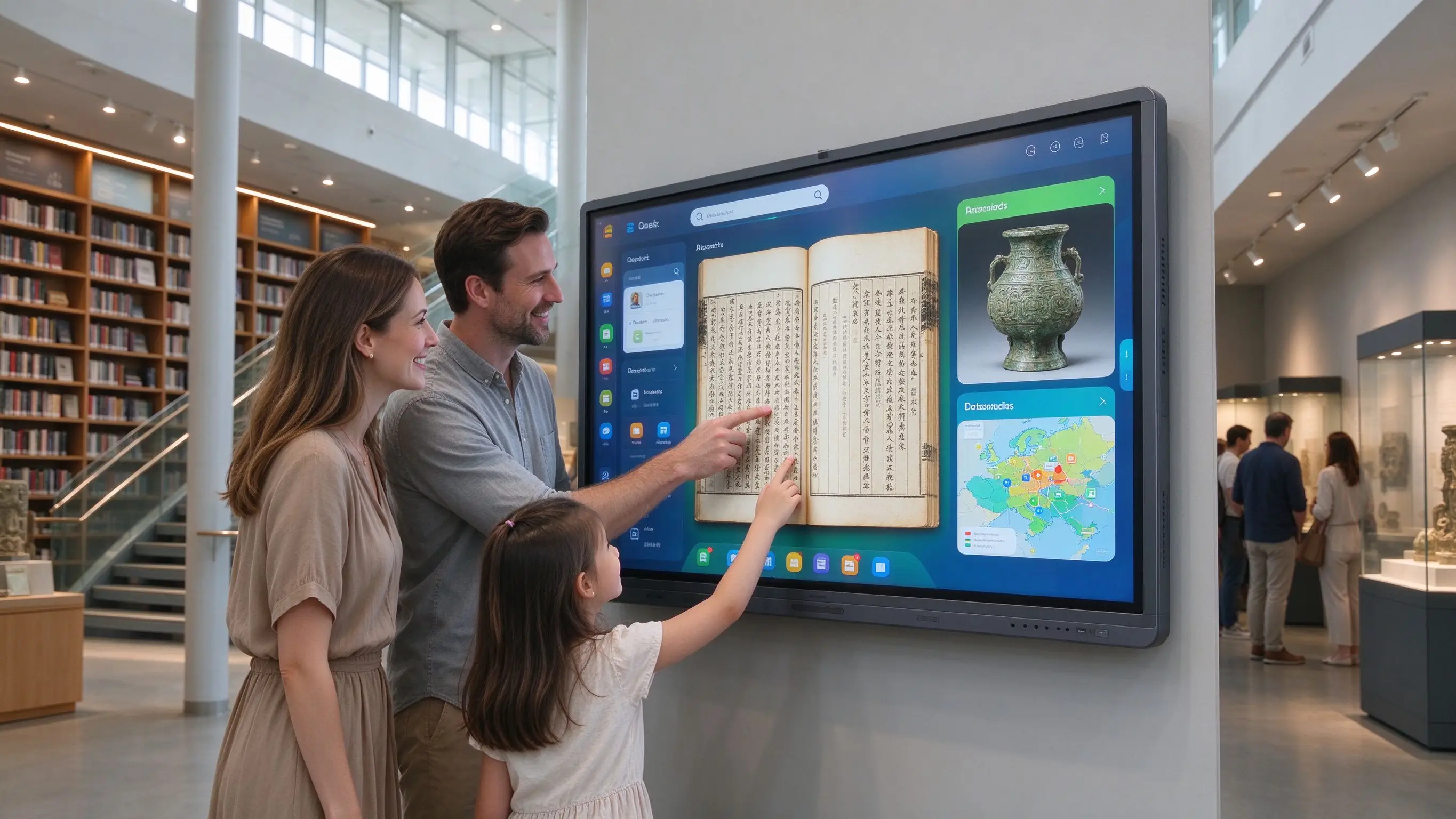
In the experience of traditional cultural venues, the bookshelves and bulletin boards of the library are rich in information, but visitors do not know how to find the theme materials quickly. The museum exhibits have limited space to show the complete background, history and related collections. Paper navigation and fixed display board update speed is slow. International visitors, children, seniors, and visitors with disabilities need different ways to access information. After the visitors visit, the content is difficult to continue to save and share.
The public cultural value of the interactive whiteboard is not to replace the exhibition board with a screen, but to change the knowledge and cultural content from "passive viewing" to "active exploration", and at the same time to make the venue have the ability of continuous renewal and unified management. The interactive display can support collection retrieval, topic filtering, high-definition image amplification, multimedia content, language switching, audio description and two-dimensional code extension access.
Qtenboard (Shenzhen Qunmao)Founded in 2005, it has been deeply engaged in commercial display manufacturing for 20 years. It has 330,000 ㎡ intelligent manufacturing industrial parks, 16 factories, 8 fully automatic production lines and a daily production capacity of 200 units in Shenzhen and Guangzhou, serving 120 countries and regions in the world. The Qtenboard product line covers interactive whiteboards, LCD video walls, digital signage, touch query machines, transparent OLED displays and hanging double-sided window digital signage, providing a complete solution from hardware to CMS content management for libraries, museums, science and technology museums and public cultural spaces.
The area of the exhibition board is limited. An exhibit can only show a small amount of instructions. Paper materials cannot accommodate video, audio and three-dimensional materials. The update of the library bulletin board depends on manual production. Complex topics need multiple exhibition boards and manuals to assist. In a typical museum exhibition hall, the explanatory board next to an important cultural relic is usually only 200-400 words, which cannot carry the complete historical background, unearthed process, restoration story and related collection links of the cultural relic.
After the theme of the exhibition changes, the materials need to be re-made, the activity time, lecture arrangement and collection information are easy to expire, multiple venues cannot be updated synchronously, and the correction cost of wrong content is high. A temporary exhibition usually takes 3-6 months from planning to layout, and the production of exhibition boards and material printing take up a lot of time.
Visitors mainly watch and read, children and young people lack interactive entrance, visitors can not actively search for interesting content, and there is a lack of exploration path between exhibits and knowledge.
Fonts and captions are fixed, audio descriptions and subtitles are missing, wheelchair visitors may not be able to operate screens that are too high, color, contrast and interface complexity are not fully considered, and older people and visitors who are unfamiliar with digital devices need more guidance. Public cultural interactive display projects should consider digital accessibility principles such as WCAG, including adjustable font size, high contrast, screen readers, alternative input, subtitles, audio descriptions, and installation height suitable for wheelchair visitors.
I don't know which exhibits visitors are most concerned about, I can't count the completion rate and stay time of exhibition items, I can't evaluate the interaction effect of different exhibition areas, and I lack digital records of activity content and visitor feedback.
Show the venue map, check the location of the exhibition hall, find toilets/elevators and barrier-free passages, check the activity time, provide route planning, and display the current flow of people and waiting time. The Qtenboard supports vertical screen and horizontal screen installation, and can be flexibly configured according to the venue moving line.
Filter by age, theme, region or type, view high-definition details, zoom in on textures/inscriptions and craftsmanship, compare different versions, view related collections, and watch expert presentations. Qtenboard 4K UHD resolution and 20-50 touch ensure that high-definition images and fine details are clear and accessible.
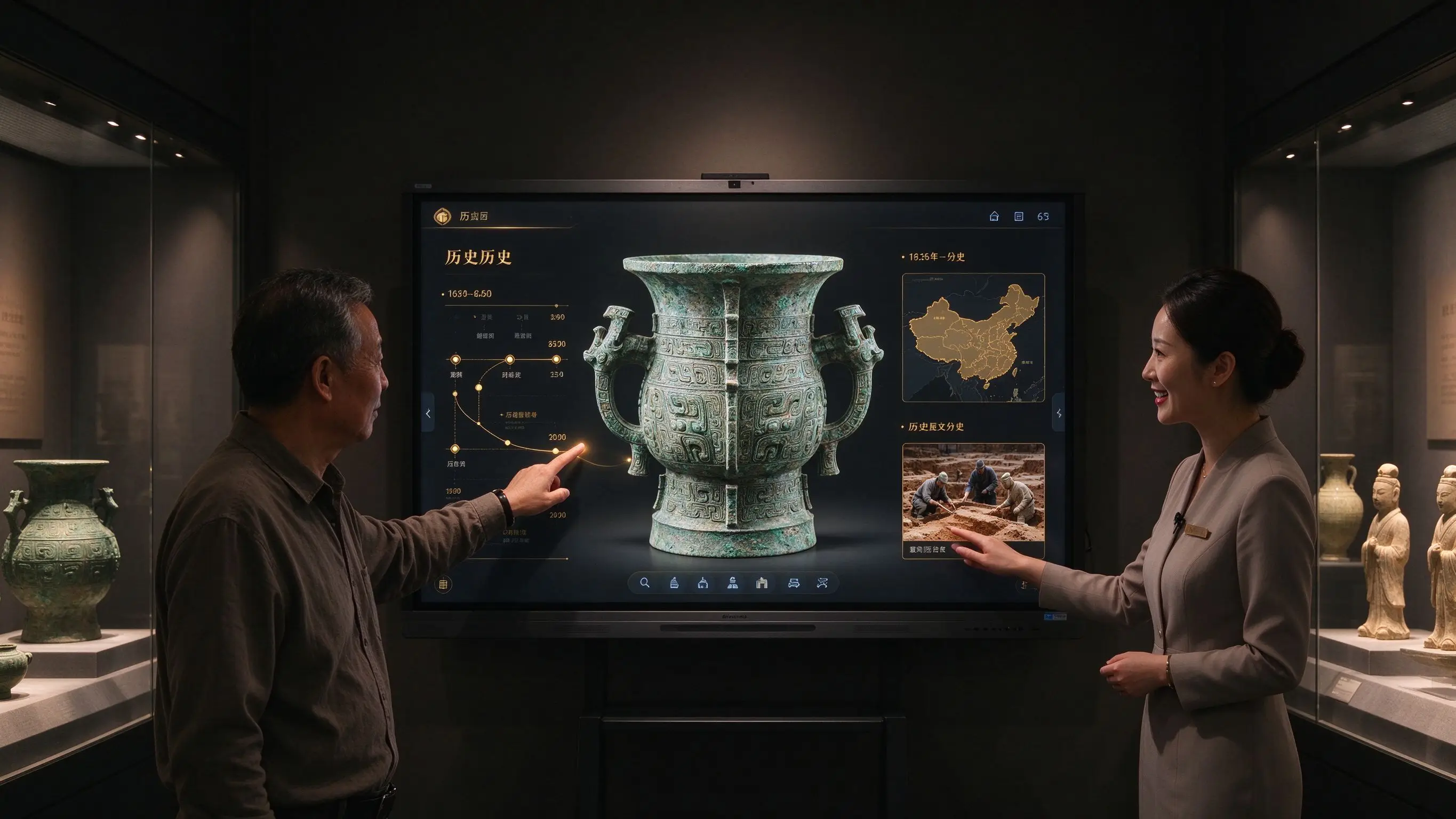
Show the history behind cultural relics, play the restoration process, show the archaeological site, simulate the original use of cultural relics, explain complex historical events through animation, and provide multi-layer information for physical exhibits.
Interactive quizzes for children, cultural knowledge games, thematic lessons, interactive timelines, virtual archaeology, language learning, lectures and study activities. Qtenboard Windows OPS support to run interactive educational software.
Multi-language switching, large font size, high contrast, text to speech, audio description, video subtitles, sign language video, alternative input devices. The Qtenboard supports 166 language display, and can configure multi-language interface according to the needs of the venue.
Headquarters unified management of content, by venue/floor and exhibition area update, regular release of activities and announcements, remote monitoring of equipment status, statistics of visitor interaction data, support after the end of the exhibition content replacement. Qtenboard CMS supports multi-venue grouping management and remote content publishing.

Visitors can search the title, author and subject of the book through the touch screen, query the location of the collection, check the borrowing status, find e-books and databases, reserve books, obtain recommended bibliographies and generate reading lists. Qtenboard interactive whiteboard supports multi-window display, visitors can view search results, book details, and collection location at the same time.
Zoom in on ancient text and illustrations, view page-flipping animations, compare different versions, understand the preservation and restoration process, search for historical figures and themes, and access complete digital resources through QR codes. Qtenboard 4K resolution and AG anti-glare glass ensure that the details of ancient books are clearly readable in the library lighting environment.
Interactive picture books, story maps, role and plot exploration, children's reading challenges, theme book lists, parent-child activity registration, reader work display.
Find reading rooms, find self-study areas, view activity rooms and lecture arrangements, plan barrier-free routes, inquire about opening hours, display emergency notices and operational announcements.
The lecturer shows the courseware and materials, the audience comments together, remote experts access, save the lecture content, support multi-language subtitles, and share the two-dimensional code of the materials to the audience. Qtenboard Q AI supports real-time subtitling and translation in 166 languages, suitable for international academic lectures.
Reader satisfaction survey, new book recommendation voting, activity registration, reading preference collection, public cultural needs feedback, community co-creation content.
Show the basic information of cultural relics, view the historical background, enlarge the process and details, watch the expert explanation, view the relevant unearthed sites, and understand the restoration process. Qtenboard supporting touch magnification and detail viewing, visitors can independently explore every detail of the cultural relics.
Browse by age, view dynasties/regions and character relationships, place different exhibits into timelines, compare cultural developments over the same period, and support maps and historical event associations.
Show the origin of cultural relics, view the Silk Road/maritime trade or migration routes, explore the spread of exhibits through maps, understand cultural exchanges in different regions, and plan thematic visit routes.
Simulate excavations, observe formations, identify fragments of cultural relics, choose restoration methods, understand archaeological records and conservation processes, and use games to understand professional work.
Show the original state of cultural relics, restore historical buildings, show ancient cities, compare before and after restoration, view the internal structure of cultural relics, and connect with AR/VR projects.
Children's answers, student task cards, thematic knowledge entry, interactive maps, collective discussions, export of research results, and teacher curriculum assistance.
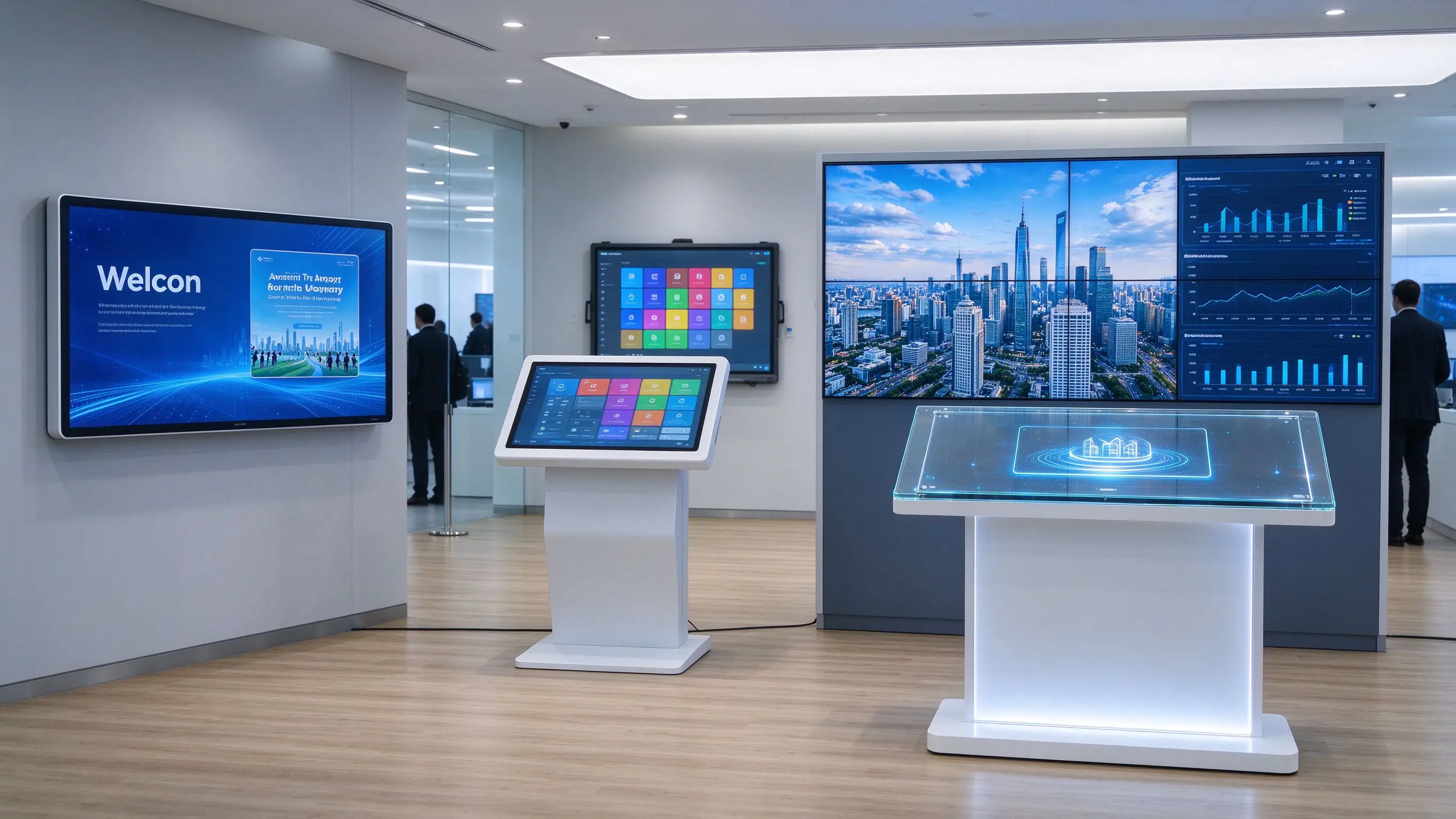
Not everything requires touch, and venues should select devices by task. Museum digital signage itself belongs to the operation infrastructure and is mainly used for welcome, guidance, exhibition, activities and member information. Interactive exhibition items undertake active exploration of visitors and in-depth interaction of content. The two should not be confused when purchasing.
| Application Tasks | Recommended equipment | Main content |
|---|---|---|
| Welcome, Announcements and Event Information | Digital Signage | Opening hours, announcements, announcements |
| EXHIBITS DEEP EXPLORE | Interactive whiteboard/touch screen | Search, zoom in, video, graphics |
| Museum-wide guide | Touch navigation screen | Maps, routes, elevators and toilets |
| Large Immersive Display | LED, projection, AR/VR | Scene recovery and immersion experience |
| Lectures and training | Interactive Flat Panel | Courseware, annotation, distance teaching |
| Collection Database Query | Touch terminal or interactive display | Classification, Retrieval, Appointment |
| Multi-screen unified content management | CMS/DMS system | Content release, equipment monitoring |
The Qtenboard also provides digital signage, interactive whiteboard and LCD video wall, which can be flexibly combined and configured according to the tasks of different areas of the venue.
Adjustable font size, high contrast mode, clear font, enlarged exhibits details, reduce complex background, not only rely on color to convey information, support screen readers (such as system compatibility). Qtenboard supports screen reader compatibility and tunable display parameters.
All videos provide subtitles, audio content provides text version, provides audio description, supports headphone interface, key prompts provide visual reminders, and supports sign language video. Qtenboard Q AI supports real-time subtitle generation.
Suitable for wheelchair height, reserve enough operating space, support input methods other than touch control, set up physical buttons/keyboard or trackball (if required by the project), the screen support is stable, and the operating area is not blocked by furniture. Qtenboard support can lift bracket scheme.
Simple guidance, step-by-step navigation, clear return button, unified page structure, avoid complex professional terms, allow gradual expansion of information, provide a variety of content difficulty.
Chinese, English and local languages, language switching is always visible, the translated content is manually reviewed, the consistency of professional terms of cultural relics is retained, and extended reading of two-dimensional codes is supported. The public cultural interactive screen should allow real visitors with different abilities to participate in the test during the development stage, rather than supplementing the barrier-free function after the project is completed.
Qtenboard provide a complete product line of public cultural display: 55-110 inch interactive whiteboard, 4K interactive display screen, digital signage (wall hanging/vertical/hanging type), LCD video wall (43-75 inch, 8mm-0mm stitching), touch inquiry integrated machine (15.6-32 inch, PCAP touch, built-in thermal printer and QR scanner), transparent OLED display screen (13.3-27 inch, transparency up to 45%), CMS/DMS content and device management. Qtenboard public information shows that its product range covers interactive flat panels, digital signage, kiosk, LCD video walls and other commercial display devices, and can provide combined display products for libraries, museums, exhibition halls and public cultural institutions.
Venue Logo and startup interface, exhibition theme UI, content language and navigation, custom interactive map, exhibit database entrance, interactive game and education template, screen size and installation method, vertical/wall hanging or embedded structure, CKD/SKD local assembly, unified deployment of multiple venues. The Qtenboard has its own injection molding production line, from raw materials to finished shell all independent production, support depth OEM/ODM customization.
A provincial library treasures a large number of ancient books, but the ancient books can not be read directly for a long time, the paper copies show limited details, readers are difficult to understand the historical background and version of the relationship.
After deploying Qtenboard 86-inch interactive whiteboard, the high-definition page of ancient books will be displayed on a large screen, supporting enlargement, page turning and local annotation. Readers can view people, places and time lines, provide text transcription and multilingual explanation, and scan codes to continue reading complete digital resources. After deployment, access to the digitized ancient texts increased threefold, and the proportion of young visitors rose significantly.
The exhibition of a history museum shows that the area is limited and the visitor's stay time is short. The content cannot be reused quickly after the exhibition.
After the deployment of Qtenboard 65-inch interactive whiteboard, the screen displays high-definition details of cultural relics, visitors explore according to theme/age and technology, cooperate with historical maps and restoration videos, support multi-language and barrier-free modes, and update exhibition contents through CMS. After deployment, the average stay time of visitors increased by about 40%, and the completion rate of interactive content reached 65%.
There are 5 venues under a city's cultural bureau. The information on announcements, activities and tours in different venues is not uniform. The equipment status depends on on on-site maintenance and the content update cycle is long.
After the deployment of Qtenboard CMS, the headquarters unified management, according to the venue and regional grouping release content, remote monitoring equipment online status, unified multi-language and barrier-free content, statistical interaction/completion rate and visitor feedback. Content update time was reduced from an average of 3 days to 30 minutes, and device management labor was reduced by approximately 60%.
| Indicator category | Traditional method | Qtenboard Programme |
|---|---|---|
| Visitor interaction rate | Static display board, passive viewing | Interactive participation, 40% longer stay |
| Content updated | Material production and printing, 3-7 days | CMS remote update, complete in 30 minutes |
| Multi-venue management | Maintenance by venue, manual inspections | DMS unified monitoring, labor reduced by 60% |
| Ancient Books/Cultural Relics Visit | Subject to physical protection | Digital traffic increased by 3 times |
| Accessibility | Limited support | Font Size/Subtitle/Audio/Wheelchair Height Full Support |
| Exhibition content switching | Remake the display board | CMS template reuse, quick switching |
The data is based on Qtenboard typical public culture deployment scenarios, with actual results varying depending on the size of the project and how it is used.
Playing a welcome message does not equal visitor interaction. Choose digital signage, interactive whiteboards, or immersive systems based on your goals. The Qtenboard provides two products at the same time, which can assist the venue to configure according to regional tasks.
There are a lot of animations and special effects, but visitors don't know how. Correct approach: first determine the knowledge goal and access path.
The font is too small, the contrast is insufficient, the screen is too high, or there are no subtitles. Accessibility should be done at the content and hardware design stage, not later additions.
The exhibits were changed, the screen contents were not synchronized, and the information was still playing after the event. Mechanisms for content review, release and withdrawal should be established. Qtenboard CMS supports scheduled release and remote recall.
Peak traffic, frequent touch, dust and cleaning all affect the device. Glass, structure, bracket and after-sales need to be confirmed. The Qtenboard adopts 9H tempered glass and AG anti-glare coating, which supports wiping with common cleaners.
Public cultural programs also include content production, software, installation, training, CMS, maintenance and updates. The full project TCO assessment should be used.
Should libraries and museums use interactive whiteboards or touch inquiry machines?
If it is a small-scale self-service inquiry, the touch inquiry machine may be more appropriate. If multiple people are required to watch, lecture, study, exhibit explanation and team interaction, interactive whiteboard or large-size interactive display screen is more suitable. The Qtenboard offers two product lines at the same time, which can be flexibly combined according to the venue space and tasks.
Can an interactive whiteboard be used as a museum exhibit description screen?
It can be used for in-depth introduction of exhibits, HD magnification, historical timeline, map, repair process, multilingual and interactive Q & A. You need to ensure that screen brightness, anti-glare, content navigation, and venue dynamics match. Qtenboard AG anti-glare glass and 4K UHD resolution ensure that the cultural relics details are clearly readable under the lights of the exhibition hall.
Do public cultural interactive screens need to support accessibility?
Accessibility is recommended as the basic requirements of the project, including font size adjustment, high contrast, subtitles, audio description, text-to-speech, reasonable installation height and alternative input methods. Qtenboard supports liftable stand schemes and screen reader compatibility.
How do I connect to a library or museum database?
Integration based on collection database, library system, CMS, content API, and network security requirements is required. The interactive whiteboard is a display and operation terminal, and the specific database interface is usually implemented by the project software party or system integrator. Qtenboard Windows OPS can run the database client and content management software.
Can Qtenboard provide the museum's overall exhibition system?
Qtenboard can provide interactive flat panels, digital signage, LCD video walls, touch devices, Android/Windows systems, and OEM/ODM hardware customization; interactive content, collection databases, CMS, and immersive applications can be completed in conjunction with exhibition companies or software integrators.
How do I get a quote for a library or museum project?
It is recommended to submit venue type, number of screens, size, installation method, interactive content, language, accessibility requirements, CMS requirements, destination and delivery time. This allows Qtenboard to evaluate standard products, custom hardware, or multi-venue project proposals. Independent OEM production lines ensure that customization does not affect the delivery of standard products, and CKD/SKD local assembly mode helps reduce tariff costs.
If you are planning a library, museum or public cultural space digitization project
The Qtenboard provides 55-110 inch interactive whiteboard, LCD video wall (43-75 inches, 8mm-0mm stitching), digital signage, touch inquiry all-in-one machine (15.6-32 inches), transparent OLED display screen, CMS content management and DMS device management, and supports OEM/ODM/CKD/SKD customization.
Get a guide to Qtenboard public cultural display options, or book a factory tour and prototype testing.
 Partner Links:

 en
 中文

 Previous:
 Return to list

