 Current location:
Home
> News > Product News > Interactive Flat Panel
 Release date: 2026-09-29
 Clicks:0
From financial data analysis and design reviews to manufacturing process collaboration, explain how interactive whiteboards can help different industries transform complex information into visual discussions, clear decisions, and execution tasks
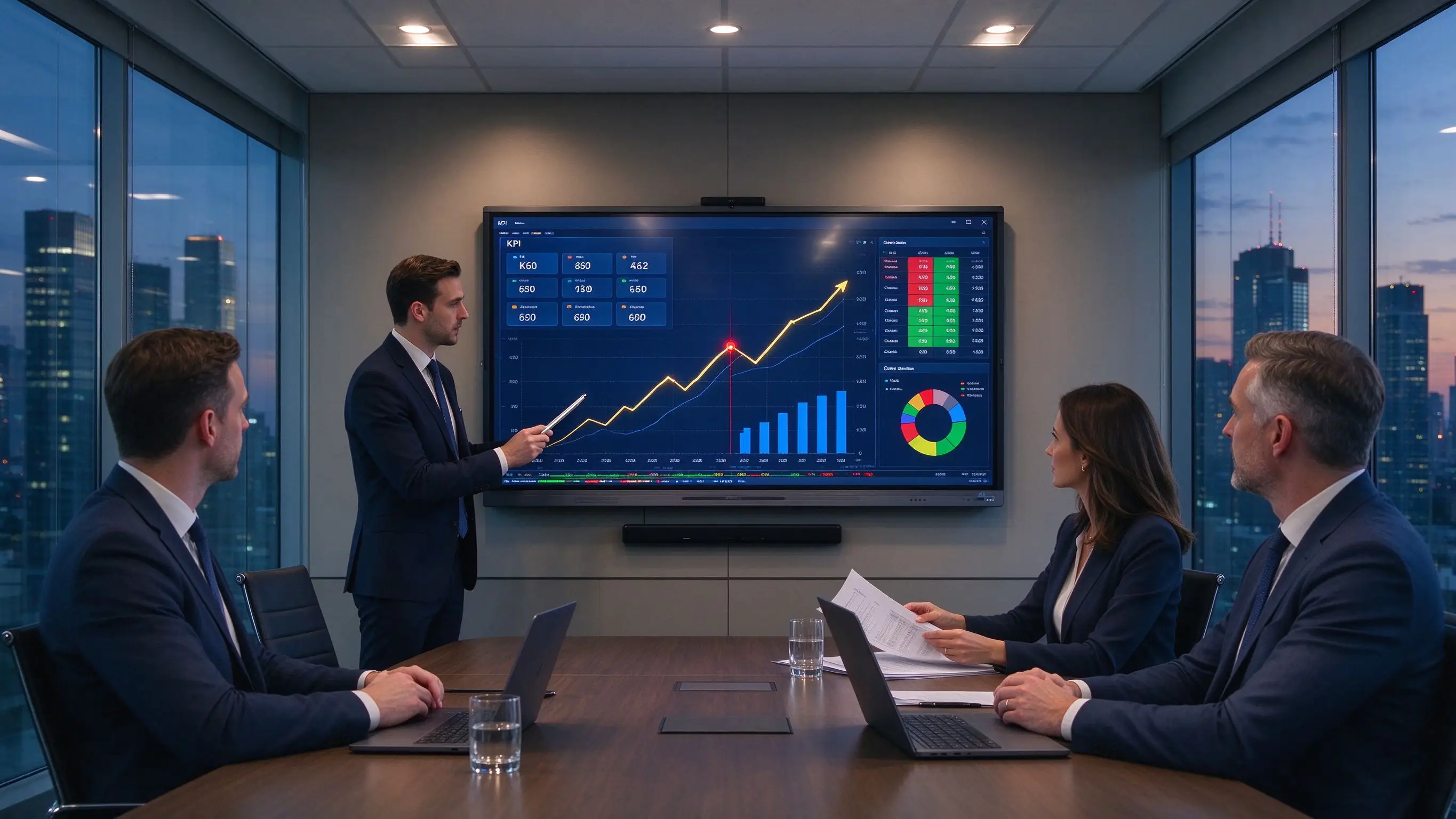
The financial team looks at the data, the design team looks at the drawings, and the manufacturing team looks at the process. In financial meetings, analysts present real-time data, trend charts and risk indicators, management needs to compare multiple scenarios, account managers need to explain financial products, and sensitive data cannot be exported or shared at will. In the design review, designers show 3D models, prototypes and blueprints, customers, engineers and project managers jointly annotate, design changes need to be saved by version, and remote teams may be located in different cities or countries. In manufacturing collaboration, engineers look at process flow, equipment drawings and simulation results, quality teams mark defects, production teams discuss bottlenecks and improvements, and suppliers and overseas factories need to solve problems simultaneously.
The value of an interactive whiteboard depends on its ability to fit into industry workflows. The financial industry needs secure data visualization, the design industry needs precise drawing collaboration, and the manufacturing industry needs stable process management and on-site decision-making. The same screen, different configurations and software can produce different industry values.
Qtenboard (Shenzhen Qunmao)Founded in 2005, it has been deeply engaged in interactive display manufacturing for 20 years. It has 330,000 ㎡ intelligent manufacturing industrial parks, 16 factories, 8 fully automatic production lines and a daily production capacity of 200 units in Shenzhen and Guangzhou. It serves 120 countries and regions in the world and has served more than 15,000 enterprise customers. The Qtenboard interactive whiteboard covers 55-110 inch full-size segments, is equipped with Q AI system-level framework and MediaTek Genio 520 platform, supports Android Windows OPS dual systems, and provides vertical industry collaboration solutions from hardware to software for finance, design and manufacturing.
Data sources are scattered, Excel, BI systems, PPT and reports are used in parallel, screen space is not enough to display multiple indicators, remote teams are difficult to analyze together, customer information and investment data involve privacy, and the decision-making process needs to keep records and bases. In a typical asset allocation meeting, analysts need to open the market data terminal, Excel model and PPT report at the same time, and it is difficult for participants to see the complete information correlation on the same screen.
Applicable content:Market trends, asset allocation, risk indicators, operational data, financial statements, customer structure, sales pipeline, budgets and forecasts, KPI dashboards.
Qtenboard applications:Display data and reports across multiple windows simultaneously, annotate outliers on trend charts, discuss different scenarios, categorize data, document analysis findings, and assign action items to the team. The Qtenboard’s 4K UHD resolution and optional brightness of 350–500 nits ensure that small text and detailed charts in financial data remain clear and easy to read.
Financial interactive display solutions usually emphasize big data analysis, complex information visualization, multi-person collaboration and split-screen processing capabilities; enterprises should further confirm data security, permissions, system interface and screen readability. The Qtenboard provides a paperless meeting system integration solution for bank meeting rooms, supporting voting, sign-in, work reporting, microphone management and real-time collaboration [reference:0].
Commercial Display:Introduction to wealth management products, loan and insurance solutions, interest rate and yield simulations, customer needs questionnaire, queue management and call‑number system, business process explanations, corporate culture presentation.
Interactive Value:Customers can learn about the product on their own, and account managers can jointly configure scenarios, replace complex verbal explanations with data and graphics, and generate customer focus and sales leads. Qtenboard K-Series smart kiosk supports HD touch screen and AI voice interaction, 3 seconds fast response, bank-level security, 7 × 24 hours stable operation [reference:1].
| Configuration item | Recommended specifications | Qtenboard support |
|---|---|---|
| Size | 75/86/98 inches, selected by conference room depth | Covers a 55-110 inch full-size section |
| Display | 4K UHD, high contrast, clear small print | 4K UHD, 350–500 nits brightness optional |
| System | Android Windows OPS双系统 | Android 14/16 Windows OPS,切换<3秒 |
| Multiple windows | Presentation of BI, reports and video conferencing at the same time | Supports multi-window and split-screen operations. |
| Safety | Enterprise domain, VPN, DMS permission management | DMS multi-level permissions, local data processing |
| Collaboration | Wireless screen mirroring, camera, microphone | Up to 9 devices screen at the same time |
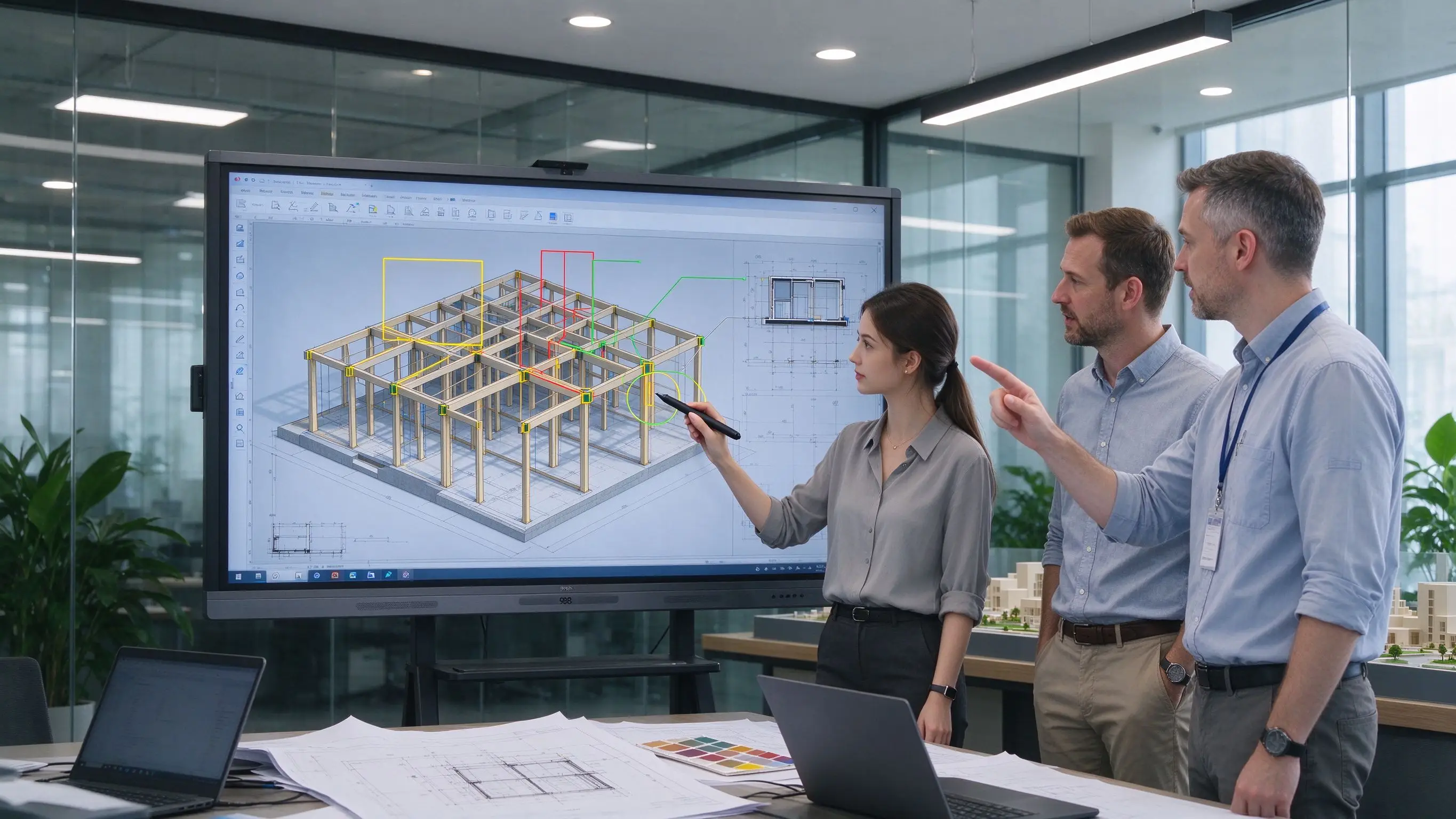
Design documents are professional, complex, high information density, customers need to understand the design intent, designers and engineers focus on different points, version modifications are easy to miss, remote annotations are difficult to accurately correspond to drawing areas, design/materials/cost and construction constraints need to be discussed at the same time. In a typical architectural design review, a BIM model may contain tens of thousands of components, and the traditional PDF printing annotation method cannot carry a complete information level.
Display content:CAD drawings, BIM models, building plans, sections, elevations, materials and construction nodes, project progress, site photos.
Qtenboard applications:Zoom in on details, annotate construction nodes, mark dimensions and problems, compare design versions, discuss with multiple people at the same time, review drawings synchronously by remote teams, generate problem lists and modify responsibilities. The Qtenboard Windows OPS module supports running CAD and BIM software, and the 86/98 inch large screen ensures that the details of the drawings are clearly visible.
The design team can move, modify and annotate design elements together on the large screen, reducing drawing printing and multi-round email communication. Architects and designers can share and modify blueprints, schematics, and design content in real time using connected interactive displays. The persistence of digital annotations is a core value of the design industry: annotations on traditional whiteboards are erased after a few days, while annotations on digital whiteboards are saved layers-timestamped, attributable, retrievable, and can be called directly when the same problem occurs again in subsequent stages [reference:3].
Product appearance, structural design, man-machine interface, prototype diagram, color and material, user process, trial production feedback, engineering changes. Qtenboard support high-precision touch and stylus operation, designers can draw sketches or modify 3D models directly on the screen.
Advertising creativity, visual manuscript, brand specification, store layout, video script, exhibition vision, social media content. Qtenboard AG anti-glare glass and 4K UHD resolution ensure that colors and details are accurately presented in creative reviews.
| Configuration item | Recommended specifications | Qtenboard support |
|---|---|---|
| Size | 86/98 inch large screen | Cover 86/98/105/110 inches |
| Display | 4K or higher, color performance and brightness uniformity | 4K UHD, color calibration |
| Touch control | High-Precision Touch, Stylus/Magnetic Pen | 20-50 touch, 1.5mm accuracy |
| System | Windows OPS or High Performance Workstation | Windows OPS(i5/i7可选) |
| Software | CAD/BIM/Adobe/Figma兼容 | Support mainstream design software operation |
| Collaboration | Multi-window and remote collaboration | Up to 9 devices to screen, support remote annotation |
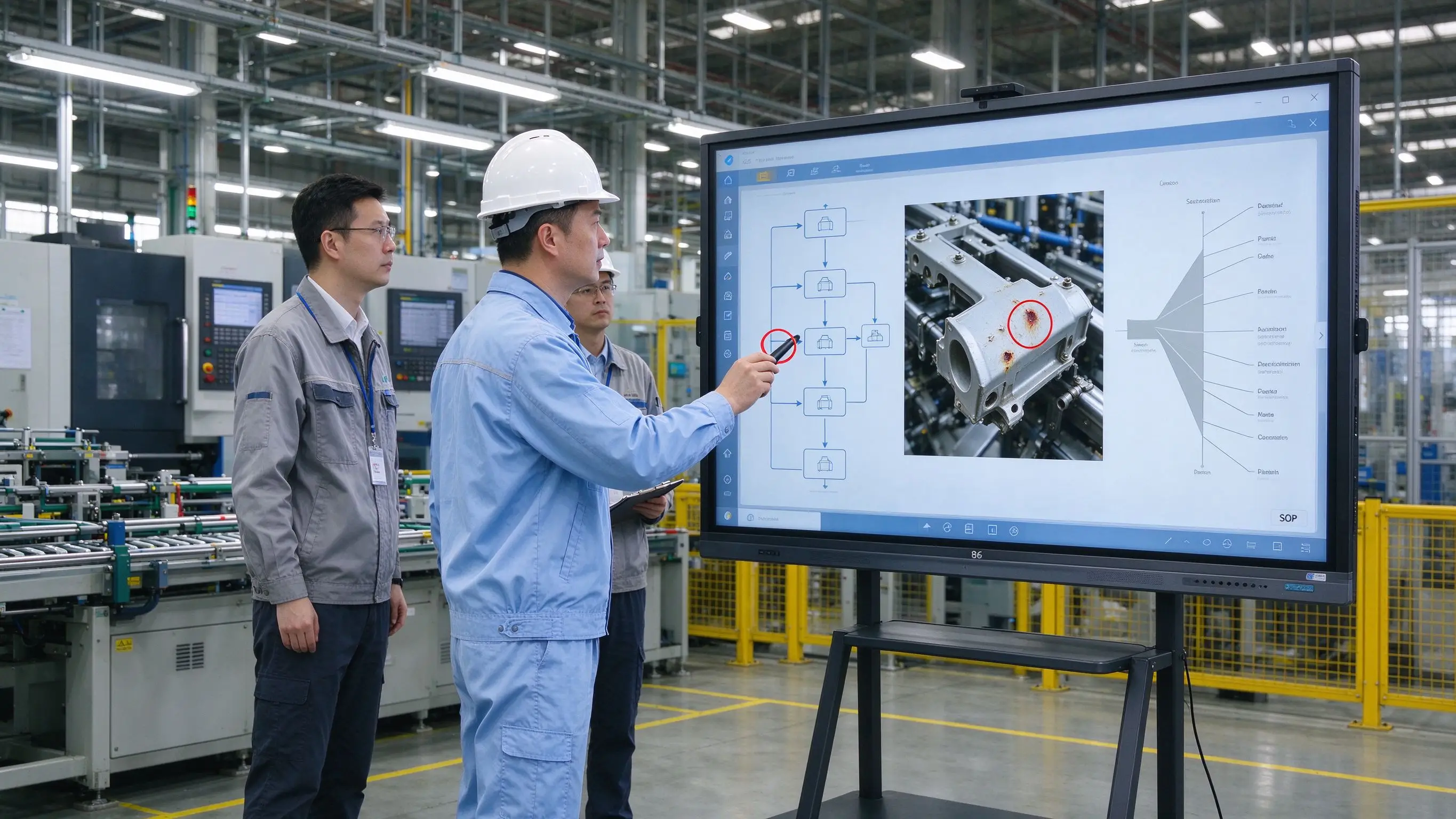
Research and development, process, production and quality use different data, on-site problems are difficult to quickly feedback to the engineering team, the process is complex, training content is difficult to standardize, suppliers and overseas factories have a long collaboration cycle, quality problems need to be traced back to equipment/batches and processes, production meetings are easy to stay in oral reports. In a typical morning meeting of a manufacturing company, production plans, quality data, and equipment status are scattered in different systems, and the team leader needs to communicate a lot of information verbally.
Application content:3D models, CAD drawings, BOM, engineering changes, simulation results, material and structural solutions, reliability tests.
Qtenboard workflow:Import model and technical data → multi-team labeling problems → classify by structure/function/cost and risk → confirm engineering changes → generate responsible person and completion time → save review version.
Show SOP, mark operation steps, demonstrate equipment use, play production videos, conduct safety training, compare correct and wrong operations, and save training records. Qtenboard support Windows OPS to run MES/ERP and quality software.
Display defect photos, mark product problem areas, compare good and bad products, analyze production line data, draw fishbone diagrams and flow charts, record corrective and preventive actions, and track problem closure status. Manufacturing teams can use interactive displays to display simulation results, field annotations and engineering data, and quickly share problem information; this kind of ability is particularly suitable for R & D, lean production and quality improvement.
The actual case of Japan's NISSing Seiko shows that the enterprise uses an interactive whiteboard to manage daily engineering sheets, projects engineering sheets created in production management software or Excel onto a large screen, updates them by hand, and immediately converts change points into clear text through OCR (book clearing). Updated history can be called up easily, scene awareness is increased, omissions and errors are reduced. Design reviews are also transferred from paper drawings to CAD data on whiteboards, where details are discussed in depth while writing on the big screen [reference:4].
| Configuration item | Recommended specifications | Qtenboard support |
|---|---|---|
| Size | 75/86/98 inches | Covers a 55-110 inch full-size section |
| Display | 4K, anti-glare, impact-resistant glass | AG anti-glare, 9H tempered glass |
| System | Compatible with Windows OPS,CAD and simulation software | Windows OPS(Genio 520平台) |
| Durability | Long time operation, adapt to industrial environment | 48 hours high temperature aging test, no fan dustproof design |
| Collaboration | Camera and remote expert support | Up to 9 devices, Q AI 166 languages |
| Management | DMS Remote Device Management | DMS unified monitoring, predictive diagnostics |
Industries are different, but they all need to turn complex information into common judgments.
| industry | Main content | Whiteboard core value | Key Configuration |
|---|---|---|---|
| Finance | Data, reports, risks, customer scenarios | Data analysis, scheme comparison, permission management | 4K, Multi-Window, Security, OPS |
| Design | Drawings, models, prototypes, materials | Accurate annotation, version comparison, remote review | 4K, high-precision touch, color, OPS |
| Manufacturing | Process, simulation, quality, equipment data | Engineering collaboration, problem analysis, on-site training | Large size, durable, Windows OPS, DMS |
B2B values shared by the three industries:Reduce paper documents, reduce repeated meetings, improve remote collaboration efficiency, save discussion content, speed up decision confirmation, make tasks and responsibilities clearer, support enterprise knowledge accumulation, and improve training and program reuse rate.
Q AI is not a cloud-based plugin; it is a native intelligent architecture deeply integrated into the hardware, software, and algorithm layers. The core transcription runs locally on the device and can be used without networking-essential for industry scenarios dealing with sensitive information such as financial data, design drawings and manufacturing processes. Q AI supports real-time translation and real-time subtitles in 166 languages, generates structured meeting minutes in 5 seconds, and automatically extracts action items.
The Qtenboard Genio 520 interactive tablet platform is based on the MediaTek Genio 520 (MT8371) chip, and the 8th generation MediaTek NPU is directly provided on the interactive tabletDedicated AI acceleration for 10 TOPS. Based on TSMC's 6nm FinFET process, the Genio 520 achieves high performance with low thermal output, enabling QtenboardFanless interactive tablet designMake it possible-essential for demanding acoustic environments such as design studios, manufacturing workshops and financial conference rooms. MediaTek’s official commitment to the Genio 520 is10 year standard supply life cycle(EOL 2035), eliminating the risk of obsolescence that consumer-grade SoCs usually phase out in 2-3 years.
Qtenboard support corporate brand logo, launch interface and UI, local language, pre-installed industry software, structure/bracket and accessories, certification documents, packaging customization, CKD/SKD local assembly. A dedicated OEM production line ensures that customization does not affect the delivery schedule of standard products; the lead time for custom orders is extended by only 3–5 days. Qtenboard operates its own injection molding production line, handling everything from raw materials to finished enclosures in-house, and supports in-depth OEM/ODM customization.
In the asset allocation meeting of a financial institution, data, market reports and customer information are scattered in multiple systems, multiple departments cannot jointly adjust the scheme, and sensitive data needs permission control.
After deploying Qtenboard 86-inch interactive whiteboard, the whiteboard displays BI data and portfolios, analysts mark risks and trends, management compares different asset allocations, meeting minutes and action items are saved, and follow up through enterprise systems. Qtenboard the paperless conference system supports multiple levels of authority (system administrator, conference secretary, general attendee), the conference secretary can create specific conference content without exposing sensitive information [reference:5]. The number of data switching is reduced by about 70%, and the scheme confirmation time is shortened by about 40%.
Designers, customers and engineers of an architectural design company are distributed in different cities. The opinions on drawing revision are not unified, and the version and responsible person are easy to be confused.
After the deployment of Qtenboard 86-inch interactive whiteboard, multiple parties jointly annotate and compare versions on the BIM model. Color, size and layout opinions are recorded in real time, forming a modification list and division of responsibilities. Markup is superimposed directly on the real-time BIM/CAD file instead of a flat PDF export. Annotations can be exported back to the model as coordinate sets or linked questions for use with the BCF workflow [reference:6]. The number of review rounds was reduced by about 35%, and the revision cycle was shortened by about 50%.
The quality problem photos, production data and process flow of a manufacturing enterprise are scattered, the on-site problems cannot be quickly transmitted to the engineering team, and the tracking of corrective measures is difficult.
After deploying Qtenboard 86-inch interactive whiteboard, display defect photos and process flow on the whiteboard, mark problem location and production process, use fishbone diagram to analyze root causes, assign improvement tasks, and track problem closure. The team leader uses the whiteboard for the production meeting every day, the change point is written directly on the screen, and the update history is automatically saved. The defect analysis time was reduced by about 45%, and the completion rate of corrective actions was increased to 92%.
| Procurement Focus | Finance | Design | Manufacturing |
|---|---|---|---|
| Display | 4K, small print clear, multi-window | 4K, accurate color, large screen | 4K, anti-glare, impact resistant |
| System | Windows OPS, Enterprise Domain/VPN | Windows OPS,CAD/BIM软件 | Windows OPS,MES/ERP |
| Safety | Multi-level permissions, data desensitization | version control, remote annotation | Durability, long-term operation |
| Collaboration | Wireless screen projection, video conferencing | Remote review, multi-screen collaboration | Camera, Remote Expert |
| Management | DMS Permissions and Auditing | DMS Batch Update | DMS Predictive Diagnostics |
Finance is concerned with safety, design is concerned with precision, manufacturing is concerned with durability and software compatibility. Should be selected by industry workflow. The Qtenboard supports a unified hardware platform, loading different software and management policies according to departments.
Without software, interfaces, and systems, 4K doesn't solve business problems. Real data, drawings and process documents shall be used for testing. Qtenboard provide prototype testing services.
CAD, BIM, BI, ERP, MES and financial systems have different requirements. Windows OPS or external workstation should be tested in advance. Qtenboard Windows OPS is based on the Genio 520 platform and offers optional i5/i7 configurations.
After multi-department and multi-location deployment, the maintenance cost is very high. DMS, remote update, and unified permissions should be configured. Qtenboard DMS supports multi-site unified management and predictive diagnostics.
Financial data, design drawings and manufacturing processes can all be sensitive information. Local processing, cloud policies, access rights, and data export mechanisms should be confirmed. Q AI core transcription runs locally, reducing data privacy risks.
After the equipment was installed, it was found that it did not conform to the working habits. A conference room, design review room or quality improvement team should be selected for the pilot. Qtenboard support for mockups and pilot deployments.
Can finance, design and manufacturing use the same interactive whiteboard?
The hardware platform can be the same, but the system, software, touch, audio and video, security and accessory configurations can be different. It is recommended to adopt a unified hardware platform, and then load different software and management strategies according to departments and industries. The Qtenboard supports Android Windows OPS dual systems, which can switch different industry configurations on one device.
Does the design company necessarily need an electromagnetic pen or high-end touch?
If drawing comments and scheme discussions are the main focus, infrared or high-precision capacitive touch may be sufficient; if pressure sensing, fine drawing, and professional handwriting are required, an electromagnetic pen or hybrid touch scheme should be evaluated. The Qtenboard supports 20-50 touch and stylus operations.
Does the manufacturing industry need to configure Windows OPS?
If running CAD, BIM, simulation, MES, ERP, or quality software is required, Windows OPS or high-performance external workstations should typically be evaluated. When only whiteboarding and video presentations are made, the Android may meet the basic needs. The Qtenboard OPS module is based on the Genio 520 platform and is available with i5 or i7 configurations.
How is sensitive data protected in financial meetings?
Enterprise account and rights management should be used to restrict wireless screen projection, USB export and visitor access, confirm data processing location, log and remote device locking mechanism, and follow enterprise information security policies. Qtenboard DMS supports multi-level permissions, Q AI core transcription runs locally.
Can Qtenboard provide vertical industry OEM/ODM?
Logo, UI, language, pre-installed software, OPS, camera, microphone, stand, packaging, certification and CKD/SKD localization delivery can be evaluated according to the project. A dedicated OEM production line ensures that customization does not affect the delivery schedule of standard products; the lead time for custom orders is extended by only 3–5 days. Qtenboard have over 20 years OEM/ODM experience and service network in 50 exporting countries [reference:7].
If you are planning an interactive whiteboard project in finance, design or manufacturing
The Qtenboard provides 55-110 inch full-size interactive whiteboard, Q AI system-level framework (166 language, local operation, 5-second minutes), Genio 520 platform (10 TOPS device-side AI, fanless mute design), Android Windows OPS dual system, DMS device management and OEM/ODM/CKD/SKD customization services.
Get a selection guide for Qtenboard vertical industry solutions, or book a factory tour and prototype testing.
 Partner Links:

 en
 中文

 Previous:
 Return to list

