Service Hotline:

+8615920011166

en en

Educational Interactive Whiteboard

55 "Educational Interactive Whiteboard 4K Touch All-in-One Machine Small Class/Tutoring Class Special for Eye Protection Teaching
Product Overview:

A 55-inch interactive whiteboard designed for small classes of less than 20 people, tutoring centers and language classes. 4K anti-glare screen 178 wide angle, clearly visible in the back row; Support 20-point low-delay collaborative writing and wireless screen projection, interactive teaching is more efficient. Built-in massive discipline resources, flexible installation of horizontal and vertical screens, dust-free eye protection.

Model:QM-55HY

Release time:2026-09-04

Nature:Manufacturer

Visits:0

Service Hotline

+8615920011166

Consult now
Product Introduction
QtenBoard Source Factory 55-inch Education Interactive Whiteboard/Intelligent Teaching All-in-One Machine
55 inch education interactive whiteboard -- The Great Wisdom of the Small Classroom
Designed for small classes with less than 20 people | 4K ultra-clear eye protection | multi-touch collaboration | zero dust and dust-free teaching
📐Golden ratio1.5-5 m best sight distance
👆Multi-touchThe whole class writes together
🛡Anti-glare eye protectionLow Blu-ray Certification
💰High cost-performance ratioSmall budget big upgrade
✔Source factory direct supply without intermediate price difference ✔Free on-site installation ✔National joint guarantee, complete machine warranty for 3 years ✔Teacher training support
55寸教育交互白板小班教室教师授课主图
❌Traditional projection is not clearLow brightness, lights to be turned off, bulbs often broken
→
❌The big screen cannot be put into the small classroom.65/75 inches in small class classrooms show congestion and depression
→
❌Chalk blackboard hurt the bodyMore dust, poor eye protection and weak interaction
→
✅A 55-inch full solutionClear, interactive, eye protection, dust-free, small classroom in one step
Scene Adaptation: 55 "Gold Positioning
55 inch gold positioning -Suitable for what classroom?
Pain point: The classroom is only 40 to 50 square meters, 65/75 inches can't be plugged, and the projection is not clear. What size should I choose?
The 55-inch interactive whiteboard is a "golden size" specially designed for small classrooms and boutique small classes: the classroom depth is less than 5 meters, the students are less than 20, and the back row within the best viewing distance of 1.5-5 meters can also see the details clearly, and the space and cost are just right.
🏫

Wide applicable space

Small classrooms, tutoring centers, language classes, early education centers, music/programming characteristic classrooms, with a classroom depth of less than 5 meters and less than 20 students are applicable.

Small class teaching equipment · Kindergarten all-in-one machine
👀

Ideal viewing distance 1.5-5 meters

According to the visual standard of human eyes, the students in the back row can clearly see every detail on the screen, saying goodbye to "can't see the back row deserted".

Golden Sight Distance · Best Viewing Distance
📐

Save more space than the big screen

Compared with 65/75/86 inches, 55 inches is more space-saving and flexible to install. It is specially designed for schools and institutions with limited space and budget sensitive.

Small classroom big screen replacement space adaptation
🖥️

One device, one machine with multiple functions

Set electronic whiteboard computer TV audio projector in one, a 55-inch teaching all-in-one machine to meet all teaching needs.
Teaching all-in-one machine · Multimedia teaching equipment
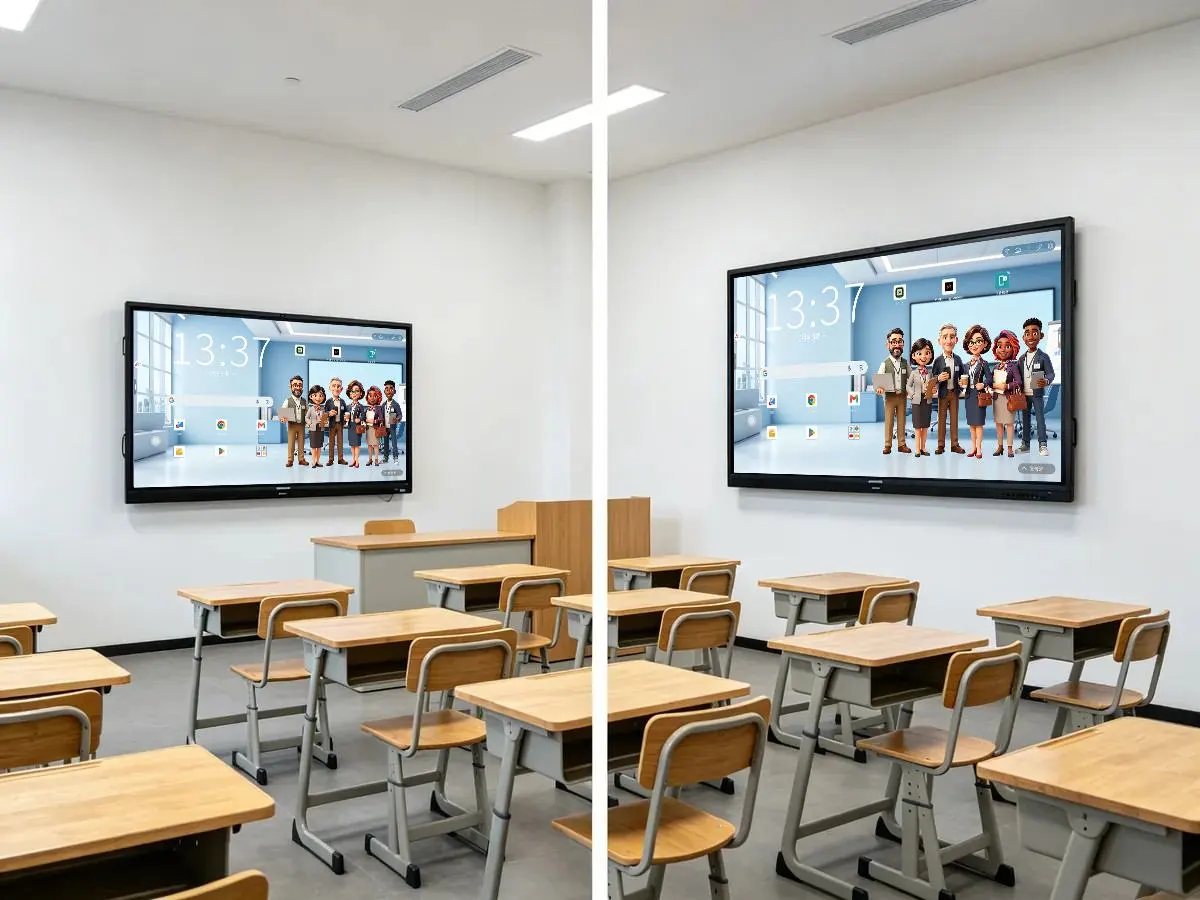
55寸与65寸交互白板小型教室空间对比
55 inches (left) in the small classroom proportion coordination, 65 inches (right) in the small classroom appears crowded-the size is not the bigger the better, the right is the best
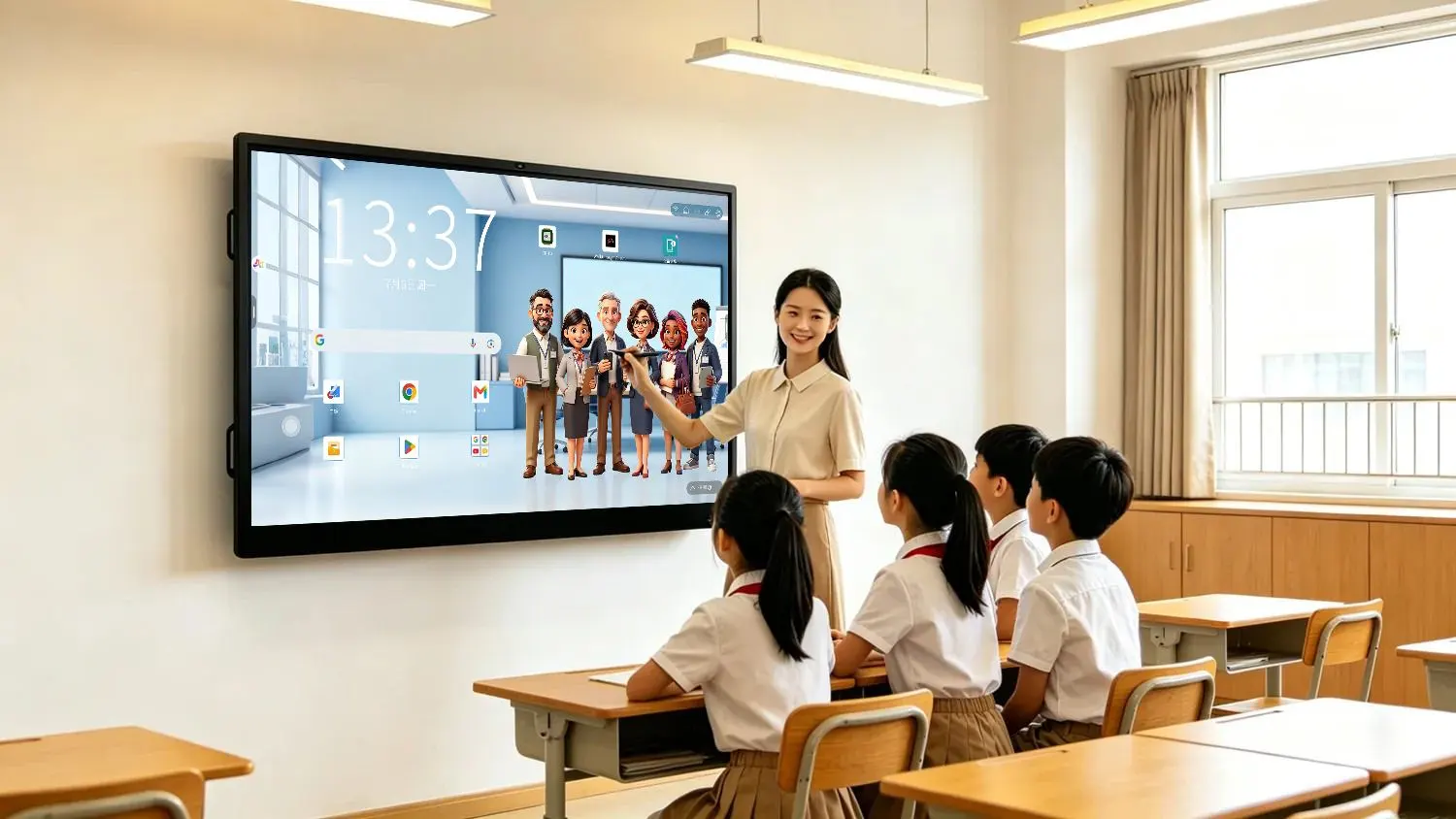
  • Kindergarten/Early Education Centre:55 inch height is moderate, 2 and a half year old children can also easily touch
  • Language Training/Tutoring Classes:Small class teaching, 4-6 person group interaction is just right
  • Music/Programming Features Classroom:Vertical screen and horizontal screen can be switched at will, one machine is multi-purpose.
  • Conference Room/Government Training Room:Same size, same for office training
Kindergarten Interactive WhiteboardLanguage Training WhiteboardMusic Classroom WhiteboardTutoring class teaching screenSmall class wisdom classroom
Visual Experience · 4K Ultra HD
4K visual experience -Small screen also has big clear
Worry: Will 55 inches not be clear enough? Will the students in the back and side not be able to see clearly?
QtenBoard 55-inch interactive whiteboard uses 4K ultra-high definition (3840 × 2160) panel, with high brightness, high contrast and 178 wide viewing angle, the small screen is also sharp and transparent.
🔍

4K Ultra HD 3840 × 2160

The text edge is sharp, the chart details are clear, the video is vivid and smooth, the courseware small font size, map annotation and experimental schematic diagram are clear at a glance.

4K teaching screen · HD touch screen
💡

High brightness · high contrast

The typical brightness is 350-450 cd/m, the contrast ratio is 4000:1 or more, and the classroom is also clearly visible in natural light during the day.

Highlight Anti-glare · Available during the day
👥

178 ° super wide viewing angle

Sitting in the corner and the side of the students can also see the screen, completely bid farewell to the traditional projection of the "dead" problem.

Wide viewing angle · No blind spot
🛡️

Anti-glare tempered glass

4mm tempered anti-glare surface, reduce ambient light reflection, long-term viewing is not dazzling.
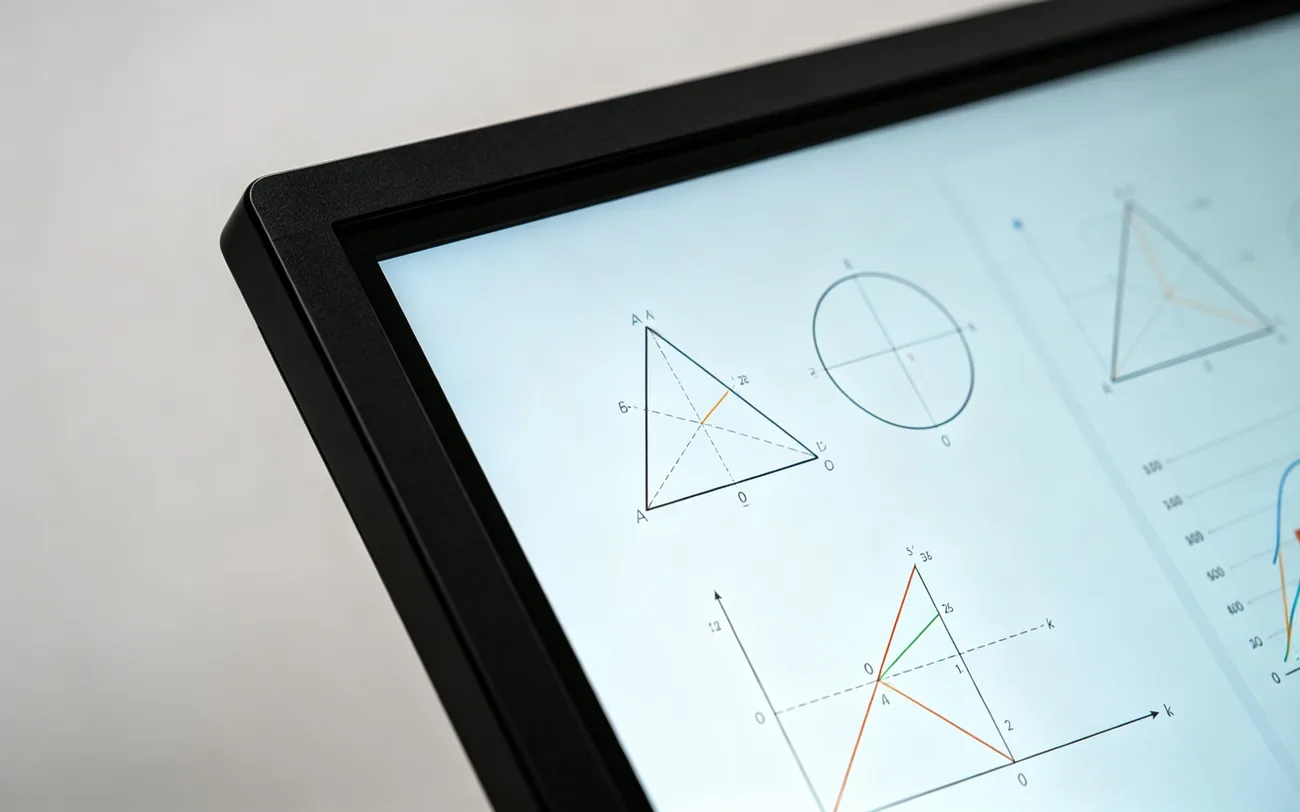
Anti-Glare · Anti-Reflection
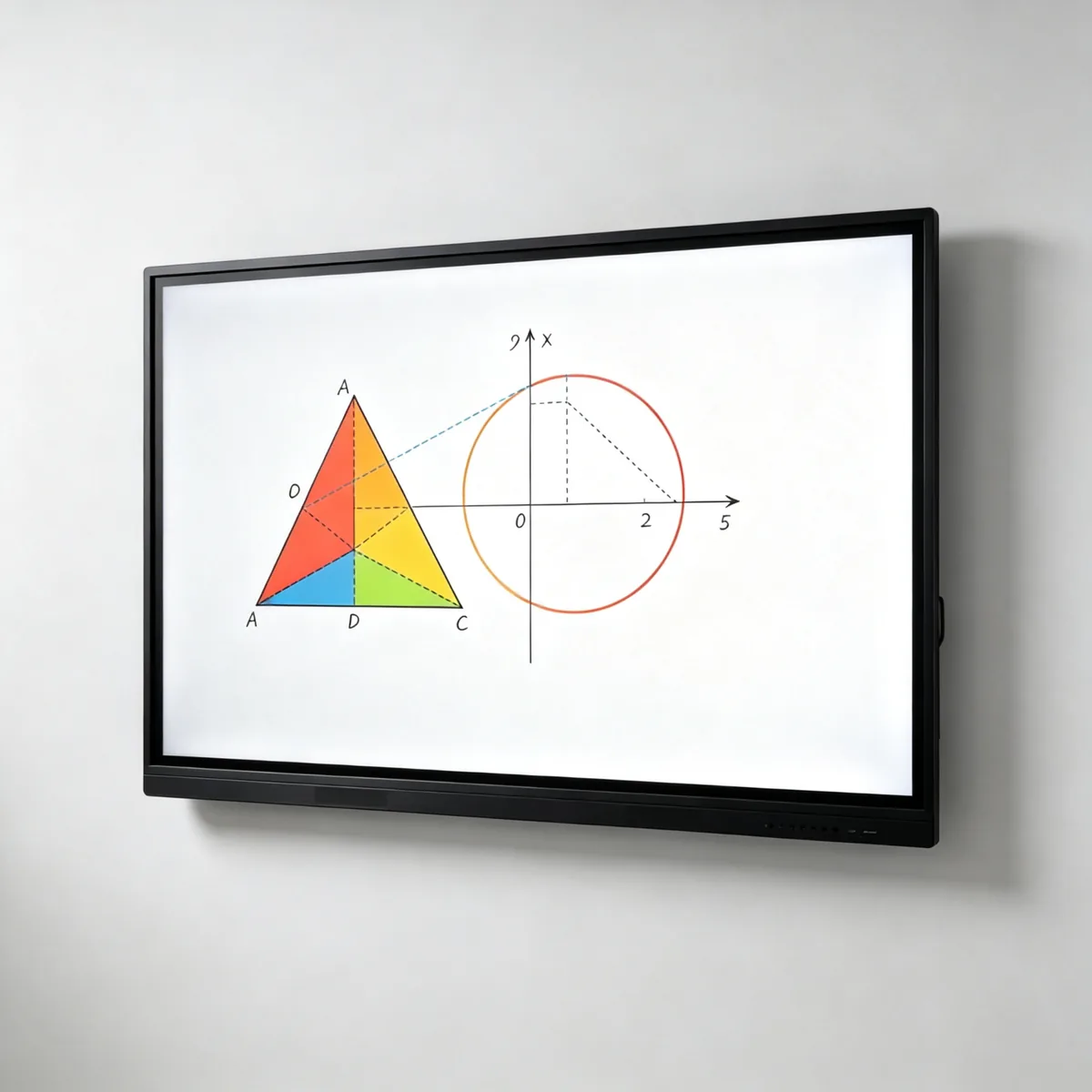
55寸交互白板4k超清屏幕细节
4K resolution geometry, coordinates and digital annotation sharp and clear, zoom is still delicate
  • Small font size courseware, map annotation, experimental schematic diagram-all clear and distinguishable under 4K
  • 60Hz high refresh rate, blackboard writing and video playback smooth without dragging
  • 16:9 standard ratio, compatible with existing PPT/video courseware
  • 60000 hours of panel life, to meet years of normal teaching use
4K Interactive WhiteboardHD teaching all-in-one machineClassroom interaction screen
Interactive collaboration · Engage every student
interactive collaboration Get every student involved.
Pain points: What should I do if the teacher speaks on the stage, the students are distracted off the stage, the classroom participation is low, and the interaction is poor?
From "teacher's talk" to "student's work":20-50 infrared touch low delay writing wireless screen projection, turning 55-inch whiteboard into "big paper and pen" shared by the whole class ".
👆

20-100 points infrared multi-touch

It supports multiple students to write, drag and drop and operate on the screen at the same time, which is suitable for group collaborative learning, mind map creation and math problem board performance.

Multi-touch whiteboard-Class Write Together
✍️

6ms low latency writing

The writing is smooth and natural, close to the real paper and pen/blackboard experience, no Caton, no hand, blackboard writing experience to mark the physical blackboard.

Low Latency Writing · Zero Chalk Experience
🤝

Group Collaboration Scenarios

Groups of 4-6 people stood in front of the whiteboard to solve problems, draw and design plans together. The classroom changed from "teacher speaking" to "student doing".

Group Collaborative Learning · Interactive Classroom
📲

Wireless screen mirroring

Students can at any time put the notebook/tablet screen to the whiteboard with one key to display the research results of the group and support multi-terminal access.

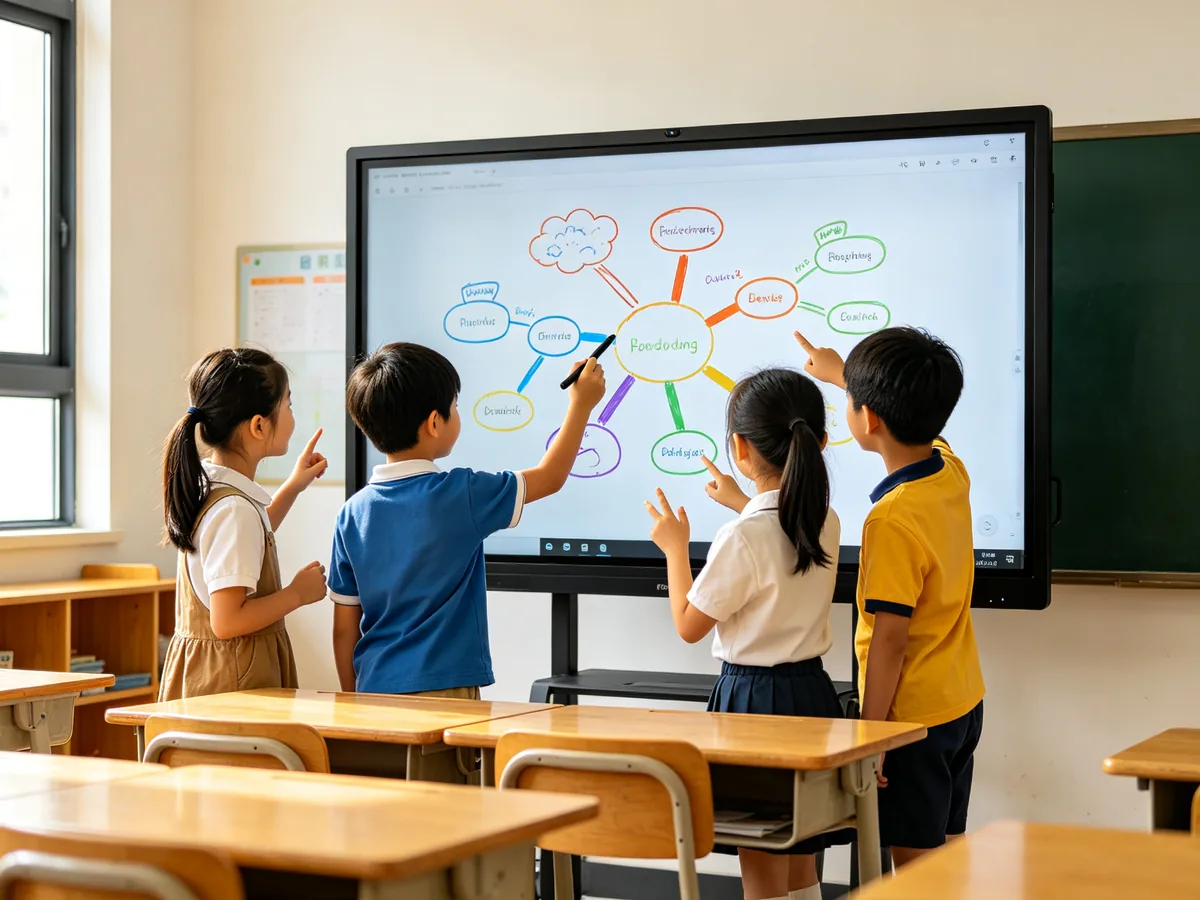
Wireless screen projection teaching · Multi-screen interaction
多名学生55寸交互白板多点触控书写
Multiple students start writing and dragging at the same time, and multi-touch makes the classroom really "move"
学生小组在55寸交互白板上协作绘制思维导图
Group cooperation, mind map, math problem board performance, plan to create a screen to complete
Flexible installation, no classroom selection
Flexible installation -- Don't pick the classroom, change as needed
Worry: Will the installation be troublesome? Will it damage the wall and delay the start of the class?
🧱

Wall-mounted installation

Wall-mounted installation does not take up floor space, and the upgrade will be completed in about 2 hours, with 0 wiring and 0 dust, and classes will begin on the same day.

Wall-mounted interactive whiteboard · Rapid deployment
🛞

Mobile Bracket

With a mobile bracket, it can be used in multiple classrooms and can be used in turn if the classroom is not enough.

Mobile stand whiteboard · Multi-classroom sharing
🔄

Portrait/Landscape Switching

Support 90 ° rotation installation, vertical screen display music, code, documents is more suitable, one machine multi-scene.

Horizontal and vertical screen switching-vertical screen teaching
🪶

Thin and light design

The thickness of the machine is about 60mm, weight 28-30kg, easy to install, do not pick the wall, ordinary load-bearing wall can be wall hanging.
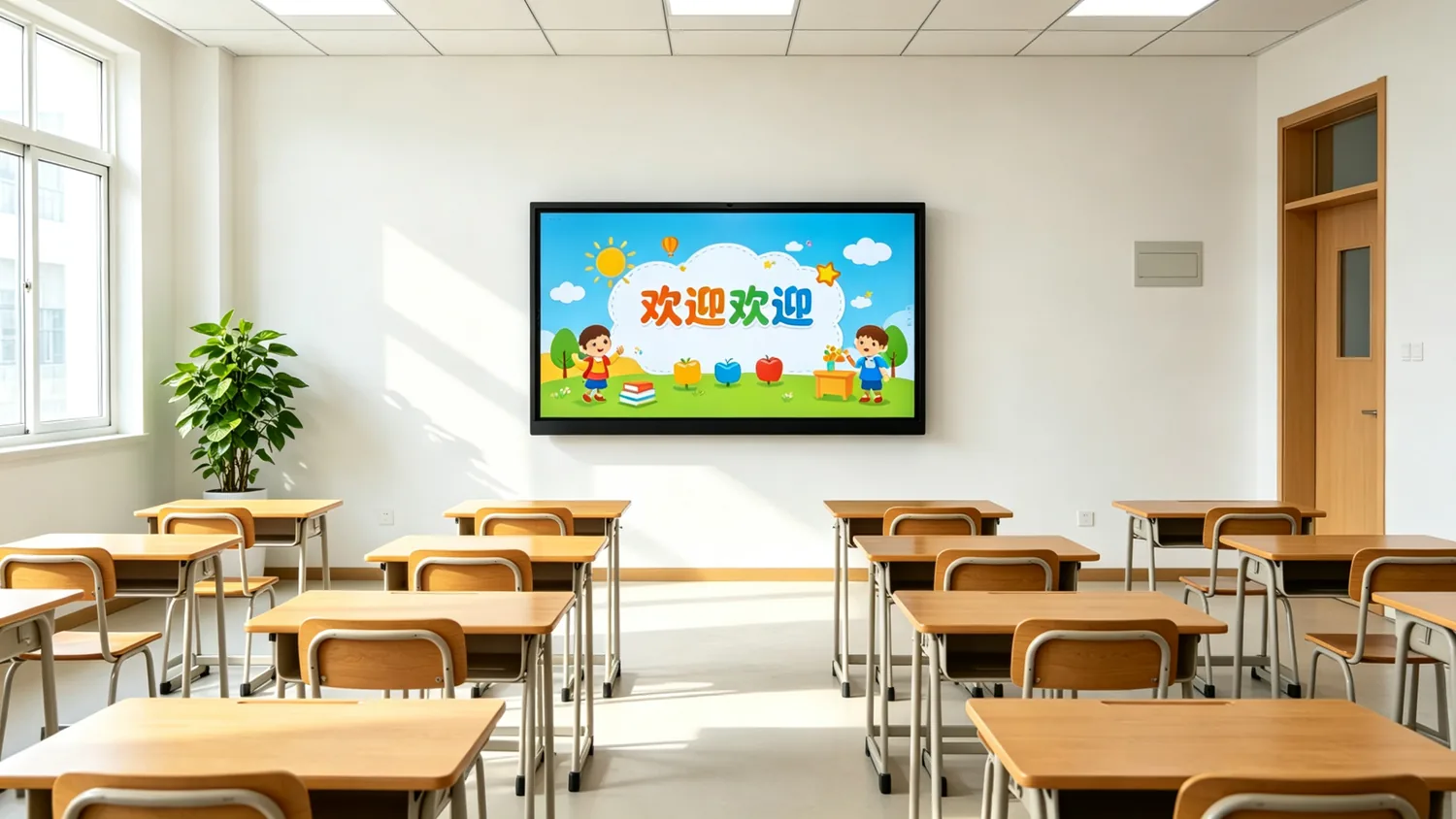
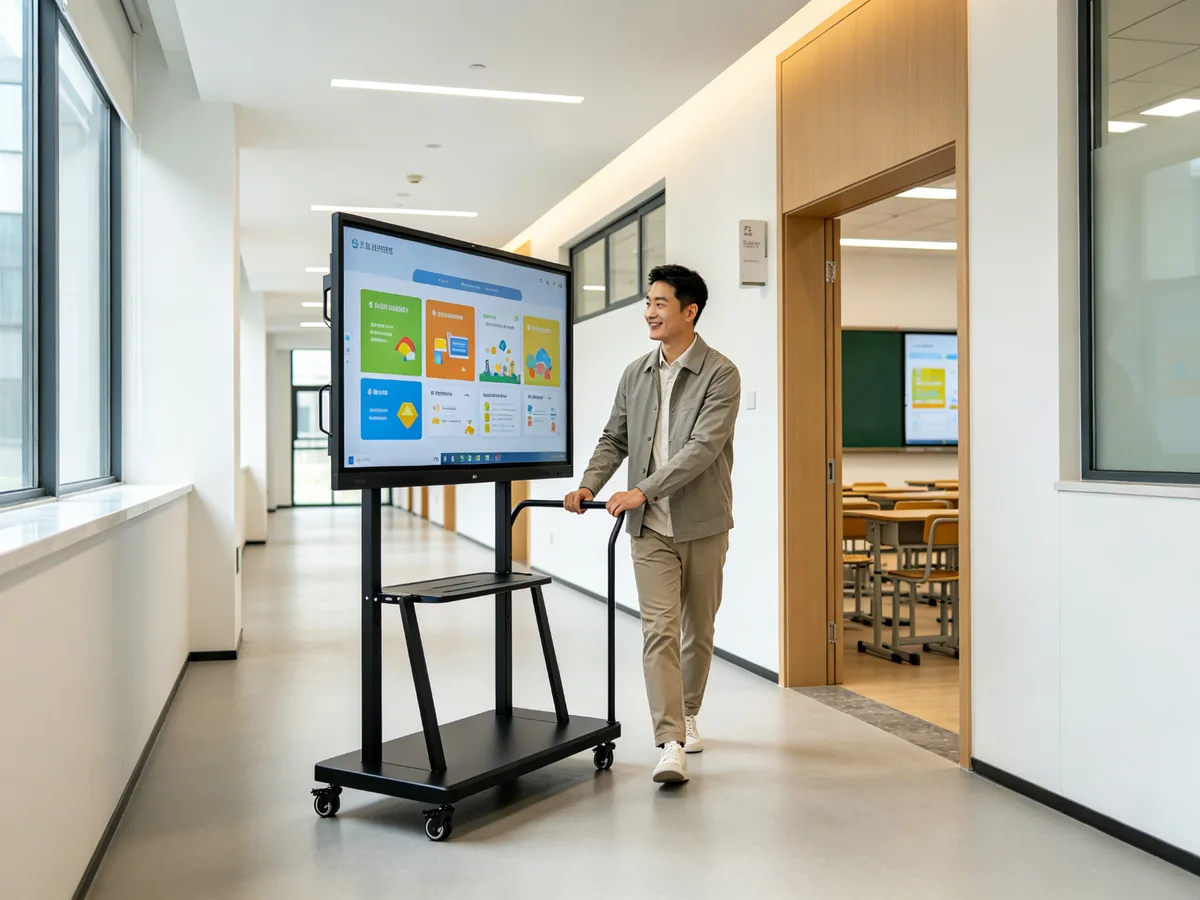
Thin and light body-easy installation
55寸交互白板壁挂安装于小班教室全景
Very narrow black border wall hanging in front of the classroom, and the classroom environment
55寸交互白板移动支架多教室共享
As soon as the mobile support is pushed, one classroom is not enough, and many classrooms take turns to use it.
Eye Health · Double Protection for Teachers and Students
Eye Health -4 classes a day, eyes not tired
Parents worry about their children's eyesight, and teachers worry about chalk dust hurting their bodies-how can healthy teaching be guaranteed?
🕶️

Low Blu-ray Certification

Through the authority of low blue light eye certification, from the source to reduce harmful blue light, care for teachers and students vision health.

Low Blue Light Eye Protection · Vision Protection
🔆

Intelligent brightness adjustment

Automatically sensing ambient light, intelligently adjusting the screen brightness, not dazzling during the day and not dim at night.

Automatic dimming · Comfortable look and feel
🍃

zero dust dust free teaching

Completely bid farewell to chalk dust, protect the respiratory tract health of teachers and students, and make classroom cleaning easier.

Dust-free Teaching · Healthy Classroom
📖

Paper-level look and feel

Anti-glare soft display, long-term viewing is not easy to visual fatigue, long-term viewing is not tired.
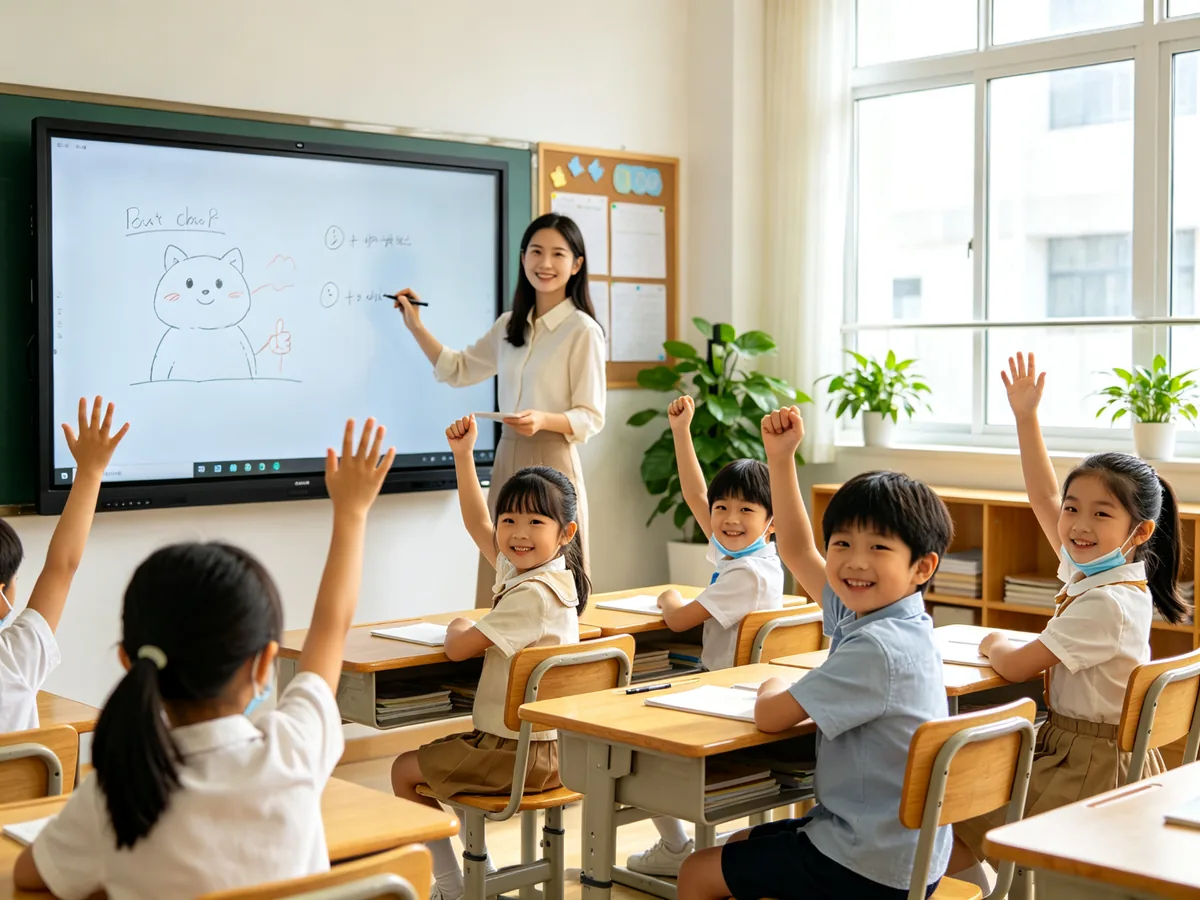
Eye protection screen-Paper level display
55寸交互白板健康无尘教学课堂
Clean and bright dust-free classroom: no chalk dust, no dazzling light, teachers and students easy class
  • Low blue light anti-glare double eye protection, suitable for multiple consecutive classes every day
  • Infrared touch zero bonding process, the picture is transparent and non-reflective
  • Teachers can stand up and write, get rid of chalk and eraser, and say goodbye to "white shirt to gray shirt"
  • There is no need to turn off lights and shade the classroom to protect students' eyesight and classroom efficiency.
Eye Protection Interactive WhiteboardDust-free blackboard replacementLow blue light teaching screen
Soft Power · Buy Hardware and Send Lesson Preparation Assistant
Software and Teaching Resources -Buy hardware and send "lesson preparation assistant"
Pain point: The hardware is in place, where does the content come from? What if the teacher can't use it? Bought a large screen but idle?
🧩

Built-in teaching platform

Pre-installed professional teaching whiteboard software, ready to use when starting up, whiteboard writing, annotation, saving and exporting are completed in one stop, with zero learning cost.

Teaching whiteboard software-ready to use
📚

massive teaching resources

5000 course video, 300000 question bank, 800 mathematics drawing board, simulation experiment, etc., covering multi-discipline and multi-section.

Teaching Resource Library · 300000 Item Bank
🔬

40 Subject Tools

Geometric drawing, chemical molecular formula, physical simulation, language learning and other professional discipline tools, so that abstract knowledge visualization.

Subject Tools · Smart Classroom
🪟

Android 14 / Windows Dual System

The Android 14 / Windows OPS is optional, compatible with the existing IT environment of the school, and all commonly used teaching software can be installed.

Dual System · Compatible with existing school environment
☁️

Cloud lesson preparation

Teachers prepare lessons at home, synchronize with one key to school, store courseware in the cloud, and greatly improve the efficiency of lesson preparation.

Cloud lesson preparation-One-click synchronization
📡

DMS Remote Management

Equipment remote monitoring, batch on and off, software push, content distribution, multi-classroom centralized management more worry-free.
Remote Equipment Management · Batch Operation and Maintenance
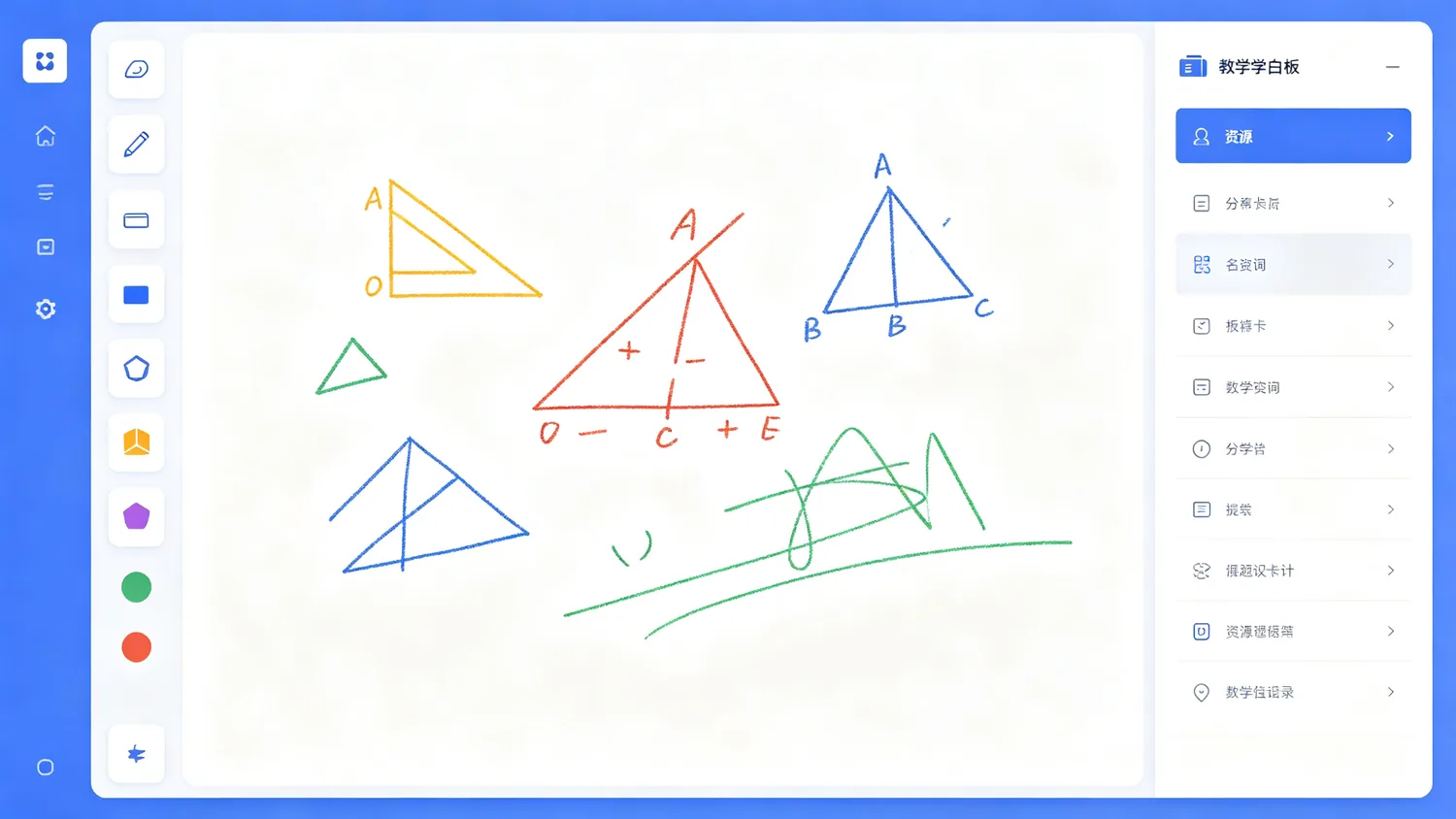
55寸交互白板内置教学白板软件界面
Built-in teaching whiteboard software: geometry tools, brush annotations, resources panel one-screen direct
  • Whiteboard writing courseware annotation one-click save, classroom content automatically archived
  • Compatible with PPT / Word/PDF/picture/video, seamless connection of existing courseware
  • Support the secondary development of localized education software to meet the needs of the Bureau of Education/School Privatization.
  • Provide teachers with free training operation manual to make the equipment really use.
Smart Classroom SolutionsTeaching all-in-one softwaremultimedia teaching equipment
Real cases are already in use.
Real Classroom Cases -They're already using it
The following are typical application scenarios, which can be replaced and updated according to your actual customers and project results.
Kindergarten

Bilingual Kindergarten · Morning Story

The morning story will play English animation, theme class will use whiteboard software to put together the leaves of the four seasons, and 2.5-year-old children can easily touch and interact.

Children's participation has increased significantly, and parents have a high rating.
Language training

Language Institution-Small Class Oral Class

Vertical screen display dialogue scenes, horizontal screen interactive exercises, small class oral teaching is more vivid, students' opening rate is significantly improved.

Student participation in the classroom increased by about 40%
K12 remedial classes

Counseling Center-Group Problem Solving

Replacing the traditional blackboard with a 55-inch whiteboard, it is more efficient for groups to solve problems and make mistakes, and blackboard writing can be retained for later reading.

The efficiency of wrong topic explanation is improved, and the renewal rate is increased.
Music classroom

Music Academy-Vertical Screen Music Score

The vertical screen of the rotatable whiteboard displays the music score, and the teacher directly marks the fingering and expression marks on the screen, making the teaching more intuitive.
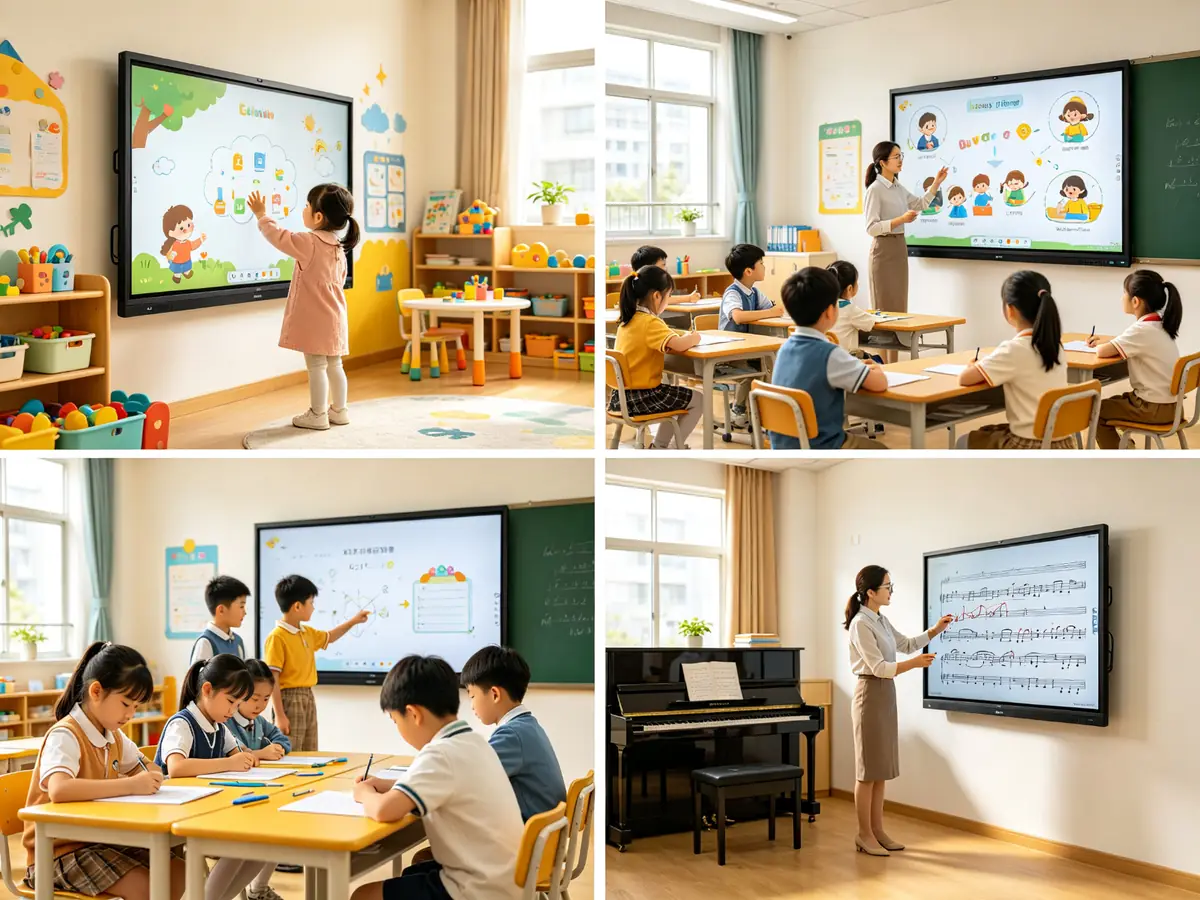
Music annotation and explanation efficiency greatly improved
55寸交互白板幼儿园语言培训辅导班音乐教室案例
Kindergarten/language training/tutorial class/music classroom-the same 55-inch, suitable for various teaching scenarios
  • Global multinational school project landing: Southeast Asia, the Middle East, Europe and the United States, Africa and other markets continue to deliver.
  • In-depth collaboration with local system integrators: one-stop for solution design, product supply, installation and commissioning, and on-line training.
  • Customer feedback: stable and reliable products, fast after-sales response, high customization efficiency
  • Support to customize the boot screen, pre-installed software and UI according to the actual needs of the school/institution
Technical Specifications-Decision Reference
Technical parameters -- Reference of purchasing decision
The core specifications are listed once to facilitate the docking of school bidding and group procurement.
Parameter itemTypical value
Screen size55 inches
Resolution3840 × 2160(4K UHD)
Brightness350–450 cd/m²
Contrast4000:1 – 5000:1
Touch Points20-50 points (infrared touch)
Touch Delay6-26ms
Visual Angle178° / 178°
Installation methodWall Mount/Mobile Bracket
SystemAndroid 14 / Windows OPS 可选
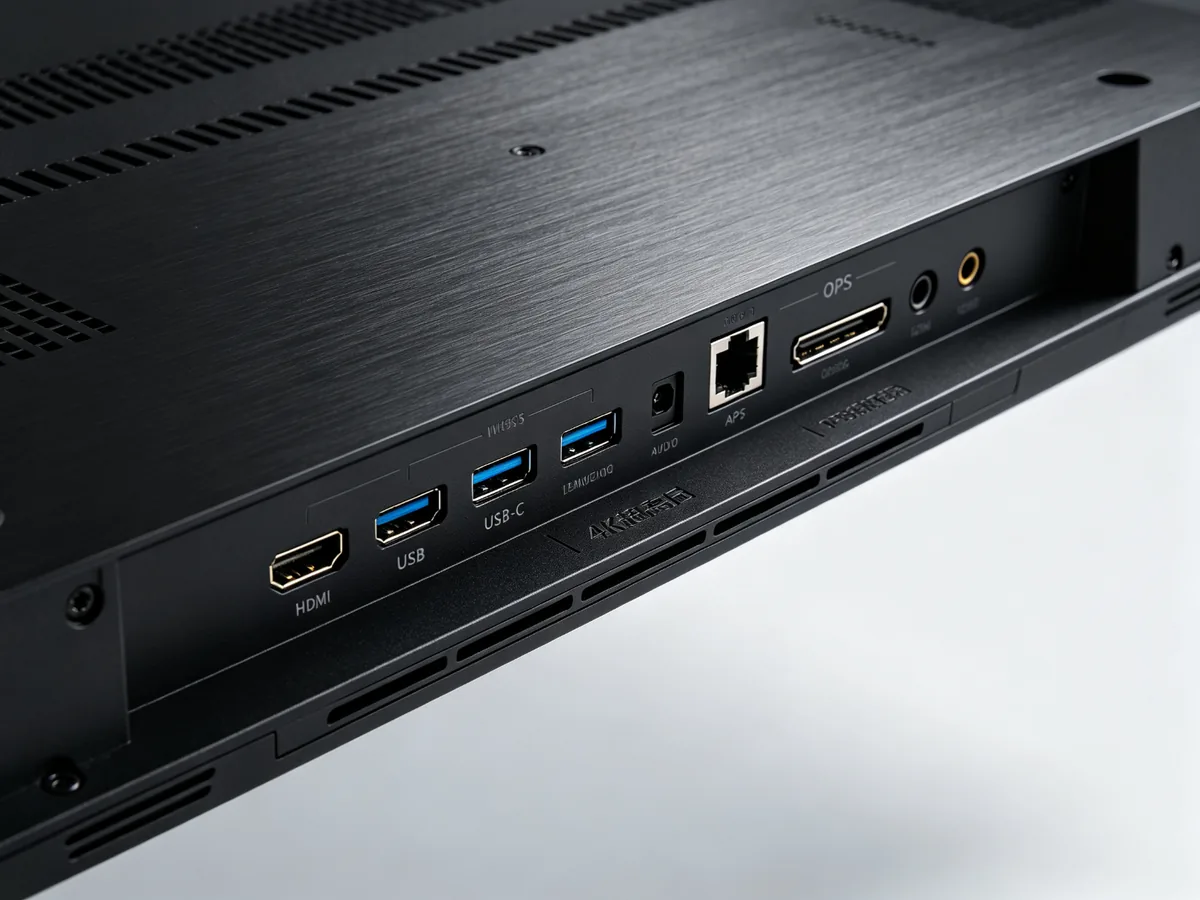
InterfaceHDMI×2、USB-C、USB 3.0、RJ45、Wi-Fi 6、蓝牙 5.3
55寸交互白板接口特写hdmi-usb网口
HDMI / USB/USB-C/network port/audio and other interfaces are complete, compatible with existing teaching equipment
55 inch interactive whiteboard parametersTeaching one machine specificationsEducational Equipment Procurementschool information construction
Decision Boosting-A Table to Understand
Why 55?-- Contrast at a glance
Buy 55 inches or bigger? Change projection or whiteboard? A comparison chart helps you decide.
Comparison dimension ✅55 inch interactive whiteboard 65 inch large screen Traditional Projection Whiteboard
Number of applicable studentsSmall class with less than 20 peopleMore than 30 peopleNo limit
Installation spaceSmall, space-savingbigMedium
Procurement cost💰💰💰💰(Province)💰💰💰💰💰💰💰💰💰💰💰
Maintenance costlowlowHigh (frequent bulb changes)
Display clarity4K Super Clear4K Super ClearUsually below 1080P
classroom interactionMulti-touchMulti-touchWeak
Eye protectionLow Blu-ray CertificationLow Blu-ray CertificationGenerally
dust-free teaching✅✅❌
💡

Small budget big upgrade

55 inches is cheaper than 65/75 inches, allowing budget-sensitive schools to achieve full class coverage.

📦

Bulk purchase is more cost-effective

Multi-classroom, multi-campus overall procurement, factory direct supply price batch discount, lower total cost of ownership.

⚙️

Lower total cost of ownership

No bulb consumables, no chalk consumables, 3 years warranty remote maintenance, long-term use more money.
Brand Strength · Source Factory
QtenBoard Source Factory Why Schools and Integrators Choose Us
2B procurement is most afraid of "middlemen earn the difference, after-sales nobody tube"-choose the source manufacturer, from research and development to after-sales control.
2Own factory (Shenzhen, Guangzhou)
330000 ㎡Industrial Park · 16 workshops
200 unitsNissan Capacity · Stable Delivery Period
21 yearsCommercial display manufacturing experience
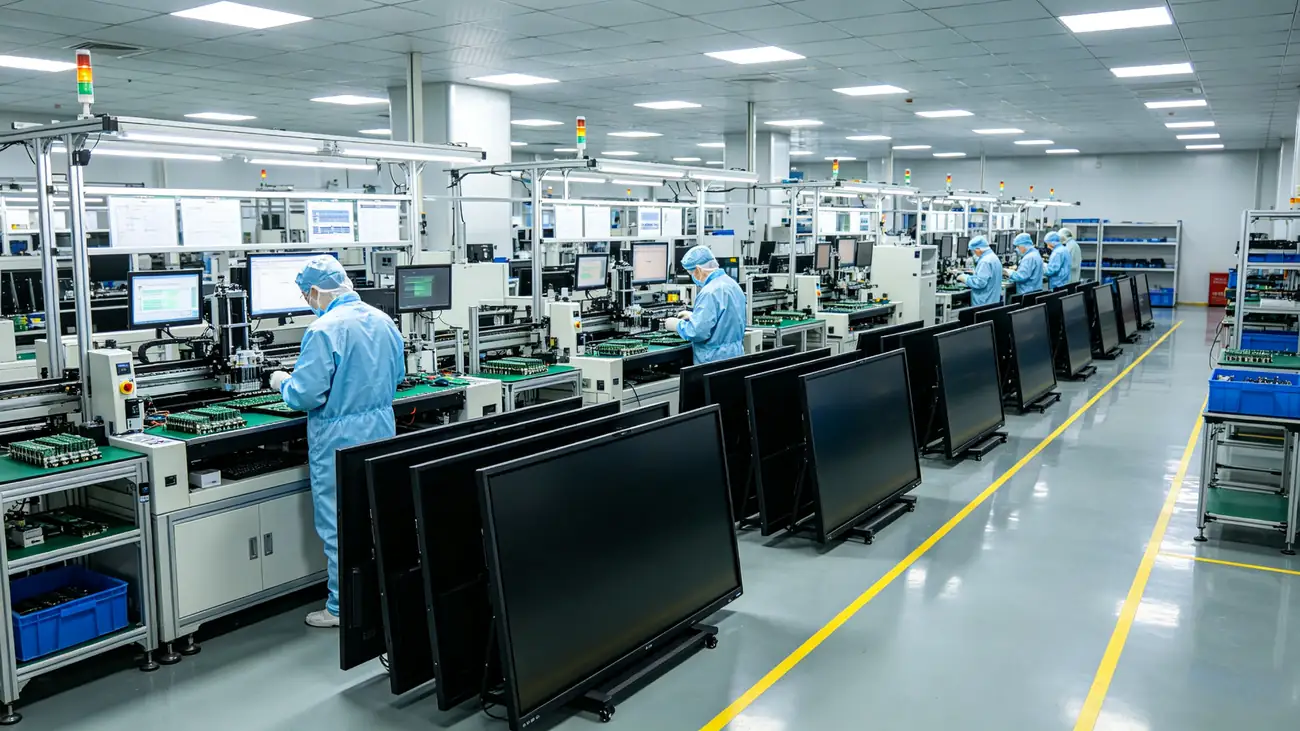
55寸交互白板源头工厂自动化生产线
Own factory automation production line: motherboard research and development, structural design, machine assembly, system customization, full-link automatic control
  • Full link manufacturing:Cover motherboard research and development, structural design, machine assembly, system customization, quality control throughout the process
  • OEM / ODM / CKD / SKD:Support OEM customization, UI customization, boot screen, pre-installed software, packaging customization
  • Strict quality control:Structural strength, touch accuracy, speaker acoustics, reliability aging test one by one factory
  • Global Delivery:The project landed in Southeast Asia, the Middle East, Europe, America, Africa and other places, and in-depth collaboration with local integrators
✔EDLA Certification ✔EU ✔ FCC ✔ RoHS ✔300 ✔ ISO9001 ✔ Anatel
Frequently Asked Questions · FAQ
Frequently Asked Questions -- Look here before purchasing.
55 inch interactive whiteboard suitable for much of the classroom?
55 inches is specially designed for small classes with a classroom depth of less than 5 meters and less than 20 students, such as kindergartens, language training, early education centers, music/programming characteristic classrooms, tutorial classes, etc. The ideal viewing distance is 1.5-5 meters, and the students in the back row can also watch clearly.
Is the installation troublesome? How long will it take?
Support wall hanging and mobile bracket two ways. Wall-mounted installation takes about 2 hours to complete, with 0 wiring and 0 dust, and classes can start on the same day. The mobile bracket is simpler, it can be shared by multiple classrooms without punching holes or pushing.
Can several students write on the screen at the same time?
Support 20-50 points infrared touch, multiple students can write, drag, operate at the same time, with low delay (6ms) writing, suitable for group collaborative learning, mind map co-creation, math problem board performance.
What systems are supported? Is it compatible with existing school computers and courseware?
Using Android 14 / 16 , Windows OPS dual system is optional, compatible with the existing IT environment; The interface is complete (HDMI, USB, USB-C, RJ45, etc.), which can be connected to the existing computers, physical exhibition stands, sound boxes and other equipment of the school, and PPT/Word/PDF/video courseware is seamlessly connected.
Can OEM/OEM customization?
Sure. QtenBoard is the source manufacturer and supports OEM / ODM / CKD / SKD full mode customization: brand logo, startup screen, UI interface, pre-installed software, packaging and hardware configuration can be customized according to needs, and secondary development of localized educational software is also supported.
How about warranty and after-sales?
The whole machine provides a 3-year standard warranty (extended warranty can be purchased) to support remote system upgrade, installation guidance, teacher training and local assistance. DMS remote management system can quickly locate problems, remote maintenance and reduce after-sales costs.
How long is the purchase delivery period? Is bulk purchase supported?
The factory produces about 200 units per day, and batch orders can directly enable multiple production lines to support mixed orders in large quantities and small quantities. Please contact the sales consultant for the specific delivery date and batch price according to the plan.
Do I have to pay for teaching software and resources?
Built-in teaching whiteboard software and basic teaching resources leave the factory with the hardware and can be used immediately after starting up. If you need a specific regional education cloud platform, privatization resources or more discipline tools, you can configure them separately in combination with the project plan.

Let the classroom upgrade, starting with a consultation

Leave the demand, the exclusive consultant will contact within 1 working day, and provide the scheme and quotation free of charge.

☎Advisory Hotline
+86 13714317162

weekday 00:00-24:00 online

💬Online customer service/WeChat

Add WeChat or online consultation, 1-to -1 exclusive consultant, support scheme communication, prototype application, batch quotation

Online customer service entrance →

🛠Worry-free after-sales service

National warranty, complete machine warranty for 3 years, free on-site installation, teacher training support, remote maintenance

✔Direct supply from the source factory ✔Free on-site installation ✔Whole machine warranty for 3 years ✔Teacher training support ✔OEM/ODM customization

online message

ONLINE MESSAGE

Message Box

  • Product Title:

  • Your unit:

  • Your name:

  • Contact number:

  • Frequently used mailboxes:

  • Province:

  • Detailed address:

  • Additional note:

  • Verification code: