
 en
 中文

 Current location:
 Release date: 2026-10-20
 Clicks:
Touch query machine is no longer a simple device that "puts a touch screen into the shell. It is also an inquiry machine, which is placed in the outpatient hall of the hospital and in the production line station of the factory. The requirements for touch control mode, screen brightness, shell material, peripheral module, system docking and operation and maintenance strategy are almost completely different. The root cause of selection errors is often not that the parameters are not high enough, but thatThe configuration is not defined starting from the application scenario.。
This article is written byQUNMAOFor system integrators, procurement managers, project managers and industry information managers, the system inventory touch query all-in-one machine in.Hospital, government affairs, bank, shopping mall, transportation hub, hotel, scenic spot, library, enterprise front desk, community/property, school, factoryTypical functions, deployment pain points and configuration suggestions in 12 major scenarios, and common hardware, software and acceptance requirements across scenarios are given to help you select "usable" devices as "easy to use, durable and maintainable" devices.
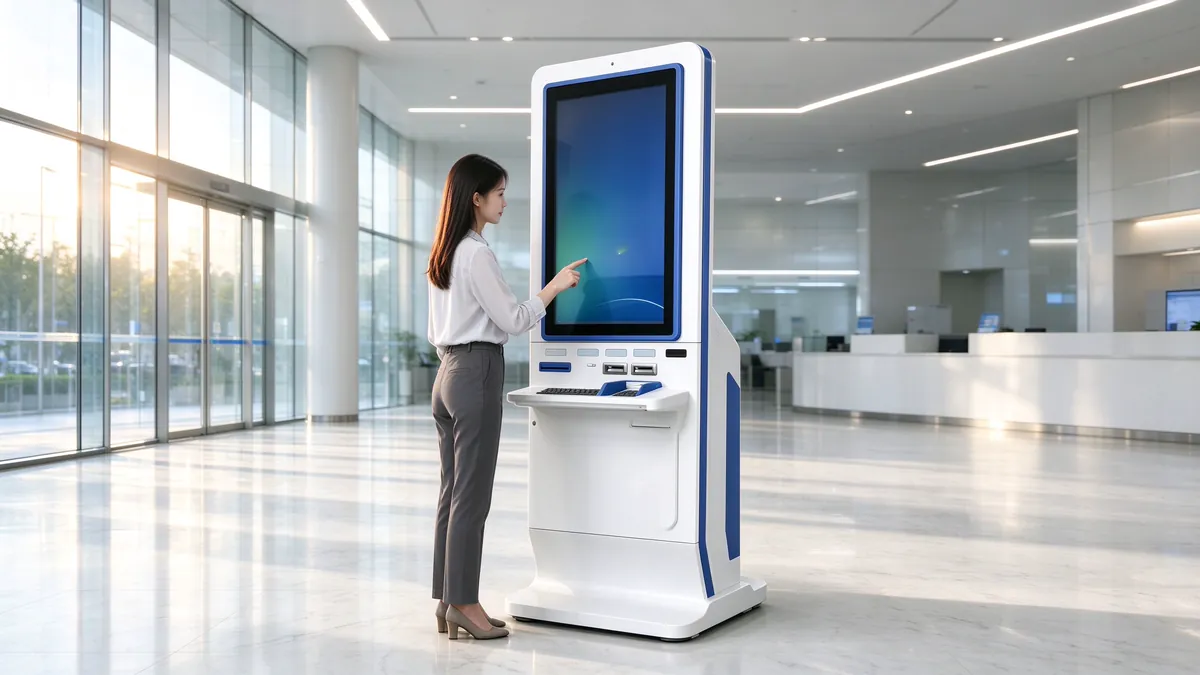
1. scenario-driven selection: first define the scenario, then define the configuration
In project practice, most of the procurement problems of touch and query all-in-one machines can be attributed to two categories: one is "over-allocation", which is equipped with a high-end host and a large-size screen for a low-frequency information publicity point; The other is "insufficient configuration". Ordinary commercial display equipment is used in high flow of people, strong light or dust environment. After several months of operation, touch drift and heat dissipation failures occur frequently. The common root of the two types of questions is that they did not first answer "where is this equipment, for whom, what to check and how long to use it".
If you have not yet understood the basic concepts, morphological classification and core parameters of the query machine, it is recommended to read the basic article first:"Touch query machine (query machine) product details: what is the query machine, morphological classification and technical parameters". The following four dimensions are the "four questions of scenes" that Qunmao will confirm item by item when evaluating any airport scene during the scheme review phase ".
1.1 Who's Using: User Portraits Determine Interaction Design
User profiles include age structure, digital proficiency, need for accessibility support, and average duration of a single operation. The proportion of middle-aged and elderly users in hospitals, government affairs and communities is high. The interface needs large font size, few levels and high contrast, and the entrance for one-touch calling is reserved. Users of shopping malls and scenic spots are mainly young people and tourists, who pay more attention to retrieval speed, two-dimensional code to take away information and multilingual support. Factories are trained fixed personnel who can accept higher information density, but must consider wearing gloves.
Where 1.2 is used: Environment determines hardware level
Environmental variables mainly include light (indoor ceiling lights, glass curtain walls, semi-outdoor), dust and oil pollution, temperature and humidity, flow density, whether there is a risk of man-made damage, etc. These variables directly determine the screen brightness, surface treatment, touch technology route, protective structure and thermal design, rather than purely determined by the budget.
What 1.3 query: The type of business determines the peripheral interface with the system.
Pure information publicity (floor tour, service guide) only needs display and touch control; For scenes that require "inquiry and take away" (bill of materials, report, visitor voucher), a thermal or laser printing module shall be added. Scenes involving identity verification (report inquiry, visitor registration) require ID card reader, two-dimensional code scanner and even camera. The more peripherals, the higher the requirements for cabinet structure, wiring, heat dissipation and maintenance door opening methods.
How 1.4 is maintained: scale determines software and service system
Single point deployment can rely on manual inspection, while multi-point deployment of more than dozens of units must have remote monitoring, centralized content release, fault self-inspection and spare parts reserve mechanism. The operation and maintenance method should not be considered after the arrival of the equipment, but should be written into the technical requirements at the selection stage.
Selection principle:First, use "scenario four questions" to define the requirements, then compare the configuration quick look-up table in chapter 5 to determine the hardware level, and finally confirm the system docking and operation and maintenance plan. The parameter table is only a result, not a starting point.
2. public service scenarios: hospital, government, bank
Common features of public service scenarios are:Wide crowd coverage, serious business, data sensitivity, high requirements for stability and compliance. Once the equipment fails, the impact is not the experience, but the window pressure and service reputation. Therefore, this type of scenario usually gives priority to horizontal or vertical models with stable structure, anti-misoperation, and clean routing, and makes clear requirements for privacy protection and content security.
2.1 Hospital: Registration Navigation and Report Inquiry
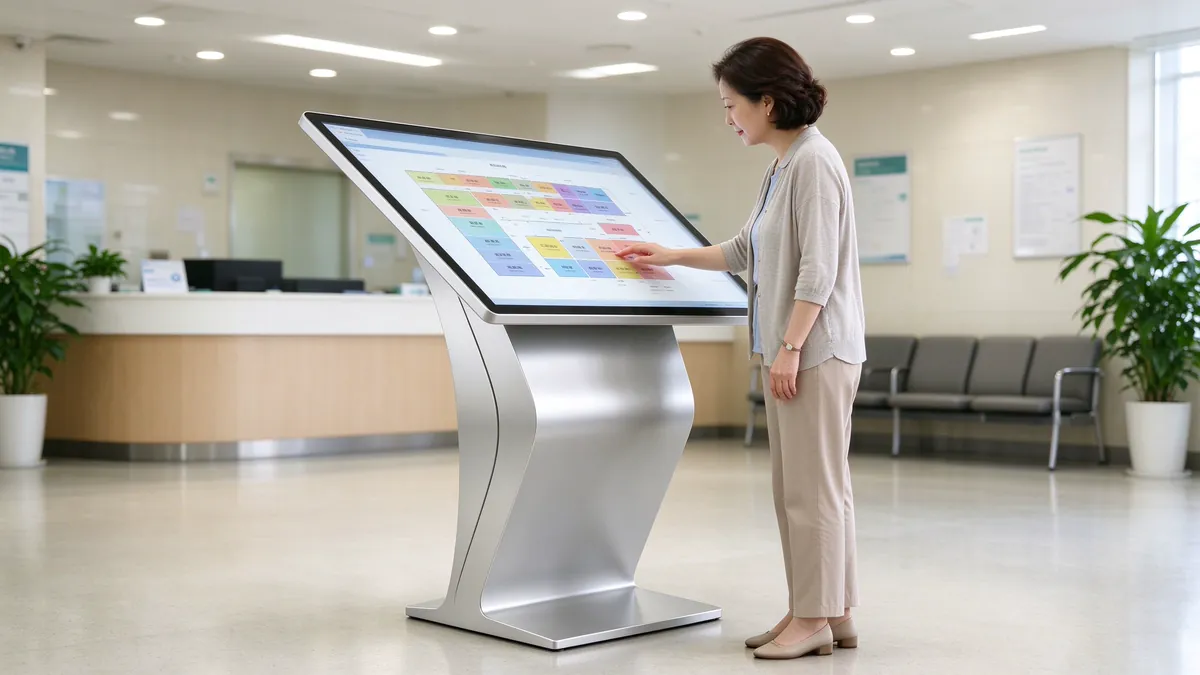
Typical functions
- Department, doctor, office location query and hospital floor navigation;
- Medical treatment process, inspection precautions, charging standard publicity;
- Inspection report and reservation information inquiry (identity verification is required);
- Linked with the queuing system to display the waiting progress.
Deployment pain points
The outpatient hall of the hospital has a concentrated flow of people during the morning rush hour, and a large number of repetitive consultations ("where is a department" and "where is the report taken") are pressed on the guidance desk. At the same time, the hospital is a typical "multi-person shared contact" environment, the surface of the equipment needs frequent disinfection and wiping, the screen glass and shell coating resistance to wipe requirements. Report queries involving personal health information, screen side view privacy and session auto-exit must be in place.
Configuration recommendations
Screen and form:21.5-32 inches horizontal or vertical; 32-43 inches is recommended for the outpatient hall to ensure the readability of elderly users.
Touch:10-point capacitive touch, more stable response to wet fingers and disinfected screens; the surface is easily wiped with tempered glass and alcohol-resistant wiping coating.
Peripherals:Medical card/medical insurance card reader, two-dimensional code scanner, thermal printer.
System:The Windows system is usually selected to be compatible with the client or browser version of the self-service program of the hospital information system (HIS) manufacturer.
Accessibility:Reserved low-position operating area or supporting low-position models for the convenience of wheelchair users.
Docking and Precautions
The inquiry machine itself should be used as "integrated and ready terminal hardware", not bound to a specific software platform, and provided by the hospital's existing HIS, appointment registration or self-service machine software manufacturers. Qunmao can cooperate with integrators to complete the pre-installation and joint debugging of peripheral drivers and system environment before leaving the factory, thus reducing the on-site debugging time. For a more complete medical scenario, please refer:"Medical Industry Self-service Terminal Scheme: Registration Payment, Report Printing, Invoice Self-service All-in-One Machine", as well as the topic of horizontal models in the hospital scene:Application Scheme of K-type Horizontal Inquiry Machine in Hospital: Self-service Registration, Payment and Report Inquiry。
Related product program:Hospital scene registration, payment and report printing, optional Vertical self-service terminal (medical self-service machine), support vertical touch query, identification, slip printing and data reporting.
2.2 Government Affairs: Matters Inquiry and Material List
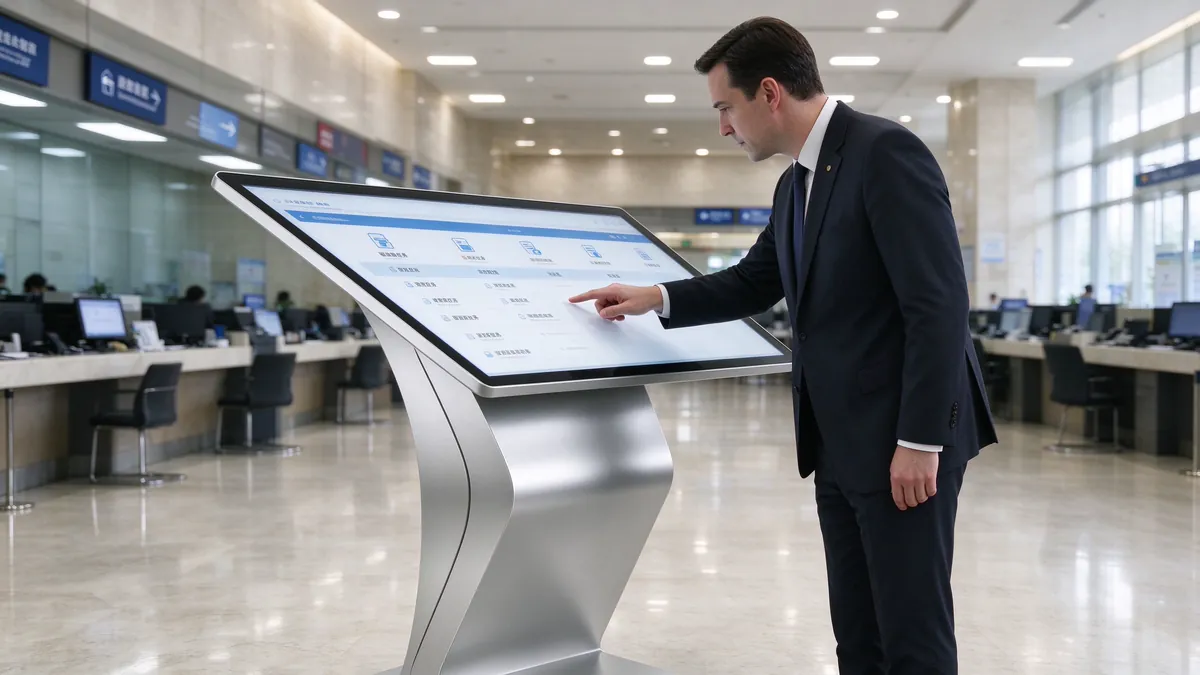
Typical functions
- Classified search of business matters: by department, by subject, by population (individual/enterprise) query;
- Check the handling conditions, required materials, handling time limit, charging standard and handling flow chart;
- Guide and material list printing, reduce the window repeated answer;
- Office hall layout navigation, window distribution and business volume tips;
- Policy publicity and public information display.
Deployment pain points
The composition of users in the government hall is complex, including agents who are familiar with the process and elderly people who are working for the first time. Many people "run the wrong window" and "material belt is not complete", causing the window to queue up twice. The government affairs scene requires high accuracy and timeliness of information. Once the background information is not updated in time, it will mislead the staff. In addition, government equipment often requires a solemn appearance and coordination with the hall decoration style.
Configuration recommendations
Screen and form:32-43 inches, horizontal inquiry machine or K-type horizontal structure, inclined touch design is more in line with standing reading posture, which can effectively reduce false touch.
Touch:Infrared or capacitance can be used. In halls with large flow of people and different hand states of users, infrared touch is better compatible with gloves, pens and different contacts.
Peripherals:ID card reader, thermal printer (printing material list), two-dimensional code scanner; When printing A4 forms, larger cabinet space should be used and paper change maintenance door should be reserved.
Software:Supports large font size "aging mode", multi-language switching, automatic return to the home page when overtime, and centralized update of the event library in the background.
Docking and Precautions
The event library is recommended to keep pace with the local government service platform, rather than maintaining it manually. At the same time, it can be linked with the number taking equipment to form a complete line of "query first-number taking again-processing again". For details, please referApplication of K-type horizontal inquiry machine in government affairs hall: item inquiry, number taking and printingwith"Self-service Terminal Scheme for Government Affairs Industry: Netcom's Self-service Machine, Certificate Printing and Self-service Declaration"。
Related product program:Government affairs hall can be used K-type inclined plane touch inquiry machine, ergonomic tilt perspective, ten-point touch, suitable for government affairs, hospitals, communities and enterprise parks and other horizontal self-service query scenarios, support system customization and appearance OEM.
2.3 Bank: Business Inquiry and Interest Rate Display
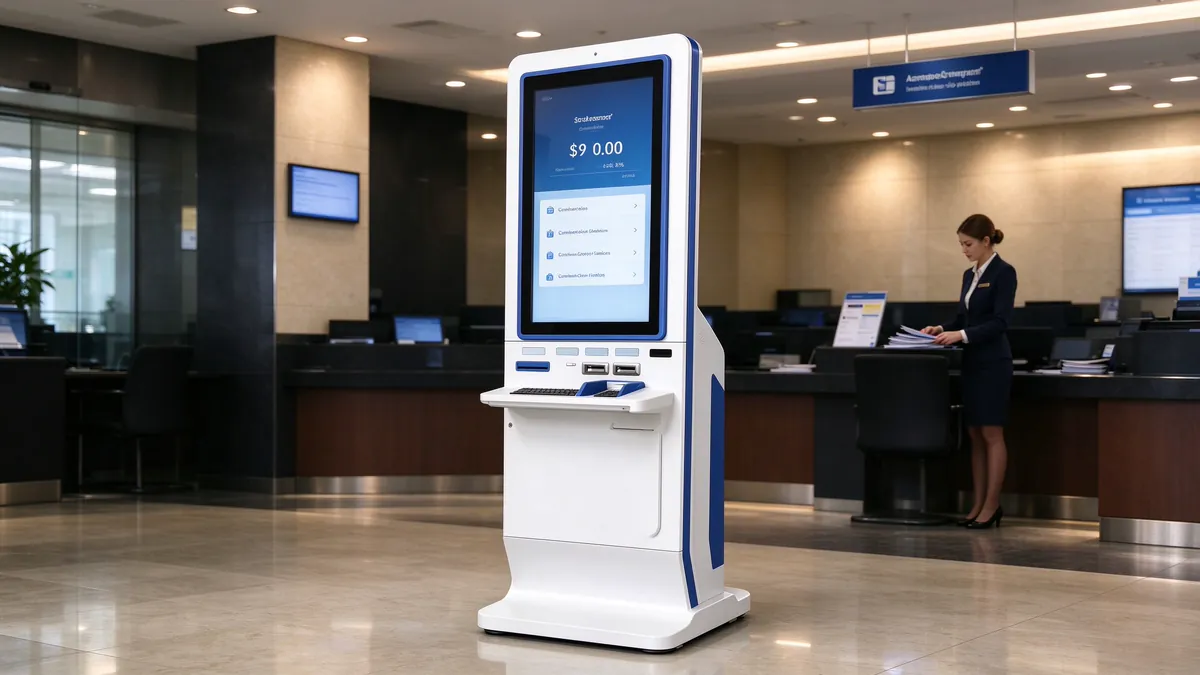
Typical functions
- Deposit and loan interest rates, exchange rates, financial products publicity;
- Business handling guidelines and required documents;
- Check the location of outlets, ATM and self-service equipment;
- Marketing activities and financial knowledge promotion content rotation.
Deployment pain points
Bank outlets have strict requirements on the appearance and brand consistency of the equipment, and usually require complete matching with VI specifications (brand color, Logo position, material texture). Information equipment must also meet compliance disclosure requirements, interest rates, risk tips and other content updates can not be delayed. In addition, the network of outlets usually has strict security policies, and the equipment access method needs to be confirmed with the bank IT department in advance.
Configuration recommendations
Screen and form:32-43 inches vertical or horizontal, the appearance is customized according to bank VI, the common practice is metal wire drawing or baking varnish process with brand color decorative strips.
Touch:Capacitive touch, responsive, smooth surface, visual texture is more suitable for dot environment.
Security:The system adopts lock mode (Kiosk mode) to shield system shortcut keys and taskbar. The external interface (USB, network port) adopts built-in or hidden design to prevent unauthorized access.
Content:Unified release by the bank background, the device is only responsible for display and basic interaction.
Related product program:Bank outlets available Vertical self-service terminal, support vertical touch query, business guidelines and voucher printing, suitable for banks, government affairs, hospitals, parks, business halls and other scenarios.
Boundary Description:The inquiry machine is mainly "information inquiry and guidance", which is not equivalent to a financial self-service terminal involving capital transactions and identity verification. If the project includes functions such as receipt printing and business processing, it should be designed separately according to the compliance and safety standards of the self-service terminal. Please referSelf-service Terminal Scheme for Banking and Financial Industry: Recall Printing, Intelligent Teller and Intelligent Network。
3. commercial and transportation scenarios: shopping malls, transportation hubs, hotels, scenic spots
The core of this scenario is"Large flow of people, short stay, need to get the answer quickly". Users are mostly one-time users in unfamiliar environments and have no tolerance for learning costs: the interface must be understood at a glance, and retrieval must be completed with several clicks. At the same time, the device is usually in the visual focus position, and has higher requirements for appearance design, screen performance and ambient light adaptability.
3.1 Shopping Mall: Shopping Guide and Floor Inquiry
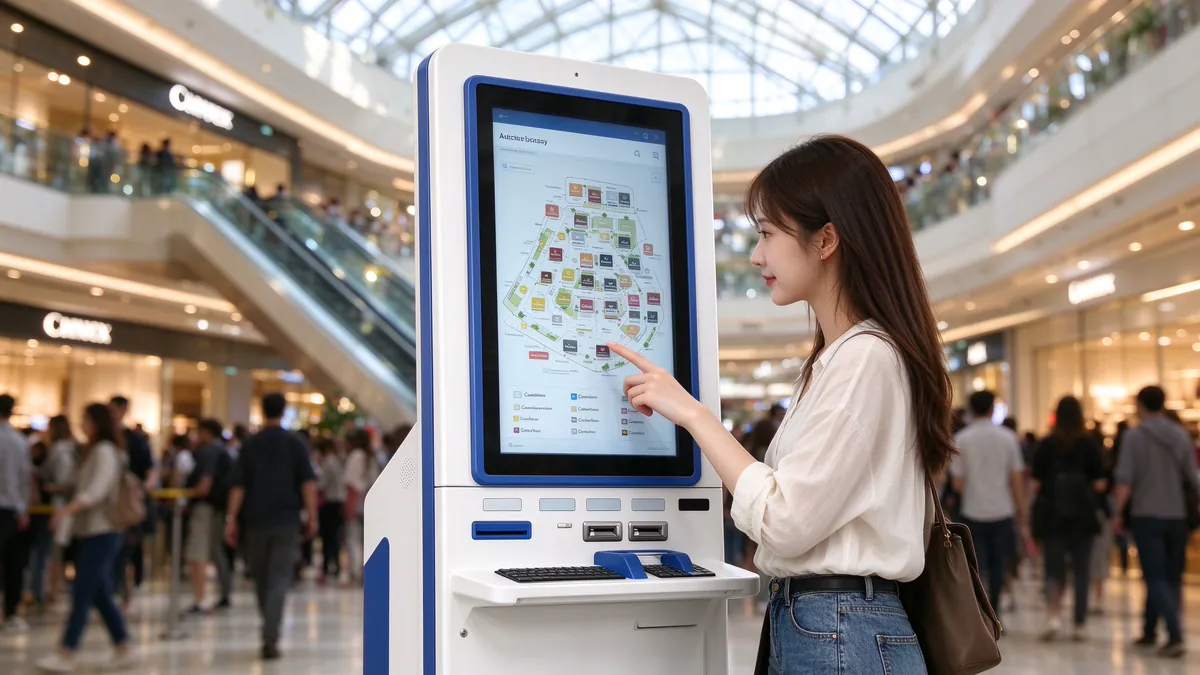
Typical functions
- Brand, store, restroom, elevator, parking lot search and indoor route guidance;
- Floor maps, event calendars, coupons and member entrances;
- Two-dimensional code scanning code, the route and activity information to the mobile phone;
- The brand advertisement is played in the idle time, forming the compound value of "query advertisement.
Deployment pain points
The atrium of shopping malls usually has a skylight or glass curtain wall at the top, and the screen is easy to be reflected and whitish under strong ambient light, resulting in difficult text recognition. People are concentrated on weekends and holidays, and the equipment is subject to high-frequency touch and random operation by children at the same time; If the map data and store information are not updated in time, the query results will be inconsistent with the scene, directly damaging trust.
Configuration recommendations
Screen and form:43-55 inches vertical, taking into account the visual range of the guide map; Multi-storey shopping malls can be distributed in the elevator hall on each floor.
Display:It is recommended to use high-brightness panels and anti-glare tempered glass for the positions of atrium and window. The brightness at night and during the day can be automatically adjusted by light sense or timing strategy.
Touch:Support multi-touch infrared or capacitive screen, map zoom, drag gestures should be smooth without delay, it is recommended to use 10-point capacitance or 20-point infrared scheme.
System:Android or Windows, the content needs to support remote centralized update and regional scheduling.
More details of the mall scene can refer:Application of Inquiry Machine in Shopping Mall and Shopping Guide Scenarios: Floor Navigation, Brand Inquiry and Interactive Marketing。
3.2 Transportation Hub: Flight and Transfer Inquiry
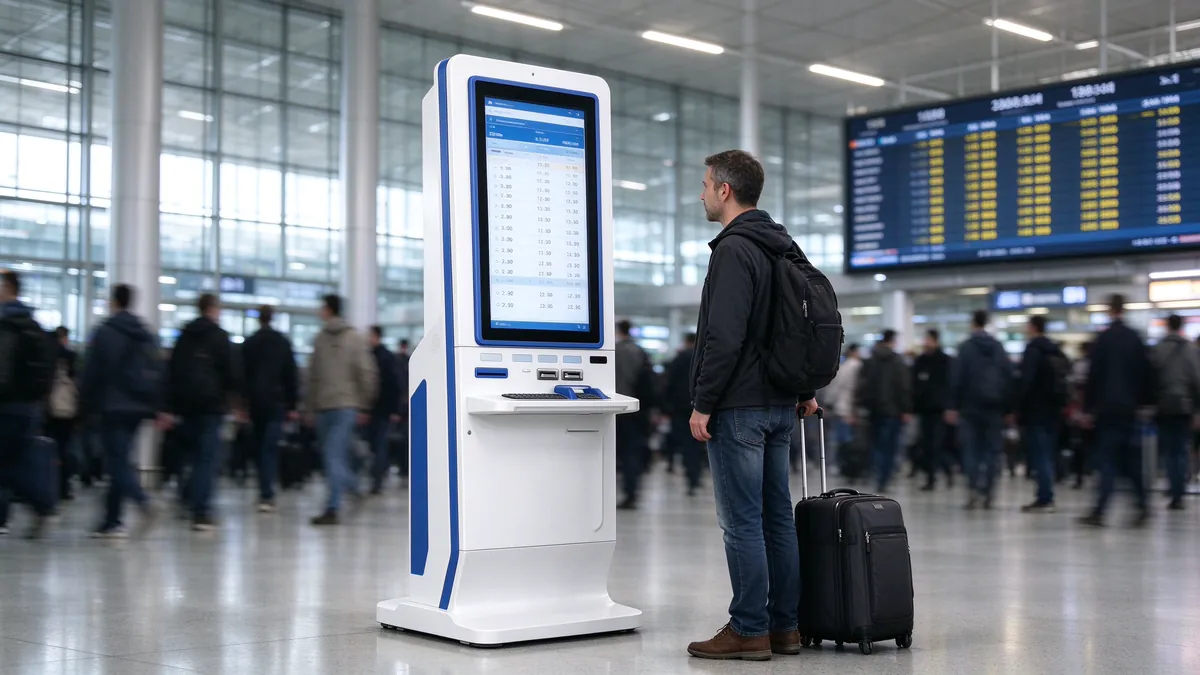
Typical functions
- Flight, train number, platform, waiting hall location and real-time dynamic query;
- Subway, bus, taxi, network about car transfer guidelines;
- Station facilities (mother and baby room, barrier-free access, luggage storage) search;
- Multi-language interface, serving international travelers;
- Temporary announcements and emergency information push.
Deployment pain points
Transportation hub is one of the most demanding scenarios for equipment stability: all-weather operation, large passenger flow, and high probability of passengers dragging luggage to collide with equipment. At the same time, the frequency and platform information changes frequently and must be obtained in real time through the interface, so the static content is worthless. Multilingual and large font readability, is the basic threshold of the international hub.
Configuration recommendations
Structure:Thickened sheet metal body and anti-collision corners, the screen is made of tempered glass to prevent the impact of luggage and hard objects.
Running:According to the 7 × 24 hours continuous operation design, the use of industrial-grade heat dissipation structure and wide temperature components; recommended with overheating protection and automatic recovery strategy.
Display:The lighting of the hall is complex, it is recommended to choose a high-brightness screen and have anti-glare treatment.
Data:The real-time shift is called through the interface. When the network is disconnected, there should be a clear prompt of offline cache and "data updating" instead of displaying expired information.
3.3 Hotels: Neighborhood and Service Enquiries
Hotel lobbies and elevator halls are another typical application of inquiry machines. Users are residents and visiting guests, and the needs are concentrated.Surrounding cuisine, attractions, transportation, hotel facilities and servicesA quick understanding. Compared with the manual inquiry at the front desk, the inquiry machine can effectively divert at night and during peak check-in hours, and can also directly display the hotel's own catering, club and activity information to the guests.
The hotel scene is the most importantCoordination of appearance and atmosphere: The shell material, color and lobby decoration style need to be considered as a whole; the equipment operation noise should be as low as possible to avoid fan noise in the quiet lobby; the interface design should conform to the hotel brand tonality, not the general template. In terms of configuration, 32-43 inch vertical or wall-mounted machines are more common, multi-language switching is a must, and it is recommended to provide two-dimensional code scanning code to take away the surrounding routes.
3.4 Scenic Spot: Guided Tour and Ticketing Assistance
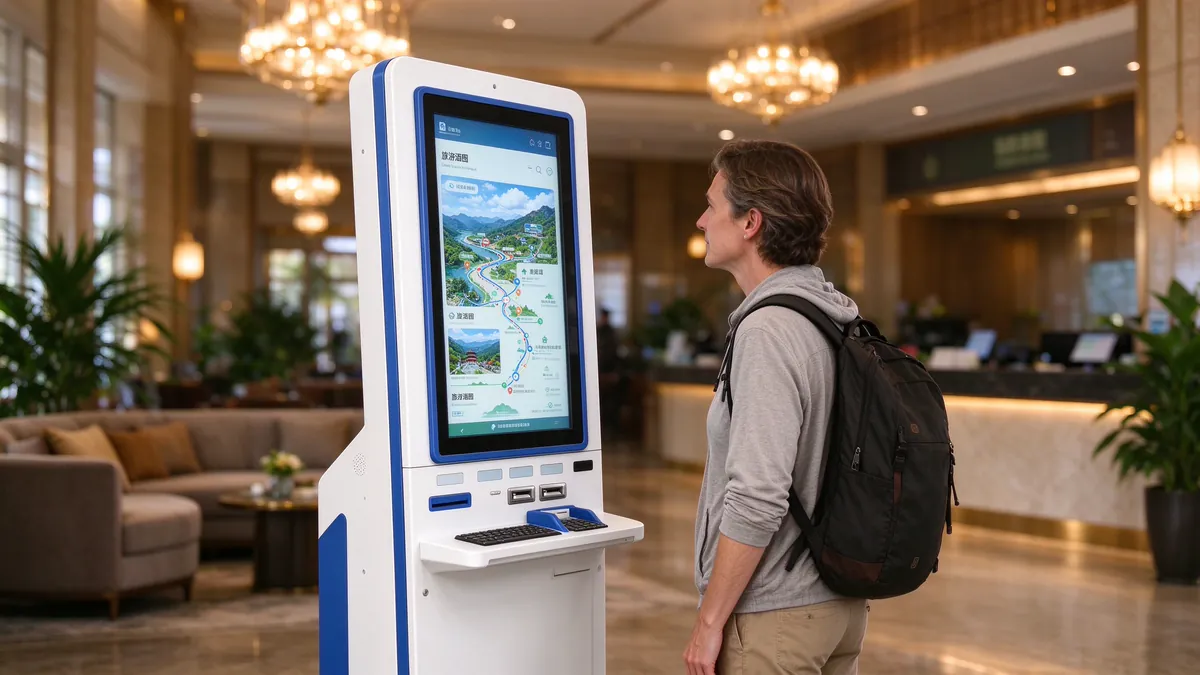
The tourist center and the entrance square of the scenic spot use the inquiry machine, which mainly providesDistribution of attractions, recommended tour routes, opening hours, transportation connections, ticketing instructions and emergency service information, and can cooperate with the two-dimensional code to guide tourists to use online ticket purchase or small program to guide. The biggest variable of the scenic scene is the environment: the requirements of the indoor deployment of the visitor center are very different from the semi-outdoor deployment of the entrance square.
- Indoor deployment:Just refer to the mall scene configuration, focusing on roadmap interaction and multilingual.
- Semi-outdoor or outdoor deployment:It is necessary to choose a high-brightness display scheme, and cooperate with the sunshade structure and higher protection level (dustproof, waterproof, rainproof floating), and consider the working range of high temperature in summer and low temperature in winter. Outdoor equipment protection and heat dissipation design, can be further reference"Outdoor food advertising machine protection design: waterproof, dustproof, sun protection and anti-theft details"withOutdoor screen brightness and high bright screen technology。
- Network:Scenic network conditions vary, it is recommended to reserve 4G/5G module or offline content package, to ensure that the basic navigation is not due to network failure.
Related product program:Outdoor locations such as the entrance square of the scenic spot can be used. Outdoor K-type inquiry machine (horizontal infrared touch integrated machine), high bright screen, 15 inclination infrared touch, waterproof and dustproof all-weather operation, support Android/Windows dual system and OEM/ODM customization.
For the overall self-service scheme of hotels and scenic spots, please refer:Hotel and Scenic Area Self-service Terminal Scheme: Self-service Check-in Machine, Self-service Ticket Machine and Smart Service。
Scenarios of 4. institutions and enterprises: library, enterprise front desk, community, school, factory
The institutional and corporate scenarios are characterized:Relatively fixed users, close contact with internal systems, strong customization needs. The value of equipment lies not only in "checking", but also in getting through with the internal management system, so docking capability, rights management and data security become the focus.
4.1 Libraries: Collection Retrieval
The core function of the library inquiry machine isBibliographic retrieval, location of collection, borrowing status query, reader borrowing records and new book recommendation. Unlike other scenarios, there are a lot of text input requirements (book title, author, keywords), so the design of the input method is key:
- The screen virtual keyboard requires large keys, pinyin and stroke input to respond smoothly;
- Horizontal slope structure can be equipped with entity keyboard tray or drawer keyboard, improve the continuous retrieval efficiency;
- Adopt silent heat dissipation design to avoid interference with the reading environment;
- Support reader card reading and bar code scanning, docking library integrated management system (ILS).
It is recommended to choose a 19-27 inch desktop or horizontal structure for the screen, which saves space and is easy to place next to the bookshelf passage or service desk.
4.2 Enterprise Front Desk: Visitor Inquiry
The purpose of using the inquiry machine at the front desk of the enterprise isReduce the pressure of repeated reception of front desk staff, while improving corporate image. Typical functions include: visitor self-service registration, interviewee inquiry, company address book and floor distribution, conference room and activity guide, company profile and product display.
The key to such scenarios is the linkage with the internal system:
- Connect with the visitor management system, notify the interviewee after registration, and generate a visitor two-dimensional code for passage if necessary;
- Docking access control or gate system to achieve "registration-authorization-access" closed loop;
- Add cameras (photo retention), ID card readers and thermal printers (visitor stickers) according to the security level;
- The appearance is unified with the enterprise VI, and supports custom Logo, color and boot screen.
The screen is usually 27-43 inches, wall-mounted, vertical or desktop, depending on the front desk space.
4.3 Communities and Properties: Convenient Enquiries
Inquiry machines at community service centers, property halls and community entrances and exits, available to residentsNotice announcement, property payment inquiry, service guide, convenient telephone, peripheral facilitiesand other information. The users of this scene have a large age span, especially a large number of elderly residents. Therefore, the design principle is "simple, direct and large characters": no more than 6-8 entrance buttons, strong color contrast, and voice prompts and one-button help-seeking are set.
If the equipment is deployed in semi-open spaces such as unit halls or residential entrances and exits, waterproof, dustproof and vandal prevention need to be considered. If it is in the property hall, more attention should be paid to the unified release of docking with the management system and announcement contents. Horizontal self-service inquiry requirements such as community and property can also be referred. K-type inclined plane touch inquiry machine。
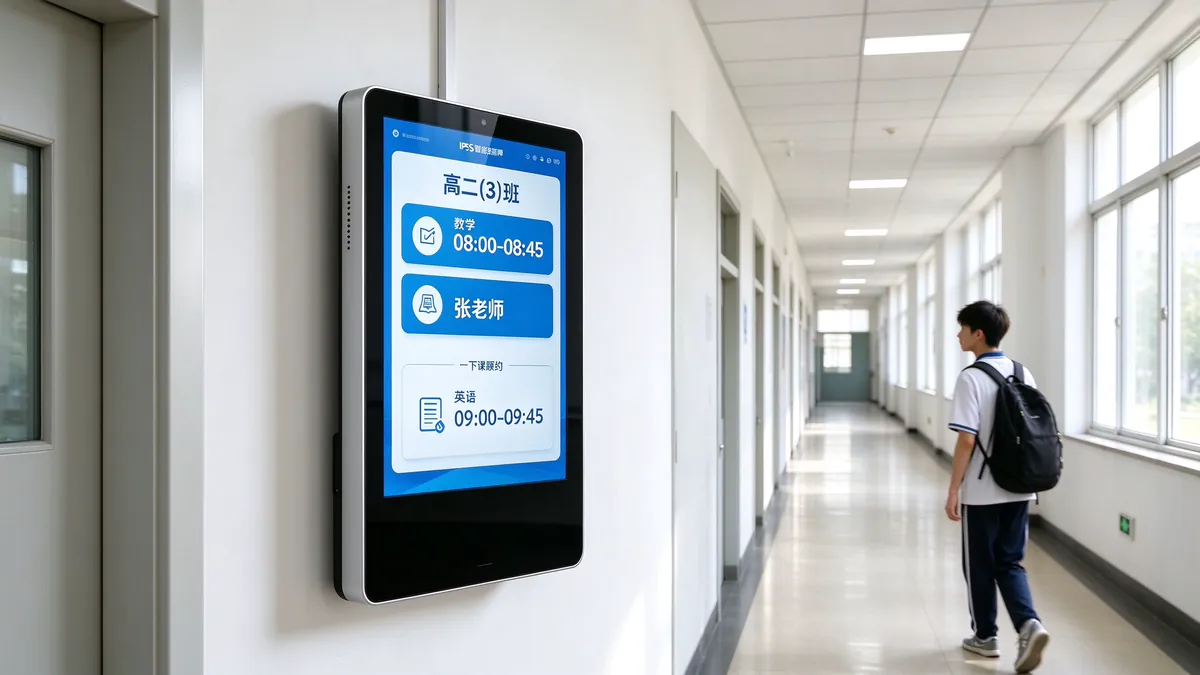
4.4 School: Information Release and Inquiry
Campus inquiry machines are commonly found at school gates, teaching building halls, libraries and administrative buildings, mainly providingCampus guide, course and examination room information, notice announcement, school calendar, honor display, campus newsand other content. When inquiring about students' personal information (scores, all-in-one card balance), they must log in through the campus card or unified authentication, and set the session to exit automatically.
School scene with special emphasisSafety design: The corners of the fuselage should be rounded to avoid scratches; The structure is stable to prevent toppling. The screen is made of tempered glass and has impact resistance. The scene of primary and secondary schools should also consider the low operating height, which is in line with the height range of students of different ages.
Related product program:Course information release and attendance for campus scenes can be selected Qtenboard smart electronic class card, integrated curriculum real-time synchronization, swipe card scan code face attendance, notification grading release and educational administration card access control system docking.
4.5 Factory: Production Line Information Inquiry
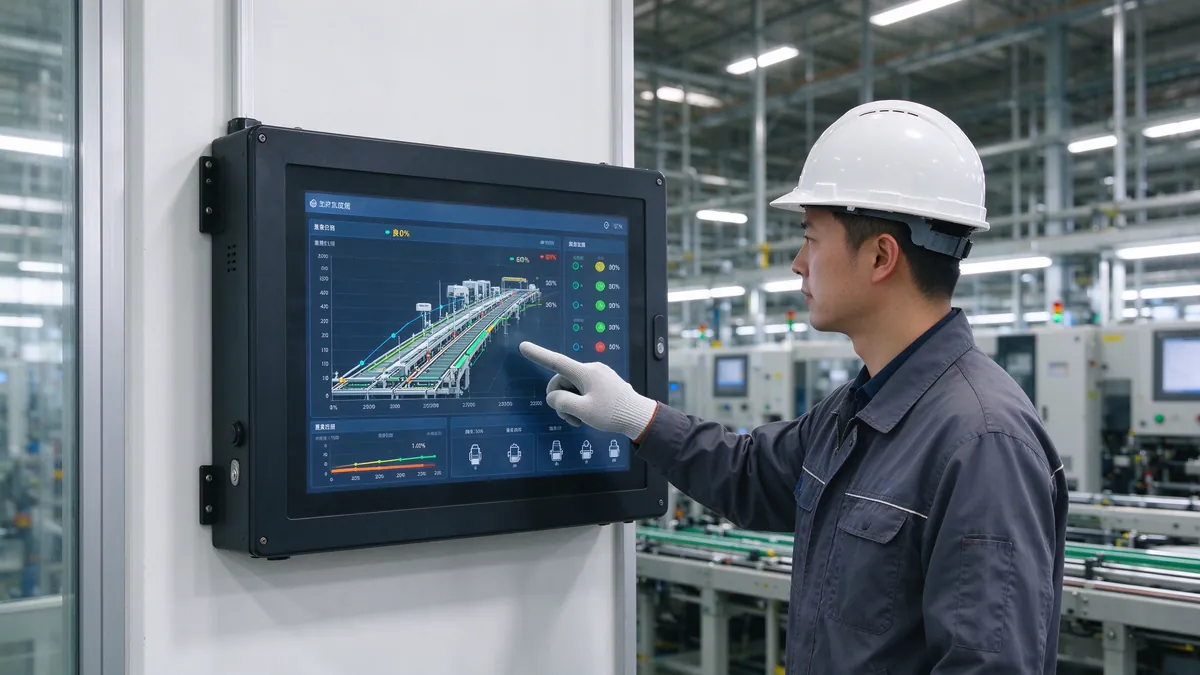
Typical functions
- Production plan, production line progress, yield and equipment status query;
- Work Instruction (SOP), drawings, quality standard query;
- Work order, material, inventory information query;
- Light installation, abnormal alarm and team board display.
Deployment pain points
The factory environment is the harshest of all: dust, oil, vibration, temperature fluctuations, electromagnetic interference, and the normal state of operators wearing gloves and oily hands. Ordinary commercial display equipment is prone to touch failure, fan dust overheating, screen scratches and other problems. In addition, the factory system (MES, ERP, WMS) has various interfaces and the network environment is relatively closed.
Configuration recommendations
Structure:Industrial grade sheet metal casing and sealing design are adopted to reduce dust entry. It is recommended to use easy-to-clean surface in oily environment.
Touch:Infrared touch is more compatible with gloves and various contacts. If water and oil resistance are required, capacitor solutions with higher protection levels can be evaluated.
Host:The use of industrial-grade motherboard, with wide temperature characteristics and rich serial port, network port interface.
System integration:MES/ERP is accessed through standard network protocols. The information is mainly read-only, and the permission for writing operations needs to be specified.
In the factory scene, the boundary between "inquiry machine" and "industrial all-in-one machine" is vague. It is suggested that the main purpose of the equipment should be clarified in the scheme stage: information publicity and inquiry should be given priority to, and the form of inquiry machine should be selected; It is mainly based on control, input and high-frequency operation, and should be designed according to the industrial man-machine interface standard.
5. 12 big scene configuration quick look-up table
The following table summarizes the core configuration directions of the 12 scenarios for quick comparison in the initial stage of the scheme. In the tableTypical Configuration RecommendationsThe actual project still needs to be refined in combination with the site environment, business systems and budget.
| Scene | Recommended Form | Common sizes | Touch scheme | Common Peripherals | Key Concerns |
|---|---|---|---|---|---|
| Hospital | Horizontal/Vertical | 21.5-43 inch | 10 point capacitance | Card reader, code scanner, thermal printer | Easy to clean, privacy, HIS docking, accessibility |
| Government Affairs | Horizontal/Type K | 32-43 inches | Infrared or Capacitive | ID card reader, printer | Suitable for aging, synchronization of event library, anti-touch |
| Bank | Vertical/Horizontal | 32-43 inches | Capacitor | On demand | VI Customization, Compliant Content, Security Lockdown |
| shopping mall | Vertical | 43-55 inch | Capacitive or infrared | Scanner | Anti-reflection, map interaction, content operation |
| Transportation hub | Vertical | 43-55 inch | Infrared or Capacitive | On demand | 7 × 24 operation, real-time data, collision avoidance |
| Hotel | Vertical/wall mount | 32-43 inches | Capacitor | Scanner | Coordinated appearance, low noise, multilingual |
| Scenic area | Vertical (indoor/semi-outdoor) | 43-55 inch | Infrared or Capacitive | Scanner, 4G module | Highlight, Protection, Offline Content |
| Library | Horizontal/Desktop | 19-27 inches | Capacitor | Card reader, code scanner, keyboard | Input efficiency, muting, ILS docking |
| Enterprise Front Desk | Wall-mounted/vertical | 27-43 inches | Capacitor | Camera, card reader, printer | Visitor system, access control linkage, brand customization |
| Community/Property | Vertical/wall mount | 21.5-43 inch | Capacitor | On demand | Large character interface, waterproof and dustproof, a key for help |
| School | Vertical/wall mount | 32-55 inches | Capacitive or infrared | Campus Card Reader | Security structure, authentication login, content publishing |
| Factory | Vertical/wall-mounted/industrial enclosure | 19-43 inch | Infrared-dominated | Code scanner, serial device | Dust-proof and oil-proof, wide temperature, MES docking |
6. form selection: horizontal, vertical and wall-mounted
After determining the scenario, the next question is the device form. The three forms are not absolutely superior or inferior, but correspond to different postures and spatial conditions.
6.1 horizontal (inclined) inquiry machine
The screen is inclined, the user's arm extends forward naturally when standing, the angle between the line of sight and the screen is more comfortable, the long-term operation is not easy to fatigue, and the inclined structure naturally reduces the possibility of side peeping. SuitableHospital, government, bank, librarySuch as the need to query, input, check the information of the serious scene. Among them, K type and L type are two common horizontal structures:
- K-type horizontal query kioskThe inclined touch surface and clean routing design are adopted, with outstanding anti-misoperation characteristics, which are suitable for scenes such as hospitals and government affairs. For structural details, please referStructural Design and Ergonomics of K-type Horizontal Inquiry Machine;
- L-type horizontal inquiry machineSuitable for exhibition halls, museums, service halls and other occasions where there is a demand for modeling and countertop use.
To further compare the two structures, read.What is the difference between K type and L type horizontal inquiry machine?", for the respective subdivided scenes, seeInventory of Applicable Scenarios of K-type Horizontal Inquiry MachinewithInventory of Applicable Scenarios of L-type Horizontal Inquiry Machine。
6.2 vertical inquiry machine
The screen is vertical or slightly tilted back, strong visual impact, suitableLarge size, navigation type and display typeScenarios, such as shopping malls, transportation hubs, and scenic spots. The vertical model occupies a small area, which is convenient for many people to watch at the same time, and is more suitable for playing advertising content in standby.
6.3 wall-mounted inquiry machine
Save floor space, suitableCorridor, Narrow Passage, Elevator Hall, Front DeskLocations with limited space. The wall-mounted machine should pay attention to the wall load-bearing, line hiding and maintenance space, and the height should take into account adults and wheelchair users.
For comparison and scene matching of the three forms, please refer:How to choose horizontal, vertical and wall-mounted type of inquiry machine? Form comparison and scene matching。
7. common hardware requirements across scenarios
Regardless of the scenario, the following hardware elements determine whether the device can operate stably for years.
7.1 touch technology
Capacitive touch control (PCAP) is sensitive in response, smooth and beautiful in surface, and is suitable for indoor scenes with high requirements for perception and gesture interaction, commonly 10-point touch control. Infrared touch control has good compatibility with gloves, pens and various contact objects, can support more touch points, and is suitable for halls and industrial scenes with different hand states and complex environments, commonly 20 points. For a detailed comparison of the two see:Detailed Explanation of Touch Screen Technology of Inquiry Machine: How to Choose Capacitive Screen and Infrared Screen。
7.2 screen size and brightness
The screen size should be based on "viewing distance and information density", rather than the bigger the better: 21.5-32 inches for close-range interaction and 43-55 inches for hall navigation. In terms of brightness, the commercial display screen of ordinary indoor environment can usually meet the demand; when there is glass curtain wall, atrium lighting or semi-outdoor use, the brightness should be increased and anti-glare treatment should be used. Specific reference:How to choose the screen size and resolution of the inquiry machine: 19 inches to 55 inches applicable scene。
7.3 Motherboards and Systems
- Android scheme:Based on RK3566, RK3588 and other motherboards, low power consumption, fast start-up, cost controllable, suitable for content playback, lightweight navigation and standardized information release;
- Windows scheme:Based on the x86 platform, compatible with third-party industry software, peripheral drivers and browser business systems, suitable for hospitals, government affairs, banks and enterprises docking scenarios;
- Dual system:Some projects need to take into account both needs on the same equipment, which can be evaluated according to needs.
Memory and storage need to be reserved for business software, map data and local cache. For specific configuration suggestions, see:Query Machine Hardware Configuration Guide: How to Choose Motherboard, Memory, Storage, and Operating System。
7.4 continuous operation and heat dissipation
The inquiry machine in public places often needs to run for more than ten hours or even 7 × 24 hours a day. The heat dissipation design should take into account ventilation, dustproof and mute: the air duct is reasonable, the key components are of industrial grade, and have overheat protection; In the scene with more dust, dust-proof air duct or fan-free design should be preferred.
7.5 shell structure and surface treatment
The shell material (cold-rolled steel plate, aluminum alloy, stainless steel), surface process (spraying, drawing, anodizing) and glass (tempered, anti-glare, anti-fingerprint) together determine the durability and appearance of the equipment. Key assessments are required: impact resistance, corner safety, rust and corrosion resistance, daily cleaning convenience, and access door locks and door opening methods.
7.6 Interface and Peripheral Expansion
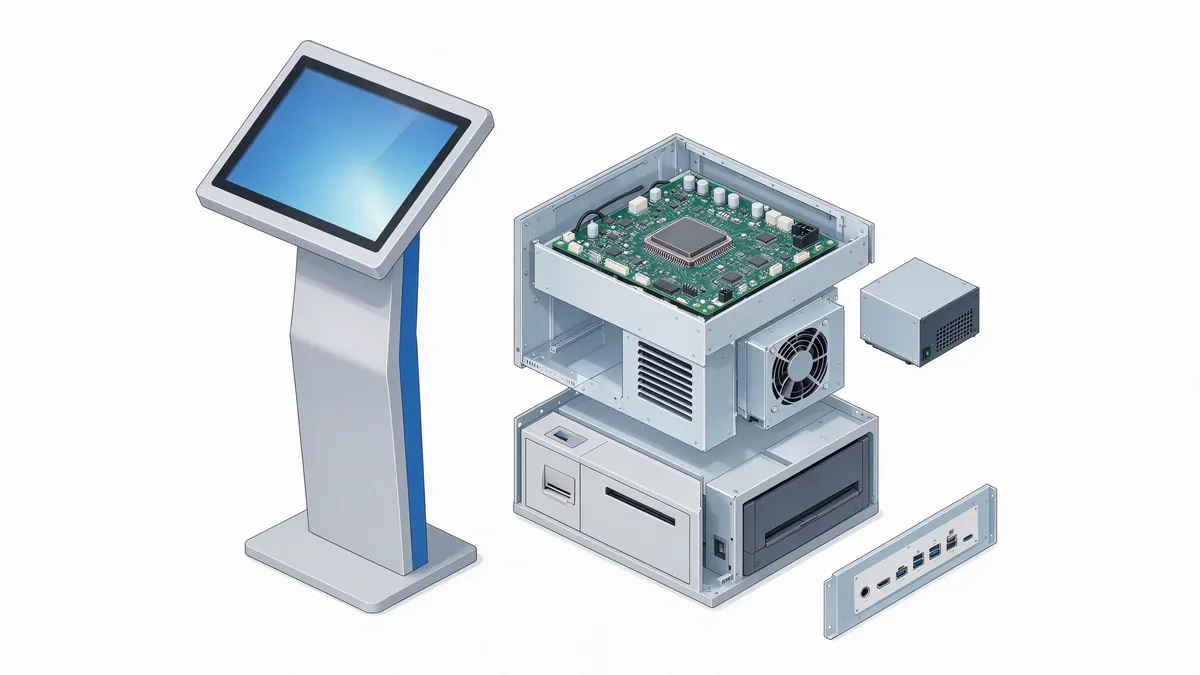
Standard interface suggestions include: gigabit network port, Wi-Fi, USB, HDMI and serial port; In terms of peripherals, modules such as card readers, code scanners, thermal printers and cameras should be adopted.Standardized installation positions and reserved lines, so that the later increase or decrease of peripherals does not require the whole machine to re-open the mold. This is also the key to shorten the cycle and reduce the risk in the customized project.
Key Points of Docking between 8. Software and System
The value of the query machine is ultimately reflected in the software. No matter how good the hardware is, if the content cannot be updated in time, the system cannot run stably, and the data cannot be safely docked, the equipment will become a "decoration".
8.1 Content Management and Publishing
Multi-point deployment must have centralized content management capabilities: unified release of announcements and information, grouping scheduling by device or region, local caching and recovery mechanism when the network is disconnected. Responsibility for content updates needs to be clearly attributed early in the project (business unit, operations team, or integrator).
8.2 business system docking
Different scene docking system is different:
- Hospital: HIS, LIS/PACS reporting system, appointment registration platform;
- Government affairs: government service platform, service guide library, queuing system;
- Bank: head office content distribution system, network management system;
- Traffic: flight/flight real-time data interface;
- Enterprise: visitor management, access control, OA and address book;
- Library: Integrated Library Management System (ILS);
- Factory: MES, ERP, WMS, and Kanban systems.
It is recommended to adopt the mode of "hardware is open terminal, software is provided by business party or integrator" to avoid being locked by a single software platform. Qunmao's equipment can be pre-installed with system environment, drive and application, and coordinated with the joint adjustment before leaving the factory.
8.3 security and privacy
- System lock:Enable Kiosk mode to block system hotkeys, taskbar and unauthorized applications;
- Interface security:USB, network port and other external interface with built-in or lock structure;
- Conversation Management:Queries involving personal information set timeout exit, and avoid keeping historical input on the screen;
- Cybersecurity:Only open the necessary ports, if necessary, the use of private network or VPN;
- Privacy Protection:Optional anti-peep film or narrow viewing angle panel to reduce the peeping of bystanders.
8.4 remote monitoring and operation
The more devices there are, the more important remote operations and maintenance become. It is recommended to have equipment online status monitoring, remote restart and shutdown, software OTA upgrade, fault alarm and operation log. Related content can be referenced:Self-Service Terminal Software System and Remote Management Platform: Equipment Monitoring, OTA and Data Reporting。
9. deployment planning, quantity calculation and acceptance checklist
9.1 Point Planning Principles
- Location:Set in the position where people flow must pass through and the line of sight can reach, such as the entrance hall, elevator hall and service desk, and avoid blocking the moving line in the middle of the passage;
- Space:Reserved queuing and wheelchair swing space in front of the equipment to avoid interference between users and pedestrians behind;
- Environment:Avoid strong light, air conditioning outlet, humidity and high temperature sources;
- Infrastructure:Confirm the power supply, network, grounding and maintenance space in advance;
- Accessibility:Reserved low equipment or adjustable height to meet wheelchair users.
9.2 Equipment Quantity Estimation Method
The number of equipment should not be based on experience, but can be estimated by peak usage:
Number of units required ≈ number of inquiries in peak hours × average single time duration (seconds) ÷(3600 × target occupancy rate)
For example (hypothetical value): during peak hours in a hall, about 120 people use the inquiry machine per hour, occupying an average of 90 seconds each time. if the average occupancy rate of the equipment is expected to be controlled within 60%, the required number of machines is ≈ 120 × 90 ÷(3600 × 0.6)= 5. The actual project should be corrected according to the on-site passenger flow data, and a certain redundancy should be reserved to deal with the failure and maintenance.
9.3 schematic deployment blueprint: large complex
The following table is a schematic plan to illustrate the configuration ideas when multiple scenarios coexist,Not a customer-specific caseThe specific quantity and location should be calculated according to the actual site.
| regional service department | Device configuration | Main uses |
|---|---|---|
| Mall atrium and elevator hall on each floor | 55 inch vertical, capacitive or infrared touch, high bright screen | Floor and brand search, route guidance, preferential activities |
| Underground parking lot entrance | 32-inch vertical or wall-mounted, improved protection level | Parking guidance, exit guidelines, payment instructions |
| Service Center/Office Hall | 43 inch horizontal, with card reader, thermal printer | Matters inquiry, material list printing |
| Office building reception desk | 27-32 inch wall hanging, with camera and two-dimensional code scanner | Visitor Registration, Visitor and Floor Inquiry |
| Visitor and Member Service Area | 32 inch vertical, multi language interface | Peripheral tour, member entrance, scan code to take away information |
9.4 Arrival Acceptance List
- Appearance and structure: no scratches and deformation, safe handling of corners, smooth opening and closing of access doors, and reliable locks;
- Display effect: no bad point, bright spot, light leakage, uniform brightness and color, readable under strong light environment;
- Touch performance: full-screen touch accuracy standard, multi-touch and gesture scaling normal, no drift, no broken touch;
- Continuous operation: according to the requirements of the project aging test, no crash, automatic restart and overheat alarm;
- Peripheral joint debugging: card readers, code scanners, printers and other peripheral identification stability, drive and application compatibility;
- System security: Kiosk lock takes effect, external interface is controlled, startup and abnormal self-recovery are normal;
- Network and docking: data communication with business systems is stable, and the performance of network disconnection and recovery scenarios is in line with expectations;
- Document delivery: provide specifications, certification documents, installation and maintenance manuals, warranty instructions and spare parts list.
For more details of installation, commissioning and acceptance, please referGuide for Installation and Commissioning of Type K Horizontal Inquiry Machine: Point, Wiring, Network and Acceptance。
How 10. Evaluate Inquirer Manufacturers
Query machine project life cycle is long, the selection of suppliers should not only look at the unit price, but also need to be from.Manufacturing capability, customization capability, docking capability and service capabilityFour aspects of comprehensive assessment:
10.1 manufacturing and quality control capability
Whether it has its own factory and complete sheet metal, assembly and aging test process directly determines product consistency and delivery cycle. Qunmao (QUNMAO) is a brand of Shenzhen Qunmao Display Technology Co., Ltd., with two manufacturing bases in Shenzhen and Guangzhou, covering sheet metal structure, machine assembly and testing process, which can provide stable capacity support for batch projects.
10.2 customization with OEM/ODM capability
Evaluate whether the size, appearance, color, Logo, peripheral position and system environment can be customized according to the scene, as well as the complete process from proofing, small batch verification to mass production. For a detailed description of the customization process, see:Query Machine Customization Process: Detailed Explanation of Appearance, Software Interface and Function Customization。
10.3 Compliance and Qualification
Equipment in public places should have corresponding electrical safety and electromagnetic compatibility certification, and export projects should also meet the requirements of the destination market. It is recommended to require the supplier to provide the certification documents of the corresponding model during procurement, and check the actual delivery model.
10.4 aftermarket and spare parts
Reduce downtime by confirming warranty periods, remote support methods, field service response, spare parts supply cycles, and whether the modular design allows for on-site replacement of key components such as touch screens, power supplies, and print modules. The complete assessment framework can be referred:How to choose a self-service terminal manufacturer? Factory inspection standards, qualification list and inspection processwith"self-service terminal after-sales maintenance guide"。
XI. Frequently Asked Questions
What is the difference between touch query integrated machine and ordinary advertising machine?
The display parts of the two are similar, but the positioning is different. The advertising machine mainly plays one-way content, and touch and interaction are additional capabilities. The inquiry machine takes two-way interaction as the core and needs stable touch control, peripheral expansion, system locking and business docking capabilities. Its structural design also emphasizes anti-touch, anti-vandalism and long-term public use.
Hospital and government scene choose capacitive screen or infrared screen?
Both are feasible, the key depends on the environment and users. Capacitors are optional for scenes that require better look and feel and smooth gestures and a relatively clean environment; infrared is optional for scenes with complex crowds and compatible gloves, pens or wet hands. Finally, it is recommended to pass the field prototype test and confirm under the actual lighting and usage habits.
Can a query function serve multiple scenarios at the same time?
The hardware level can reuse the same platform, but the software, peripherals and structure need to be configured according to the scene. A more reasonable approach is to adopt a unified hardware platform and a unified management system. On this basis, differentiated customization of peripherals and appearance is carried out for different scenarios, which is not only convenient for spare parts and operation and maintenance, but also ensures experience.
Can the inquiry machine be used outdoors?
Yes, but must adopt the scheme for outdoor design: high brightness screen, higher grade dustproof and waterproof structure, wide temperature components, sunshade and heat dissipation design, anti-theft and anti-vandal measures. The indoor inquiry machine is directly placed in a semi-outdoor position, which is a common source of failure.
How does the inquiry machine ensure the privacy of personal information inquiry?
The cooperation of software and hardware is required: the hardware uses anti-peep film or narrow viewing angle panel and inclined plane structure; The software uses identity verification, session timeout exit, no cache input content, sensitive information desensitization display, and interfaces with the background through private network or encrypted communication.
Who should be responsible for content updates and how often?
It is recommended that the person responsible be identified at the start of the project. Scenarios with strong timeliness of information such as government affairs, banks and transportation should be automatically synchronized with the background through interfaces. For operational scenes such as shopping malls, hotels and scenic spots, a fixed content update schedule and review process should be established.
What does the service life of the inquiry machine mainly depend on?
It mainly depends on the thermal design, component level, use environment and maintenance level. The use of industrial-grade heat dissipation, regular cleaning and dustproof, and standardized operation and upgrade management can significantly extend the stable operation cycle of the equipment. Daily maintenance recommendations are as follows:Maintenance Guide for Type K Horizontal Inquiry Machines: Daily Cleaning, System Maintenance and Troubleshooting。
How do you ensure consistent performance across devices in a batch project?
Key material versions (screen, touch layer, motherboard, power supply, peripherals) need to be locked in the selection stage, unified aging and functional tests need to be performed in the mass production stage, and suppliers are required to provide factory inspection records. For multi-batch delivery projects, a notification mechanism for material changes should also be agreed.
Summary
The value of the information kiosk lies not in a figure on the datasheet, but inAccuracy of Scenario Matching. Hospitals require easy cleaning, privacy protection and integration with hospital information systems. Government service deployments demand anti-mistouch design, senior-friendly features and real-time data synchronization. Malls and transportation hubs need high-brightness, anti-glare displays and live data feeds. Factories require dust resistance, wide-temperature tolerance and integration with production systems.Even for the same “information kiosk”, a practical and implementable configuration can only be finalized once four key scenario questions are addressed: Who will use it? Where will it be deployed? What information will it provide? How will it be maintained?
Qunmao (QUNMAO) supplies information kiosks and custom solutions in horizontal, freestanding, wall‑mounted and other form factors. We can tailor touch interfaces, peripheral modules, system environments and appearances to meet requirements across healthcare, government services, banking, retail, transportation, education and industrial sectors. We also work with system integrators to support system integration and project acceptance.
Contact Us
Looking for a suitable touch kiosk for your project? Contact Qunmao for selection guidance, samples and customized solutions.
Contact UsConsultation Hotline:+86 137 1431 7162
 Previous:
 Return to list

 Partner Links:
