 Current location:
Home
> News > Product News > Query machine
 Published: 2026-10-23
 Clicks:0
Most of the time, the difference is not in the screen, nor in the shell, but in the four things you can't see: motherboard, memory, storage and operating system.
Overseas buyers, system integrators and software developers often find that the same size, the same appearance, the price varies greatly when comparing the quotations of inquiry machines. Disassembled, the difference almost all falls on the hardware configuration. If the configuration is selected well, the equipment can run quietly for many years. If the choice is wrong, either it will cost more money, or it will restart frequently after a few months on line, the storage will be full, and the software will not run.
AsSource manufacturer of China touch query all-in-one machine, QUNMAO Qunmao (its brand Qtenboard) Design the whole machine and select the motherboard scheme by yourself, so you can give the configuration from the software load instead of just providing a "standard". Below K-type touch query all-in-one machine Take the specification data as an example, one by one.
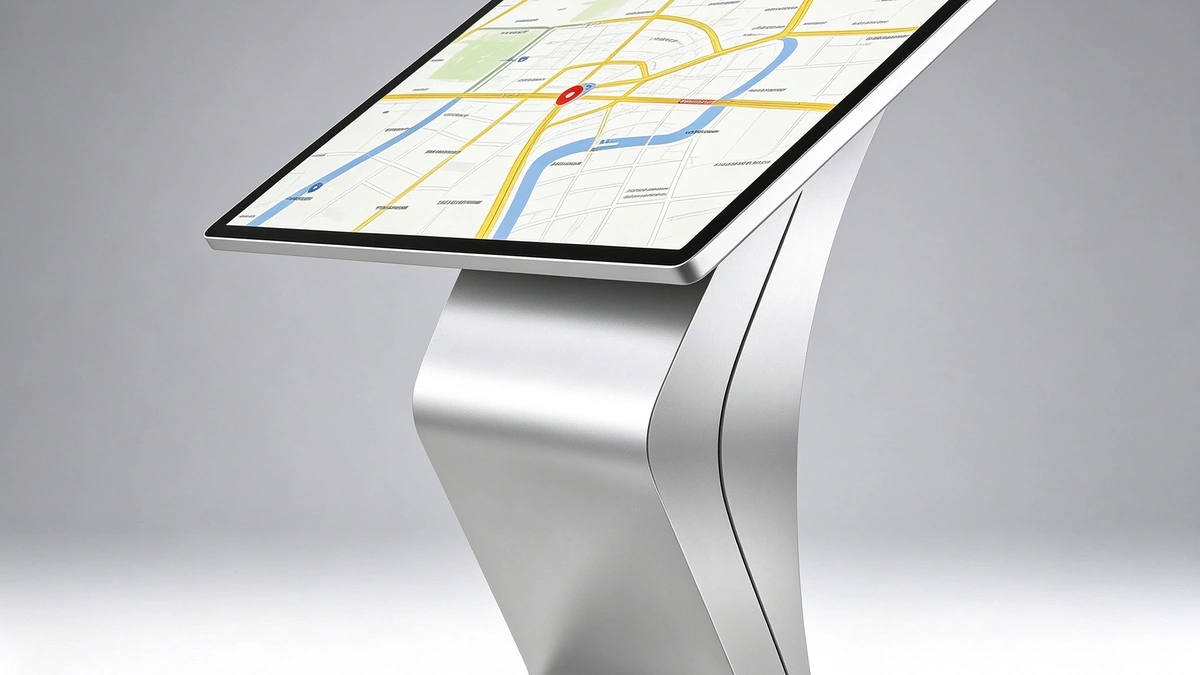
The screen size and case are visible on the page, but the motherboard, memory, storage and system are hidden in the body. It is precisely these parts that determine the stability and life of the equipment. The three most common pits in procurement:
QUNMAO is the source manufacturer of China's touch inquiry all-in-one machine. Its brand Qtenboard completes its own system from the design of the whole machine to the factory aging test, so it can configure the motherboard, memory, storage and system around the software load. Please refer to the product overview. "Touch query machine product details"。
The configuration is to be pushed back from the software, not from the parameter table.
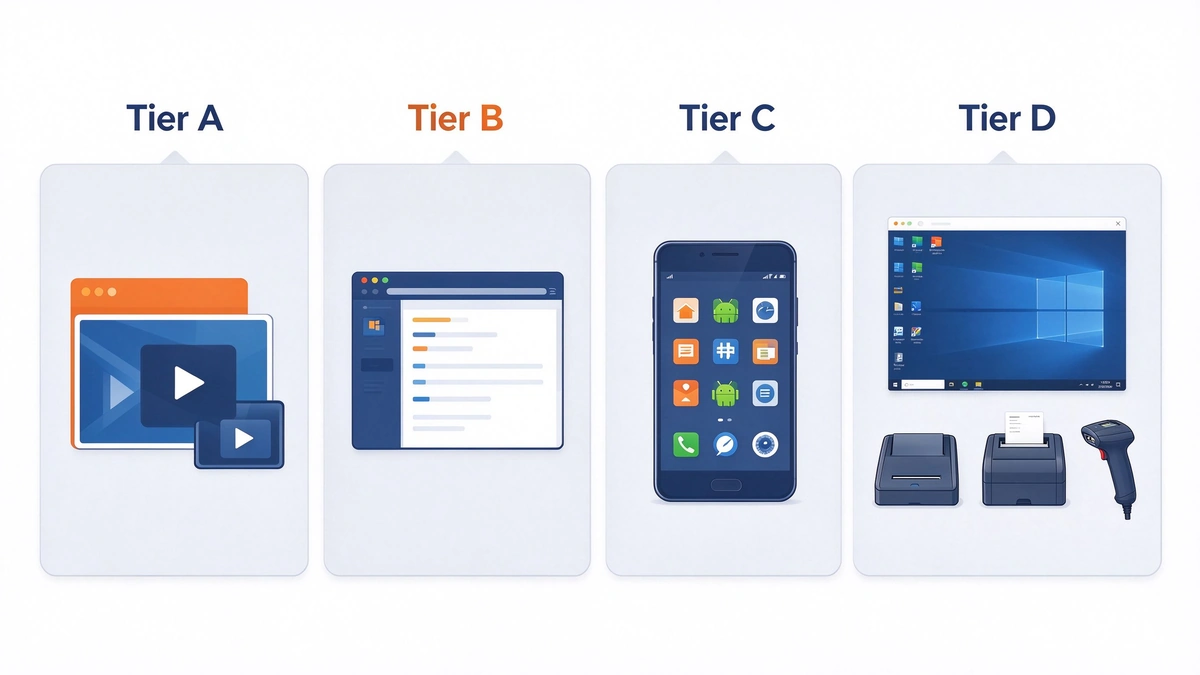
The software of the inquiry machine can be roughly divided into four gears. First judge which file your project belongs to, then talk about configuration:
| Gear position | Typical software | Features | Tendency configuration |
|---|---|---|---|
| A Pure display | Pictures, videos, carousel content | Light load, mainly read | Android Getting Started Configuration |
| B Web Application | Open query page in browser | Medium, browser kernel and memory dependent | Android mainstream configuration |
| C Native app | Custom APK, docking business interface | Medium, depending on system version and interface | Android mainstream configuration |
| D Station Service Software and Multiple Peripherals | Existing Windows software, card reading, printing, scanning code | Heavy, high drive and compatibility requirements | Windows configuration |
Also consider the "operating mode": whether the device is on all day, how many logs are written every day, and what the ambient temperature is. Our inquiry machine specification supports power-on self-start, one-key start-up with light and custom switch-on time. The vertical self-service terminal supports 7 × 24 hours of continuous operation. Different operation modes have different requirements for configuration. See complete product line Self-service machine product catalog。
The motherboard is the core of the query machine. The purchaser does not need to understand the circuit, but can use the following table to ask the supplier questions:
| Judgment Item | Characteristics of industrial control level motherboard | Risks of consumer-level scenarios |
|---|---|---|
| Operating temperature range | Cover a wider temperature range, adapt to the internal heat of the chassis | Temperature margin is small, easy to reduce frequency or restart in summer |
| Long time running | For long time boot design, higher device level | Designed for intermittent use, long-term boot life is difficult to guarantee |
| Supply cycle | Long life cycle for later replenishment and expansion | The model is updated quickly, and it is difficult to make up the same payment in the later period. |
| Functional Support | Call self-starting, time switch machine, watchdog, etc. | Limited function, small customization space |
| Customization capability | Interface, firmware and system images can be adjusted by project | Often unable to be deeply customized |
Qunmao inquiry machine supports power-on self-starting and one-key starting. The applicable environment is temperature 0~55 ℃, humidity 10% ~ 90% RH, standby power consumption not more than 1W, rated power 43 inches not more than 85W, 50 inches not more than 95W. Before the equipment leaves the factory, it must pass the aging test of the whole machine to screen out the early failure.
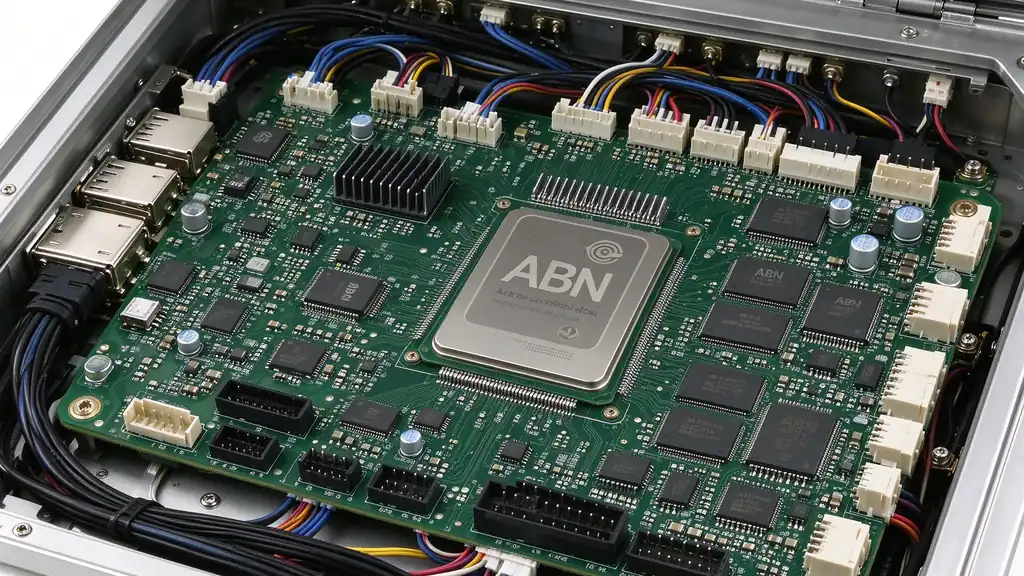
One of the values of the source manufacturer is that it can be discussed and changed at the BOM (Bill of Materials) level, Qtenboard that all products can guarantee the long-term supply of the same model. This is particularly important for overseas projects that require batch procurement and later expansion.
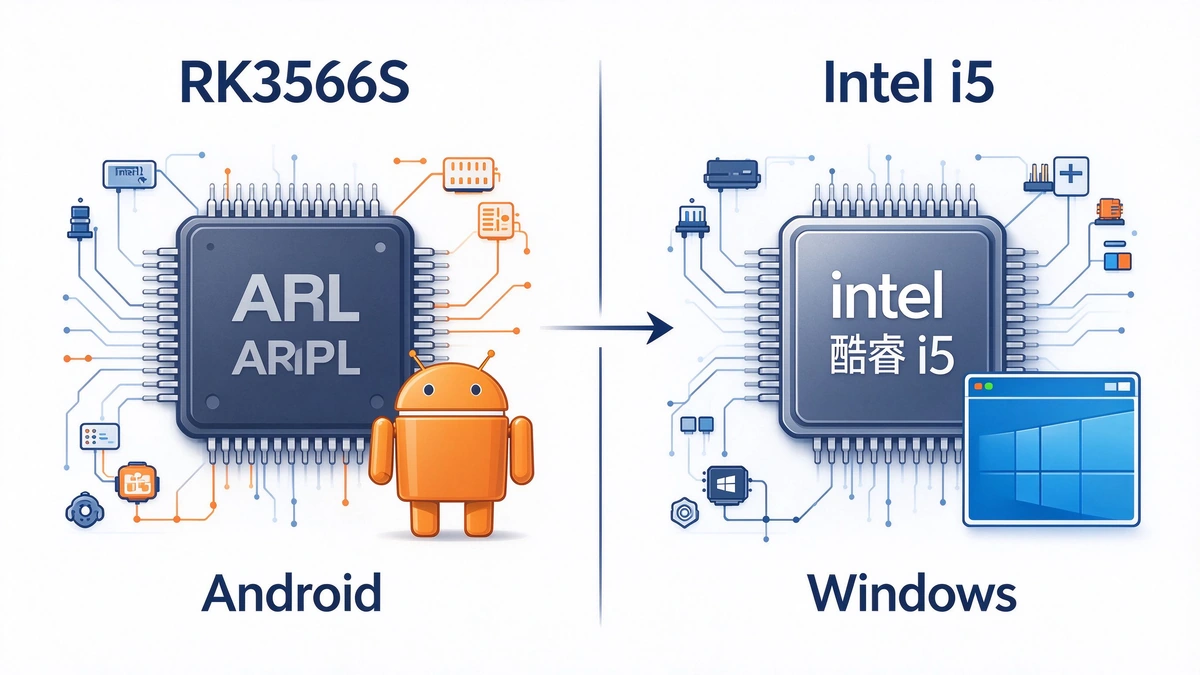
Our specifications have two main lines, corresponding to Android and Windows:
If the configuration is too low, there will be Caton, slow page switching, application recycling or even restart by the system. If the configuration is too high, the cost, power consumption and heat generation will be increased. However, equipment in public places needs to be turned on for a long time. Heat generation is precisely the enemy of stability. So the goal is not "highest", but "just have margin".
configuration of different sizes is recommended, we in "K-type horizontal inquiry machine screen size and configuration how to choose" with L-Type Horizontal Query Machine Screen Size and Hardware Configuration Guide The specific models and parameters can be referred. K-type inquiry machine product page。
The Android solution usually uses eMMC storage, and the Windows solution usually uses SSD. Both have their own characteristics in speed, write durability and cost: SSD is faster, better durable and more expensive; eMMC is low in cost and small in size, suitable for light loads. Our specification configuration is: Android version 32GB storage, Windows version 128GB SSD.
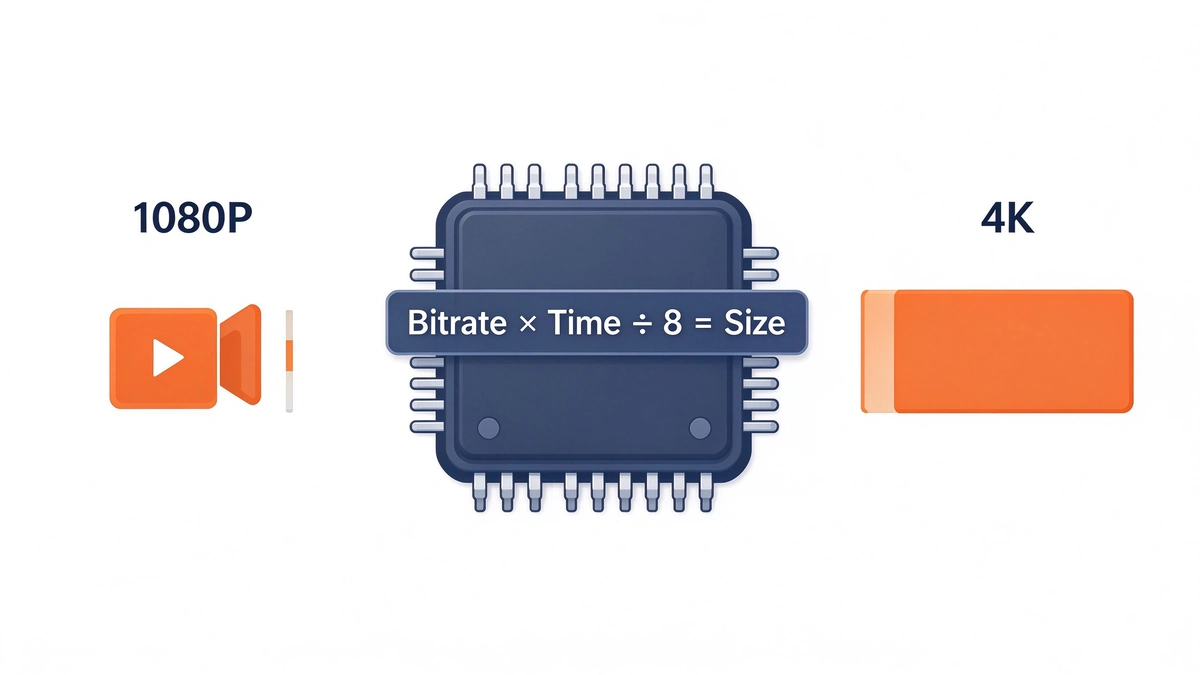
Video footage is the content that takes up the most space. The estimation method is simple:Occupied space = code rate × duration ÷ 8. The following are estimates:
| Material type | reference code rate | Occupies per second | 10 minutes occupied |
|---|---|---|---|
| 1080P Video | Approximately 8Mbps | About 1MB | About 600MB |
| 4K video | About 25Mbps | Approximately 3.1MB | Approximately 1.9GB |
In addition to systems, applications, logs, caches, and backups, there is room for total capacity. For example, 10 10 10-minute 1080P videos require about 6GB. The same amount of 4K video, about 19GB, is close to the conventional usable range of 32GB storage and requires caution.
The life of the storage is mainly consumed by continuous writes, such as logs, caches, and temporary files. It is recommended to do three things: set log rotation and size limit; Clean the cache regularly; Reserve enough remaining space to avoid long-term full.
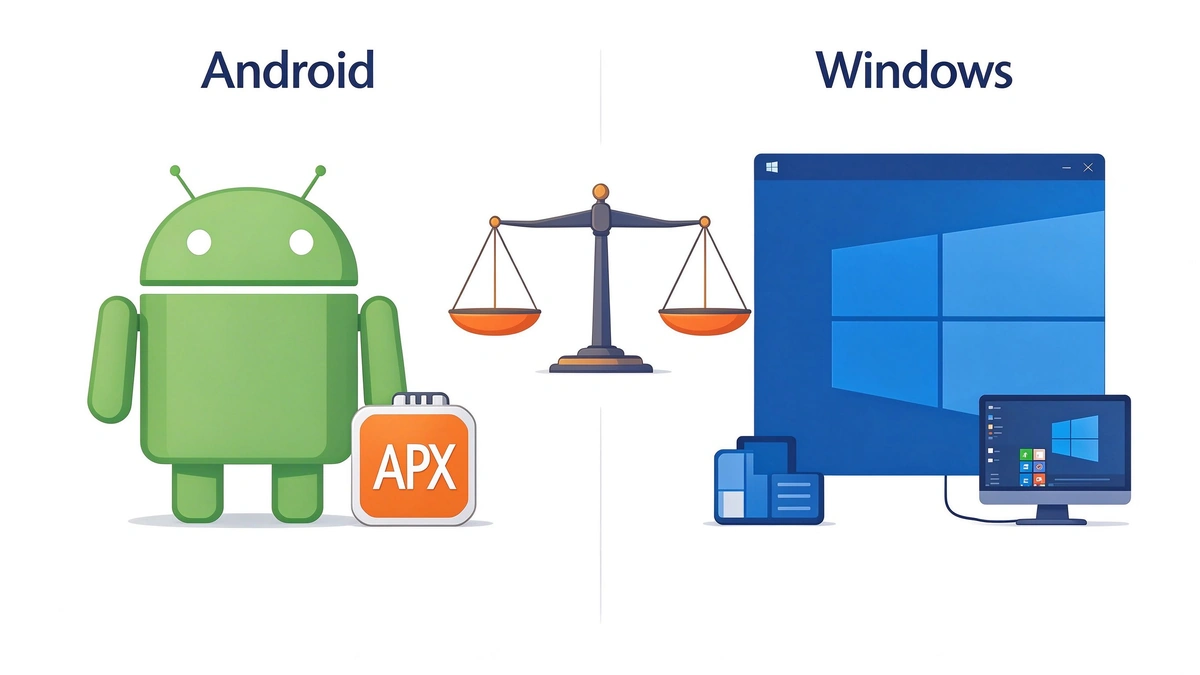
The choice of system depends first on where your software can run.
| Contrast Item | Android | Windows |
|---|---|---|
| Specification Version | Android 11.0(RK3566S scheme) | Windows 10(Intel i5 第 4 代) |
| Cost and power consumption | Lower | Higher |
| Software ecosystem | Support for third-party APK installation, suitable for content publishing and custom applications | Compatible with existing Windows website, in-line and enterprise software |
| Peripheral Driver | Common peripherals can be docked through APK or SDK, which requires joint debugging. | Drive ecological maturity, suitable for projects with many peripherals |
| Management method | Cloud CMS and OTA for batch management | Can cooperate with the existing enterprise management and update mode |
| Suitable for load | A, B, C gear | D gear |
When selecting a model, one of the most practical approaches is to first confirm the software developer or customer's existing software operating environment. If the customer's software only runs under Windows, choosing Android is meaningless. If it is only a web page and content display, choosing Windows will increase the cost and maintenance work.
programs used in public places, you can refer Station Information Inquiry Machine Solution, which gives configuration recommendations by Android and Windows lines.
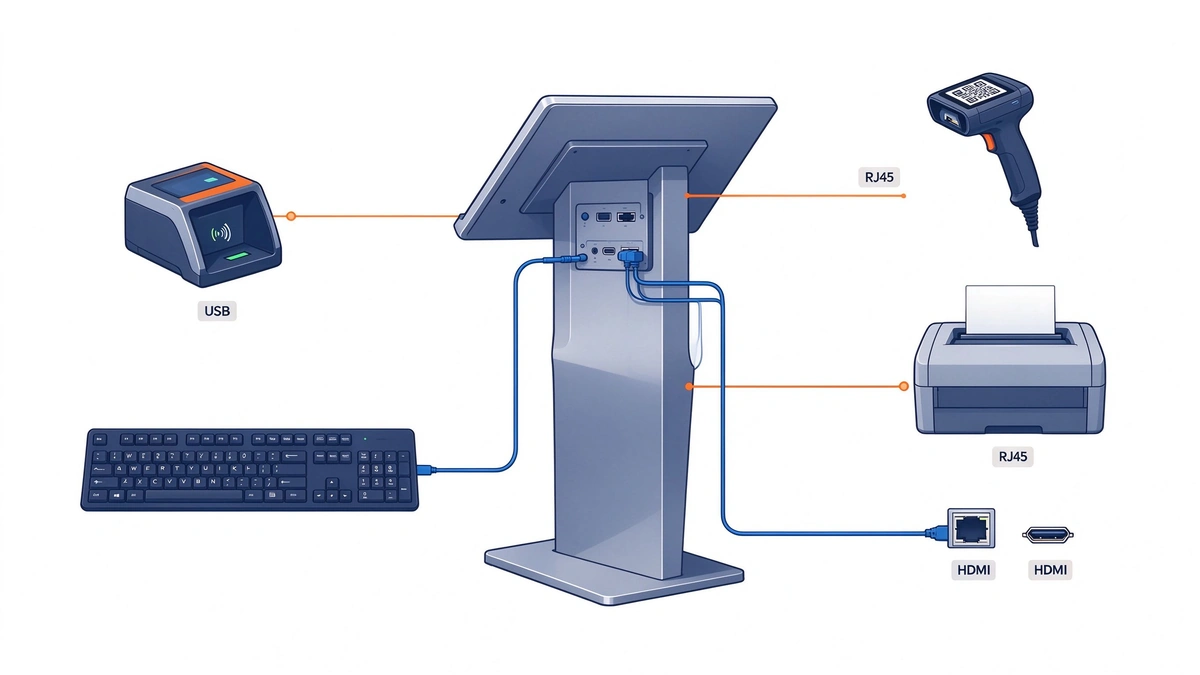
Points that need to handle class business often need to connect peripherals. Take our vertical self-service terminal as an example: the screen is 21.5 or 32 inch vertical screen, the resolution is 1920 × 1080, the touch can be selected by capacitance or infrared, the system can be selected by Android or Windows, the card reader, encryption keyboard, slip printer and code scanning equipment can be selected, the power supply is AC 110-240V, 50/60Hz, and the continuous operation is supported for 7 × 24 hours. See details Vertical self-service terminal with 27 inch touch self-service inquiry terminal。
| Peripherals | Interface type | Quantity | Power Supply and Precautions |
|---|---|---|---|
| ID card recognition or card reader | USB | 1 | Confirm that the drive is compatible with the system |
| QR code scan | USB | 1 | Confirm the scanning method and installation position |
| slip printer | USB or Serial | 1 | Confirm the instruction set, paper, and out-of-paper alerts |
| Encrypted Keyboard | USB | 1 | Confirm safety requirements |
| Network | RJ45 / WiFi / 4G | More than 1 | Confirm site network conditions |
Planning principle: the number of USB ports should be left with allowance; When there are many peripherals, consider selecting more interfaces. Special interfaces such as serial ports (such as RS232) are required, which should be proposed in the early stage of the project for customization.
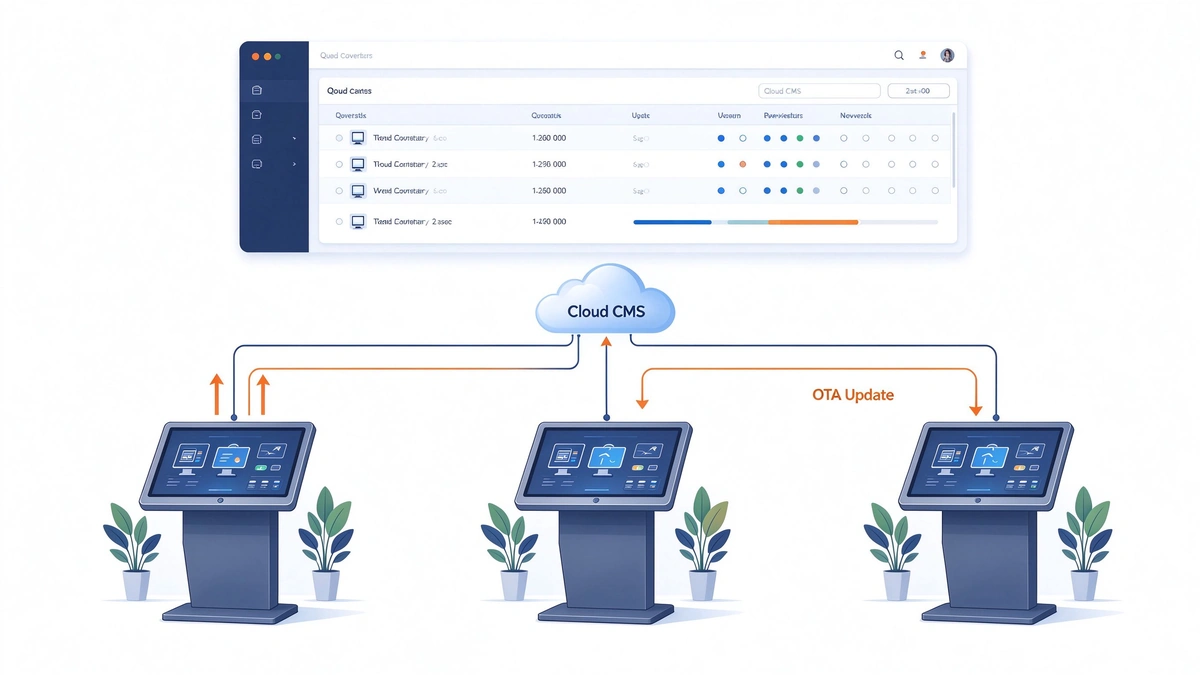
As the number of equipment is large, the operation and maintenance cost depends on whether it can be managed remotely.
These functions are closely related to the hardware configuration: self-starting, watchdog, storage margin and system stability, which are the basis of remote management. Most of the problems at the software level can be handled remotely; physical failures of the motherboard and touch screen need to be handled on site. For more maintenance and troubleshooting, please refer "K-type inquiry machine FAQ 20 questions"For content management capabilities, please refer Digital Signage CMS Solutions。
| Symptoms | Common causes | How to avoid |
|---|---|---|
| Frequent restart or caton in summer | Only look at the CPU model, ignoring the heat dissipation and temperature margin | Inquire about the working temperature range and require the aging test record of the whole machine. |
| High cost, body heat | Memory and CPU are too high | Select the configuration according to the load gear, leaving a reasonable margin |
| After several months of operation, the system becomes slow and cannot be written. | Storage is full of logs and caches | Set log limits, reserve space, and clean up regularly. |
| Customer Software Cannot Run | The system was wrong, but the software needed Windows but chose Android. | Confirm the operating environment of the software before selecting the system. |
| Insufficient peripheral connection | Interface is not counted clearly | Make interface budget table, leaving allowance |
| Batch product inconsistent with prototype | Specification version and material not managed | Write the configuration into the contract and agree that the prototype is the standard. |
| Failure depends entirely on on-site treatment | No remote management capabilities | Confirm monitoring, restart, OTA and other functions before purchasing |
| Project | Entry-level model | Mainstream release | High gear |
|---|---|---|---|
| System | Android 11 | Android,或 Windows 10 | Windows 10 |
| Processor | RK3566S quad-core A55 | RK3566S; or Intel i5 4th generation | Intel i5 Series |
| Memory | 2GB | Android 2–4GB;Windows 8GB | 8GB and above |
| Storage | 32GB | Android 32GB 及以上;Windows 128GB SSD | 256GB SSD and above |
| Network | WiFi 100M Ethernet | WiFi 100M Ethernet, optional 4G | Ethernet-based, optional 4G |
| Suitable for load | Files A and B: Display and Lightweight Inquiry | B, C, D files: most government affairs, hospitals, banks, shopping malls project | D file: complex software and multiple peripherals |
| Typical Scene | Information publicity, navigation | Business guidance, inquiry and handling | Station service system, handling business |
The above is subject to the specifications of each model, and the project can be adjusted as required. The touch of 43-inch and 50-inch models is capacitive G G and 20 points, and the screen is 1920 × 1080. Please refer to the corresponding specifications for details.
Source manufacturers from China can talk about, change and supply for a long time at the BOM level. Qtenboard series also follow the batch consistency principle of "prototype is standard. For overseas projects with batch procurement and later expansion, this means that the configuration of the first batch and the third batch of equipment is still the same.
The core of this project is to "not allow customers to choose all Windows", nor to "choose all Android", but to make each device configured just right.
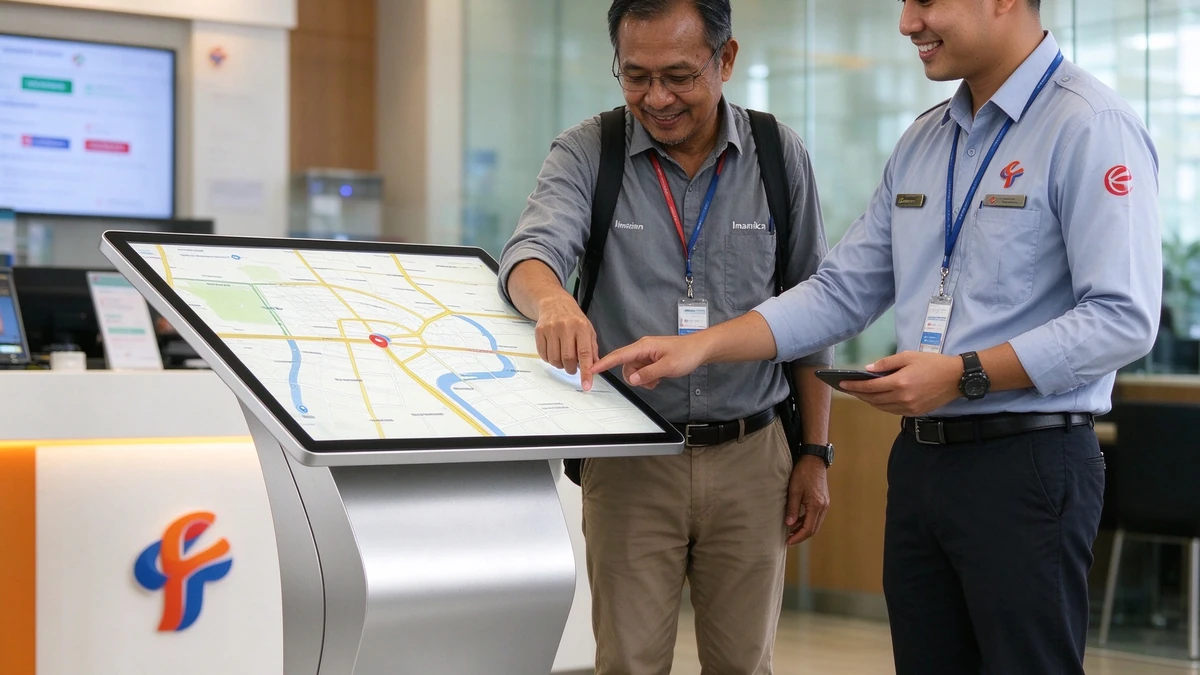
Customers hope to deploy unified inquiry equipment in many business halls across the country for package and business inquiry, network information and business guidance. At the same time, in the handling areas of a few flagship business halls, they need to run local Windows clients and connect card reading and printing equipment. The customer's IT team initially wanted all devices to be Windows, on the grounds that the team was familiar with the software and that there was no risk of software compatibility.
We did not directly agree or object, but together with the customer's IT team, we listed the software load of each point: most points just open the query page and display the content in the browser, belonging to file B; Only a few points in the processing area need to run local clients and connect peripherals, which belong to file d.
The conclusion is that the B- gear point can run smoothly with the Android version, with lower power consumption and cost, and easier centralized management through the cloud. The D-gear point uses the Windows version to ensure compatibility between local software and peripheral drivers. It was finally determined to be 24 Android and 6 Windows. The two configurations are exactly the same in appearance, screen and touch, and there is no difference for users.
| Week number | Main responsibilities | Need customer cooperation | Risk control |
|---|---|---|---|
| Week 1 | Load analysis to determine Android and Windows point distribution; provide prototypes in two configurations | Provide software list and peripheral list at each point | Take the load analysis table as the configuration basis and keep the file. |
| Week 2 | Browser compatibility and interface tuning; Indonesian and English interface confirmation; Material preparation | Provide query page address and test environment | Do Compatibility Test with Customer Real Page |
| Week 3 | Mass production; making a unified system image | Confirm image and content version | The prototype is the standard, and the batch is configured according to the prototype. |
| Week 4 | Aging test of the whole machine, joint debugging of peripherals at Windows points; factory acceptance | Acceptance can be viewed remotely | Test one by one and keep records |
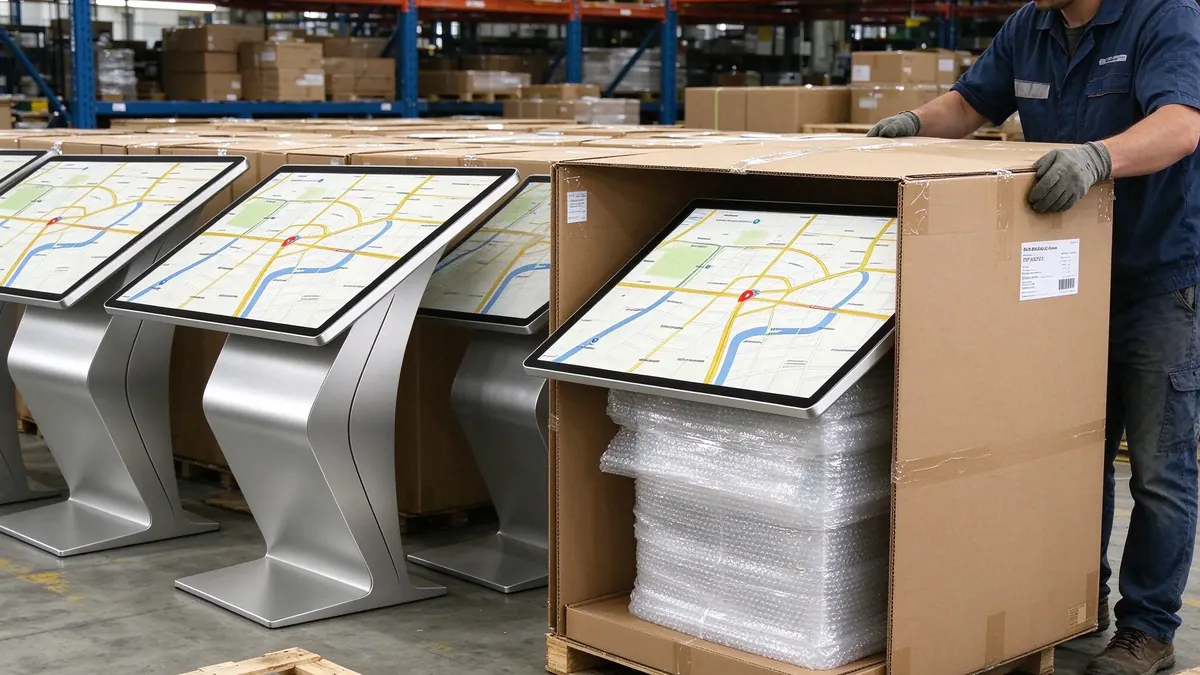
| Week 5 | Packing by configuration type, export shipment | Confirm receiving and docking person | Packing reinforcement, with box installation guide |
| Week 6 | Local integrators designated by customers to install in batches, QUNMAO remote guidance; training and acceptance | Coordinate the installation time of each business hall | Remote batch check device status after installation |
The customer's query page has certain requirements for the browser version. In the second week, we used the customer's test page to complete the compatibility test on the Android prototype. We found that some page elements were not completely displayed in the default browser. Then we negotiated with the customer's development team and made minor adjustments to the page. At the same time, we fixed the browser scheme in the mirror image to avoid differences caused by future upgrades.
The 6 devices in the processing area need to be connected to card reading and printing devices. At the factory stage, we connect the customer's peripheral equipment to the whole machine for joint debugging, confirm the driver, instruction and paper shortage prompt, and then mass produce, so as to avoid finding that the peripheral equipment is incompatible with the system only on site.
The business halls are distributed in different regions and cannot be debugged by our engineers shop by shop. We have made a unified system image and configuration template in advance, set up a time switch machine according to business hours, and uniformly publish content through the cloud background. After the installation is completed, the online status of the equipment is checked in batches by remote means to minimize the amount of on-site debugging.
30 sets of equipment were delivered within 6 weeks and put into use in each business hall.
Customer Information Technology Team:Approved the method of load analysis first and then configuration, and believed that this gave the team a clear basis for "why not all Windows are selected"; Satisfied with unified mirroring and remote management, I hope that the same configuration template will be used when adding new business halls in the future.
Business hall management personnel:The feedback equipment is used smoothly, and there is no difference between the two configurations in appearance and operation. The equipment in the handling area is naturally connected with the existing process.
Local Integrator:It is considered that the installation guide is clear, and the packaging is classified according to the configuration type, which is convenient for on-site verification.
The best practice for configuration selection is "analyze first, then configure". As a source manufacturer in China, QUNMAO Qunmao's brand Qtenboard can provide both Android and Windows solutions at the same time, and make them consistent in appearance and use experience, helping customers spend every budget on the cutting edge.
看软件。以内容展示、网页查询和定制 APK 为主,Android 就足够,成本和功耗更低;需要运行现有 Windows 软件、连接较多外设时,选 Windows。最稳妥的做法,是先确认软件的运行环境。
纯展示和轻量页面,2GB 通常可以;页面较重、多个应用同时运行时,可以考虑 4GB;Windows 系统一般以 8GB 作为稳定运行的起点。
SSD 速度更快、耐久更好,成本更高,常用于 Windows 方案;eMMC 成本低、体积小,常用于 Android 的轻量负载。无论哪种,都需要控制日志和缓存的写入。
要看设备的运行方式:我们的立式自助服务终端支持 7×24 小时连续运行;查询机规格书支持通电自启动与自定义开关机时间,可按营业时间管理。无论哪种,都要注意散热、存储余量、日志限额和远程监控。
可以。规格书中 Android 版为 2 个 USB,Windows 版为 4 个 USB。外设较多或需要串口等特殊接口时,在项目前期告诉我们,可以按项目调整。
可以,雅加达营业厅项目就是一个例子:24 台 Android 与 6 台 Windows,外观、屏幕、触控完全一致,只在内部配置上有差别。混用的关键,是用统一的镜像和云端后台来管理。
QUNMAO 是中国触摸查询一体机与自助终端的源头制造商,自有生产基地,支持 OEM 和 ODM。旗下品牌 Qtenboard 覆盖触摸查询、数字标牌与自助终端系列。主板、内存、存储、接口、外设与系统镜像都可以按项目定制,确认样机后再批量生产。
在合同中写明规格书版本,约定“样机即标准”,批量按样机的物料和镜像生产;出厂前逐台测试并留存记录,到货后按同一份清单验收。
回到开头的问题:同样是 43 寸查询机,为什么报价能差一倍?现在答案很清楚:差别藏在主板、内存、存储和系统里,而这些配置应当由软件负载来决定,由Stability来把关,并且写进规格书和合同。
作为中国触摸查询一体机的源头制造商,QUNMAO 群茂(旗下品牌 Qtenboard)从主板选型、规格书、出厂测试到批量一致性,都有可核对的资料和项目经验。雅加达营业厅 30 台、两种配置的项目,是“先分析、再配置”的一个例子。选择一家能在 BOM 层面和你坦诚讨论配置的源头工厂,会让项目更稳、更省,也更容易长期扩容。完整产品线见 Self-service machine product catalog。
一对一技术选型 · 免费样机 · OEM / ODM 定制 · 全球售后支持
 Partner Links:

 en
 中文

 Previous:
 Return to list

