 Current location:
Home
> News > Product News > Query machine
 Release date: 2026-10-26
 Clicks:0
Qtenboard buffet ordering machineIt is an integrated ordering terminal for catering chains, tea baking, canteens and supermarkets: customers complete meal selection, order placing, code scanning or credit card payment on the screen, the receipt is typed out immediately by the built-in 80mm thermal printer, and the order is synchronized to the back kitchen.
The whole machine is made Qtenboard The source factory independently designs and produces, providing 15.6-inch desktop, 21.5-inch and 32-inch floor vertical, 27-inch wall hanging (with base) in four forms, pre-installed Windows 10/11, and supporting Qtenboard self-catering software. Customers who already have a cash register system can also directly install their own ordering software.
According to the order of "function, form, configuration, software, format, deployment, operation and maintenance", this article clearly explains the matters that need to be confirmed from selection to landing of a Qtenboard ordering machine. All hardware parameters are from the Qtenboard factory specification and can be checked item by item.
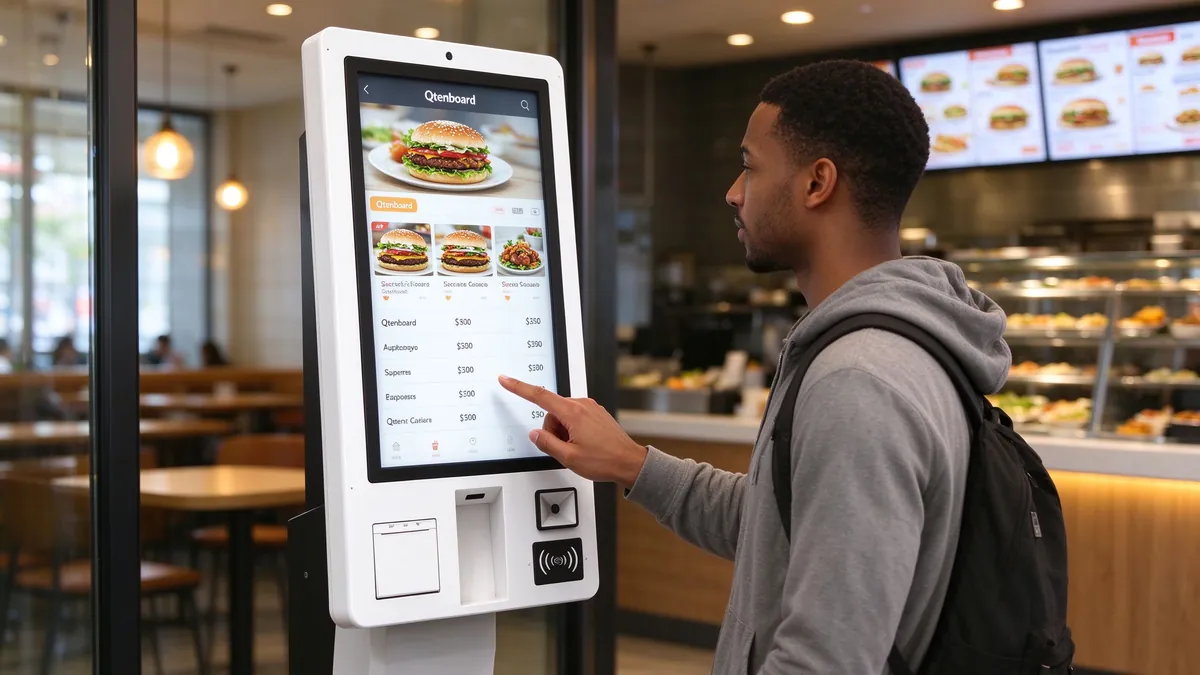
The front desk pressure of catering stores is concentrated in several fixed periods: lunch and dinner peaks, holiday passenger flow, and the day of new products. Traditional manual cash register is prone to queuing, reporting wrong orders, missing orders and high communication costs during these periods. In order to cope with the peak, stores often have to arrange one or two more cash register positions, and these manpower is idle during off-peak hours.
The self-service ordering machine hands over the link of "reading the menu, choosing the food, confirming the order, paying and taking the receipt" to the customers themselves. The cashier position in the store can be converted into meal, call and hall food service. The order information at the front desk is also directly generated by the system, thus reducing the error caused by oral communication. For chain brands, a unified ordering interface can also ensure that the menu display, package recommendation and promotion rules of each store are consistent.
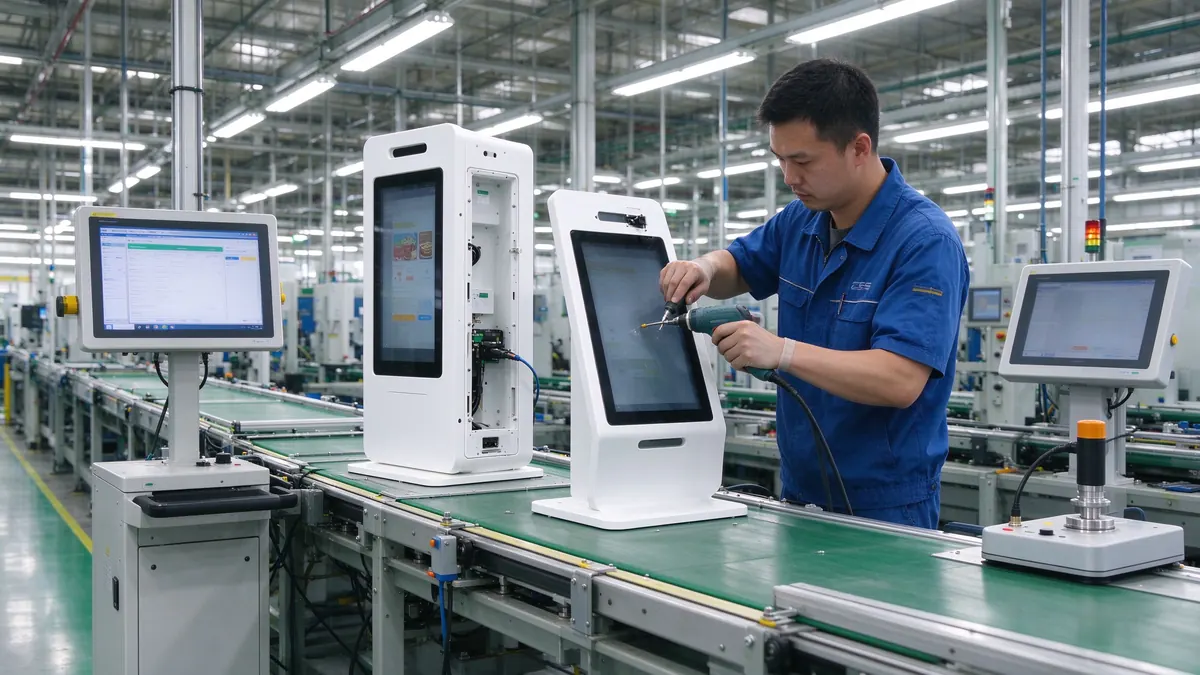
QtenboardIt is a commercial self-service terminal brand owned by Shenzhen Qunmao Display Technology Co., Ltd. and is positioned as an OEM/ODM source factory for LCD commercial display. The ordering machine is completed in the factory from the screen, touch control, structural parts to the whole machine assembly, so the size, peripheral module, color, structure and software interface can be adjusted according to the project requirements. For channel vendors and system integrators, this means that models can be relatively standardized and details can be customized.
Unlike the hardware-only solution, the Qtenboard also provides self-catering software. Customers have two choices: the whole set of Qtenboard "hardware + software", or keep the existing cash register and ordering system, only purchaseQtenboard self-service ordering terminal. Both paths use the same set of hardware platforms, and there is no need to re-evaluate equipment for software selection.
Reading tips:The model parameters in this article come from the Qtenboard factory specifications, of which the 21.5-inch specification will be revised in June 2026 and the 32-inch, 27-inch and 15.6-inch specifications will be revised in October 2024. The latest version of the specification and the contract shall prevail when purchasing the project.
The value of a Qtenboard ordering machine is reflected in the customer's entire process from approaching to picking up the receipt. The following is an explanation of which hardware and software are used to complete each link in the order of actual use.
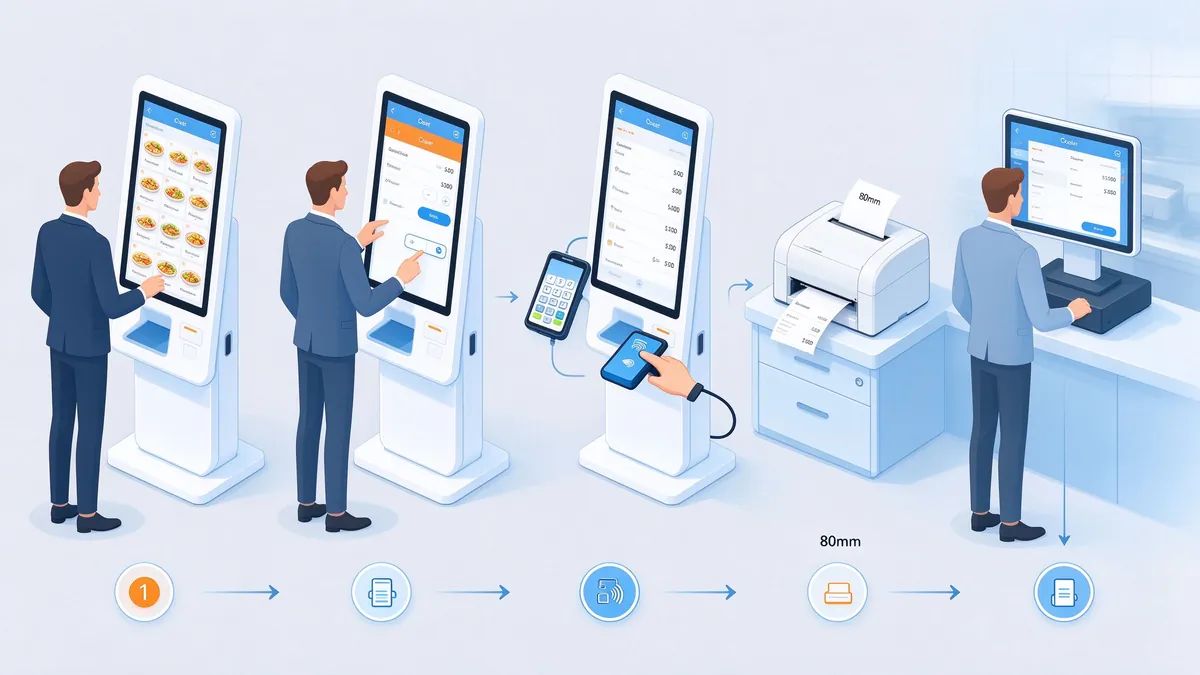
The ordering interface is the most exposed part of the customer. With the 1920 × 1080 IPS screen and 89 viewing angle, customers can see the pictures and prices of dishes clearly at different stations. Capacitive touch has fast response, smooth page turning and classification switching, and customers will not click repeatedly due to touch delay during peak hours. The screen supports a multilingual interface, which is especially useful for stores with expatriate traffic, such as tourist districts, airports and shopping malls.
The menu content is managed by the ordering software: classification, picture, price, specification and package combination are all set in the background and pushed to the store terminal. Different menus can be displayed in different stores and at different times, such as breakfast, lunch and afternoon tea.
The body integrates bar code and two-dimensional code scanning module, and customers can scan the code to pay. The 21.5-inch and 32-inch specifications also include NFC card swiping capability. For stores with bank card payment requirements, POS terminal installation holes are reserved in the fuselage, which can fix the external POS in the fuselage to avoid scattered equipment.
The ticket is issued using an 80mm thermal printer. After the order is paid successfully, the receipt of the meal will be printed immediately. The receipt will carry the meal number. Customers can wait at the meal pick-up gate when they get the receipt. Thermal printing without ink and carbon tape, daily only need to replace the paper roll, simple maintenance.
After the order is generated, it is transmitted to the kitchen via wired network (RJ45) or wireless network (WiFi). The back kitchen can print orders with the kitchen printer or use the back kitchen display screen to receive orders. Stores that need to increase the number of food calls can be further accessed.Queue calling machine, let ordering, serving and calling form a closed loop.
The key to the smooth use of the ordering machine lies in whether the customer who uses it for the first time can complete the order without relying on the clerk. The design idea of the Qtenboard focuses on three aspects: first, the interface level should be shallow, and the steps from the home page to the payment should be as simple as possible; Second, the touch response should be stable to prevent customers from clicking continuously. Third, when there is an error, there is a clear prompt, such as out of stock, payment overtime, printing out of paper, can give the next operation suggestions on the screen. These details can be confirmed item by item according to brand style in the software configuration stage.
The shape of the ordering machine is mainly determined by the store space, customer movement and brand image. At present, the Qtenboard provides four specifications of ordering machines, covering three categories: countertop, floor and wall hanging. For the complete product line, seeQtenboard self-service ordering machine product page。
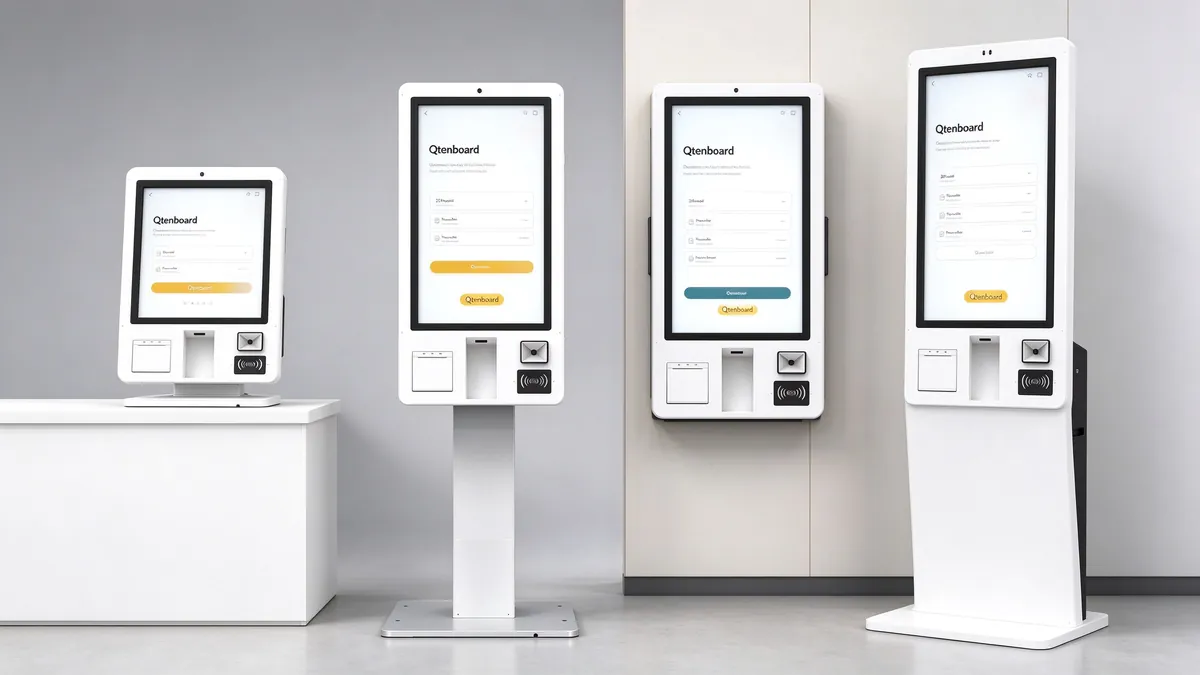
Small size, overall size 265.4 × 561.7 × 239.9mm, net weight 11KG, can be directly placed on the cash register or stall table. It is suitable for milk tea stalls, coffee shops, baking counters and small restaurants with limited area. It does not need to occupy the ground or change the store layout. The rated power does not exceed 45W.
The size of the whole machine is 390 × 1535.6 × 50mm, the base is 390 × 450 × 30mm, and the net weight is 28KG. The slim body and small footprint are the most commonly used specifications in fast food and snack stores: the screen is large enough for customers to see the menu at a glance without taking up too much entrance space.
The size of the whole machine is 460 × 917.82 × 60mm, the size of the base is 695.07 × 402.5 × 30mm, and the net weight of the base bracket is 19KG. It can be hung on the wall to save floor space, and can also be used on the ground with a base. It is suitable for medium and large restaurants and chain stores that need flexible adjustment of points. There is no need to replace equipment during the later store renovation.
The size of the whole machine is 511.7 × 1763.5 × 50mm, the base is 511.7 × 450 × 30mm, and the net weight is 30KG. The large-size screen makes the display effect of food pictures more prominent, suitable for brand flagship stores, large shopping malls and high-end restaurants, taking into account the ordering function and in-store image display.
Selection summary:The stalls and small shops have priority of 15.6 inches; Standard stores for fast food and simple meals have priority of 21.5 inches; Stores that need to be installed against the wall or may be adjusted at a later stage will have priority of 27 inches; Flagship stores that require brand display will have priority of 32 inches. Qtenboard different stores of the same brand can mix multiple specifications, and the software interface remains unified. For comparison of applicable scenarios for installation forms such as floor, wall, and horizontal, you can also referHow to choose horizontal, vertical and wall-mounted inquiry machine。
The 27-inch model supports wall hanging and can be equipped with a base, which is very practical for stores: the wall hanging scheme is used to save the ground area for newly opened stores. After the passenger flow increases, it is necessary to increase the number of ordering places. Only the base can be added to be arranged in a more middle position without purchasing a landing machine separately. It should be noted that the wall-mounted wall load-bearing and fixing methods must be surveyed before installation, see the following "deployment and installation points".
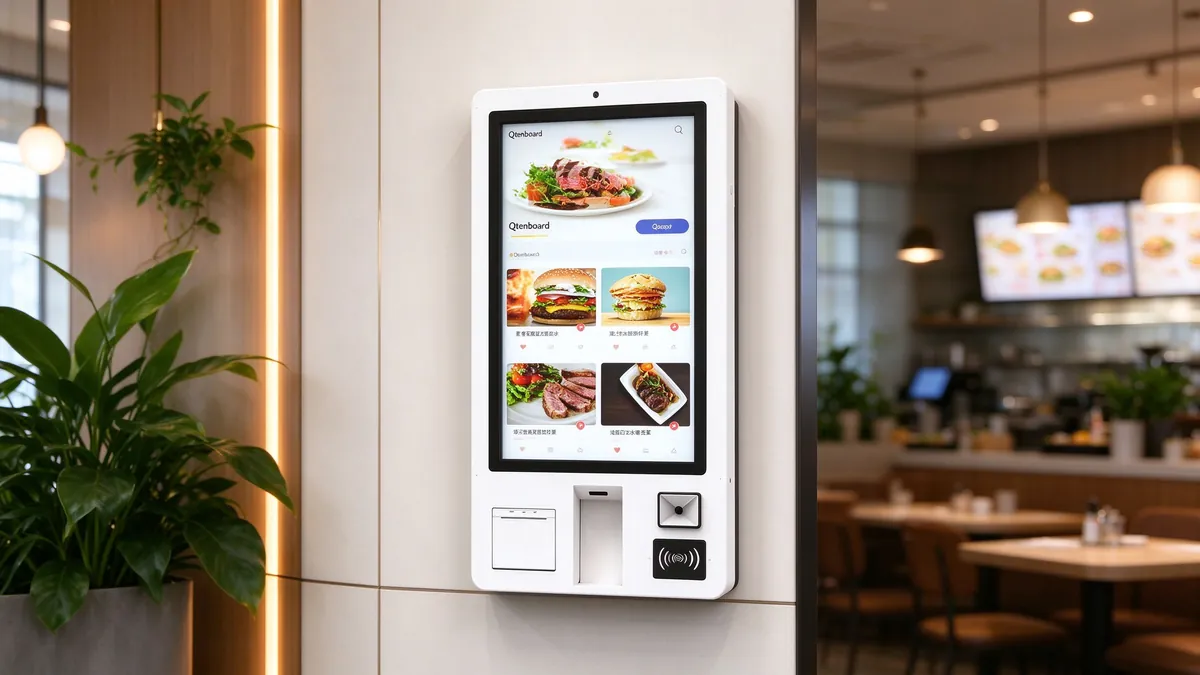
When purchasing a Qtenboard ordering machine, the six aspects that need to be checked most are display, touch control, host, interface, peripherals and structure. The following itemize the configuration of the Qtenboard ordering machine and explain what these parameters mean in the catering scene;Query Machine Hardware Configuration Guide(Motherboard, Memory, Storage and System).
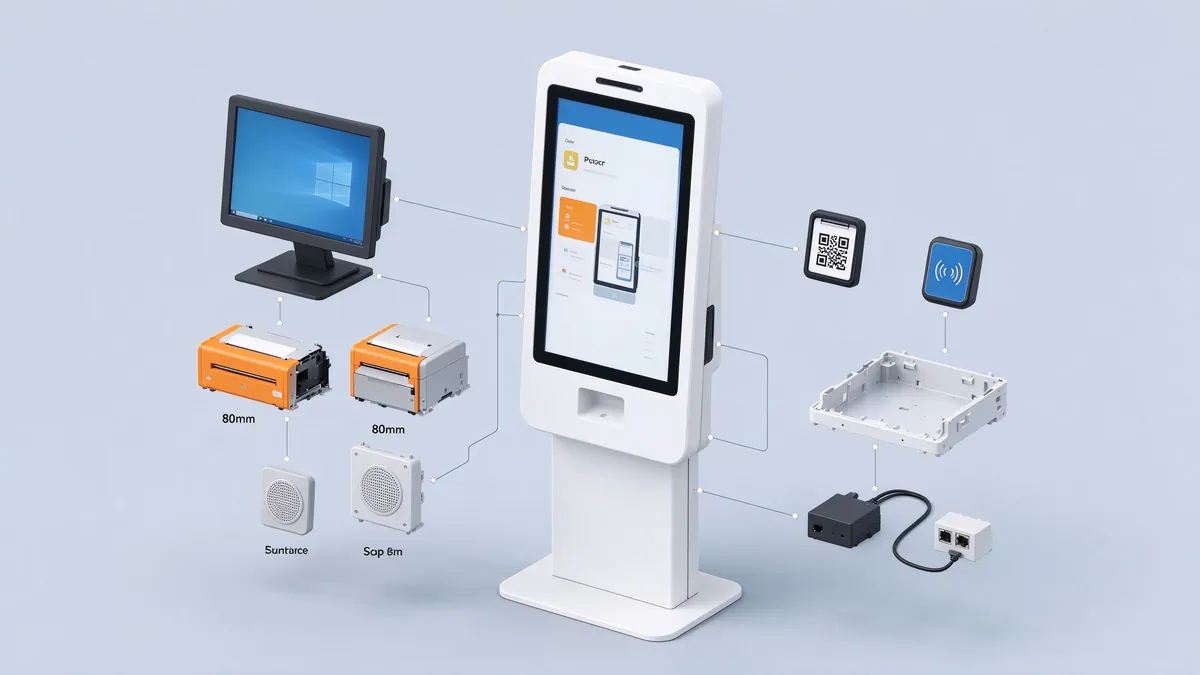
All four models use IPS panel with 1920 × 1080 resolution, with viewing angle of 89/89/89/89, contrast ratio of 3000:1, support of 16.7M color (8bit), refresh rate of 60Hz, and backlight of LED. In terms of brightness, 21.5 inches, 27 inches and 32 inches are ≥ 300cd/㎡, and 15.6 inches are ≥ 280cd/㎡.
In a restaurant, the wide viewing angle of the IPS panel is very important: customers may stand in front of the screen side to order food, and there are people waiting in line next to them. Colors and words will not be distorted due to changes in angle. The picture of the dish is the core of the ordering interface. The 16.7M color display capability can make the color of the dish closer to the truth.
It should be noted that "support 4K" in the specification refers to the decoding and playback capability of videos and pictures, which is used to play 4K promotional films or high-definition food videos. The physical resolution of the screen itself is 1080p.
The touch adopts G G capacitance scheme, supports 20-point touch, touch accuracy ≤ 2mm, can be operated with fingers or stylus, and has a touch life of 60 million times. G G structure means that the touch layer is directly attached to the cover glass, and the surface is 3mm tempered glass, which is smooth to touch and scratch resistant, and can be wiped directly during daily cleaning.
The operation of the ordering machine is mainly click and slide, and the response speed and feel of the capacitive touch are obviously better than the traditional resistance screen. The touch drive is a drive-free mode, and the device can be used after being connected to the Windows, reducing the workload of on-site installation and debugging. Regarding the difference between capacitive screen and infrared screen in different sizes and different environments, you can referSelection Guide for Comparison of Capacitive Screen and Infrared Screen。
The 21.5-inch and 32-inch models are pre-installed with Windows 10/11, the host is Intel i5/i7 platform, the processor covers the 4th generation and 10th to 13th generation, the memory can be 8G or 16G, and the solid state disk can be 256G or 512G. The Windows versions of 15.6-inch and 27-inch models are also Intel i5/i7 platforms, with 4G, 8G or 16G of memory and 128G, 256G or 512G of solid-state drives.
The configuration selection can be divided by purpose: for stores with ordering software as the main part and fewer menu pictures, the lower configuration is sufficient; For stores that need to play food videos, run more complex members or marketing modules, or undertake multiple applications on the same device, it is recommended to select higher memory and hard disk capacity to ensure the smoothness of long-term operation.
The 15.6-inch and 27-inch models are also available in Android 13 versions. The main board is T972 quad-core A55 with a dominant frequency of up to 1.9GHz, which is suitable for customers who use Android ordering applications. Specific models and configurations, please refer to the specifications and project requirements.
The whole machine provides DC × 1, USB × 4, RJ45 × 1, Audio × 1, VGA × 1, HDMI × 1 interface. USB port can be connected to the keyboard and mouse or additional peripherals, RJ45 for wired network, HDMI and VGA can be used to access the secondary screen or subsequent expansion. The system supports hot plug of mouse and keyboard, and maintenance personnel can carry out on-site debugging by connecting the keyboard without restarting the equipment.
Communication support WiFi and Ethernet two ways, optional 3G/4G module. For stores with inconvenient wired network, WiFi access can be used. For stores with high stability requirements, it is recommended to give priority to wired network and WiFi as a backup link.
Used to print the receipt and order voucher. Thermal printing does not require ink and ribbon, low noise, fast speed, suitable for high-frequency ticketing.
Support one-dimensional code and two-dimensional code recognition, used for scanning code payment, member code write-off, coupon write-off and other scenarios. The 21.5-inch and 32-inch specifications also list NFC card swiping capabilities.
The fuselage has reserved the installation location of POS terminals. Stores that need bank card payment can fix POS in the fuselage with neat wiring, which also reduces the situation that POS is moved by customers.
The specification lists a 5 million-pixel camera that supports face recognition as an option. For scenarios involving face information, please design the usage based on the local personal information protection requirements.
The fuselage frame is made of cold-rolled steel plate and metal coated. The surface is 3mm tempered glass, and the colors are white and black. The overall body is thin, with 21.5-inch, 32-inch and 27-inch thicknesses of 50mm, 50mm and 60mm respectively, which has little impact on limited space such as store entrances and walkways. The maintenance door lock is reserved for the fuselage, and the maintenance personnel can open the maintenance power supply and circuit board. The whole machine is equipped with a one-key switch button with indicator light, which supports self-starting and custom time switch machine.
In terms of audio, two high-quality speakers are built into the body, which can be used for sound feedback such as payment success prompts and call prompts, and can also play store promotional content in standby mode.
The whole machine is suitable for AC 110 to 220V voltage, standby power consumption ≤ 1W; In terms of rated power, 15.6 inches ≤ 45W, and the other three models ≤ 80W. The use environment is indoor, the temperature is 0 to 55 ℃, the humidity is 10% to 90% RH; The storage environment is -5 to 60 ℃, 10% to 90% RH. The ordering machine is an indoor model and is not suitable for outdoor direct sun and rain scenes. For stores that require an outdoor ordering scheme, please referOutdoor Digital Signage SeriesHighlight protection models in.
| Project | 15.6 inch desktop | 21.5 inch landing | 27 inch wall mount/additional base | 32 inch floor |
|---|---|---|---|---|
| Model | QM-1625DC | QM-L2226DC | QM-2725DC | QM-L3226DC |
| Resolution | 1920 × 1080(16:9),IPS, contrast ratio 3000:1,16.7M color, refresh rate 60Hz | |||
| Brightness | ≥280cd/㎡ | ≥300cd/㎡ | ≥300cd/㎡ | ≥300cd/㎡ |
| Touch control | G G capacitor, 20 points, accuracy ≤ 2mm, finger or stylus, life 60 million times, drive-free | |||
| System | Windows 10/11(15.6-inch, 27-inch and Android 13 versions) | |||
| Host | Intel i5/i7(21.5-inch and 32-inch specifications list processors as 4th generation and 10th to 13th generation) | |||
| Memory | 4G / 8G / 16G | 8G / 16G | 4G / 8G / 16G | 8G / 16G |
| Hard disk | 128G / 256G / 512G | 256G / 512G | 128G / 256G / 512G | 256G / 512G |
| Interface | DC× 1,USB× 4,RJ45× 1,Audio× 1,VGA× 1,HDMI× 1 | |||
| Peripherals | 80mm thermal printer, barcode/two-dimensional code scanning, POS reserved holes, 5MP camera (optional),WiFi Ethernet, optional 3G/4G | |||
| Overall dimensions | 265.4 × 561.7 × 239.9mm | 390 × 1535.6 × 50mm | 460 × 917.82 × 60mm | 511.7 × 1763.5 × 50mm |
| Base dimensions | — | 390 × 450 × 30mm | 695.07 × 402.5 × 30mm | 511.7 × 450 × 30mm |
| Package dimensions | 365 × 660 × 340mm | 1635 × 490 × 150mm | 1100 × 300 × 600mm | 1865 × 615 × 550mm |
| Net weight/gross weight | 11KG / 12KG | 28KG / 29KG | 19KG / 20KG (including base bracket) | 30KG / 31KG |
| Rated power | ≤ 45W | ≤ 80W | ≤ 80W | ≤ 80W |
| Voltage and Environment | AC110-220V, Standby ≤ 1W; Indoor use, 0-55 °C, 10%-90% RH | |||
| Packing list | One complete machine, one power cord, one remote controller, one WiFi antenna and one warranty card (listed in the 21.5-inch and 32-inch specifications) | |||
Data source: Qtenboard factory specifications for each model. Memory, hard disk and peripherals can be selected according to the project configuration, and the supply version is subject to the specifications of the order confirmation.
Hardware determines whether the equipment can be used stably, and software determines whether the store can be managed smoothly. The Qtenboard ordering machine supports both self-owned software and customer-owned software, using the same hardware platform for both models.
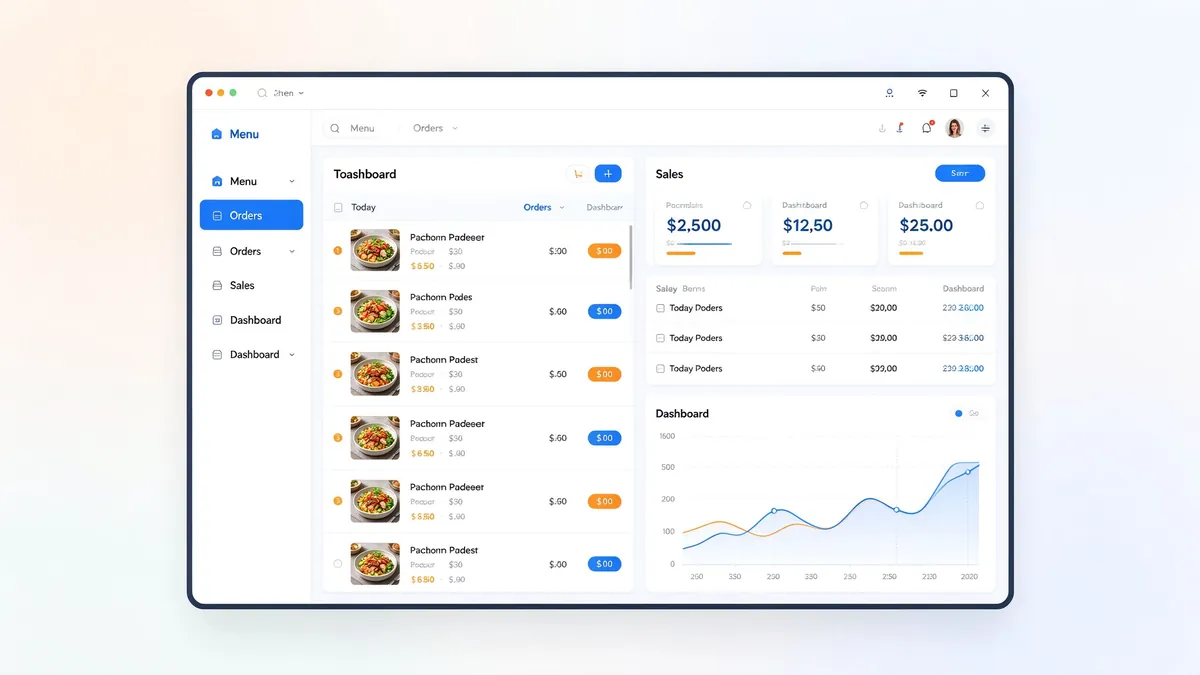
Suitable for new stores, brand chains or customers who want to solve hardware and software at one time. Qtenboard ordering software is designed around the daily operation of the store and mainly includes the following modules:
软件与硬件由同一家工厂提供,意味着驱动适配、打印机与扫码模块的调试、界面在不同尺寸屏幕上的显示,都由Qtenboard统一完成,减少多方对接带来的现场调试工作。
适合已经使用收银系统、会员系统或自研点餐软件的客户。点餐机预装Windows 10/11,规格书明确支持安装第三方软件,并支持开机自启,客户的点餐程序可以随开机自动运行。设备通过USB、RJ45、HDMI等标准接口连接,外设的接入方式在项目对接阶段与软件方确认。
这种模式下Qtenboard提供的是稳定的硬件平台,业务接口、会员体系与数据由客户或其软件服务商负责。如果同时需要门店的收银设备,也可以参考Qtenboard的POS terminal、Cashier Solution, and桌面收银机批量采购方案,让前台与点餐终端形成完整的设备组合。
| Contrast Item | Qtenboard自有点餐软件 | 客户自有软件 |
|---|---|---|
| Suitable for customers | 新开门店、新品牌、希望硬软一体的连锁 | 已有收银或会员系统、有软件团队的品牌 |
| Deliverables | 终端设备+点餐软件,由Qtenboard统一适配 | 终端设备,软件由客户部署 |
| 外设调试 | Qtenboard统一完成打印、扫码调试 | 需客户软件方与Qtenboard共同确认外设接入 |
| 界面定制 | 可按品牌调整菜单界面 | 完全由客户软件决定 |
| Allocation of responsibilities | 硬件与软件由同一方负责 | 硬件由Qtenboard负责,软件由客户或软件服务商负责 |
点餐机待机时可以循环播放促销或新品内容,吸引顾客走近。如果门店同时使用多块广告屏或菜单屏,可以结合Qtenboard的Digital Signage CMS Solution统一管理内容,让点餐机、菜单屏与广告屏的画面保持一致。
不同餐饮业态的客流规律、菜单复杂度和空间条件差别很大,点餐机的规格与外设配置也应随之调整。
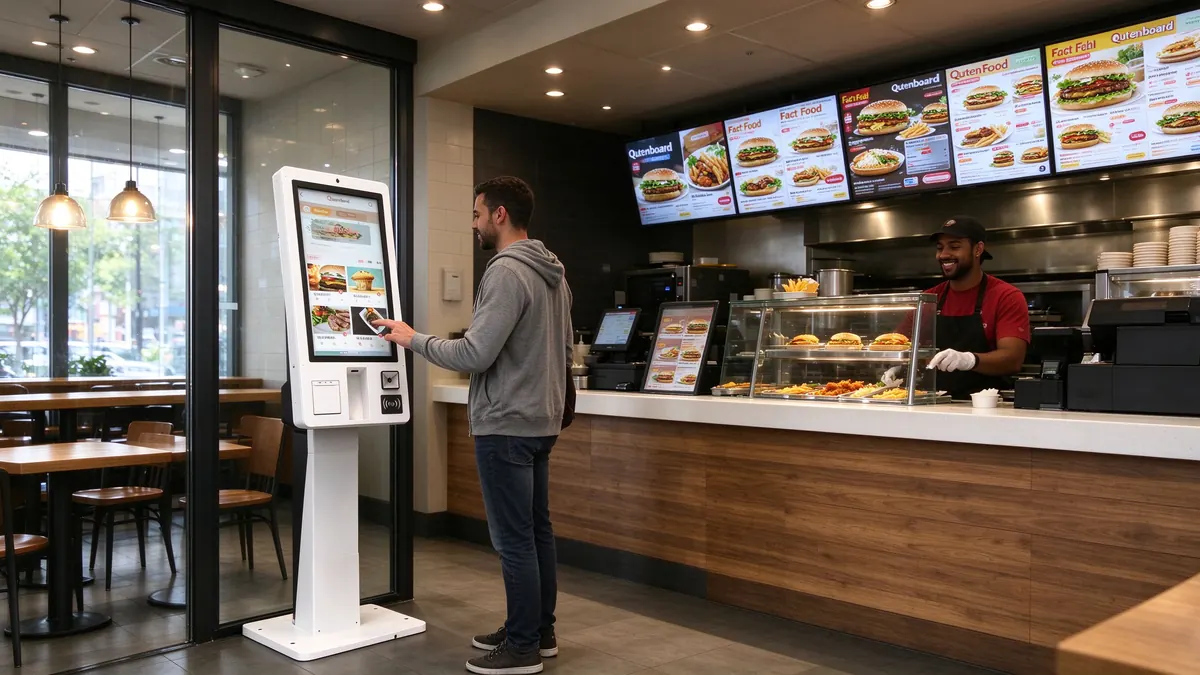
Features:客流集中在午晚高峰,菜单标准化,顾客停留时间短。
Suggestion:21.5寸落地机为主,根据客流量布置多台并排;配置80mm打印机与扫码模块,内存与硬盘选中等配置即可。点餐机靠近入口摆放,取餐口放在另一侧,避免排队与取餐人流交叉。
相关方案:可参考Qtenboard整理的Fast food restaurant self-service ordering machine solution,按门店客流与点位快速确定机型配置。
Features:店面小,柜台空间紧张,订单量大但单笔订单品项少。
Suggestion:15.6寸台式机放在柜台一侧,或27寸壁挂机挂在点单区墙面,节省地面空间。菜单可以按“热饮、冷饮、新品”快速切换,减少顾客选择时间。
Features:菜单项目多,套餐搭配复杂,顾客停留时间较长,品牌形象要求高。
Suggestion:27寸or32寸点餐机,较大的屏幕便于展示菜品图片与套餐组合;多门店使用统一的Qtenboard软件界面,便于总部集中更新菜单。
Features:用餐集中在固定时间段,顾客多为重复用户,支付与核销流程要快。
Suggestion:21.5寸落地机配合扫码与NFC能力,对接食堂已有的会员或一卡通系统,使用客户自有软件模式;高峰时段可多台同时使用分流。
相关方案:参见Canteen self-service ordering machine solution,了解立式与壁挂机型在批量结算场景的布置方式。
汽车餐厅(得来速)需要在户外完成点餐、取餐与广告展示,对高亮度、防水防尘与宽温有明确要求。本文介绍的Qtenboard点餐机属于室内机型,户外场景请选用专门的户外设备,可以从Outdoor Digital Signage Series了解。
点餐机与Touch query all-in-one machine在硬件结构上很接近,都是触控一体机加外设;差别在于软件与用途。点餐机以订单、支付与出票为主,查询机则以信息检索与导览为主。同一Qtenboard硬件平台通过更换软件与外设,也可以延伸到信息查询、Self-service payment等场景,更完整的产品关系可以参考自助终端机全产品线指南,查询机的典型应用场景见Touch Query All-in-One Application Scenario Inventory。
Description:以下四个场景是依据Qtenboard各机型规格书与餐饮门店常见的布局方式整理的配置示例,用于说明“不同业态如何选型、如何布点、如何验收”,不代表某一特定客户项目。门店面积、客流与点位数量均为示例假设,实际项目请以现场勘察结果为准。
目标:缓解高峰期收银台排队,让顾客在入口处直接完成点餐。
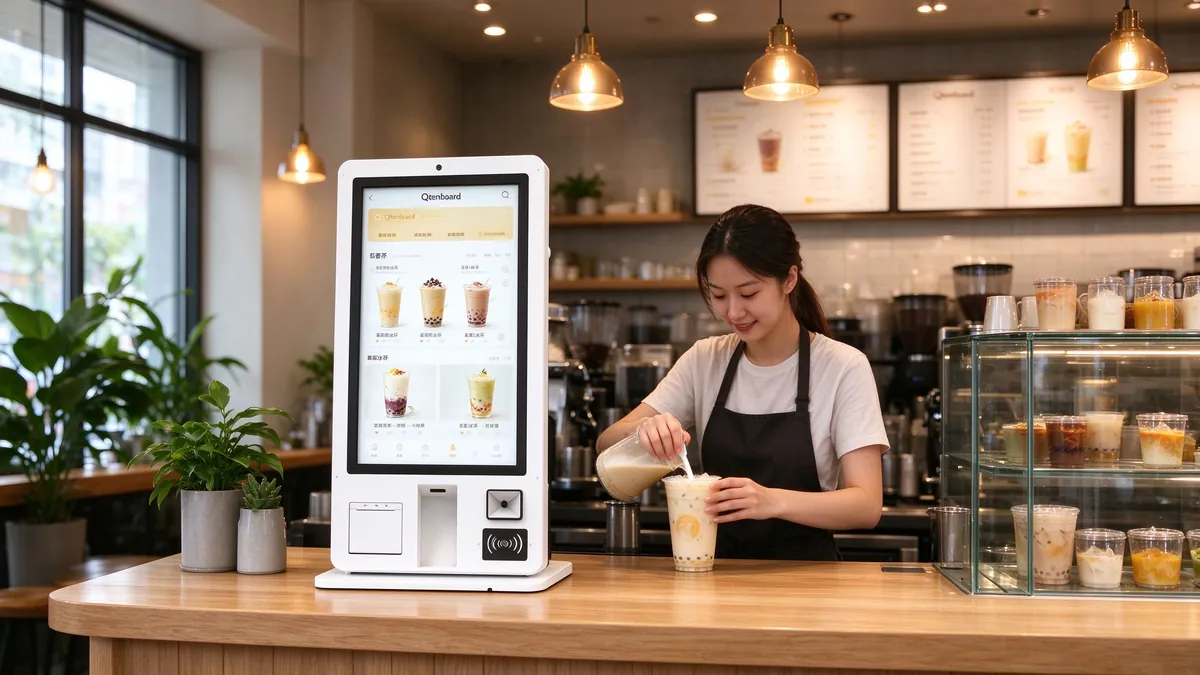
目标:在不增加人手的前提下承接高峰订单,并把有限的柜台空间留给出品。
目标:总部统一管理菜单与套餐,各门店点餐界面与品牌视觉保持一致。
目标:保留食堂现有系统,只更换更稳定、更易维护的点餐终端。
Qtenboard点餐机的安装质量决定了设备能不能长期稳定使用。以下几项建议在设备到货前完成,避免到场后才发现墙体、电源或网络不满足要求。
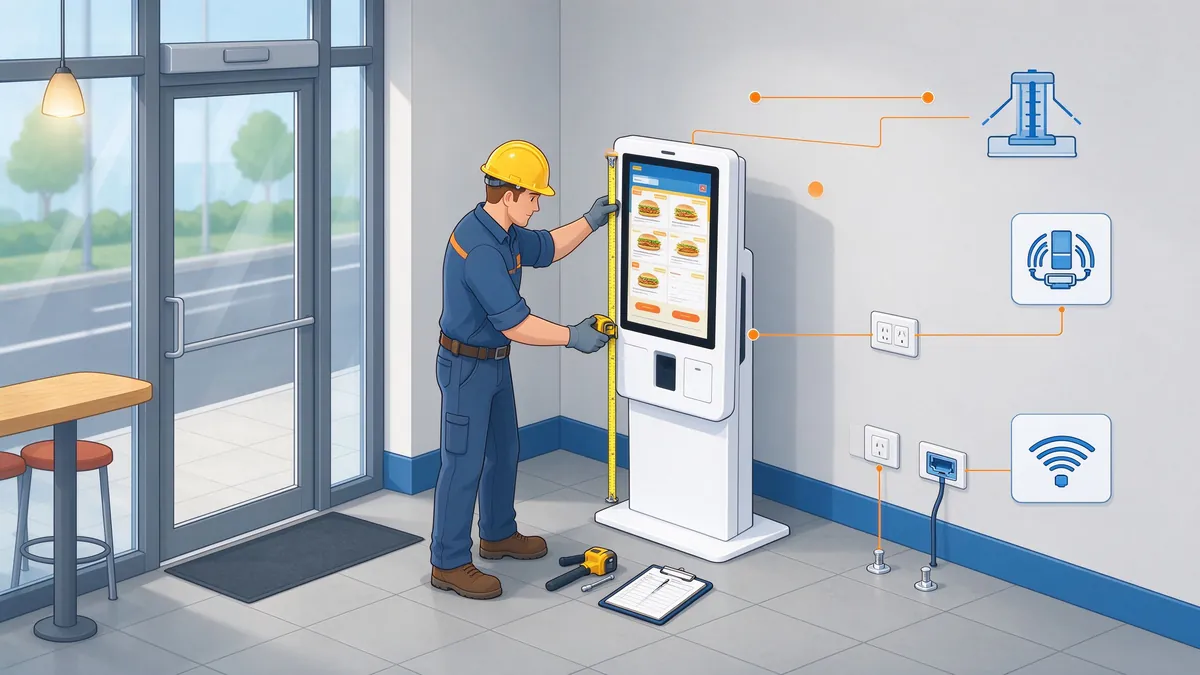
点餐机应靠近入口并朝向顾客进店方向,同时避开强逆光、顶灯直射和过道正中。点位与取餐口之间保持明确的动线,避免点餐人流与取餐人流交叉。点位周围预留顾客站位,以及轮椅或婴儿车通过的空间。
点餐机使用交流110至220V电源,待机功耗不超过1W,额定功率15.6寸不超过45W、其余机型不超过80W。多台设备并排时要核算回路负载,并在点位附近预留独立插座。网络方面,优先使用有线RJ45,WiFi作为备用;设备装箱含WiFi天线,需要使用无线网络时要确认现场信号覆盖。
27寸机型含底座支架的净重为19KG、毛重为20KG,壁挂时需要对墙体类型、安装高度和固定件做核对:实心砖墙与混凝土墙可使用膨胀螺栓,空心砖、轻质隔墙或石膏板墙则需要加装背板、龙骨或穿墙固定。具体承重数据请以现场勘察和安装方的结构评估为准,不建议仅凭机身重量估算。
21.5寸与32寸为落地立式,整机高度分别为1535.6mm与1763.5mm,底座尺寸为390×450mm和511.7×450mm,净重分别为28KG与30KG。在顾客流量大、有儿童出入的公共场所,建议用地面固定件或膨胀螺栓固定底座,避免被撞击或攀爬时倾倒。
各机型包装尺寸分别为:15.6寸365×660×340mm,21.5寸1635×490×150mm,27寸1100×300×600mm,32寸1865×615×550mm。32寸包装长度接近1.9米,进场前要确认电梯尺寸与通道转角;包装为纸箱,仓储时需要防潮。开箱后对照装箱清单核对整机、电源线、遥控器、WiFi天线和保修卡。
通电后先确认触控与显示正常,再逐项测试打印、扫码、支付与后厨出单;检查开机自启与定时开关机设置,最后记录设备序列号、安装位置与网络信息,便于日后维护。
日常维护以三件事为主:一是定期擦拭钢化玻璃表面,清洁时使用柔软的擦拭布,避免液体渗入边缘;二是及时更换热敏打印机的纸卷,并保持出纸口无异物;三是保持设备通风,避免被遮挡或紧贴墙体放置。机身预留检修门锁,维护人员可以打开检修电源与线路板。
菜单、价格与套餐的变更属于软件层面的日常操作,通过Qtenboard点餐软件后台完成,不需要到每台设备前逐一修改。
Qtenboard是OEM/ODM源头工厂,可以按项目需要调整整机颜色(白色或黑色)、尺寸规格、外设模块组合、品牌标识与软件界面,适合渠道商、系统集成商和连锁品牌。定制项目建议在方案阶段就确定外设清单与接口要求,样机确认后再进入批量生产。更多资质与工厂信息可以查看关于Qtenboard,外观、软件与功能的定制流程可以参考查询机OEM/ODM定制流程详解。
Qtenboard各机型完整规格书与产品资料,可以在产品目录页面查看,更多自助终端设备见自助终端产品中心。
下面是项目采购前建议逐项确认的事项,可以直接用作内部评审清单。
扫码点餐依赖顾客手机,门店不需要购买终端,但对顾客的网络、手机操作和扫码习惯有要求;Qtenboard自助点餐机是门店自备的固定终端,菜单展示更完整,支付与出票流程可控,更适合高峰客流、年龄层多样的门店,也可以与扫码点餐并行使用。
可以。点餐机预装Windows 10/11,支持安装第三方软件和开机自启。外设的接入方式需要在项目前期与软件方确认,Qtenboard负责硬件与外设调试配合。
可以。27寸机型支持壁挂,并可选配底座支架落地使用。壁挂前要核对墙体承重,落地使用建议固定底座。
规格书列明机身支持条码与二维码扫描,并预留POS终端孔位;21.5寸与32寸规格书还列有NFC刷卡。具体支付方式取决于所用点餐软件与支付渠道的对接情况。
不建议。本文介绍的Qtenboard点餐机是室内机型,使用环境为0至55℃,需要避免日晒雨淋。户外点餐场景请选择具备高亮与防护设计的户外设备。
屏幕物理分辨率为1920×1080,4K是指设备支持4K视频与图片的解码播放,用于播放高清宣传内容,不等于4K显示。
可以。Qtenboard提供OEM/ODM服务,颜色(白色、黑色)、外设组合、品牌标识和软件界面都可以按项目调整,具体范围在方案确认阶段沟通。
主要是擦拭屏幕玻璃、更换热敏纸卷、保持通风和检查线路。机身有检修门锁,便于维护人员检修电源与线路板。
需要Qtenboard自助点餐机报价、选型或OEM/ODM定制方案?
联系Qtenboard团队,获取免费方案咨询、样品支持与工厂直供价格。
 Partner Links:

 en
 中文

 Previous:
 Return to list

